
Enterprise marketing teams create large volumes of long form content such as webinars, interviews, podcasts, demos, and presentations. Repurposing this content manually is time consuming and often slows distribution. Pictory AI’s AI Video Editor helps marketing teams optimize long form content into multiple high performing video assets quickly and consistently.
This guide explains how enterprise marketing teams use the AI Video Editor in Pictory AI to optimize long form content at scale.
Why Long Form Content Optimization Matters
Long form content contains valuable insights, but audiences rarely consume it in one sitting. Optimizing this content into shorter, targeted videos improves reach and engagement.
Enterprise marketing teams optimize long form video to:
- Increase content lifespan
- Reach different audience segments
- Improve engagement across platforms
- Support multi channel campaigns
- Reduce production costs
- Maximize ROI from existing assets
AI driven editing makes this process faster and repeatable.
Step 1: Upload Long Form Video Content
Marketing teams start by uploading long form assets into the AI Video Editor.
Common sources include:
- Webinars
- Virtual events
- Interviews
- Product demos
- Podcasts
- Panel discussions
- Recorded presentations
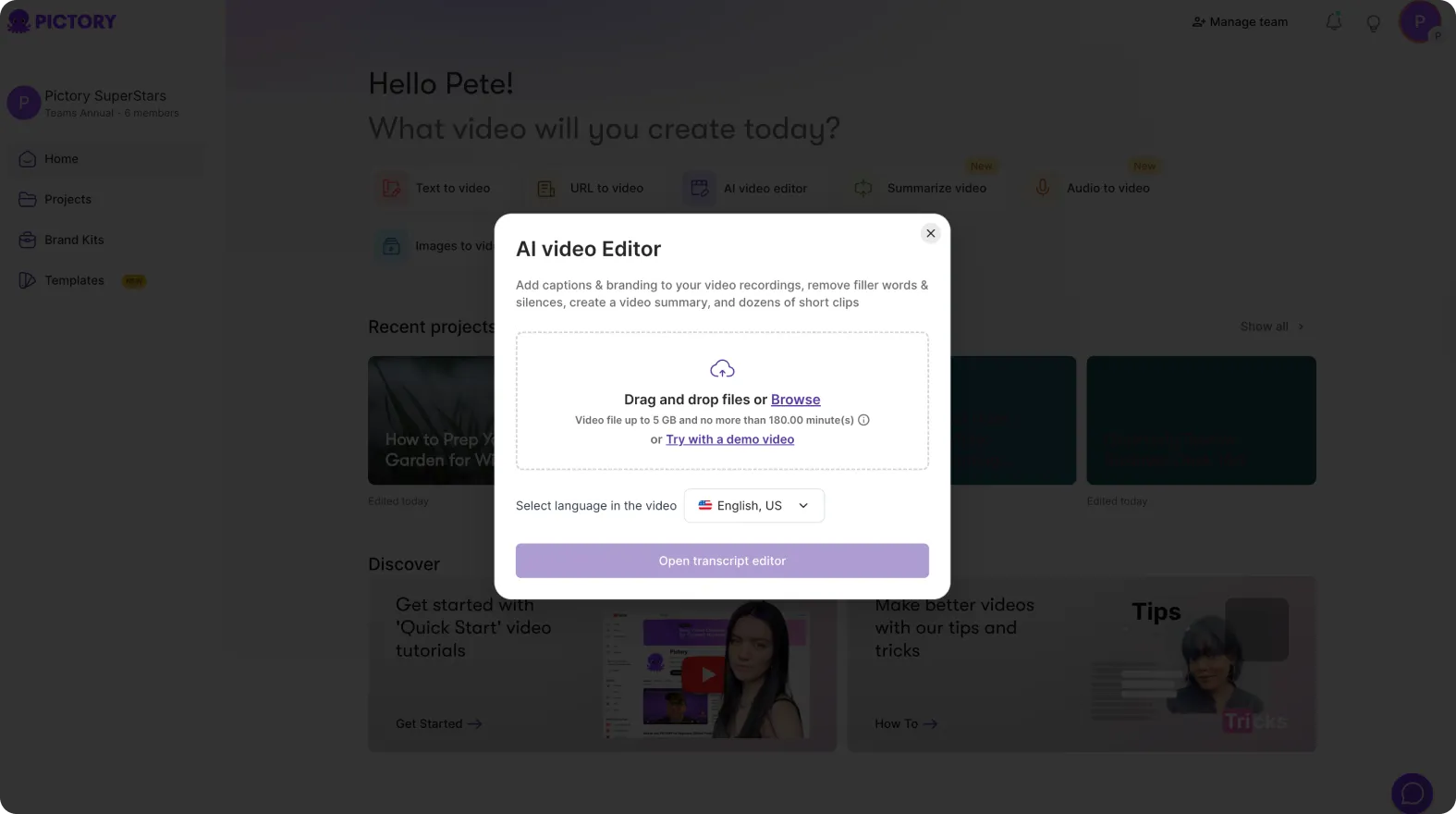
Once uploaded, Pictory automatically transcribes the video.
Step 2: Review the Auto Generated Transcript
After upload, Pictory generates a full transcript of the video.
Marketing teams use the transcript to:
- Identify key talking points
- Spot strong quotes
- Locate product mentions
- Find sections suitable for short clips
- Remove filler words or off topic segments
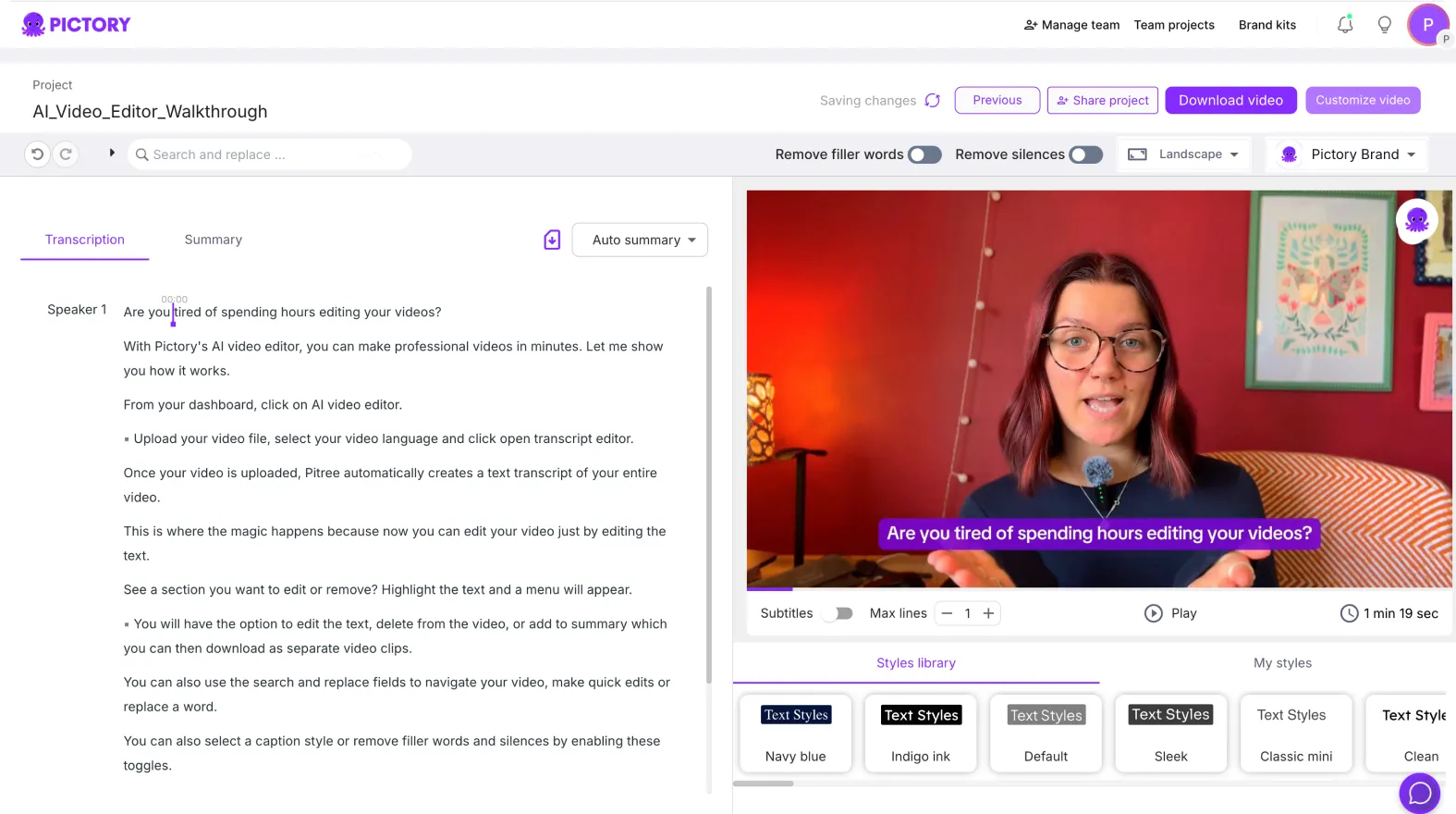
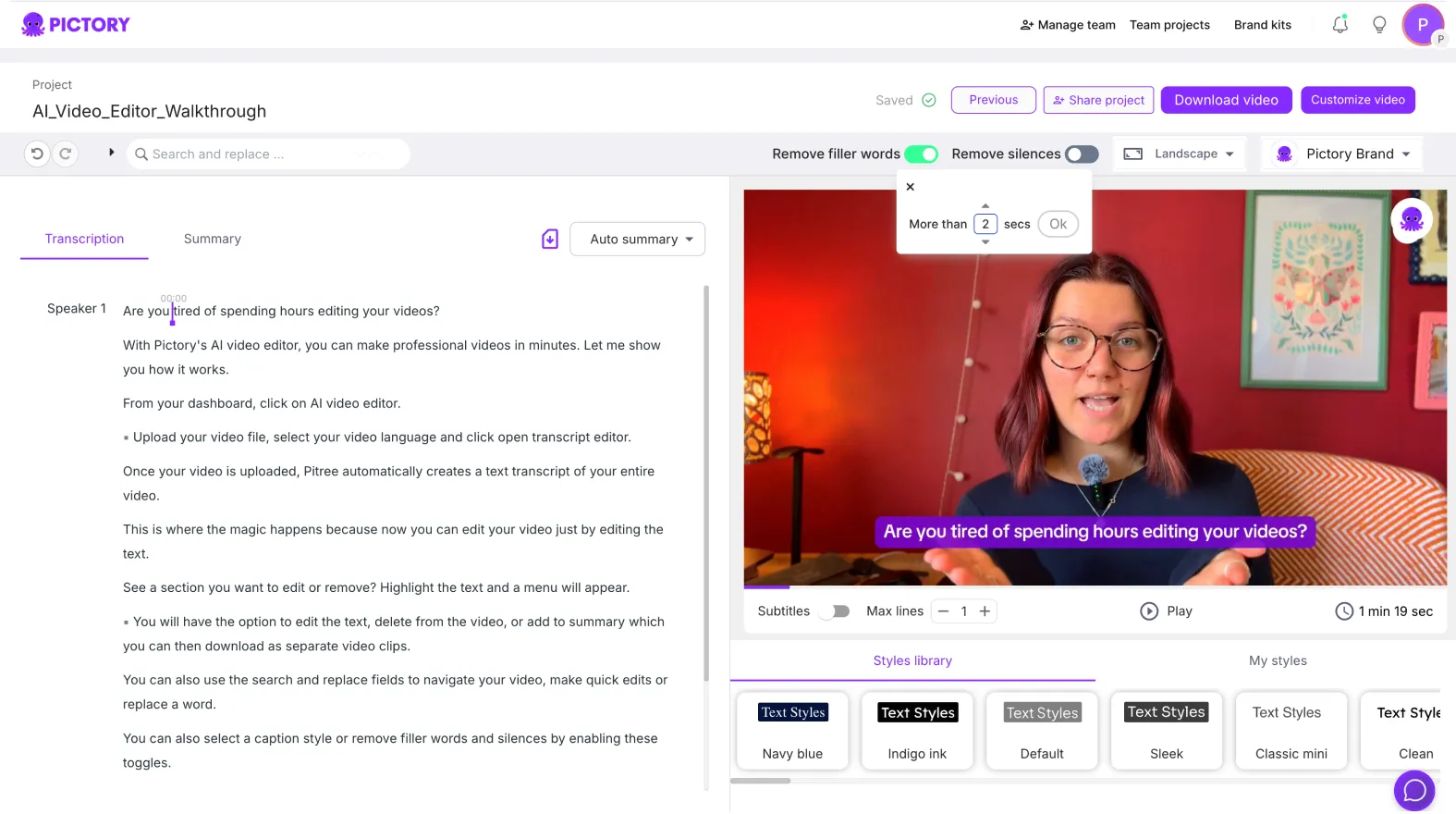
The transcript becomes the foundation for optimization.
Step 3: Create Highlight Clips From Long Videos
Using transcript based editing, teams can create clips without manual timeline scrubbing.
Common actions include:
- Selecting key sentences
- Creating highlight clips
- Trimming long explanations
- Removing silence or filler words
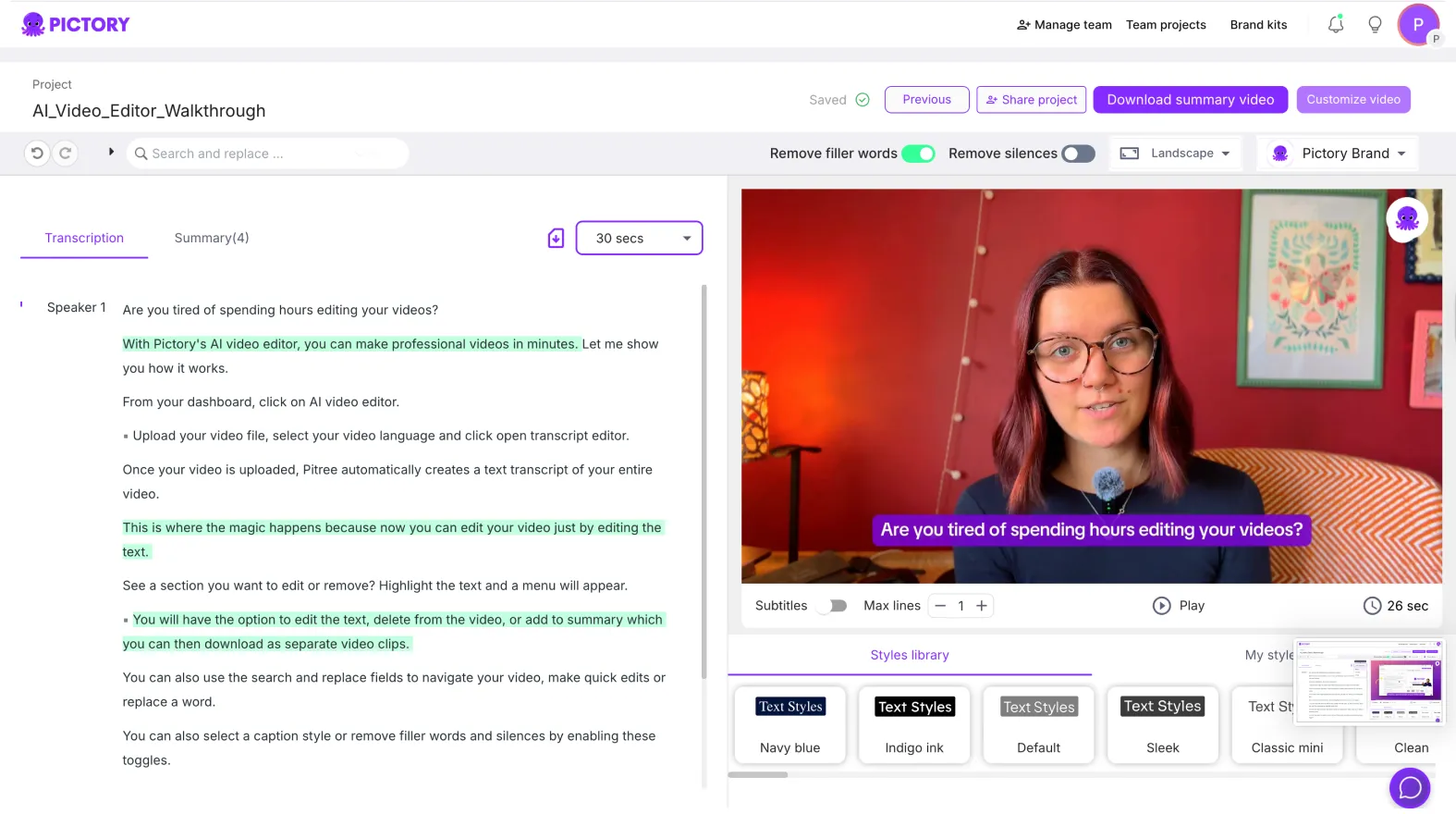
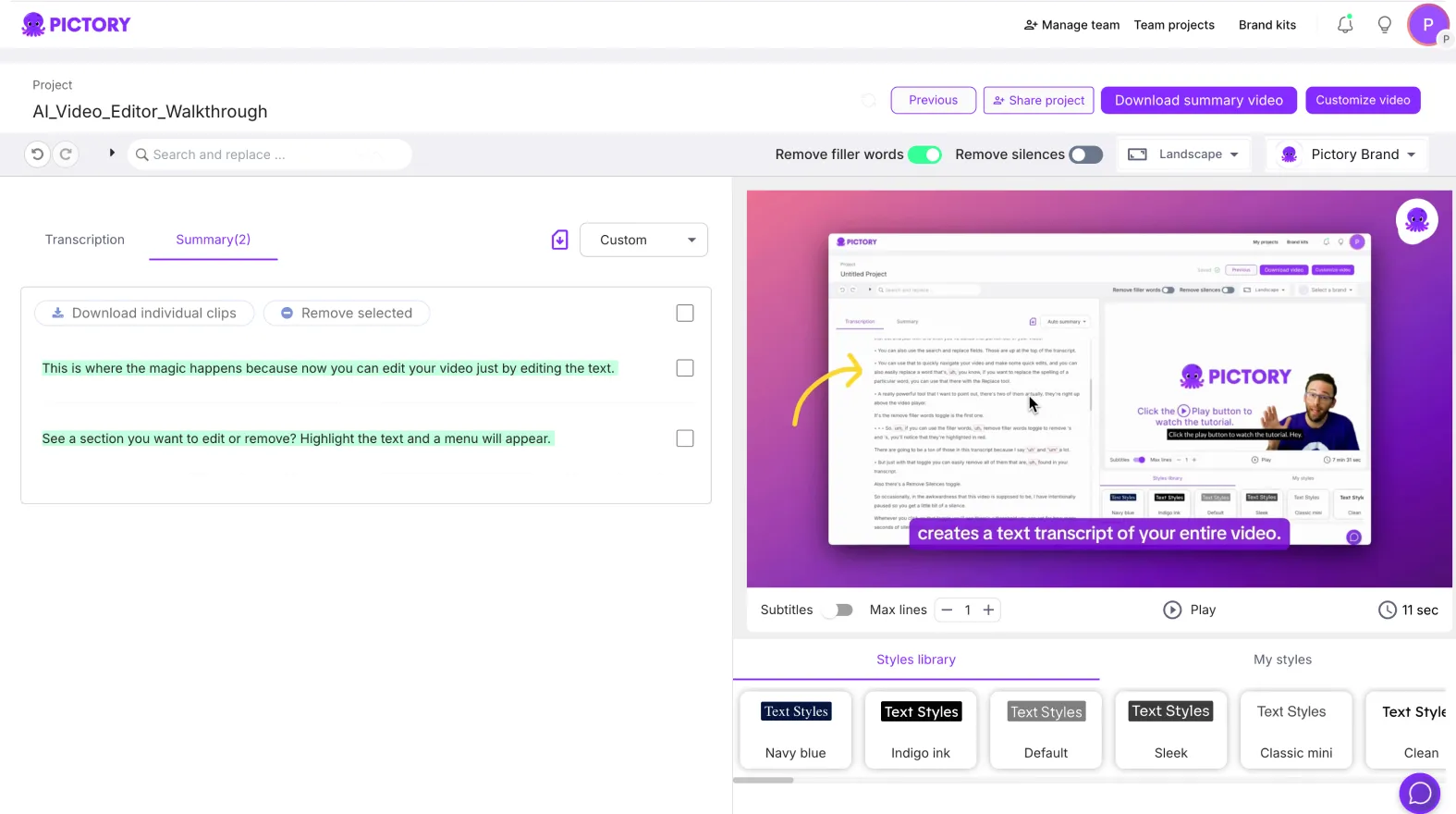
This allows teams to generate multiple short videos from one source.
Step 4: Optimize Content for Different Platforms
Enterprise marketers tailor clips for different channels.
They often create:
- YouTube clips from webinars
- LinkedIn thought leadership videos
- Instagram Reels or TikTok highlights
- Sales enablement snippets
- Website explainer segments
Aspect ratios and layouts are adjusted inside the editor.
Step 5: Apply Brand Kits for Campaign Consistency
Brand consistency is critical for enterprise marketing.
After clips are created:
- Open the Branding tab
- Apply the approved Brand Kit
- Confirm fonts, colors, and logos
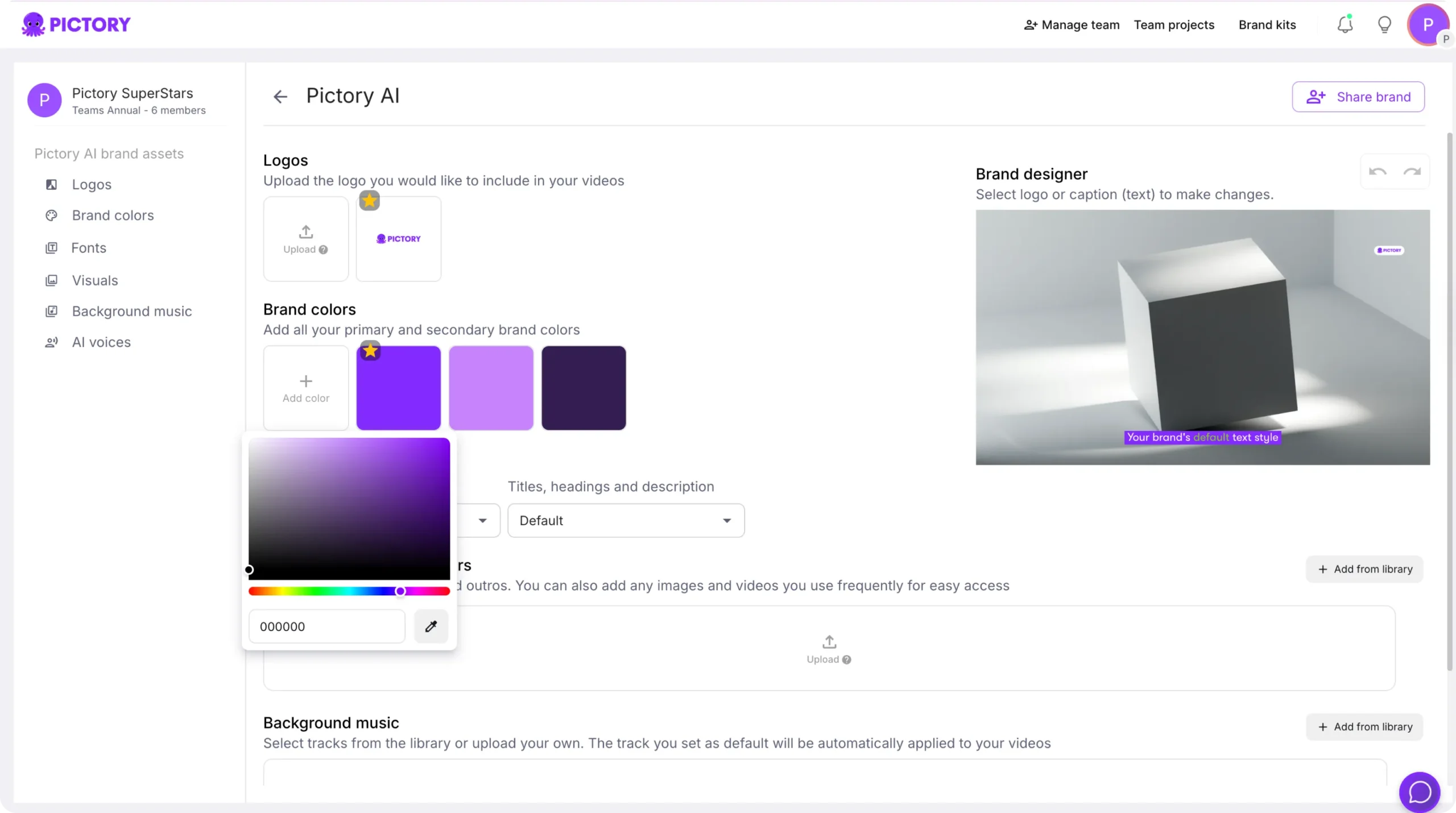
This ensures every clip aligns with campaign branding.
Step 6: Add Subtitles for Silent Viewing
Many marketing videos are consumed without sound.
Teams enable subtitles to:
- Improve watch time
- Increase accessibility
- Support mobile viewing
- Deliver clear messaging without audio
Subtitle styling helps maintain readability across platforms.
Step 7: Enhance Clips With Visuals and Text Overlays
The AI Video Editor allows marketers to enhance clips visually.
Common enhancements include:
- Adding text overlays for key points
- Highlighting quotes
- Adding shapes or icons
- Replacing visuals with stock or branded assets
These improvements make clips more engaging and shareable.
Step 8: Duplicate and Repurpose Clips Across Campaigns
Once a clip is created:
- Duplicate the project
- Adjust messaging or visuals
- Create variations for different audiences
- Localize content for regions or industries
This supports scalable campaign execution.
Step 9: Export Optimized Videos in Multiple Formats
Enterprise marketing teams export videos in formats suited to each platform.
Common exports include:
- 16:9 for YouTube and websites
- 1:1 for LinkedIn and Facebook
- 9:16 for TikTok, Reels, and Shorts
Each clip is optimized for its destination.
Step 10: Maintain an Ongoing Optimization Workflow
AI Video Editor supports continuous optimization.
Marketing teams can:
- Revisit older content
- Refresh visuals and subtitles
- Update branding
- Create new clips from archived videos
This keeps content libraries active and relevant.
Optimize Long Form Marketing Content With AI Video Editor in Pictory AI
AI Video Editor helps enterprise marketing teams unlock more value from long form content. By using transcript based editing, brand controls, and multi format exports, teams can scale video optimization without increasing workload. This approach improves reach, engagement, and efficiency across marketing channels.
Start optimizing your long form marketing content today using AI Video Editor in Pictory AI.


