
Creating consistent, on-brand videos usually requires manually uploading logos, selecting colors, and choosing fonts. This takes time and can lead to inconsistencies across projects.
Pictory AI now allows you to create a Brand Kit directly from a website URL. By simply entering a website, Pictory automatically extracts key brand elements and builds your Brand Kit for you.
This guide shows how to create a Brand Kit from a URL and how to use it in your videos.
What Is Brand Kit Creation from URL in Pictory AI
Brand Kit creation from URL allows you to generate a complete Brand Kit by entering a website link. Pictory scans the website and automatically extracts branding elements.
This includes:
• Brand logo
• Primary color palette
• Brand fonts
This removes the need to manually configure branding from scratch.
How Does Brand Kit Creation from URL Work
When you enter a website URL, Pictory analyzes the page and identifies key visual elements. These elements are then used to build a ready-to-use Brand Kit.
The system attempts to:
• Detect the main logo
• Extract primary brand colors
• Identify font styles used on the site
You can then review and refine these elements before applying them.
Why Use Brand Kit Creation from URL
Creating Brand Kits manually can slow down video production.
Using a URL helps you:
• Save time on setup
• Ensure brand consistency
• Quickly onboard new brands or clients
• Reduce manual errors
• Standardize branding across teams
This is especially useful for agencies, marketers, and enterprise teams.
Step 1: Start the Brand Kit Creation Flow
To begin:
- Open the Branding section in Pictory
- Click Create Brand Kit
- Select the option to create from Website URL
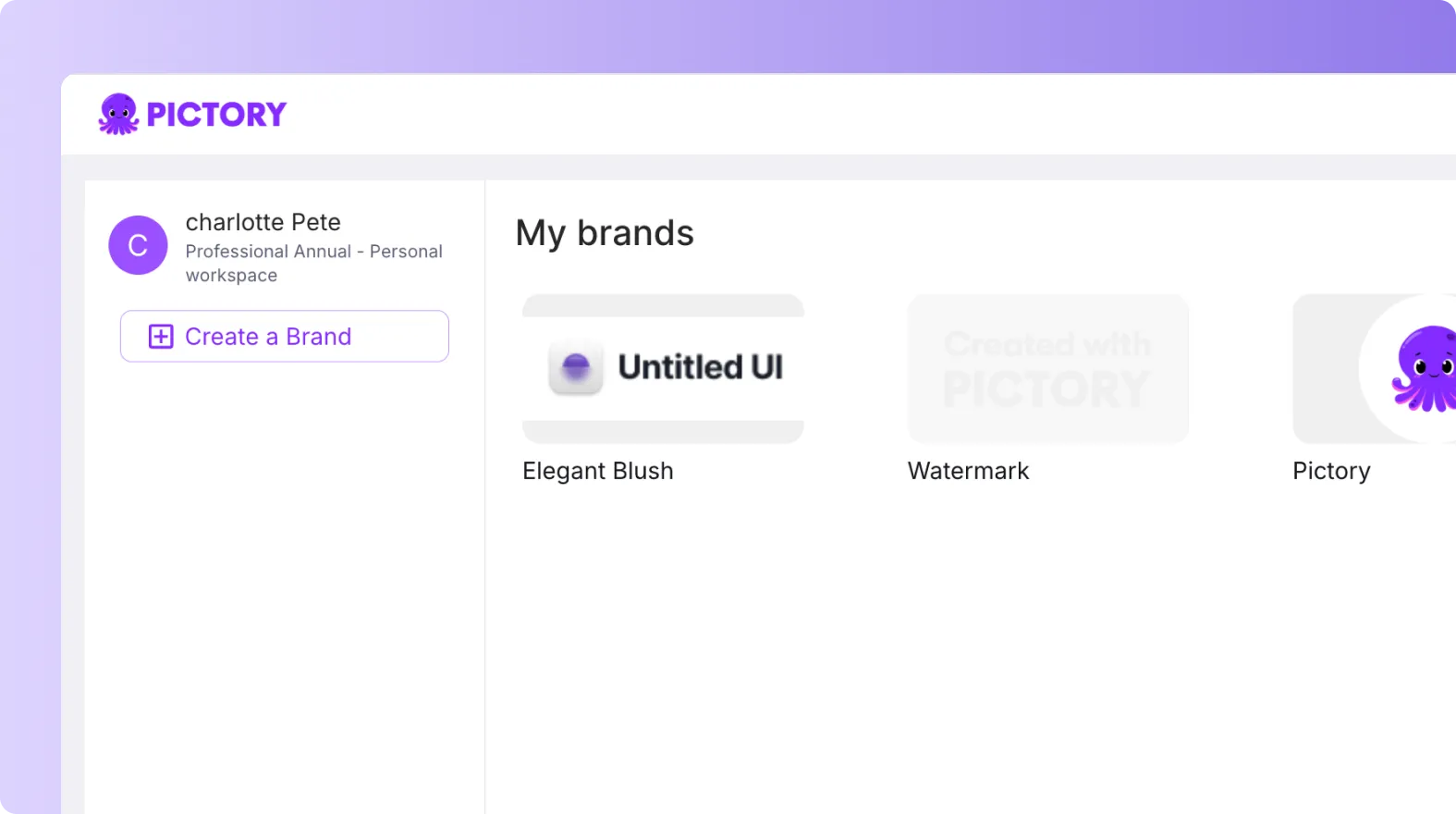
This opens the URL input flow.
Step 2: Enter Your Website URL
Paste the website URL you want to extract branding from.
Make sure:
• The site is live and accessible
• The homepage reflects your brand identity
• Branding elements are clearly visible
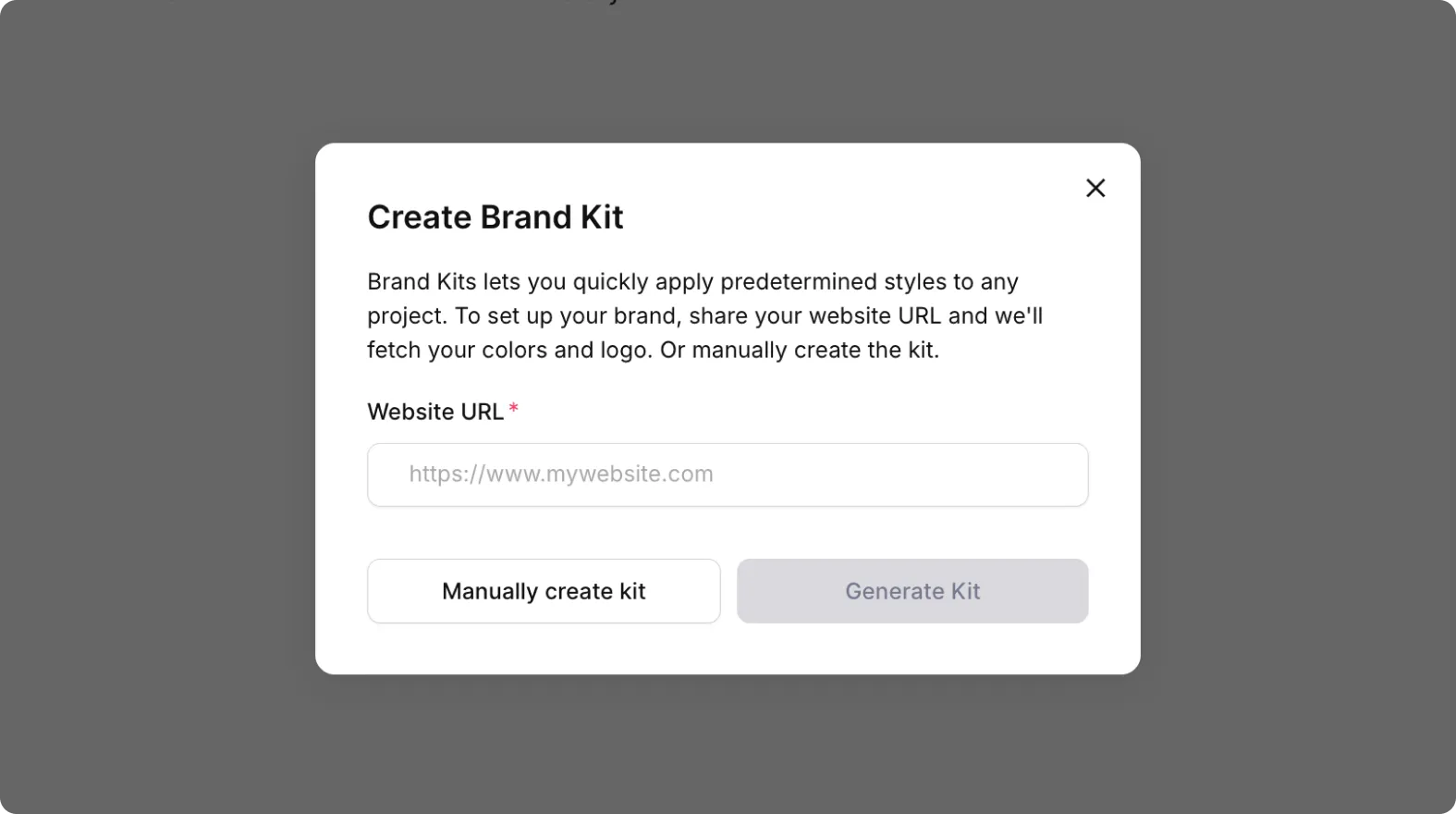
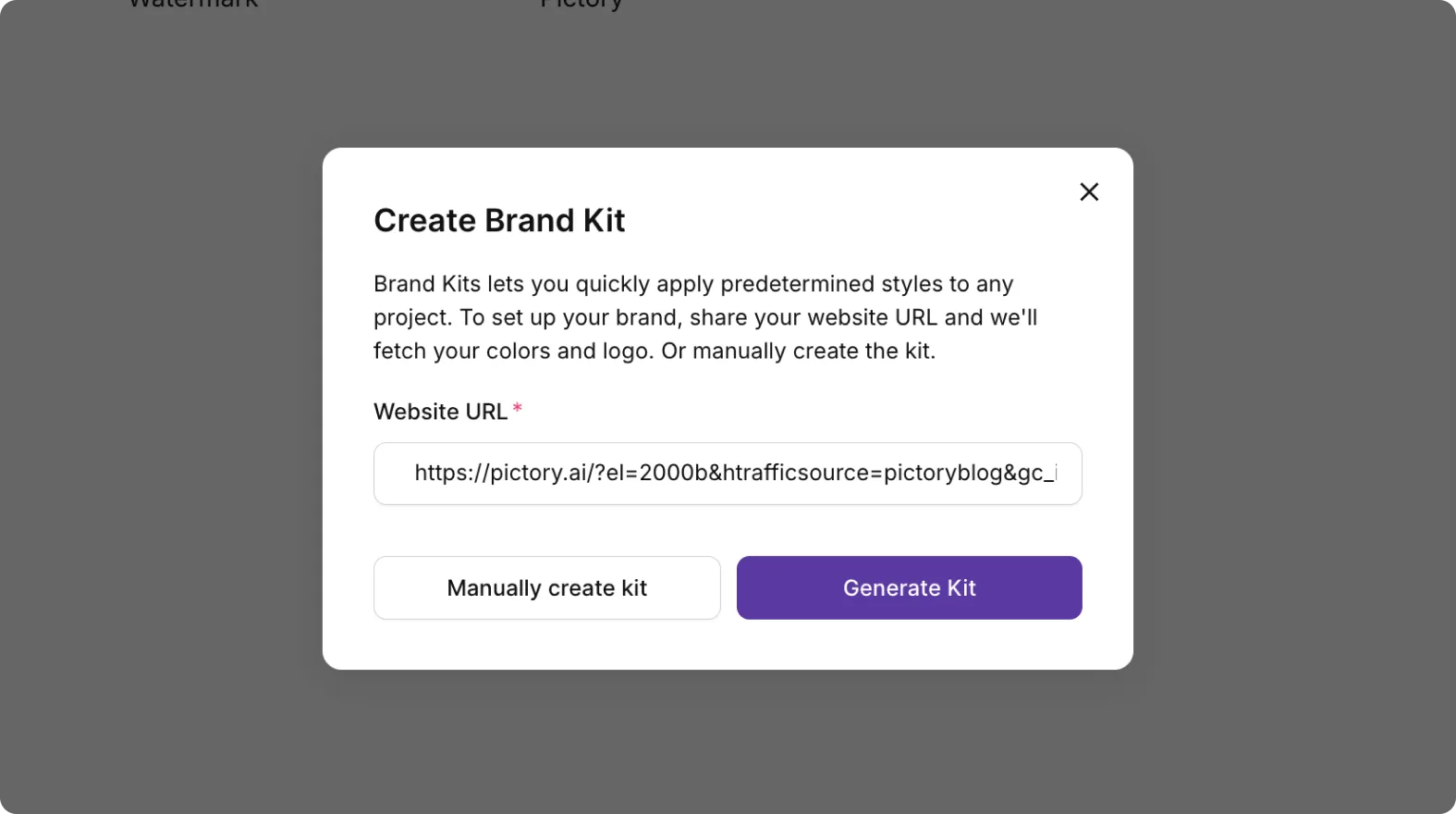
Once entered, proceed to generate your Brand Kit.
Step 3: Review Extracted Brand Elements
Pictory will automatically generate your Brand Kit.
Review the following:
• Logo selection
• Primary color palette
• Font styles
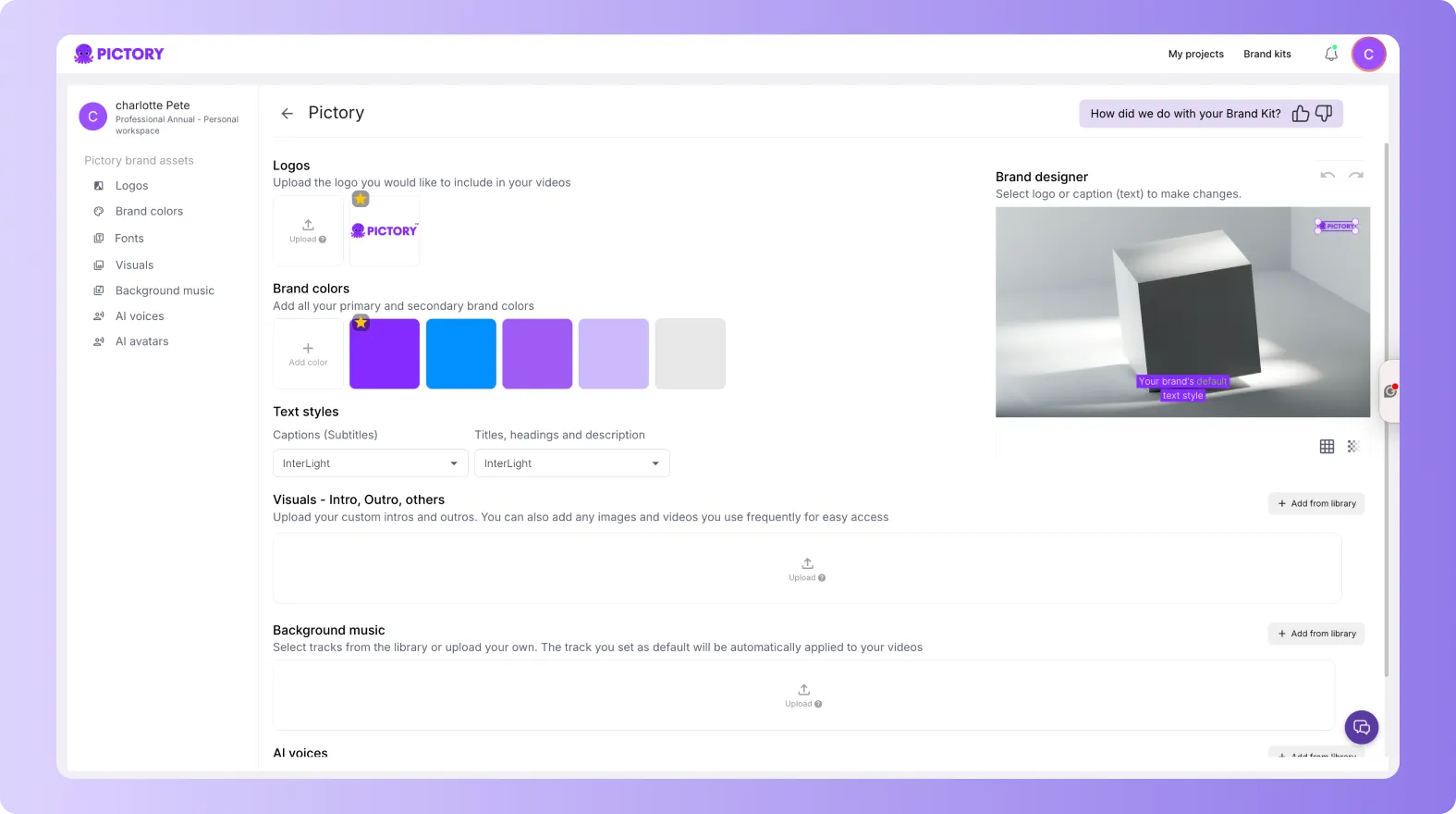
This step ensures accuracy before applying the kit.
Step 4: Edit and Refine Your Brand Kit
You can adjust any extracted elements.
You can:
• Replace or upload a different logo
• Modify color selections
• Choose alternative fonts
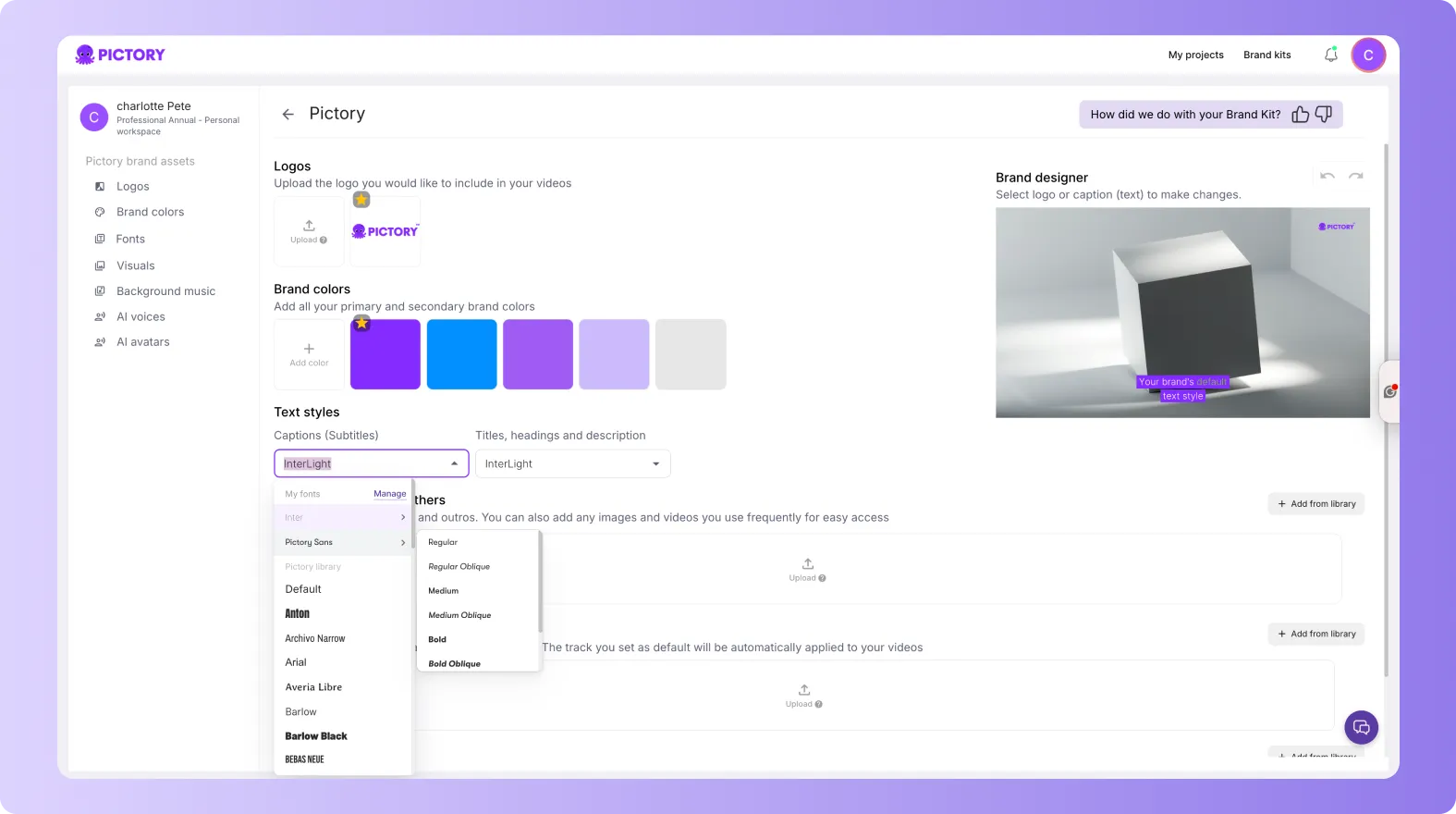

This allows you to fine-tune your Brand Kit to match your exact guidelines.
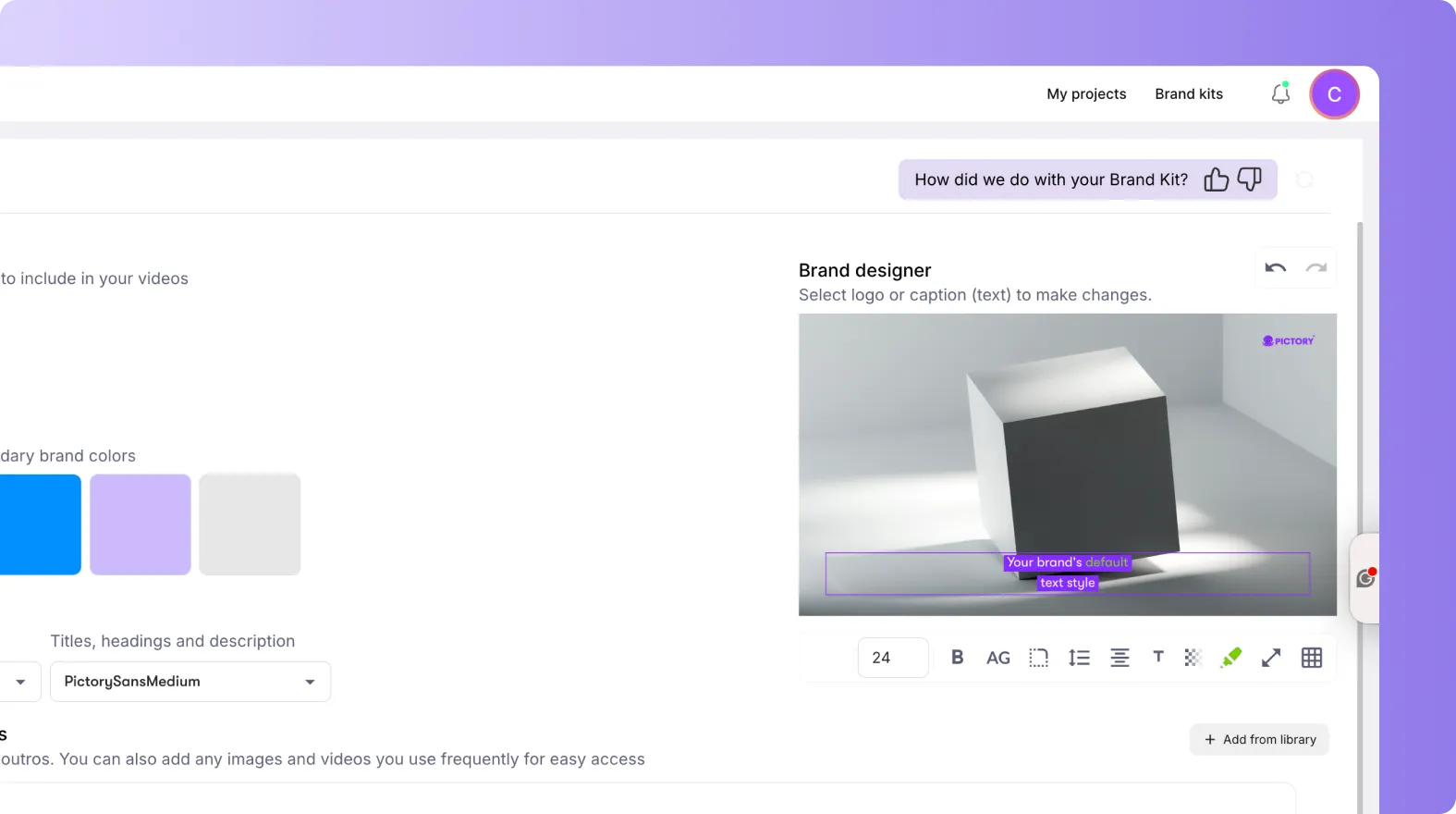
Step 5: Save and Apply Your Brand Kit
Once finalized:
- Save your Brand Kit
- Apply it to your project
Your videos will now automatically use:
• Your brand colors
• Your selected fonts
• Your logo placement
How to Use Your Brand Kit Across Projects
After creation, your Brand Kit can be reused.
You can:
• Apply it to new projects
• Use it across multiple videos
• Share it with your team
• Maintain consistent branding across all content
This helps scale video production while keeping everything on brand.
When Should You Use Brand Kit Creation from URL
Use this feature when:
• Launching a new brand
• Creating content for clients
• Scaling content production
• Standardizing branding across teams
• Speeding up onboarding workflows
It is ideal for fast, accurate brand setup.
Key Benefits of Brand Kit Creation from URL
Using this feature helps you:
• Create Brand Kits instantly
• Reduce setup time
• Improve brand consistency
• Eliminate manual configuration
• Scale content creation faster
Limitations to Be Aware Of
• Accuracy depends on the website structure
• Some fonts may need manual adjustment
• Logos may need refinement in certain cases
Always review your Brand Kit before applying it.
Create On-Brand Videos Faster With Pictory AI
Brand Kit creation from URL makes it easier to produce consistent, professional videos without manual setup. By automatically extracting logos, colors, and fonts, Pictory AI helps you move faster while maintaining full control over your brand.
Start creating your Brand Kit from a website URL today in Pictory AI.
Frequently Asked Questions About Brand Kit from URL
What is a Brand Kit in Pictory AI?
A Brand Kit is a set of visual elements including logos, colors, and fonts used to keep your videos consistent.
Can I create a Brand Kit from any website?
Yes, as long as the website is accessible and contains clear branding elements.
Can I edit the Brand Kit after creation?
Yes, you can update logos, colors, and fonts at any time.
Does the system always extract the correct branding?
It works in most cases, but you should review and adjust elements if needed.


