
Large enterprises create video content across marketing, HR, sales, training, product, and internal communications teams. Without centralized branding, visual consistency quickly breaks down. Pictory AI Brand Kits allow enterprises to apply approved branding across multiple teams and departments while maintaining speed, control, and flexibility.
This guide shows how enterprises apply Brand Kits across teams and departments using Pictory AI.
Why Cross Team Brand Consistency Is Critical
When teams work independently, branding errors are common. Brand Kits solve this by standardizing visual elements across the organization.
Enterprises use Brand Kits across teams to:
• Maintain a unified brand identity
• Prevent off brand visuals
• Reduce design reviews and rework
• Speed up video production
• Support distributed and global teams
• Enable non designers to create on brand videos
Brand Kits create a shared foundation for all teams.
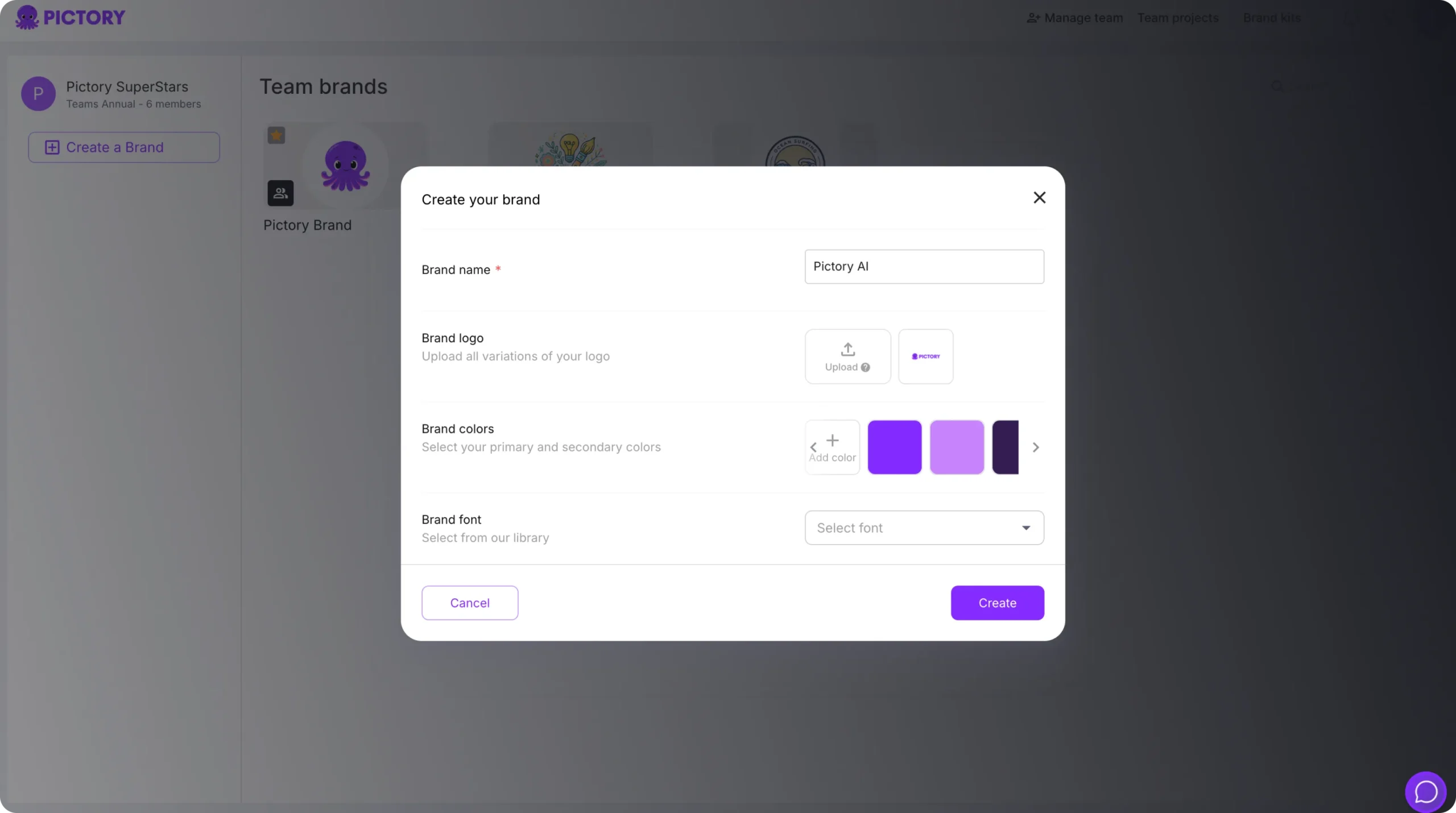
Step 1: Create Centralized Brand Kits at the Organization Level
Brand consistency starts with centrally managed Brand Kits.
Enterprise brand or design teams typically:
• Upload approved logos
• Define primary and secondary brand colors
• Select approved fonts
• Set default text styling
These Brand Kits act as the official brand standard for all departments.
Step 2: Make Brand Kits Available to All Teams
Once created, Brand Kits are accessible across the enterprise workspace.
This allows:
• Marketing teams to launch campaigns
• HR teams to produce onboarding videos
• Sales teams to create demos and pitches
• Training teams to publish learning content
• Internal comms teams to share updates
Every team works from the same visual system.
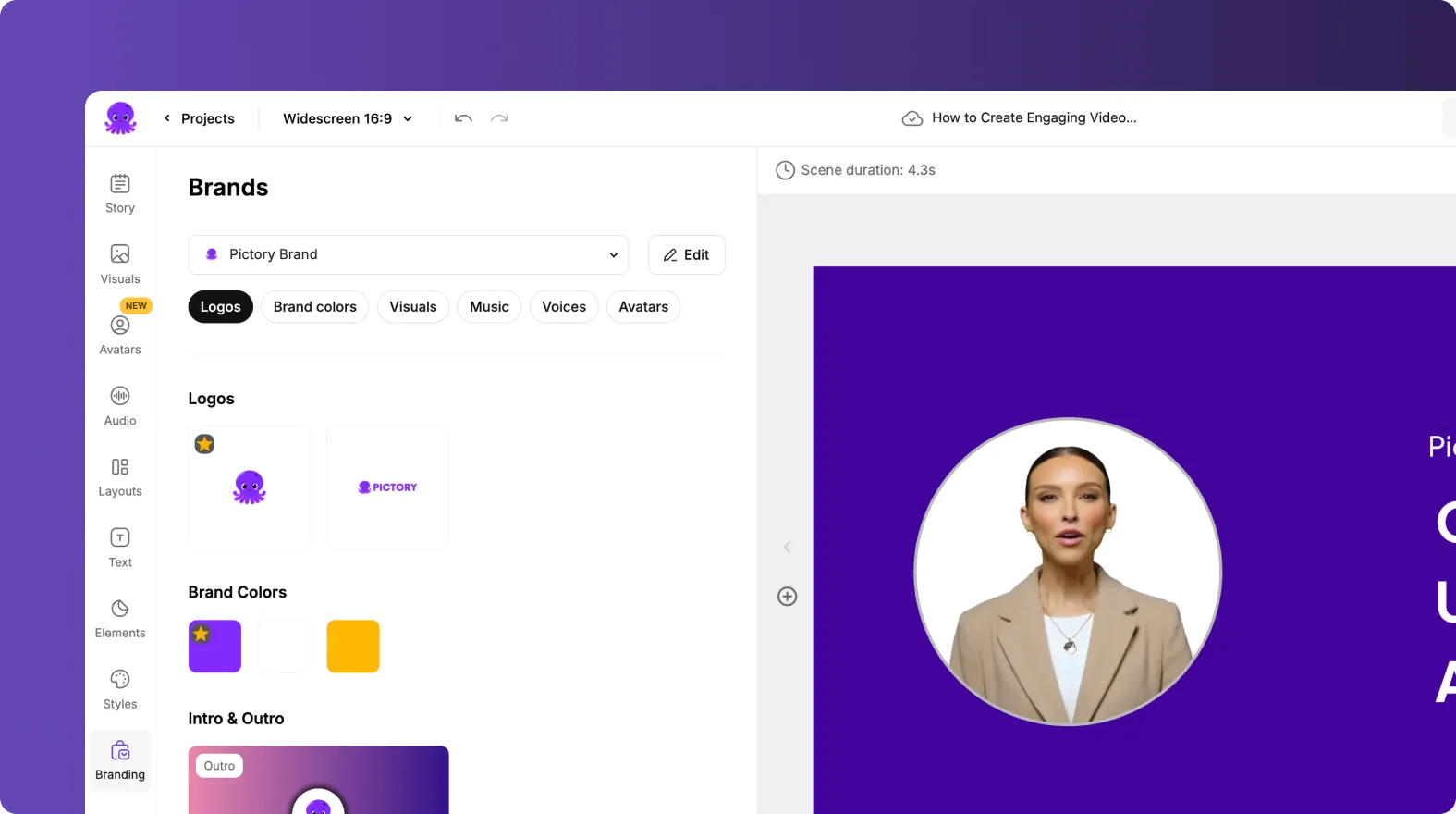
Step 3: Apply Brand Kits at the Start of Every Project
To enforce consistency from the beginning:
Open a new project
Go to the Branding tab
Select the approved Brand Kit
Apply it before editing
This ensures branding is locked in before content creation begins.
Step 4: Apply Brand Kits to Existing Team Projects
Brand Kits can be applied to projects created by any department.
Enterprises often use this to:
• Standardize legacy content
• Align older videos with updated guidelines
• Fix branding inconsistencies quickly
Applying a Brand Kit updates fonts, colors, and logos instantly.
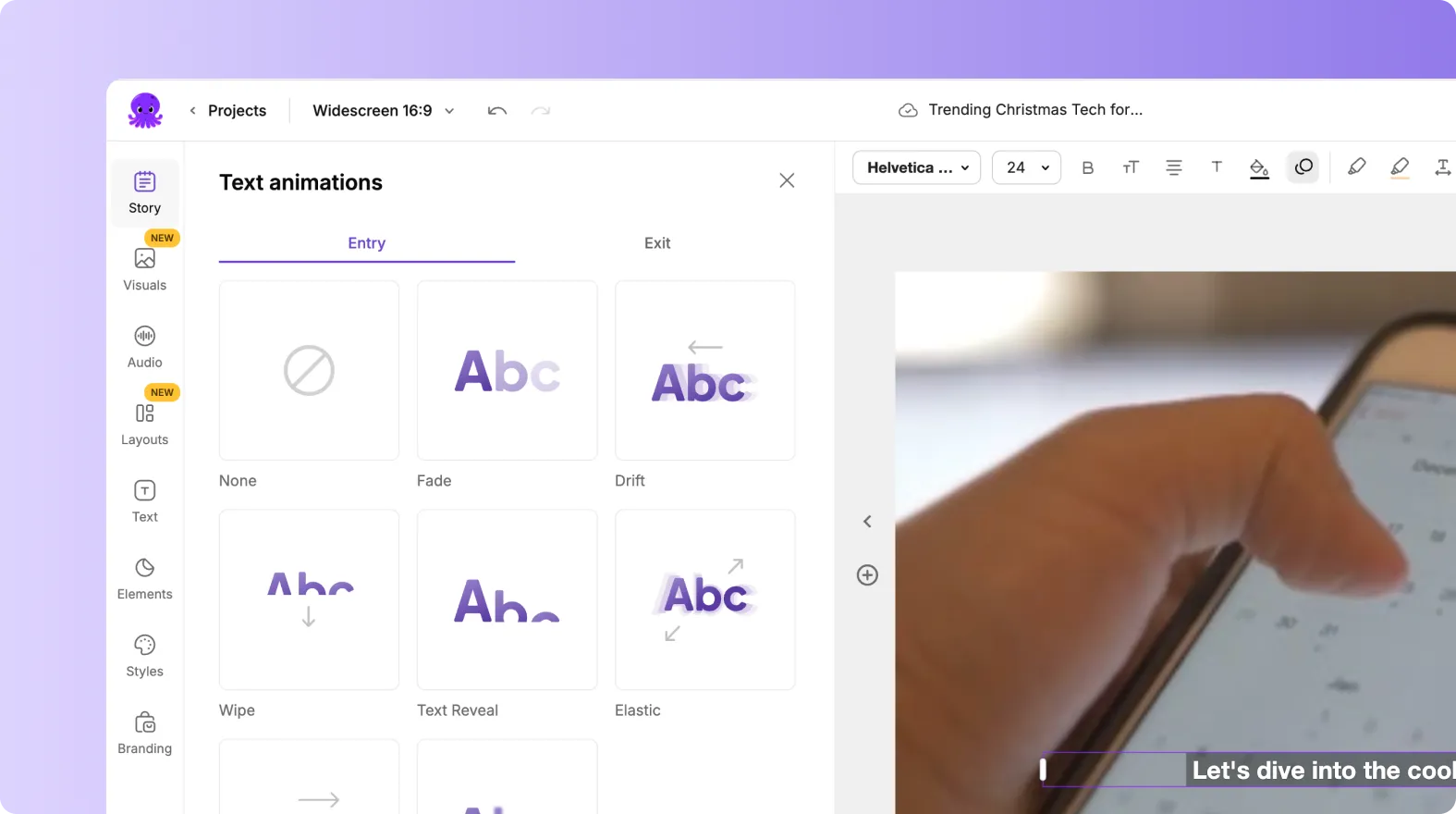
Step 5: Use Brand Kits With Templates and Styles Across Teams
Different teams may use different layouts, but branding remains consistent.
Brand Kits control:
• Fonts
• Colors
• Logos
Templates and styles control:
• Layout structure
• Animations
• Text motion
• Visual rhythm
This allows creative flexibility without losing brand alignment.
Step 6: Support Multiple Brand Kits for Departments or Regions
Large enterprises often manage more than one brand identity.
Pictory allows teams to:
• Create Brand Kits for sub brands
• Support regional branding differences
• Manage co branded initiatives
• Switch Brand Kits per project
Teams select the correct Brand Kit based on their use case.
Step 7: Reduce Brand Review Bottlenecks
With Brand Kits in place, teams no longer need constant design approvals.
Benefits include:
• Fewer branding errors
• Faster production cycles
• Reduced dependency on design teams
• More autonomy for departments
Brand Kits enforce rules automatically.
Step 8: Combine Brand Kits With Collaboration Workflows
Brand Kits work seamlessly with shared projects.
This allows:
• Central teams to define brand standards
• Department teams to create content
• Stakeholders to review without visual issues
• Faster approvals and fewer revisions
Collaboration improves without sacrificing control.
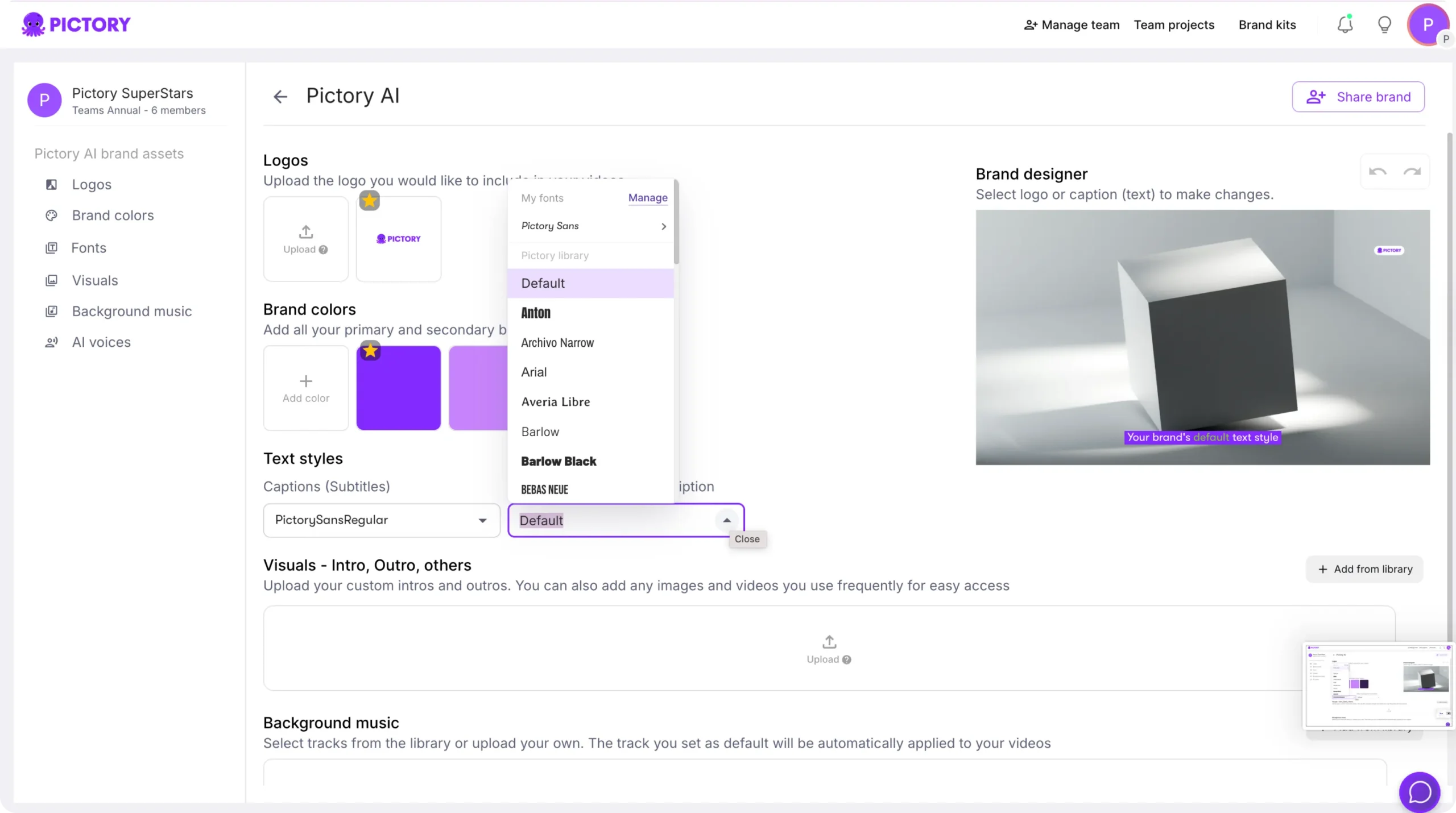
Step 9: Update Brand Kits and Roll Changes Across Teams
When brand guidelines change:
• Update the Brand Kit once
• Apply it to new projects automatically
• Reapply it to existing projects if needed
This ensures all teams stay aligned with the latest branding.
Step 10: Export Consistent Videos Across All Departments
Once Brand Kits are applied:
• Videos export with correct branding
• Content stays consistent across channels
• Teams publish confidently without manual checks
Brand consistency carries through to the final output.
Scale Enterprise Branding Across Teams With Brand Kits in Pictory AI
Brand Kits allow enterprises to enforce consistent branding across multiple teams and departments without slowing production. By centralizing fonts, colors, and logos, Pictory AI enables scalable video creation while maintaining full brand control. Teams move faster, content stays aligned, and brand integrity is preserved across the organization.
Start applying Brand Kits across your enterprise teams today using Pictory AI.


