
Creating professional video content has become essential for learning, marketing, and communication teams. At the same time, many people responsible for producing this content do not want to be on camera, do not have recording equipment, or do not have time to reshoot videos repeatedly.
AI avatars are changing this dynamic.
With AI avatars, teams can create presenter-led videos using only text. No camera. No microphone. No reshoots. Just a script and a consistent on-screen presenter that delivers the message clearly and professionally.
In this article, we explore why on-camera video is such a challenge for many teams, how AI avatars solve those challenges, and how teams can use AI avatars in Pictory to create scalable, high-quality video content.
Why Being on Camera Is a Barrier for So Many Teams
Video is powerful, but being on camera is not easy for everyone.
Across learning and development, marketing, enablement, and internal communications, teams face common barriers:
- Subject matter experts are uncomfortable on camera
- Leaders do not have time to record or re-record videos
- Teams lack proper lighting, audio, or recording space
- Videos need frequent updates, making re-recording inefficient
- Consistency is hard when multiple presenters are involved
As a result, teams often fall back on slide decks, documents, or long recordings that are difficult to maintain and less engaging for viewers.
What AI Avatars Are and Why They Matter
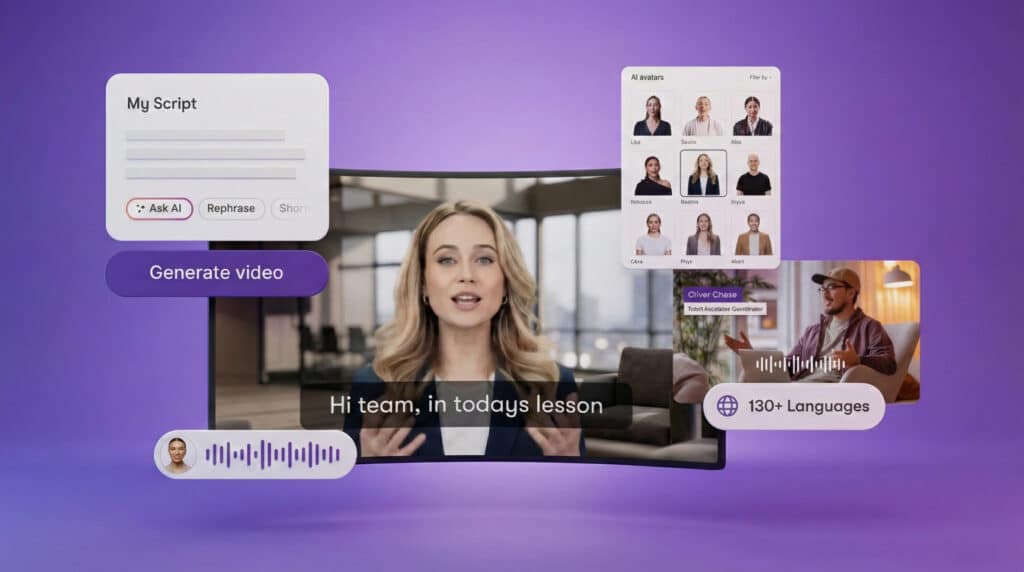
AI avatars are digital presenters that appear directly inside a video. They deliver narration using AI-generated voices and visually guide viewers through content just like a human presenter would.
Instead of recording yourself, you simply write the text you want spoken. The avatar narrates that text and appears on screen as a professional presenter.
AI avatars matter because they remove the biggest friction point in video creation: recording.
They allow teams to:
- Create presenter-led videos without cameras
- Maintain a consistent visual presence across all videos
- Update content by editing text instead of re-recording
- Scale video production without adding resources
How AI Avatars Fit Into Modern Content Workflows
AI avatars are not meant to replace all human video. Instead, they are ideal for structured, repeatable, and frequently updated content.
Common use cases include:
- Training and onboarding videos
- Product walkthroughs and explainers
- Internal communications
- Policy and compliance updates
- Educational content and tutorials
- Marketing explainers and feature overviews
In these scenarios, clarity, consistency, and speed matter more than personality-driven performance. AI avatars excel here.
How Pictory Uses AI Avatars
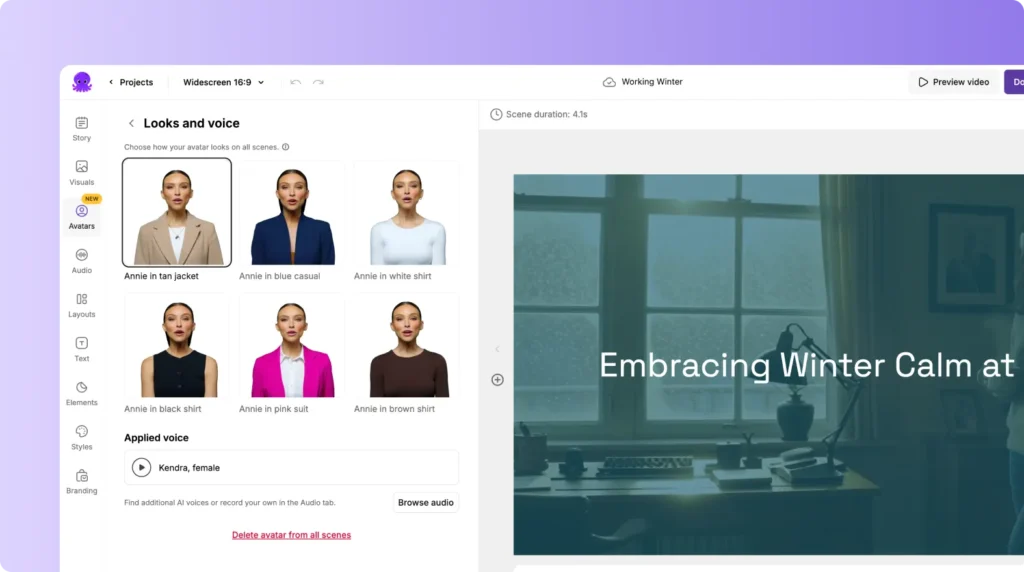
In Pictory, AI avatars are built directly into the video editor. They are not a separate tool or external workflow.
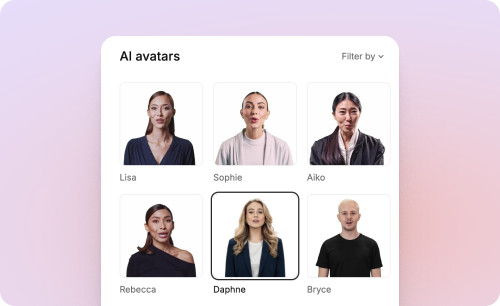
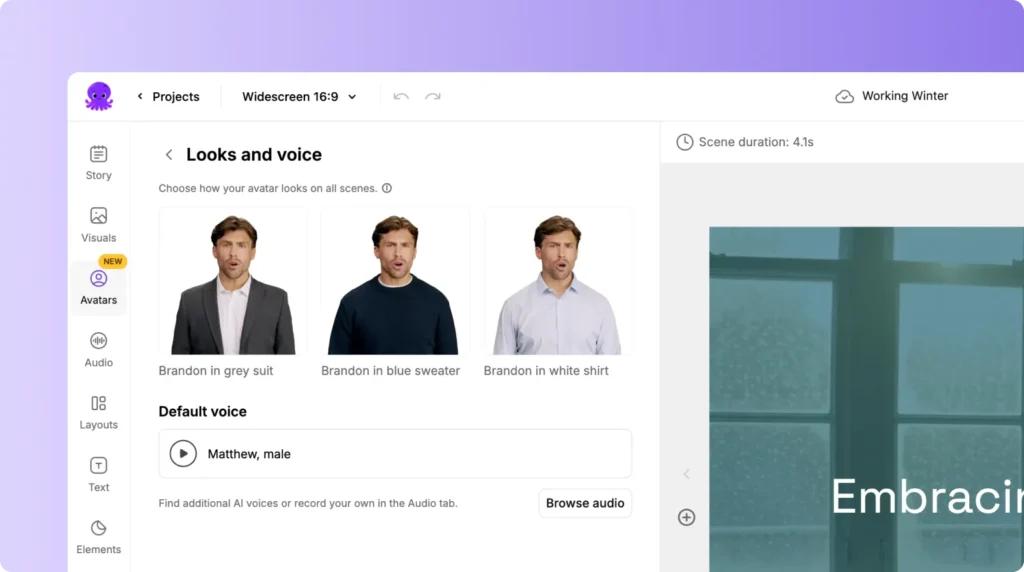
Avatars function as a layer inside your video scenes. You can add them, remove them, resize them, reposition them, and style them just like other visual elements.
Each avatar is paired with an AI voice that automatically narrates the text in your scenes. Lip syncing is generated automatically when the video is exported.
This means the entire process stays text-driven and flexible.

Creating.Face-to-Camera Style Videos Without Recording
One of the biggest advantages of AI avatars is that they allow teams to create face-to-camera style videos without actually filming.
With avatars, you can:
- Introduce a topic with a visible presenter
- Explain key ideas visually and verbally
- Guide viewers through steps or concepts
- Close videos with a consistent sign-off
All of this happens without a single camera recording.
This is especially valuable for teams that need to produce many videos quickly or update them often.
Consistency Across Every Video
Consistency is one of the hardest things to maintain in video production.
Different presenters, different recording environments, and different energy levels all affect how videos look and feel.
AI avatars solve this by providing:
- The same presenter across every video
- The same voice tone and delivery
- The same visual framing and style
This creates a polished, professional experience for viewers and strengthens brand trust over time.
Easier Updates and Faster Iteration
Traditional video updates require re-recording, re-editing, and re-exporting.
With AI avatars, updates are text-based.
If something changes, you simply:
- Edit the script text
- Adjust the scene if needed
- Export the updated video
This makes AI avatars ideal for content that changes frequently, such as training materials, product features, or internal processes.
Using AI Avatars for Education and Learning
In learning and development, AI avatars help address some of the biggest challenges teams face.
They allow L&D teams to:
- Create short, focused learning videos
- Break complex topics into clear explanations
- Reuse the same avatar across learning paths
- Update training without scheduling instructors
This supports just-in-time learning and keeps content current without heavy production effort.

Using AI Avatars for Marketing and Communication
For marketing and communications teams, AI avatars help deliver clear messages without relying on spokespeople or live recordings.
They are effective for:
- Feature announcements
- Explainer videos
- Campaign education
- Internal updates from leadership
Avatars ensure messaging stays consistent and on-brand even as content scales.
Best Practices for Using AI Avatars Effectively
To get the best results from AI avatars, it helps to follow a few simple guidelines:
- Keep scripts concise and conversational
- Use avatars where a presenter adds clarity, not distraction
- Avoid placing avatars over critical visuals
- Maintain consistent styling across scenes
- Combine avatars with visuals, text, and examples
- Preview videos before exporting
When used intentionally, avatars enhance understanding instead of overwhelming viewers.
Why AI Avatars Are Becoming a Standard Tool
AI avatars are not a novelty feature. They are becoming a standard part of modern video workflows.
They help teams:
- Produce more video with less effort
- Reduce dependence on recording and equipment
- Scale content across teams and regions
- Focus on clarity and outcomes instead of production friction
As video continues to dominate communication and learning, tools that remove barriers to creation will become essential.
What Comes Next
AI avatars are just one part of a larger shift toward AI-powered video creation.
In upcoming tutorials and videos, we will show:
- How this blog was turned into a video using an AI avatar
- How to structure scripts for avatar-led videos
- How to combine avatars with screen recordings and visuals
- How to repurpose one video into short social clips
This is not just about talking about AI video. It is about showing how it is used in practice.


