
Enterprise teams often manage large image libraries that include product photos, event images, marketing visuals, and internal assets. These images hold significant value but are often underused. Pictory AI’s Images to Video workflow allows enterprises to transform static image collections into dynamic, branded videos quickly and at scale.
This guide shows how enterprises use Images to Video in Pictory AI to turn image libraries into professional video content.
Why Images to Video Works for Enterprises
Static images are useful, but video delivers stronger engagement and broader distribution. Images to Video helps enterprises unlock more value from existing visual assets.
Enterprises use Images to Video to:
• Repurpose image libraries into video
• Create branded content without filming
• Scale content production efficiently
• Maintain consistent visual identity
• Support marketing, training, and internal communications
• Extend the lifespan of existing assets
This workflow eliminates the need for new production.
Step 1: Gather Images From Existing Libraries
Enterprise teams start by selecting images from approved sources.
Common image types include:
• Product images
• Event photography
• Marketing visuals
• Team and culture photos
• Infographics
• Screenshots and UI images
Using approved libraries ensures brand and compliance alignment.
Step 2: Open the Images to Video Workflow
To begin:
Select the Images to Video workflow
Upload your selected images
Arrange images in your preferred order
Proceed to create scenes
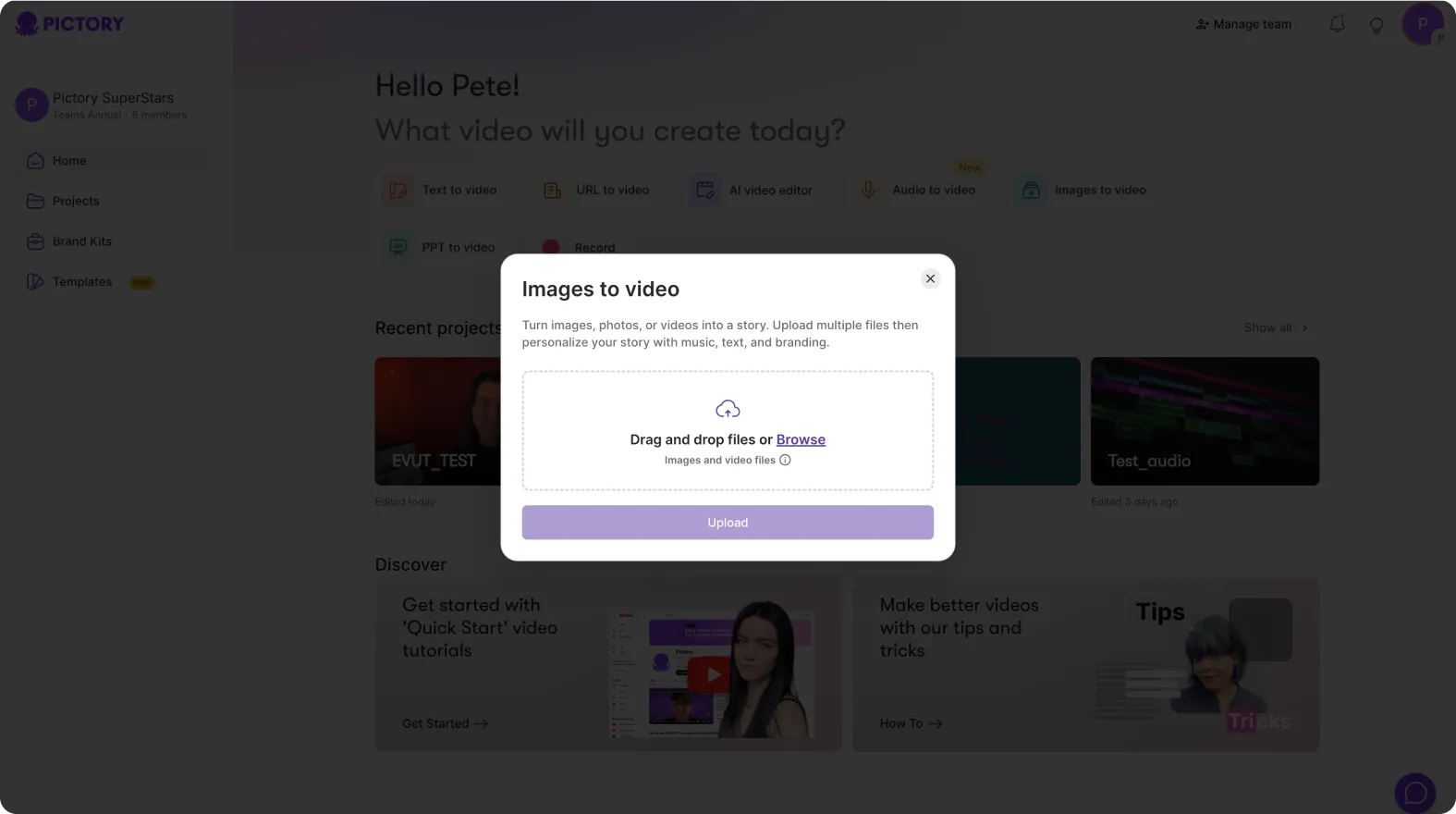
Each image becomes a scene automatically.
Step 3: Review and Organize Image Based Scenes
Once images are imported, review the scene order.
Enterprise teams often:
• Group images by topic or section
• Reorder scenes for storytelling flow
• Remove duplicate or low impact images
• Adjust pacing between scenes
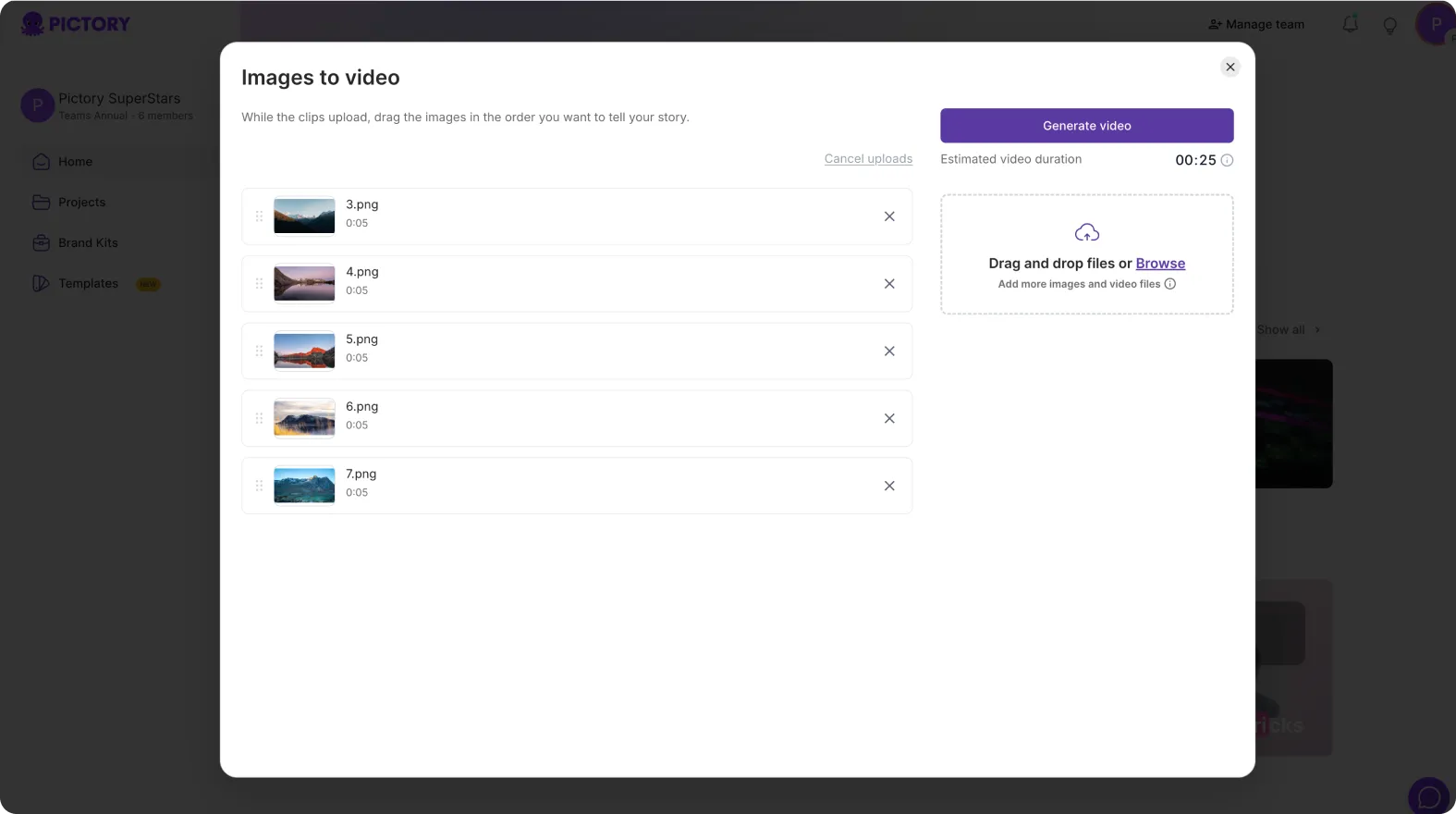
This step helps create a clear narrative.
Step 4: Add Text to Support the Visual Story
Images become more effective when paired with clear messaging.
Teams add:
• Scene titles
• Key points or captions
• Callouts or labels
• Section headers
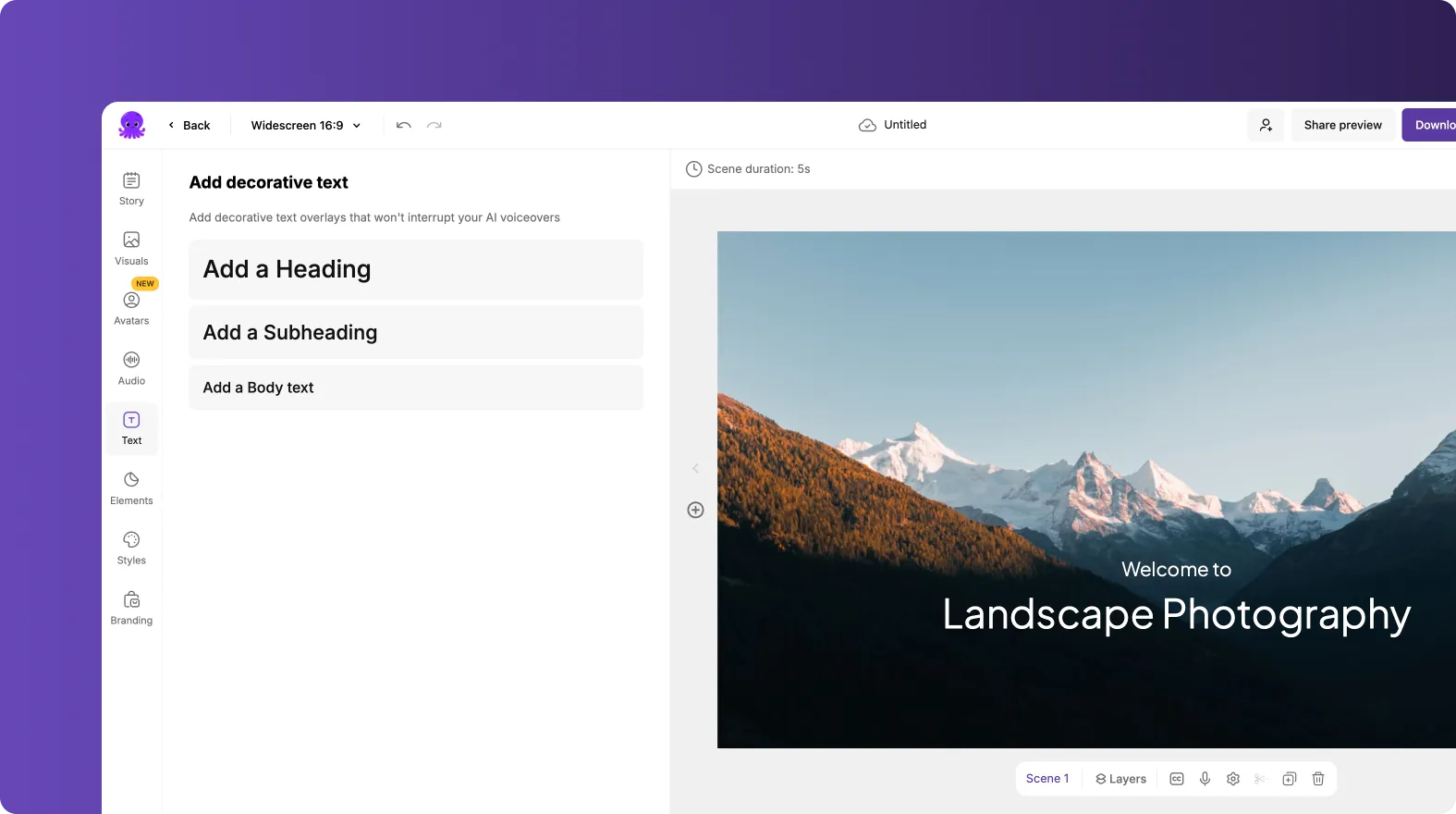
Text overlays help viewers understand context and intent.
Step 5: Apply Brand Kits for Visual Consistency
Brand consistency is critical across enterprise content.
After scenes are arranged:
Open the Branding tab
Apply the approved Brand Kit
Confirm fonts, colors, and logos
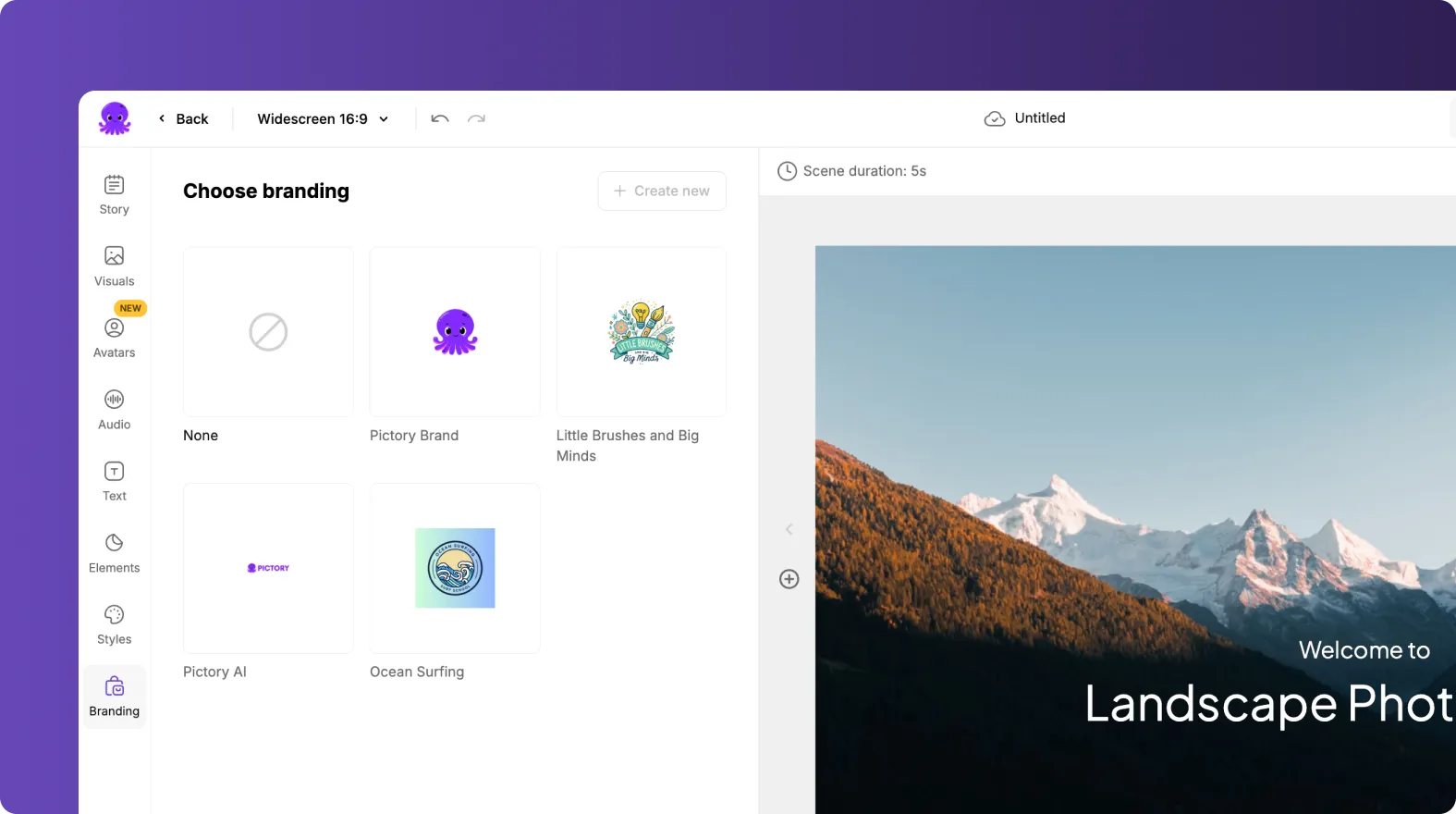
This ensures all image based videos follow brand guidelines.
Step 6: Enhance Images With Layouts and Motion
Images to Video supports subtle motion and layouts.
Enterprise teams enhance visuals by:
• Applying clean layouts
• Using gentle zoom or pan effects
• Adding transitions between scenes
• Highlighting focus areas with shapes or icons
Motion adds engagement without distraction.
Step 7: Add Voiceovers or Background Music
Narration and music elevate image based videos.
Teams commonly:
• Add AI voiceovers for explanation
• Upload recorded narration
• Add background music for tone
• Balance audio levels for clarity
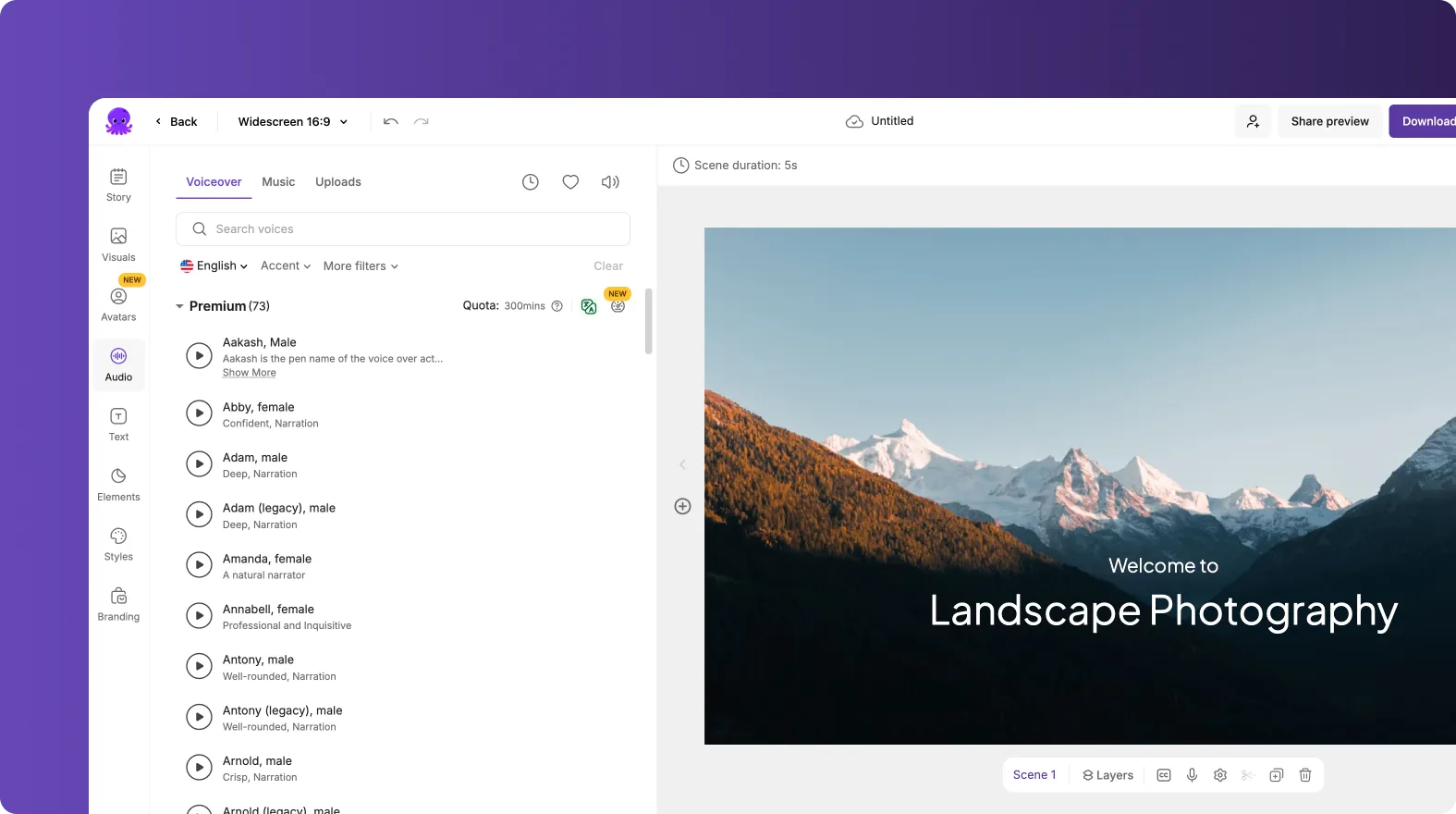
Audio helps guide viewers through the visuals.
Step 8: Add Subtitles for Accessibility
Subtitles improve accessibility and viewing flexibility.
Enterprises enable subtitles to:
• Support silent viewing
• Improve comprehension
• Meet accessibility requirements
• Reach global audiences
Subtitles work well with both narrated and music based videos.
Step 9: Export Videos for Multiple Channels
Image based videos can be used across many platforms.
Common export destinations include:
• Websites and landing pages
• Social media platforms
• Internal portals
• Presentations
• Sales enablement tools
Different aspect ratios can be exported from the same project.
Step 10: Reuse and Refresh Image Videos Over Time
Image libraries grow continuously.
Enterprises can:
• Add new images to existing projects
• Duplicate videos for new campaigns
• Update branding when needed
• Repurpose image videos for different audiences
This keeps content fresh without starting over.
Turn Enterprise Image Libraries Into Scalable Video Content With Images to Video in Pictory AI
Images to Video helps enterprises transform static image libraries into engaging, branded videos. By combining existing visuals with text, motion, audio, and Brand Kits, Pictory AI enables scalable video creation without additional production costs. This workflow helps teams maximize asset value while maintaining consistency and speed.
Start turning your image libraries into video today using Images to Video in Pictory AI.


