Text animations help your video feel more dynamic and polished. They draw attention to important information, improve viewer engagement, and make your content feel more professional. Pictory AI
How to Use Subtitle Styling in Pictory AI
Subtitles help viewers follow your message, improve accessibility, and make your videos more engaging on platforms where sound is often off by default. Pictory AI gives you full
How to Search and Replace Inside the Transcript in Pictory AI
The Search and Replace tool inside Pictory AI helps you quickly fix repeated mistakes, update names, correct spelling, or adjust terminology across your entire transcript. Instead of editing
How to Use Auto Highlight in Pictory AI
Auto Highlight helps you find the most important moments in your videos quickly. This feature scans your transcription and identifies key phrases, strong statements, and impactful moments automatically.
How to Remove Filler Words Automatically in Pictory AI
Filler words can make your video sound less professional and harder for viewers to follow. Removing them manually takes time, especially in long recordings. Pictory AI includes an
How to Remove Silence Automatically in Pictory AI
Long pauses and unnecessary gaps can slow down your videos and make them feel less engaging. Removing silences manually takes time and requires careful editing. Pictory AI includes
How to Use AI Studio for Visual Generation in Pictory AI
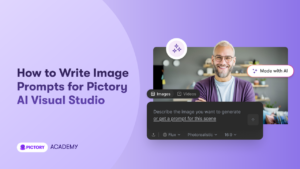
AI Studio lets you generate custom visuals using simple text prompts. This gives you complete control over how your scenes look, especially when stock footage or uploads do
How to Create AI Images and Add Them to Scenes in Pictory AI
Pictory AI gives you the ability to generate custom images using AI prompt technology. This is helpful when you need visuals that are unique, brand specific, or hard
How to Use the Stock Library in Pictory AI
The Stock Library in Pictory AI gives you access to a large collection of professional images and video clips that you can use in any project. These visuals
How to Change Aspect Ratios in Pictory AI
Changing aspect ratios helps you create the right video format for each platform. Different platforms use different sizes, so your video needs to be optimized for where it