TL;DR
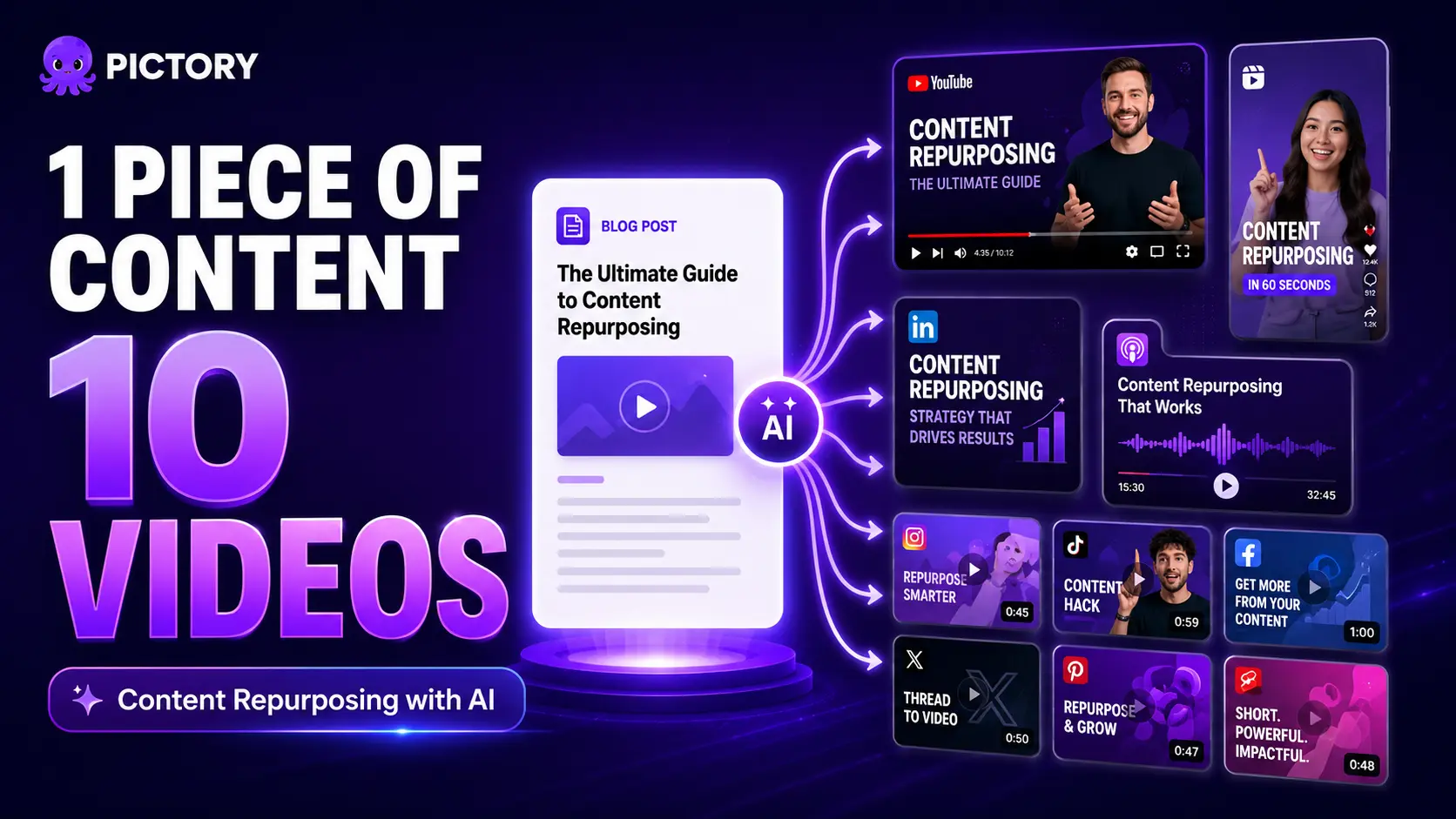
Content repurposing with AI means taking one source asset, a blog post, podcast, webinar, or presentation, and using AI to produce multiple video formats for different platforms automatically. One blog post becomes five outputs (YouTube explainer, LinkedIn clip, Reels teasers, email thumbnail, quote card). One podcast episode becomes five more. This guide covers the full system: which formats to start with, how Pictory handles each workflow, and real examples of what the output looks like in practice.
Most content gets used once. A blog post goes live, gets its first-day traffic spike, and then quietly disappears. A podcast episode publishes to the feed and never shows up anywhere else. A webinar runs, the recording sits in a folder, and 90% of the people who might have learned from it never see it. That is a distribution problem. Pictory is built to fix it.
Why Most Content Teams Are Getting 10% of the Value from What They Create
Pictory is an AI video creation platform built to take content you have already created and turn it into video at scale. Teams using Pictory produce up to 11 times more video per month without growing headcount, and a video that once required 13 production days now takes around 27 minutes. The research session, recording session, or writing session is where the real time goes. Distribution should be fast and cheap, but without a system it usually isn’t, so most teams publish once and move on.
35.1% of marketers now name cross-platform repurposing as a top tactic for 2026, but the majority still treat each piece of content as a one-time publish. The teams getting the most from content aren’t producing more. They’re distributing what they already have across more surfaces.
AI changes the economics. 87% of creative professionals now use AI video tools, and two-thirds use them weekly. The production cost of a 60-second marketing video has dropped roughly 97% since 2020. Repurposing is no longer a nice-to-have. The only real question is how to build a system that makes it fast enough to do every week.
What Content Repurposing with AI Actually Means
Content repurposing with AI means feeding an existing asset, a blog post, audio file, video recording, or slide deck, into an AI tool that transforms it into a new format automatically. The AI handles transcription, script extraction, visual matching, voiceover generation, caption creation, and branding. You handle editorial judgment: which moments to keep, and final approval before export.
This is the workflow Leadsagna, a Canadian digital marketing agency, uses as standard practice. Their team repurposes blog content into video using Pictory’s Script to Video feature, embedding the output on client web pages, sharing across social platforms, and improving search rankings, all without coordinating with external videographers. Gary Bolt’s marketing agency took it further: he replaced a team of videographers with Pictory entirely and added video production as a new agency revenue stream. “What used to take a team of videographers and editors, I can now do with the push of a button,” he said.
A working repurposing system means one content creation session produces a week of platform-ready assets. See Pictory’s guide to repurposing video content for the broader strategic picture.
The Six Source Formats You Can Repurpose with AI in Pictory
Pictory handles every major content format as an input. Here’s what each workflow produces and where to go for a deeper guide on each one.
Blog post or article
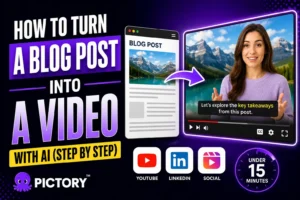
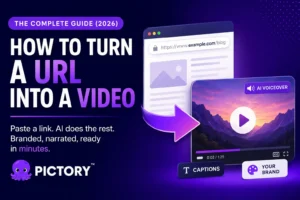
Paste the URL into URL to Video or paste raw text into Text to Video. AI extracts, scripts, and storyboards automatically. Full guide: how to turn a blog post into video with AI.
Podcast or audio file
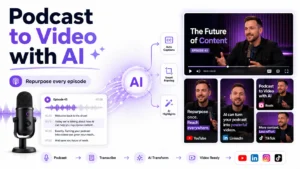
Upload to Audio to Video. AI transcribes and builds a visual storyboard around your narration. Full guide: how to repurpose a podcast into video with AI.
Webinar or recorded video
Upload to the AI Video Editor. AI transcribes the recording, lets you trim, remove silences, and extract highlights, then generates a storyboard for the edited version. See How to Edit Videos with the AI Video Editor.
Screen recording or tutorial
Record directly in Pictory using the Screen Recorder, then edit via the Transcript Editor. Remove filler words, add captions, apply branding, and export.
PowerPoint presentation
Upload to PPT to Video (up to 90 slides, 50 MB). AI converts each slide into a video scene with matched visuals, captions, and optional voiceover from speaker notes.
Script or idea prompt
Paste a script into Text to Video, or enter a topic into Idea to Video and let the AI generate a script draft from scratch before building the storyboard.
How to Turn One Blog Post into Five Different Videos
Here’s what a single blog post can produce when you run it through Pictory’s URL to Video workflow and use the outputs intelligently across platforms.
Output 1: Full YouTube explainer (16:9, 3-8 min)
Paste the blog URL into URL to Video, choose Explainer as the video type, generate a storyboard, and export in 16:9. This is your primary long-form asset. Keyword-optimize the YouTube title and description using the same terms as the original blog post.
Output 2: Short teaser clip (9:16, under 60 sec)
Use the Highlights tab after generating your storyboard to identify the strongest 45-60 seconds of the video. Export in 9:16 for Instagram Reels and TikTok. This is also what you post before the full video goes live. Teaser clips posted within 24 hours drive a 39% increase in cross-platform traffic.
Output 3: LinkedIn summary video (1:1, 60-90 sec)
In the Script Editor, use Ask AI > Shorten to distill the script to the core argument. Export in 1:1 for LinkedIn’s feed. Open with the blog post’s headline insight and don’t bury the value.
Output 4: Email thumbnail embed
After export, Pictory generates an embed code for the video. Use a static frame with a play-button overlay in your next email send. This drives higher click-through rates than a text-only email and gives the YouTube video another referral path.
Output 5: Social quote card (15-30 sec)
Pull the blog post’s strongest stat or insight. Paste it as a single-line script into Text to Video, choose a bold layout, apply your brand kit, and export a 15-second animated text video. Low effort, high shareability.
How to Turn a Podcast Episode into Five More Videos
Upload your podcast audio to Audio to Video and the same pattern applies: one file, five outputs. For the full step-by-step, see how to repurpose a podcast into video with AI.
Output 6: Full-episode video for YouTube (16:9)
Pictory transcribes the audio and builds a visual storyboard with matched B-roll and captions. Export in 16:9. This is the long-form anchor that lives on YouTube and earns watch time over months.
Output 7: Highlight clip collection (9:16)
Open the Highlights tab after transcription. Pictory’s Auto Highlight identifies three to five strong moments per episode. Each one exports as a standalone clip in 9:16 for Reels and TikTok.
Output 8: Quote card clips (15-30 sec)
From the Highlights, identify your strongest quotable line. Export it as a 15-30 second captioned clip with a bold text layout. These drive saves and shares on LinkedIn and Instagram more reliably than longer clips.
Output 9: Show recap video (60-90 sec)
Use the Transcript Editor to select the episode’s three or four main themes. Build a short summary video, useful as a pre-publish teaser or a post-publish “in case you missed it” post across platforms.
Output 10: Platform-specific cuts from the same project
Export the full-episode video in 16:9 (YouTube), 9:16 (Reels), and 1:1 (LinkedIn) from the same Pictory project, no re-editing. Three platform cuts, one source file, one export session.
The AI Content Repurposing Workflow That Scales
The teams that get the most from content repurposing plan for it before they create. Decide which derivative formats you want before the recording session happens. That one decision prevents the common problem of going back to a conversation and trying to find clips from audio that wasn’t structured for clipping.
Batch by source format: all podcast episodes in one session, all blog posts in another. Processing the same format repeatedly cuts setup time fast. Your third blog-to-video conversion takes a fraction of the time the first one did. Use brand kits and saved Styles presets to eliminate repetitive setup: one-click branding across every output, every time.
The 10-video math holds up. Five outputs from one blog post plus five from one podcast episode equals 10 videos from two hours of source content creation. One production session produces a full month of platform posts.
CONTENT REPURPOSING
Start repurposing what you already have
Pictory handles every input format, blog post, podcast, webinar, PPT, script, and produces branded, captioned video ready for every platform.
What Content Repurposing with AI Looks Like in Practice
Scenario A: the marketer. A 2,000-word blog post on content strategy becomes: a YouTube explainer (URL to Video, 16:9), a LinkedIn summary clip (Ask AI > Shorten, 1:1), two Instagram Reels teasers (Highlights, 9:16), an email thumbnail, and one quote card. Total Pictory time: under 45 minutes. Five pieces of video content from one blog post you already wrote.
Scenario B: the L&D team. A 40-minute webinar recording goes into the AI Video Editor. AI transcribes it, Auto Highlight identifies the key training moments, filler words and silences are removed with two toggles, and the storyboard generates. From that one session: a full-episode YouTube upload, three short highlight clips for an internal learning library, and platform-specific cuts for the company LinkedIn. Five outputs, one upload.
David Landsberger, Director of Partner Enablement at a company with more than 10,000 partners, described the outcome directly: “82% of our 10,000+ partners keep coming back to our training videos even though they aren’t mandatory courses. That’s how we know the content’s working.” The content worked because it was consistent, well-produced, and easy to distribute. Pictory is what made that possible at scale.
Is AI Content Repurposing Right for Your Team?
This system works best for teams that already produce content regularly, blog posts, podcasts, webinars, or presentations, and want to extend each piece’s reach without proportionally extending production time. If you publish at least two pieces of content a month, the repurposing workflow pays for itself in the first week. Leadsagna, Gary Bolt, and teams like Covered Insurance Solutions are producing at this scale without dedicated video editors or production budgets.
It’s a less natural fit for purely reactive or real-time content, breaking news, live social commentary, or highly personal video that depends on the creator being on camera. AI-generated storyboards work best when the source content has structure: a clear argument, a defined topic, or a step-by-step workflow. Most marketing and educational content qualifies.
The fastest way to start is to pick one piece of content you’ve already created, a blog post that performed well or a podcast episode you’re proud of, and run it through the relevant Pictory workflow. You’ll have your first repurposed video before the end of the day. For the step-by-step on each specific format, start with how to turn a blog post into video or how to repurpose a podcast into video.
One piece of content. Ten videos. One platform.
Pictory handles blog posts, podcasts, webinars, presentations, and more. Upload once, brand everything, export everywhere.
FAQ: Content Repurposing with AI
What is content repurposing with AI?
Content repurposing with AI is the process of using artificial intelligence to automatically transform an existing piece of content, a blog post, podcast, webinar, or presentation, into new video formats. AI handles transcription, script generation, visual selection, captioning, and branding, cutting hours of manual editing down to minutes.
How many videos can you realistically get from one piece of content?
With Pictory, one source asset typically produces four to 10 publishable video outputs. A blog post becomes a YouTube explainer, two or three short social clips, a LinkedIn cut, and an email thumbnail. A podcast adds a full-episode video, a highlight clip collection, and platform-specific cuts. The exact number depends on content length and how many platforms you’re targeting.
Is AI content repurposing practical for small marketing teams?
It suits small teams well. Pictory customers like Leadsagna produce polished, platform-ready videos without coordinating with clients or hiring videographers. Brand kits and style presets reduce setup time per project, so one person can process a week of video content in a few hours.
Do I need video editing skills to repurpose content with AI?
No. Pictory handles transcription, storyboard creation, visual matching, and caption generation automatically. If you can review a script and select a visual style, you have everything you need to produce professional repurposed video. Dori O’Neill, who described himself as “very basic on video production,” used Pictory to produce 200+ videos for his platform.
What’s the difference between content repurposing and content recycling?
Content repurposing transforms the format: a blog post becomes a narrated YouTube explainer with matching visuals. Content recycling typically means republishing the same asset with minimal changes. Repurposing generates new reach on new platforms; recycling maintains existing reach. AI makes true repurposing fast enough to do at scale, every week.