TL;DR
The AI video generator market hit $18.6 billion in 2026 and there is no shortage of tools fighting for your attention. What separates Pictory is AI Studio, a built-in generative AI engine that lets you create custom images and animated clips from text prompts right inside your editing workflow. For marketers, educators, and business teams who need scalable, branded video without a production team, that difference is decisive.
Stock footage wasn’t built for your story. Most AI video tools still send you hunting through libraries of generic clips hoping something fits. Pictory’s AI Studio works differently: you describe the visual you need, and a suite of frontier image and video generation models creates it for you, right inside the editor, in seconds.
In a 2026 market where 78% of marketing teams now use AI video in at least one campaign per quarter, that’s why Pictory stands out. This guide explains what actually differentiates the leading tools and shows you where Pictory fits.
Why the AI Video Generator Market Looks Different in 2026
For most of its history, the phrase “AI video generator” meant one thing: pick a template, swap in some stock clips, and export. That worked well enough when video was optional. It doesn’t anymore.
AI video production costs have dropped 91% since 2023, from roughly $4,500 per minute to around $400 per minute, while the average time to produce a 60-second marketing video has fallen from 13 days to 27 minutes. AutoFaceless, 2026
91% of businesses now use video as a core marketing tool, and 73% of Fortune 500 companies have integrated AI video tools into their workflows. The barrier today is not willingness. It is having the right tool for the job you actually need to do.
And the jobs have changed. Marketers need original branded visuals, not generic stock. Educators need course-ready explainers, fast. L&D teams need consistent characters across training modules. A stock library can’t solve any of that.
What AI Studio Actually Changes for Video Creators
The old problem with AI video tools was the gap between your script and your visuals. You’d write “a futuristic office space at dusk” and end up with a generic open-plan office from 2018. The footage existed but it didn’t match.
AI Studio solves that directly. It’s a generative AI visual creation tool built into Pictory’s video editor. You type a prompt, choose a generation model, and get a custom image or short clip that matches your exact scene, in seconds. You can also do this with text to image prompts that feed straight into your storyboard.
Here’s how the models break down:
Flux & Seedream
Flux handles clean layouts and quick visual generation. Seedream is optimized for accuracy when your scenes include readable text, signage, or graphic elements like titles and labels.
Nano Banana & Nano Banana Pro
Nano Banana is built for refined detail in complex scenes. Nano Banana Pro steps up to superior cinematic quality, ideal for hero visuals that need to look polished enough for paid ads or landing pages.
Nova Canvas
Built for lifelike human realism. Use it when your scenes include presenters, team members, characters, or portrait-style visuals where realism matters most.
Veo 3.1 & Veo 3.1 Fast
Google’s Veo 3.1 delivers cinematic motion, strong scene consistency, and realistic movement. Veo 3.1 Fast gives you efficient cinematic output when turnaround speed matters. Use these for your most polished scenes.
PixVerse 5.5
Optimized for fast, smooth motion with reliable dynamic camera movement. The go-to for social media teasers, product promos, and short clips where speed and visual flow come first.
How the Complete Pictory Workflow Fits Together
AI Studio is the creative engine, but it sits inside a much broader system. Pictory is built around six creation workflows, and every one of them feeds into the same editor where AI Studio lives.
You can start from a script, a URL, an audio file, a PowerPoint, a set of images, or an idea prompt. The AI builds your storyboard, matches visuals, generates voiceover, and syncs captions. Then, if any scene needs a visual that doesn’t exist in the stock library, you open AI Studio and generate it.
That workflow matters for a specific kind of creator: the marketer who has a script but no footage, the L&D manager who needs a training video with consistent characters across 12 modules, or the social media manager who needs five platform variants of the same asset by end of day. Pictory’s text to video engine handles the heavy lifting. AI Studio fills the gaps that stock libraries can’t.
How Pictory Compares to Other AI Video Generators
Different tools in the “AI video generator” category are built for very different jobs. Here’s what each one is actually optimized for.
Runway, Veo 3.1, Seedance 2.0, Kling 3.0
Built for filmmakers generating cinematic footage from prompts. No script-to-video workflow, no branding controls, no caption automation. They produce clips. Assembly, captioning, and branding are still your job.
InVideo, VEED
Good for social short-form and occasional edits. Manual scene assembly, limited automated storyboarding from existing assets, and brand kits that require per-project configuration rather than automatic application.
Descript
Best-in-class for transcript-based editing of podcasts, interviews, and webinars you’ve already recorded. No from-scratch creation workflows. URL to Video, PPT to Video, or Idea to Video don’t exist in Descript.
OpusClip
Built for extracting short social clips from long videos. Not designed for building new videos from scratch or managing brand identity across a content library.
Pictory
Covers the full creation lifecycle: script, storyboard, visuals (stock or AI-generated via AI Studio), voiceover, captions, branding, export, and distribution. Handles every starting point: URL, script, PPT, audio, images, or recorded video, inside one editor with automated brand kits.
Pictory vs Runway: Different Jobs, Different Tools
Runway is where filmmakers go when they need cinematic AI-generated footage that doesn’t exist in the real world. Its Gen 4.5 model produces visually striking clips with precise camera motion controls, multi-motion brushes for animating specific regions of an image, and the ability to train custom AI models on your own visual style. If you’re a VFX artist, director, or creative producer working on narrative content, branded storytelling, or experimental video, Runway is a powerful tool.
What Runway was built for
Runway’s strength is generative footage quality and creative control at the clip level. You prompt it, it generates a clip, up to a few seconds of cinematic video that you can iterate on. Its Multi-Motion Brush lets you animate specific elements independently. Its camera controls let you dial in pan, tilt, and zoom precisely. For a creative producer who needs a futuristic skyline, an impossible camera move, or a stylized visual that can’t be shot, Runway delivers things that Pictory’s stock library and AI Studio aren’t designed to produce at that cinematic register.
Where the workflow gap opens
Runway generates clips. It doesn’t assemble them into a video, add captions, record a voiceover, apply brand fonts and colors, or export in 16:9, 9:16, and 1:1 for three platforms simultaneously. Every step between “generated clip” and “published video” is still on you. For a marketing team or L&D team producing consistent branded content at volume, that gap matters.
Pictory’s 2026 State of AI Video-Creation Industry Report, drawn from more than 1.5 million videos created on the platform, shows that professional users are primarily producing marketing, training, and social content from existing assets like scripts, URLs, presentations, and recordings. Runway isn’t built for that. Pictory’s Script to Video workflow takes a script, breaks it into scenes, assigns visuals from the stock library or generates them via AI Studio, adds a voiceover in any of 29 languages, and exports a finished branded video. Runway produces the source material. Pictory produces the finished asset.
“Very easy interface, automatically turned blog posts into nice videos that you can easily adjust, tons of free videos and templates, free trial and then a rather cost-effective version, automatically adds captions, great time saver as a whole, especially for marketers with no video editing experience.” Source: Verified Pictory user, Capterra April 2026
AI Studio in context
Pictory’s AI Studio gives you access to Veo 3.1 and PixVerse 5.5 for video generation inside the editor. That’s not the same depth of cinematic control as Runway’s Gen 4.5: Runway’s camera choreography and motion dynamics are more granular. But for a marketer who needs a custom scene visual for one scene in a 12-scene explainer video, generating it in AI Studio and placing it directly into the storyboard is the right tool for that job. Using Runway would mean generating the clip externally, exporting it, importing it manually, and still needing Pictory (or another tool) to finish the video around it.
When to choose Runway:
You’re a filmmaker, VFX artist, or creative director who needs to generate specific cinematic clips with precise motion control, custom model training, or visual effects that go beyond stock footage. You’ll combine Runway’s output with a separate editing and finishing workflow.
When to choose Pictory:
You need to take an idea, script, URL, or recording and produce a complete branded video, with voiceover, captions, storyboard, and platform-ready exports, without assembling the pieces manually. Pictory includes AI-generated visuals via AI Studio alongside that full production workflow.
Pictory vs InVideo: Which Is Better for Business Video?
InVideo is a capable, well-resourced AI video tool with a lot to offer. Its library of more than 10,000 templates covers a wide range of formats, its drag-and-drop editor is intuitive, and in 2026 it gives you direct access to Sora 2 and Veo 3.1 generation models inside the editor. For a social media manager who starts every project from a blank template and needs to produce polished short-form ads quickly, InVideo is a legitimate option.
Where InVideo does well
Template variety is InVideo’s clearest strength. If you know the format you want and need to build it visually from a starting point, InVideo’s library gives you more pre-designed layouts than Pictory. Access to Sora 2 and Veo 3.1 generation models also makes it a reasonable choice if your main need is generating short AI video clips inside a lightweight editing interface, rather than building full multi-scene productions from existing content.
Where the workflow diverges
InVideo is built around template selection and manual scene assembly. When you start with existing content (a blog post, a webinar recording, a URL, a slide deck) you’re doing most of the extraction and structuring yourself. Pictory handles that automatically. Paste a URL and Pictory extracts the key content, drafts a script, builds a scene structure, assigns visuals from the Getty Images library, generates voiceover, and applies your brand kit before you’ve touched a timeline.
Seechur Agro, a modern hydroponics company in India, used exactly this kind of workflow to scale from a couple of videos per week to 10-to-15 videos per day. Srivatsan Renga, the founder, was converting complex agricultural articles into explainer videos across YouTube, LinkedIn, and Spotify without a production team. That output rate is only possible when the tool handles storyboarding and visual matching automatically. A manual template-first workflow collapses at that volume.
“Content Repurposing at Scale: Long-form SEO content is now paired with high-quality video, increasing both organic reach and engagement.” Source: Leadsagna case study, Pictory 2026
Brand control at volume
InVideo has branding tools, but they require manual configuration per project. Pictory’s brand kits store your logo, fonts, colors, and style presets once and apply them automatically across every creation workflow (URL to Video, Script to Video, PPT to Video, Audio to Video) without any per-video setup. For a team managing multiple clients or product lines, that consistency matters at scale. Pictory’s 2026 platform data shows that professional users create at nine times the rate of personal users, and automated brand consistency is a core reason that’s sustainable at scale.
When to choose InVideo:
You start most projects from a blank template, need access to Sora 2 or Veo 3.1 generation models, and are primarily creating short-form social ads or promotional clips rather than repurposing an existing content library.
When to choose Pictory:
You’re converting existing assets, blogs, webinars, recordings, URLs, slide decks, into branded video at volume, need automated storyboarding and visual matching, and want generative AI visuals via AI Studio available for any scene that stock can’t cover.
Pictory vs VEED: What’s the Difference?
VEED has earned its reputation as the go-to browser-based video editor for creators who want a clean, low-friction experience. Its automatic caption generation is fast and accurate. Its AI auto-edit feature can prepare a raw clip for social posting in minutes. And because it runs entirely in-browser with no software to install, it’s accessible to anyone on any device. For a solo creator or small team that needs to edit occasional short-form content without a steep learning curve, VEED is a sensible starting point.
Where VEED genuinely works
VEED’s auto-caption feature is one of the most straightforward on the market: upload a clip, get synced captions back in seconds, adjust styling, export. Its AI auto-edit pipeline handles aspect ratio conversion, audio cleanup, and basic B-roll addition with minimal user input. For a team member who needs to quickly clip and caption a recorded meeting highlight or a short interview snippet, VEED handles the basics well.
Where the gap with Pictory opens
VEED is an editing tool. It works with media you upload to it. There is no URL to Video workflow, no script-to-video pipeline, no PPT to Video, no Audio to Video with automatic visual storyboarding. If you don’t have footage to edit, VEED can’t help you create it from scratch. Pictory handles both: edit footage you already have, or build from nothing using a script, a URL, a slide deck, or a text prompt.
Volume changes the comparison too. VEED’s AI auto-edit is fast for one clip. But if you’re producing 20 or more branded videos a month from a range of formats and sources, VEED requires manual effort at every step where Pictory automates. Brand kits in Pictory apply across every project automatically; in VEED, brand styling is configured manually per video. VEED has no equivalent of Pictory’s AI Studio image and video generation panel. Its basic AI generation feature doesn’t offer model selection or direct storyboard integration.
“Pictory is a unique and easy to use tool that parsed my script into scenes and allowed me to search and select from a near limitless library of video clips or images to use for each scene.” Source: Verified Pictory user, Capterra
The scale argument
Pictory’s 2026 State of AI Video-Creation Industry Report, based on more than 1.5 million videos created on the platform, shows that the most active professional users are running multi-workflow pipelines: URL content into explainers, slide decks into training videos, audio recordings into social clips, all under one brand. VEED supports the final-mile editing step well. Pictory supports the entire pipeline.
When to choose VEED:
You need a fast, accessible browser editor for occasional short-form edits, want accurate auto-captions without setup, and are working with footage you already have rather than needing to create video from scripts, URLs, or presentations.
When to choose Pictory:
You need consistent branded video from multiple source formats at scale, and you want a platform that covers creation from scratch (script, URL, PPT, idea) as well as editing existing recordings, with AI-generated visuals and automatic brand kits built in across every workflow.
Pictory vs Descript: Two Different Approaches to AI Video
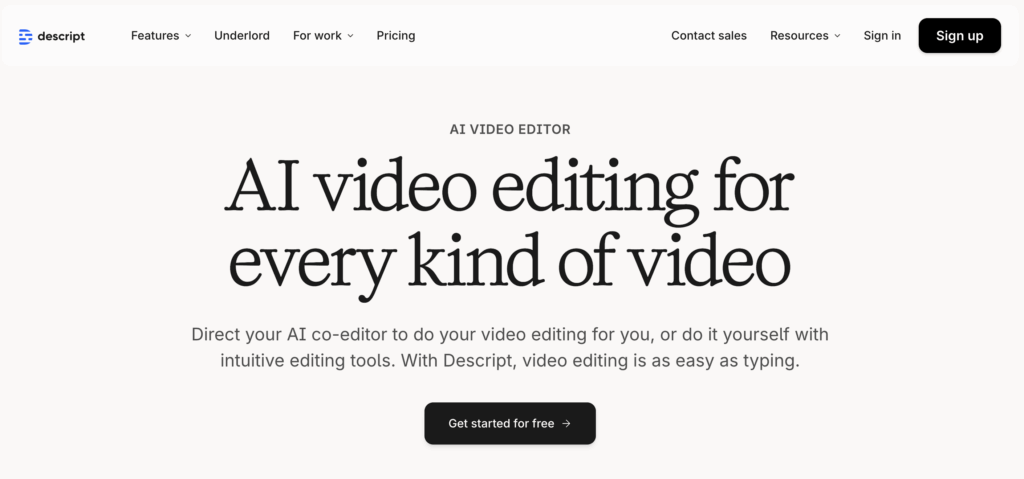
Descript is built around a genuinely different idea. It invented the “edit video like a document” workflow, and in 2026 its Underlord AI co-editor takes that further still: give it a prompt and it will tighten cuts, remove silences, add B-roll, and reformat a webinar into social clips without you touching a timeline. Its Studio Sound feature cleans up audio recorded on a laptop mic to near-broadcast quality in one click. Overdub lets you fix spoken mistakes by typing the correction, generating a synthetic voice patch in your own voice. For podcasters, interviewers, and anyone whose work revolves around the spoken word, Descript is one of the strongest tools available.
Where Descript genuinely excels
Descript invented the “edit video like a document” workflow, and in 2026 its Underlord AI co-editor has made that promise a reality for podcasters, interviewers, and anyone whose primary input is a recording. Studio Sound cleans up microphone audio to near-broadcast quality in one click, removing background noise and speech imperfections without re-recording. Overdub lets you fix spoken mistakes by typing the correction, and the platform generates a synthetic voice patch in your own voice. For a 30-minute webinar that would have taken hours to cut manually, Descript compresses the editing workflow dramatically. If your work centers on spoken-word content you’ve already captured, it’s a serious tool.
Where the two platforms diverge
Descript is built for editing content you’ve already recorded. The content has to exist before Descript can help.
Pictory handles content at every starting point. Pictory’s 2026 State of AI Video-Creation Industry Report, drawn from more than 1.5 million videos created on the platform, found that professional users run URL to Video workflows at nine times the rate of personal users. Descript has no equivalent of that workflow: paste a URL, the AI pulls the content, drafts a script, builds a scene-by-scene storyboard, assigns visuals, generates voiceover, and applies your brand kit, all without any recorded media.
The same pattern applies to PPT to Video (upload slides, AI converts them into a voiced-over storyboard), Script to Video (paste your script, set your aspect ratio and brand kit, hit Generate), and Idea to Video (choose a video type, Explainer, Marketing, Tutorial, enter a topic, and the AI writes the script and builds the storyboard for you). None of those paths exist in Descript.
“I’ve been using Pictory from my go-to platform for creating videos from text, URLs, and PowerPoints. I use it for internal training, video sales letters, quick shorts.” Source: Verified Pictory user, Trustpilot 2025
What happens when you have recorded media in Pictory
Pictory’s Audio to Video and AI Video Editor workflows handle recorded content in a way that maps closely to what Descript does for editing, but then goes further. Upload an audio file up to 5 GB or 180 minutes. Pictory automatically transcribes it, builds a storyboard with matched visuals, and presents a transcript editor with toggles to remove filler words and silences, search and replace text, and adjust subtitle styling. You end up with a fully produced video, not just an edited audio track.
Asia Pacific University used this exact approach to support 20,000 students with instructional video. Jonathan, a representative from APU in Malaysia, describes how the previous workflow required multiple stakeholder review rounds and could take days. With Pictory, lecturers now generate a 3-to-5 minute educational video in 15 to 30 minutes. That result comes from a team that, by the platform’s own data, uses PPT to Video at four times the rate of YouTube creators. The workflow was built for their use case.
“The data shows that AI video creation is no longer a niche activity. We’re seeing professionals across industries adopt AI-powered workflows to create content faster, repurpose existing assets, and scale video production in ways that were previously impossible.” Source: Vikram Chalana, Co-Founder and CEO, Pictory
Generative visuals: a genuine gap
Descript’s Underlord can now auto-generate B-roll from prompts, which is a useful addition. But it’s a single-model feature with no model selection. Pictory’s AI Studio gives you a dedicated panel inside the editor with a choice of image models, Flux for quick layouts, Seedream for text-accurate visuals, Nano Banana Pro for cinematic stills, Nova Canvas for lifelike human scenes, and video generation models including Veo 3.1 and PixVerse 5.5. You choose the model per scene, preview it, and add it to your storyboard without leaving the editor. That’s a meaningfully different capability than an auto-B-roll feature.
Leadsagna, a content marketing agency, found this kind of control decisive. Their team uses Pictory’s script-to-video workflow to pair long-form SEO content with platform-ready video, embedding YouTube-hosted videos into client websites to improve search rankings without needing a videographer for each job.
Brand control across every project
Descript’s Brand Studio, available on the Business plan, keeps brand elements aligned across teams. Pictory’s brand kits work differently: you set your logo, fonts, colors, and style presets once, and they apply automatically at the project level regardless of which creation workflow you start from. The same brand kit used on a URL to Video project applies to a PPT to Video project and an Audio to Video project without any manual configuration per video. For teams running Pictory across multiple clients or product lines, this matters at scale.
Allan from Zenoshi AI put it this way after switching to Pictory for his AI education academy: “I’ve never seen anything so easy to use. Pictory is super, super simple! Using Pictory has saved me a tremendous amount of money, no need for a studio or a cameraman.” He went from a production process requiring specialized equipment and training to creating branded educational videos at scale from his script alone.
When to choose Descript:
Your workflow starts with recorded media, podcasts, interviews, webinars, or screen recordings. You want best-in-class audio cleanup via Studio Sound, spoken-word correction via Overdub, and fast transcript-based editing with an AI co-editor that responds to natural language instructions.
When to choose Pictory:
You need video from multiple starting points, a URL, script, PPT, audio file, or image set, as well as the ability to edit recordings. You want generative AI visuals with model selection inside the editor, automated brand kits that apply across every workflow, multilingual ElevenLabs voiceovers, and a platform your whole team can use across marketing, training, and social content without switching tools.
“Pictory is a highly functional and clever AI video tool, extremely quick for marketers to turn out video content.” Source: Wyzowl, 2026
AI Video Generator Comparison: Quick-Reference Table
The table below covers the primary tools people compare in 2026 across the criteria that matter most for business, marketing, and education teams. Use it to match each platform to the job it was actually built for.
| Tool | Best for | Generative AI visuals | Script / URL / audio input | Brand kits | Auto captions | Team collaboration |
|---|---|---|---|---|---|---|
| Pictory | Business video at scale; content repurposing; branded video pipelines | ✓ AI Studio (Veo 3.1, PixVerse, Flux, Nano Banana, Nova Canvas) | ✓ All three | ✓ Automated | ✓ | ✓ |
| InVideo | Social ad creation; template-based short-form video | ✓ Sora 2, Veo 3.1 | △ Script only | △ Manual per project | ✓ | ✓ |
| VEED | Quick browser-based edits; auto-captions for social clips | △ Basic AI generation | ✗ Upload only | △ Limited | ✓ | ✓ |
| Runway | Cinematic clip generation; VFX; film and creative production | ✓ Gen 4.5 (clip generation) | ✗ Prompt-to-clip only | ✗ | ✗ | △ Limited |
| Synthesia | Avatar-led training and internal comms; enterprise L&D | △ Avatars only | △ Script only | ✓ | ✓ | ✓ |
| Descript | Podcast editing; transcript-based editing of recorded media; audio cleanup | △ Underlord B-roll generation (no model selection) | △ Upload + transcript only; no URL or script-to-video | △ Brand Studio (Business plan only) | ✓ | ✓ |
| OpusClip | Clip extraction; repurposing long video into short social clips | ✗ | △ Upload only | △ Basic | ✓ | △ Limited |
| HeyGen | AI avatar video creation; personalised video at scale | △ Avatars + basic scenes | △ Script only | ✓ | ✓ | ✓ |
✓ Full support · △ Partial / limited · ✗ Not supported. Based on publicly available feature information as of June 2026.
What Makes Pictory the Right Choice for Business Video
The distinction that matters most here is workflow integration, not model quality alone. Runway’s Gen 4.5 is impressive. Veo 3.1 produces cinematic footage that’s hard to distinguish from real. But neither of those tools lets you paste a URL, extract the key points, generate a voiced-over storyboard with your brand fonts and colors, drop in a custom AI-generated visual for a scene that stock can’t cover, and export in three aspect ratios for LinkedIn, YouTube, and Instagram, all in the same session.
Pictory does that. Here are the features that make the difference for marketing and L&D teams specifically:
- AI Studio with generative models built in. Describe the image or clip you need, and it’s created inside the editor. No external tool, no separate license, no manual import. You can save generated visuals to your library and reuse them across campaigns.
- Multiple creation workflows under one subscription. URL to Video, Audio to Video, PPT to Video, and Script to Video all feed into the same editor. You switch formats without switching tools.
- Brand kits that apply across every video. Upload your fonts, colors, and logo once. Every video you create defaults to your brand settings without manual styling on each project.
- ElevenLabs-powered voiceovers in 29 languages. Generate natural-sounding narration without studio recording. Multilingual voiceovers mean you can adapt the same video for different regions without rebuilding it.
- Edit by editing text. Remove filler words, cut silences, and restructure scenes in the AI video editor by editing the transcript instead of dragging a timeline. Practical for anyone editing webinars, recordings, or long-form content.
- Team collaboration and access controls. Share projects, brand kits, and media libraries across team members without file management overhead.
Who Should Use Pictory (and Who Shouldn’t)
Pictory was designed for a specific kind of user: someone who consistently needs to produce professional video but doesn’t have a video editor, a production budget, or hours to spare on a single asset. That describes most marketing managers, social media managers, L&D teams, and educators working at scale.
If that’s you, the combination of AI Studio, multiple creation workflows, and brand automation makes Pictory the most complete option available in 2026. The 2026 State of the AI Video-Creation Industry Report, based on data from more than 1.5 million videos created on the platform, found that professional users employ URL-to-video workflows at nine times the rate of personal users, and that training and education teams use PPT-to-video workflows four times more than YouTube creators. Pictory is built around the workflows that businesses actually use.
There are situations where Pictory isn’t the right fit. If you need to generate a 10-second cinematic clip from a complex creative prompt for a film or music video, a purpose-built model like Seedance 2.0 or Kling 3.0 accessed through a multi-model platform will give you more creative control over camera motion, physics, and stylization. If your only requirement is an AI avatar presenter for internal training, Synthesia may suit that use case better. See how Pictory and Synthesia compare more directly in our Pictory vs Synthesia comparison.
But if your goal is consistent branded video at scale, covering marketing, repurposing, training, and social, from a single tool with generative AI built in, Pictory is the answer in 2026. You can test it yourself, no credit card required, at app.pictory.ai/signup.
Create your first video with AI Studio
Generate custom visuals, build a storyboard, and export in minutes.
How to Get Started with Pictory AI Studio
Create or open a video project
Start from a script, URL, audio file, PPT, or image set. The AI builds your initial storyboard automatically.
Open the Visuals tab and select AI Studio
Inside the editor, click the Visuals tab in the left sidebar. Select AI Studio to access the image and video generation panel.
Enter a prompt and choose your model
Describe the visual you need. Select your preferred model: Flux or Seedream for quick generation, Nano Banana Pro for cinematic stills, Nova Canvas for realistic people, Veo 3.1 for motion clips, or PixVerse 5.5 for fast animated scenes.
Add the visual to your scene and export
Preview the generated visual, insert it into your storyboard, apply your brand kit, and export in 16:9, 9:16, or 1:1 for whichever platforms you’re publishing to.
For a full walkthrough of the process, the Pictory Academy guide to generating images from text covers every step with examples.
What to Look for in an AI Video Generator in 2026
The market has matured enough that most platforms now offer competent video output. What separates them is workflow fit, not raw output quality.
Here are the criteria that matter for business and content teams:
- Generative visuals built into the editor. If you have to leave the platform to generate an image, your workflow breaks every time you hit a stock library gap.
- Multiple input formats. A good AI video generator should work whether you start with a script, a URL, an audio file, a presentation, or a set of images. Single-input tools create bottlenecks.
- Brand control. Fonts, colors, logos, and style presets should be stored and applied automatically, not manually configured on each new project.
- Accurate transcription and text-based editing. For long-form content like webinars or interviews, editing by transcript is far faster than editing a timeline.
- Voiceover quality and language support. Natural-sounding AI voices in multiple languages are now table stakes for teams with international audiences.
- Team features and collaboration. Shared asset libraries, project folders, and access controls matter the moment more than one person touches a video.
- Compliance and security. Enterprise teams need SOC 2, GDPR, and ISO 27001 compliance before they can hand over content or user data to any platform.
✓ GDPR Compliant
✓ ISO 27001 Certified
The Verdict: Which AI Video Generator Should You Use in 2026?
The right answer depends on what you’re making. If you need a 10-second cinematic clip generated from a creative prompt with fine-grained camera control, a model-first platform like Higgsfield or Kling’s native app will give you more control over the generation itself. If you need AI avatar presenters for enterprise-scale training, Synthesia is still the category leader.
But if you’re a marketer, educator, or business team who needs to produce consistent branded video across multiple formats, repurpose existing content assets, and create custom visuals for scenes that stock libraries can’t cover, Pictory is the most complete platform available in 2026. The combination of AI Studio’s generative image and video models, six distinct creation workflows, brand kit automation, ElevenLabs voiceovers, and team collaboration features covers a wider range of real-world business video needs than any comparable tool.
The 2026 shift isn’t only about which model generates the most realistic clip. It’s about which platform removes the friction between idea and published video. Pictory was built to do exactly that, and AI Studio, with frontier generative models now sitting right inside the editor, makes it do that better than it ever has.
Try it yourself with a free account at app.pictory.ai/signup. No credit card required.
Build faster, smarter videos with Pictory
AI Studio. Brand kits. Six creation workflows. One platform.
FAQ: Best AI Video Generator
What is the best AI video generator in 2026 for business teams?
For business teams that need to produce branded video at scale, Pictory is the most complete option in 2026. It covers multiple creation workflows including script to video, URL to video, audio to video, and PPT to video, all inside one editor with brand kit automation, AI-generated visuals via AI Studio, ElevenLabs voiceovers, and team collaboration. If your priority is cinematic clip generation without a full production workflow, purpose-built model platforms like Seedance 2.0 or Kling 3.0 are worth testing alongside it.
What is Pictory AI Studio, and what image models does it include?
Pictory AI Studio is a generative AI visual creation tool built directly into the Pictory editor. It lets you generate custom images and animated video clips from text prompts without leaving your workflow. The image models available include Flux (quick layouts), Seedream (text accuracy), Nano Banana and Nano Banana Pro (fine detail and cinematic quality), and Nova Canvas (lifelike human realism). For video generation, you can use Veo 3.1, Veo 3.1 Fast, and PixVerse 5.5 for fast, smooth motion clips.
How does Pictory compare to Descript for business video?
Descript is purpose-built for editing recorded media: podcasts, interviews, webinars, and screen recordings. Its transcript-based editing, Studio Sound audio cleanup, and Underlord AI co-editor make it one of the fastest tools for polishing spoken-word content. Pictory covers that use case through its AI Video Editor and audio to video workflows, but it also handles from-scratch creation, from a URL, script, PPT, or image set, with automated storyboarding, brand kits, and AI Studio’s generative image and video models. If your workflow is entirely built around recorded media, Descript may be the stronger fit. If you need both creation and editing across multiple formats in one platform, Pictory is the more complete choice.
How does Pictory compare to tools like Runway or Veo 3.1 for AI video generation?
Runway and Veo 3.1 are model-first platforms built for filmmakers who want to generate cinematic footage from creative prompts. They produce high-quality clips but lack built-in scripting workflows, automatic captioning, brand kit controls, or multi-format export. Pictory is a production platform built for consistent, scalable business video. It gives you access to Veo 3.1 inside AI Studio as one of several generation models, while also handling the entire surrounding workflow: storyboarding, voiceover, branding, and export.
Can Pictory generate images and video clips without using stock footage?
Yes. AI Studio lets you generate custom images and short video clips from text prompts inside the Pictory editor. You can describe any scene, choose the generation model that best fits your need (Nano Banana Pro for polished stills, PixVerse 5.5 for fast animated clips, Veo 3.1 for cinematic motion), and add the generated visual directly to your storyboard. Generated assets are saved to your library for reuse across projects.
What is the best free AI video generator in 2026?
Pictory offers a free trial that gives you access to the full workflow, including AI Studio generative visuals, multiple creation modes, and branded exports. Most free-tier alternatives come with watermarks, limited exports, reduced resolution, or no brand controls. For teams evaluating platforms before committing, the Pictory trial at app.pictory.ai/signup is the most complete no-cost starting point for business video creation.