
For enterprise teams, video content is essential for marketing, communication, and training — but producing it across departments and regions can be complex and time-consuming.
That’s where Pictory AI comes in.
Pictory gives enterprise organizations a centralized video creation platform where teams can script, edit, brand, and collaborate — all within one AI-powered workspace.
This guide explains exactly how enterprise teams can use Pictory AI to simplify workflows, scale production, and ensure brand consistency across every video.
Why Enterprise Teams Use Pictory AI
Pictory AI helps enterprise teams transform video creation from a manual process into an efficient, scalable system.
Here’s how it benefits large organizations:
Centralized video creation platform for all departments
Brand Kits to ensure company-wide consistency
Team collaboration tools for reviewing and editing
Fast AI-powered workflows for repurposing and scaling content
Data-driven efficiency — reduce editing time and increase content volume
From internal communications to marketing and training, Pictory ensures every team can produce high-quality videos aligned with brand standards.
Step 1: Set Up Team Access and Collaboration
Enterprise users can collaborate seamlessly inside Pictory’s shared environment.
From the dashboard, go to Projects.
Use the Collaborate button to invite colleagues to view, edit, or comment on videos.
Assign roles — such as creators, editors, or reviewers — to maintain workflow control.
Share brand assets, templates, and libraries across your organization.
This makes it easy for marketing, HR, and communication teams to work from one platform without overlapping or losing version control.
Step 2: Create and Manage Company Brand Kits
Maintaining visual consistency across hundreds of videos is simple with Pictory’s Brand Kit feature.
Go to Brand Kits in the sidebar.
Click Create a Brand.
Upload your organization’s logos, color palette, and fonts.
Save and apply your Brand Kit to all future projects.
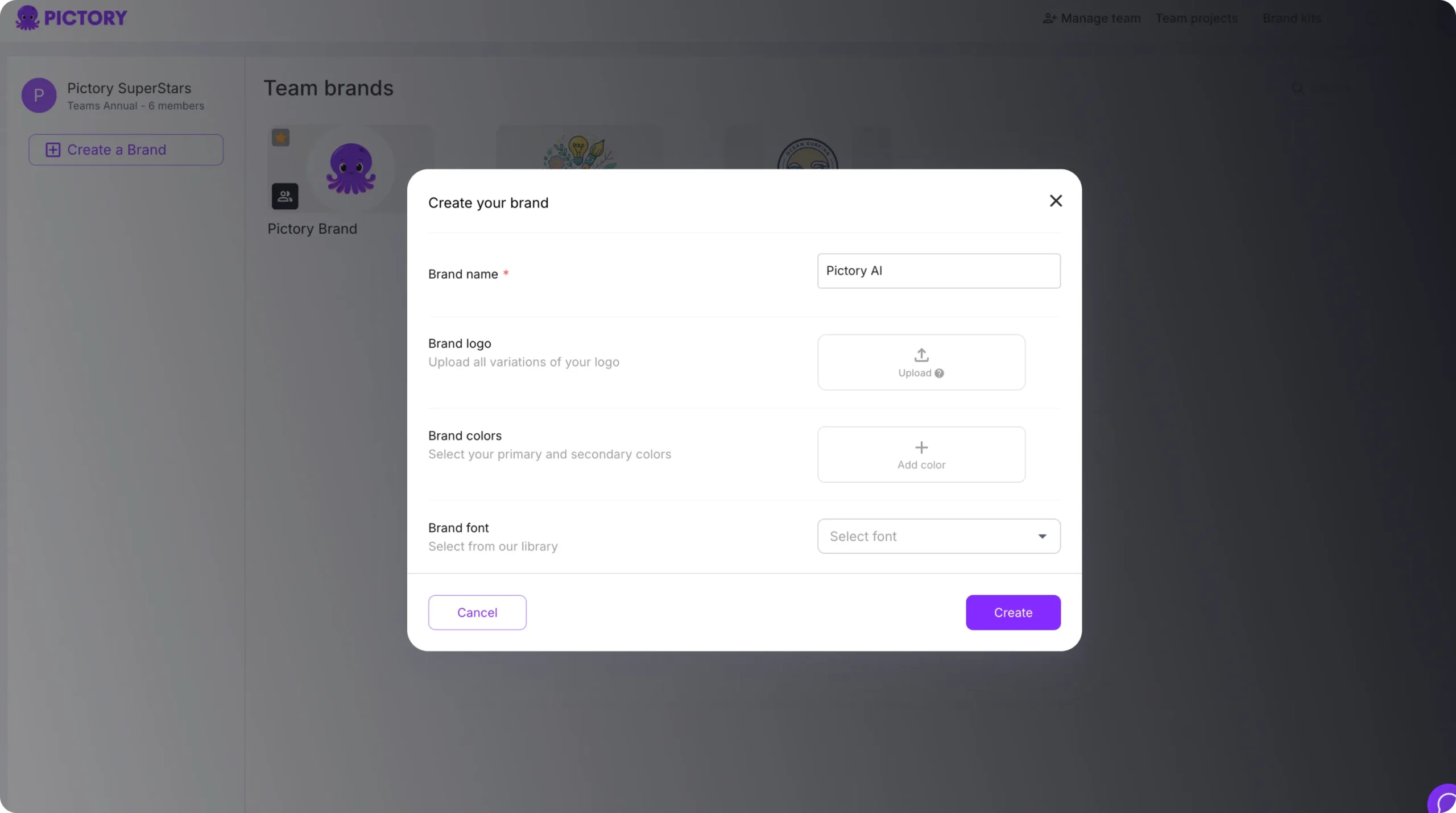
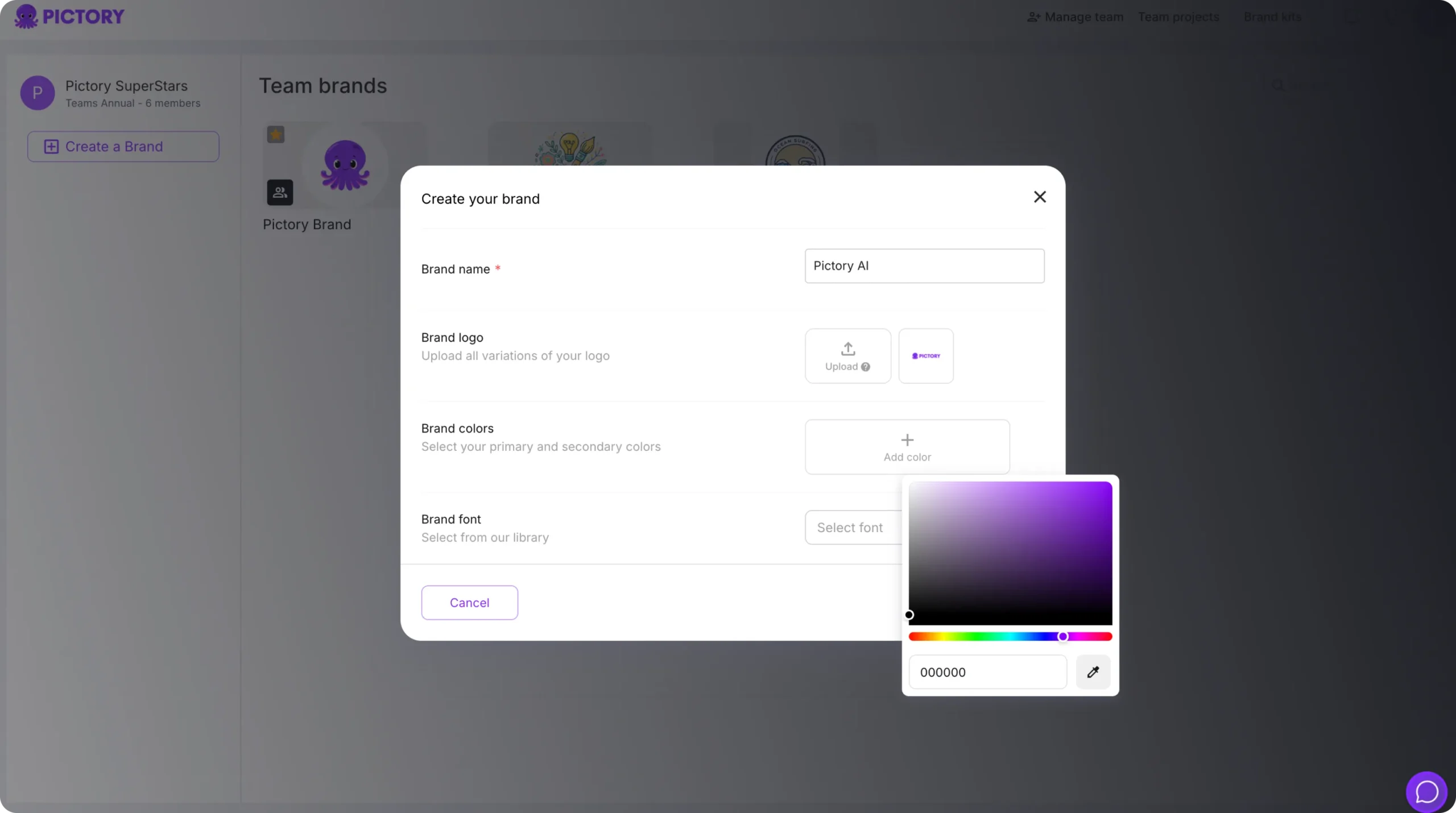
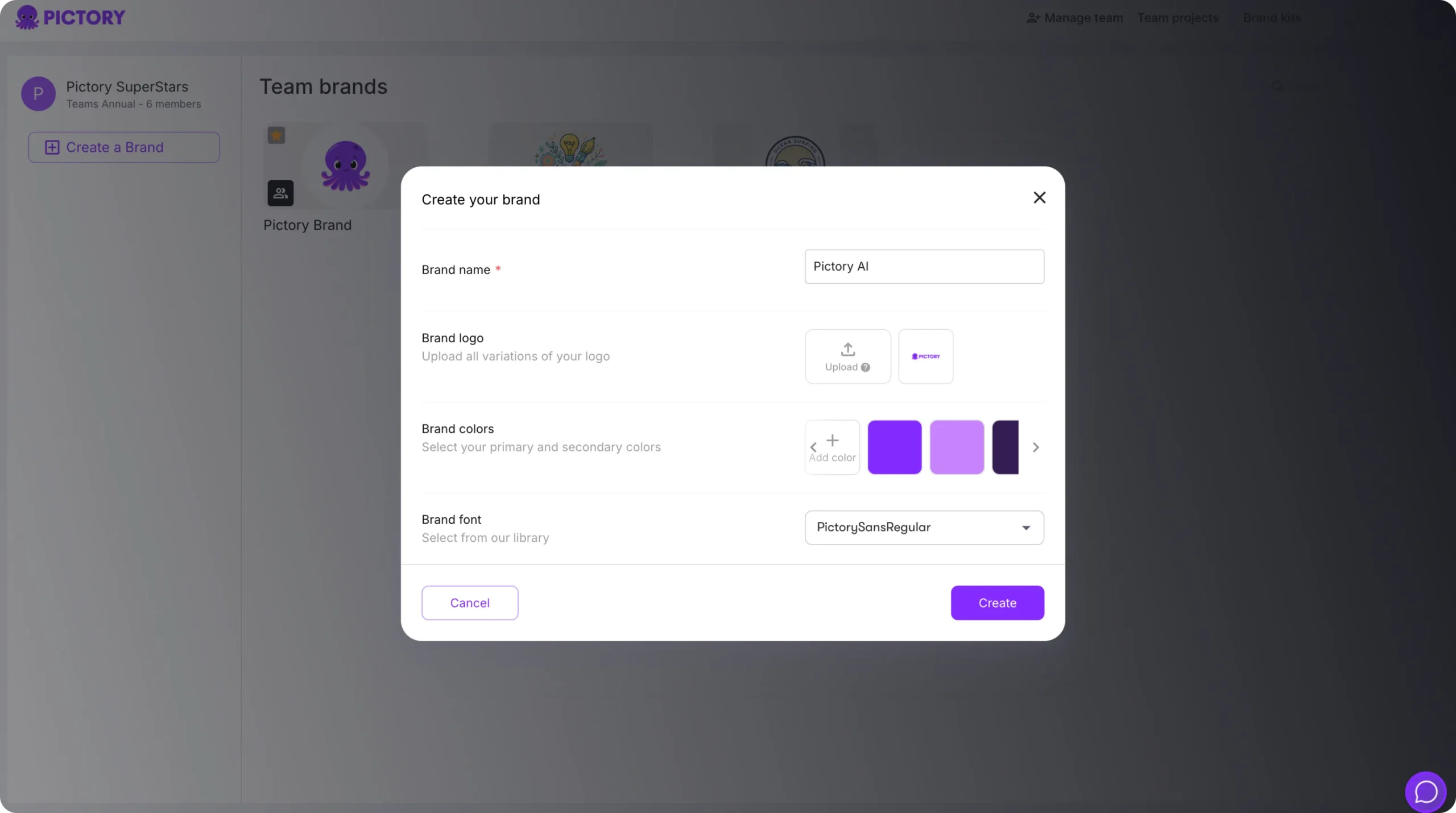
Now, every department — from HR to Marketing — can use the same visual identity, ensuring all videos align with corporate branding and style guidelines.
Step 3: Produce Content Using AI Workflows
Enterprise teams can accelerate production by choosing the right AI workflow for their content type:
Text to Video: Turn press releases, policy updates, or reports into visual explainers.
AI Video Editor: Edit existing company videos with auto transcription and highlights.
PPT to Video: Convert presentations into professional video briefings or onboarding modules.
Record (Screen/Camera): Capture CEO messages, training walkthroughs, or product demos.
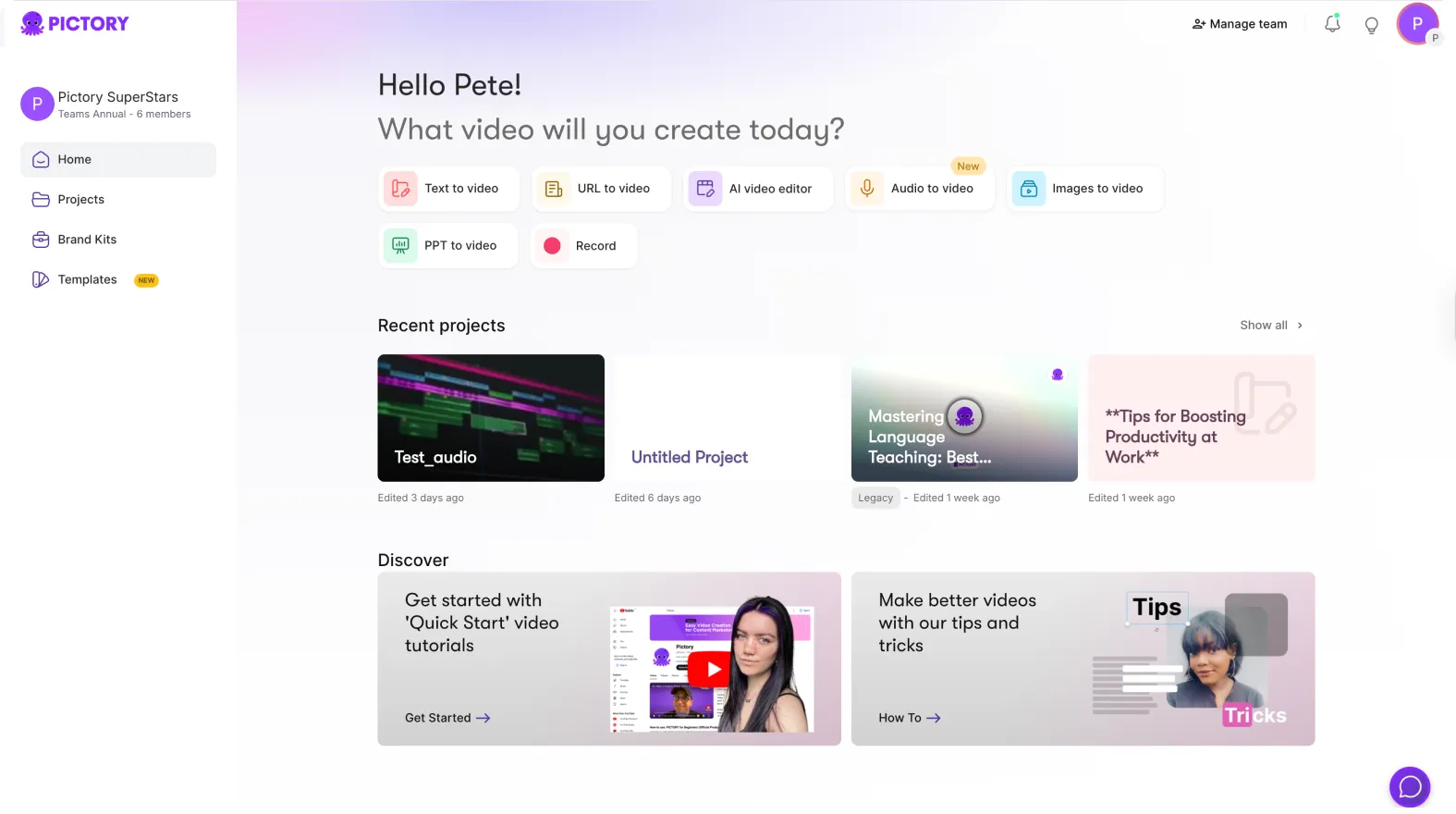
Each workflow simplifies content creation while keeping your team’s tone, style, and message consistent.
Step 4: Repurpose Existing Corporate Content
Many enterprise teams have large archives of content — Pictory makes it easy to refresh and repurpose that material.
Use the Auto Highlights & Clips feature to:
Extract short clips from town halls or leadership videos
Create summaries of webinars or investor updates
Produce snackable social videos from long-form content
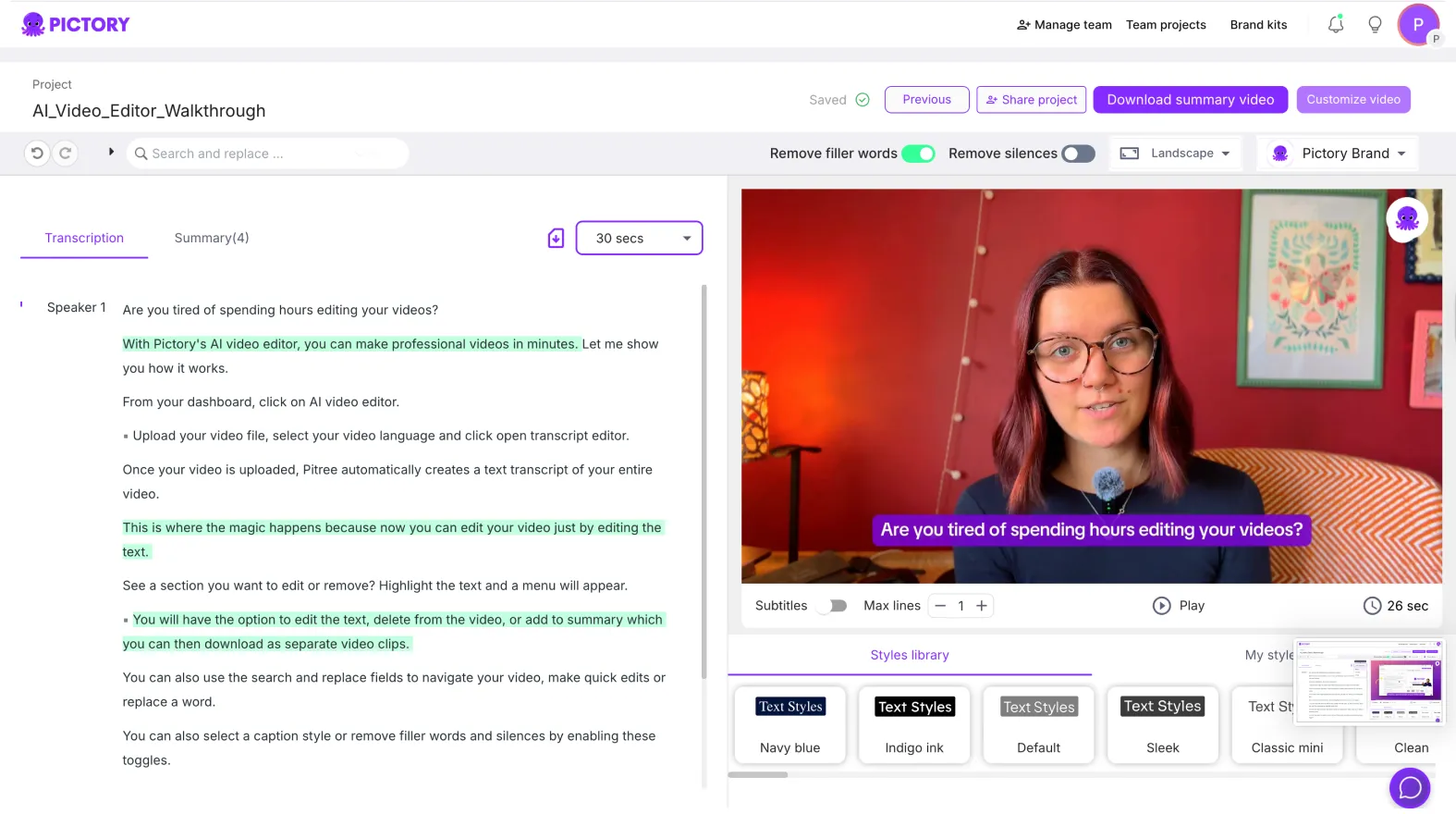
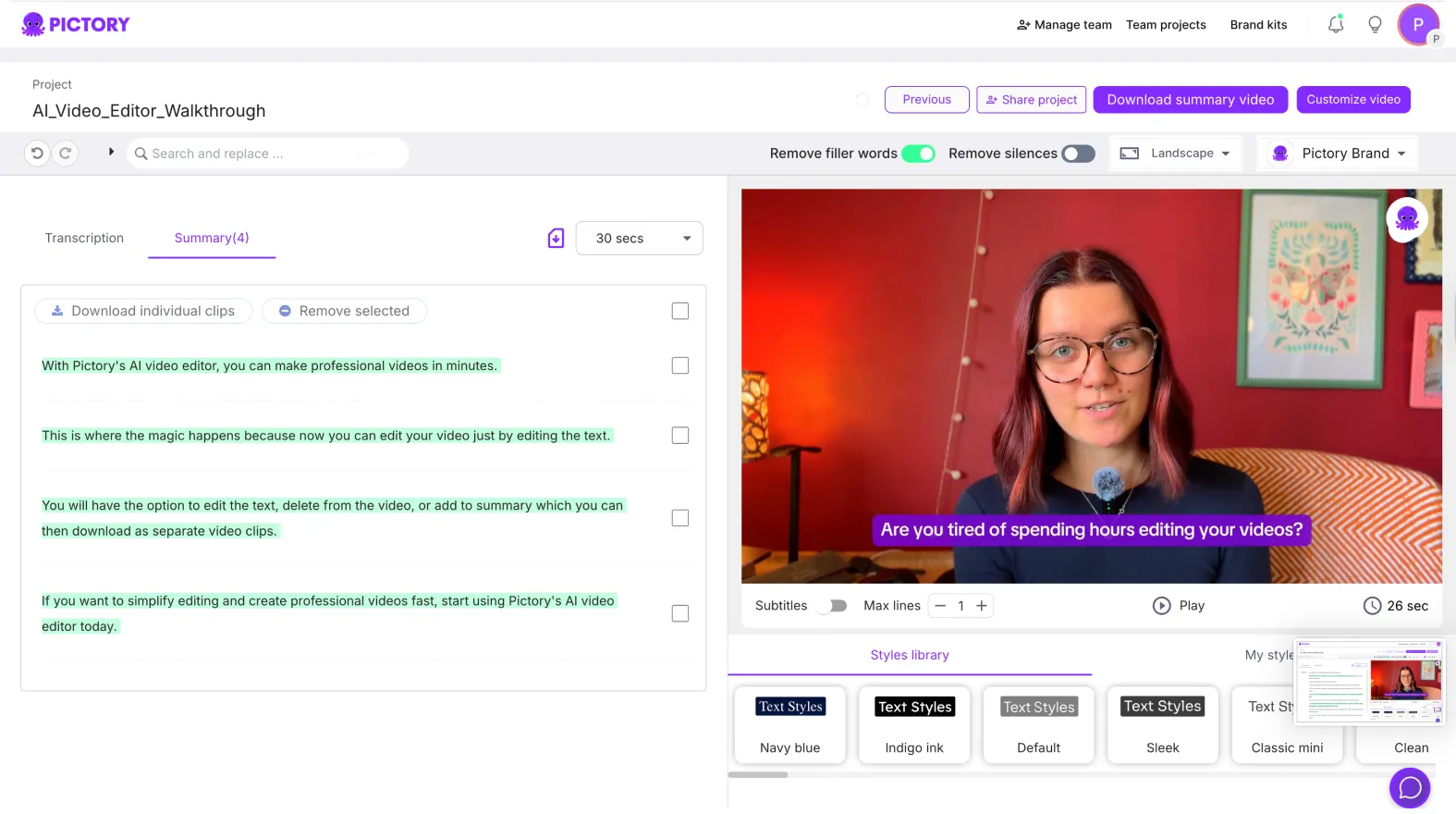
This maximizes ROI from every recorded session, meeting, or event, helping internal teams publish faster across multiple platforms.
Step 5: Streamline Internal Communication Videos
Enterprise communication teams can use Pictory to create quick, professional internal videos for:
Leadership announcements
Department updates
Employee onboarding and training modules
CSR or HR campaigns
Simply upload your script or slides, let Pictory generate scenes, and use your Brand Kit to ensure all internal videos look unified and polished.
Step 6: Manage Projects and Maintain Oversight
Pictory’s Projects dashboard provides full visibility and management control:
View, search, and filter all company projects by department or creator.
Track edits, updates, and video completion timelines.
Store approved templates and assets for brand compliance.
Quickly clone or repurpose videos for new campaigns.
This project-centric view gives enterprises full creative control while maintaining efficiency and brand governance.
Empower Your Enterprise Teams with AI-Powered Video Creation
With Pictory AI, enterprise teams can create more content, faster — while maintaining global brand consistency.
From marketing and corporate communications to L&D and HR, every department can use the same AI-driven platform to deliver professional, branded videos that align with company goals.
Start empowering your enterprise teams today with Pictory AI — and transform your organization’s video creation workflow.


