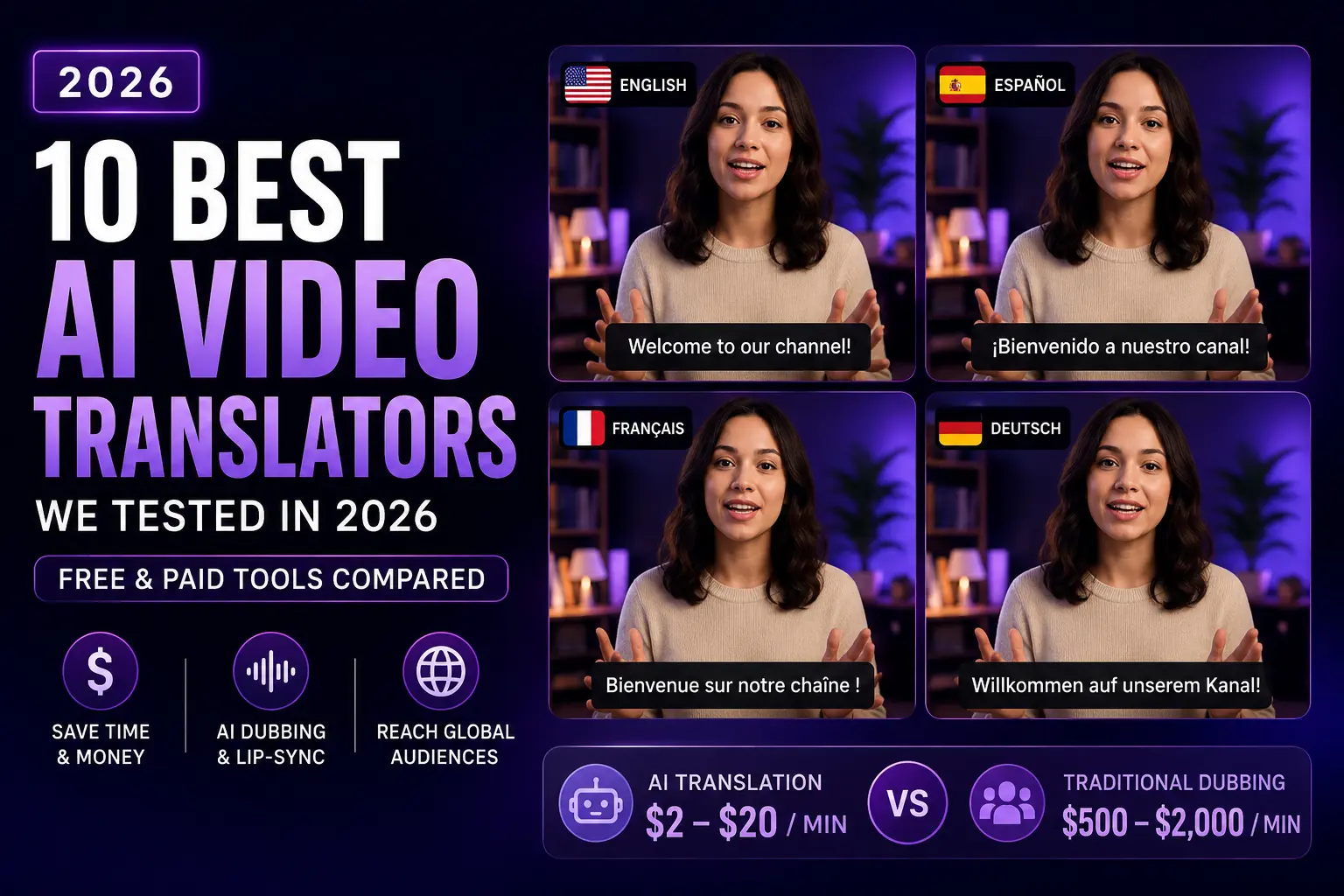
Translating a video used to mean a translator, a voice actor, a sound engineer, and a week of turnaround. In 2026, AI does the same job in minutes. But “AI video translator” now covers three very different workflows, and the tools sit in different price and quality tiers depending on which one you need. We tested 10 of the strongest AI video translators head-to-head, including Pictory, dubbed the same footage across four languages, and ranked what actually held up.
TL;DR
The best AI video translators in 2026 are HeyGen, Rask AI, Synthesia, Pictory, ElevenLabs Dubbing, Wavel Studio, Descript, Kapwing, Happy Scribe, and Dubverse. HeyGen leads on lip-sync dubbing of talking-head footage, Rask AI is strongest for creator podcasts, Synthesia owns enterprise avatar dubbing, and Pictory is the best pick for creating multilingual video content from scripts, blog posts, or existing recordings. AI translation costs $2 to $20 per minute versus $500 to $2,000 for traditional dubbing.
What “AI video translation” actually means in 2026
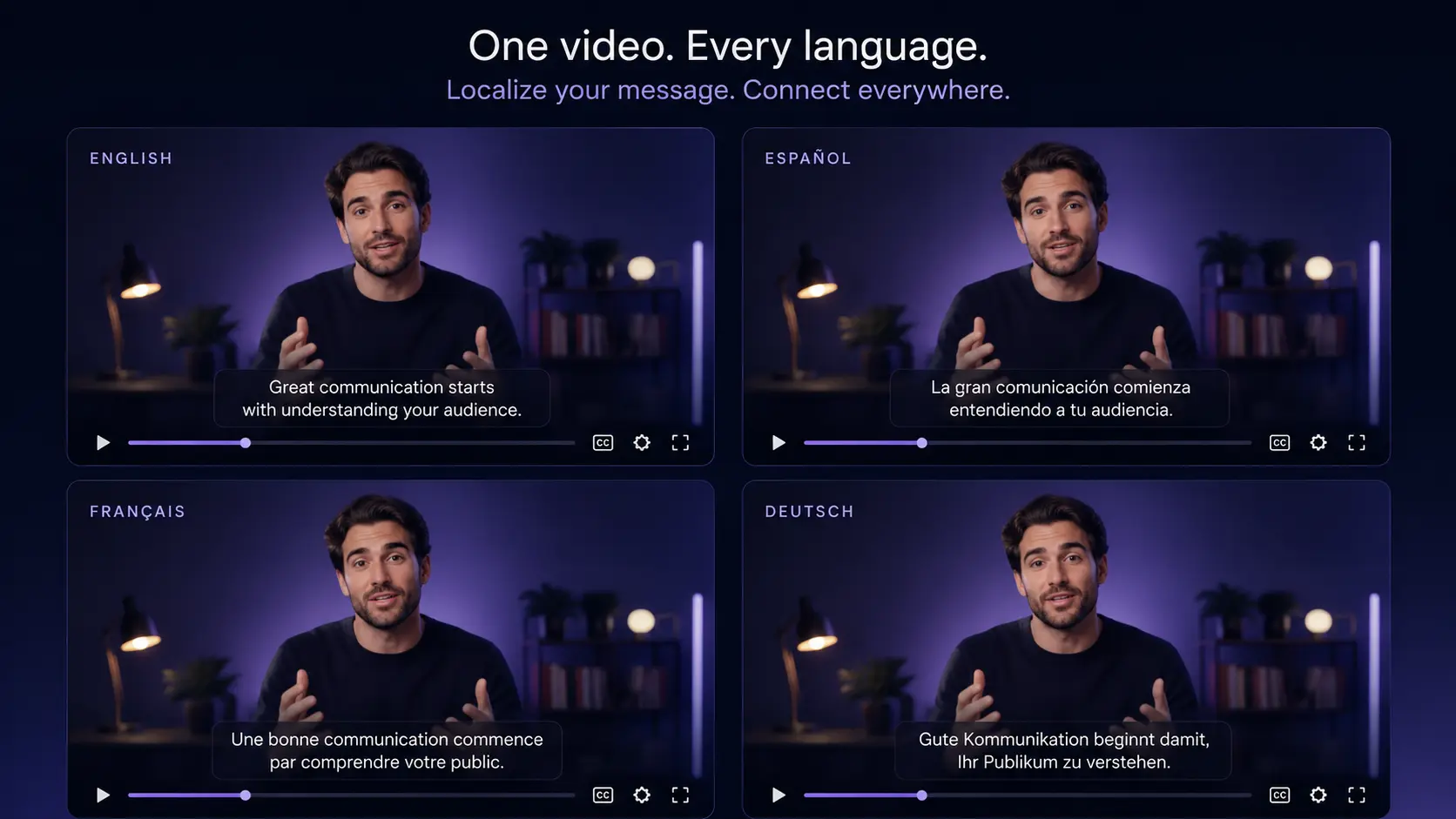
“Video translator” is a catch-all term for three distinct workflows, and picking the wrong tool for your workflow burns budget fast. The first is subtitle-only translation, where the audio stays in the original language and you get translated captions. The second is dubbing, where a synthetic voice replaces the original in the target language. The third is lip-sync dubbing, which re-animates the speaker’s mouth to match the new audio. Lip-sync is the highest-quality option, and it’s what most creators mean when they say “AI video translator.”
The economics have shifted. According to a 2026 breakdown by Technology Org, AI translation costs $2 to $20 per minute compared with $500 to $2,000 for traditional dubbing with voice actors and studios. That’s up to a 98% reduction. Localization has moved from a media-company luxury to a workflow small teams can afford.
How we tested each AI video translator
Every tool below was tested on the same source: a 60-second English talking-head clip translated to Spanish, French, and German. We rated each on lip-sync accuracy, voice cloning naturalness, translation quality, workflow speed, and price per minute. Pricing was verified against each tool’s own pricing page in July 2026.
Full disclosure: Pictory is one of the tools reviewed in this post. We’ve placed it where its capabilities honestly fit, and ranked HeyGen, Rask AI, and Synthesia above it on lip-sync dubbing because that’s where they lead. Pictory doesn’t do lip-sync, and pretending otherwise wouldn’t help you pick the right tool.
AI video translators at a glance
Ten tools, three categories. Four dedicated lip-sync dubbers (HeyGen, Rask AI, Synthesia, Wavel). One multilingual video creation platform (Pictory). Two voice-first tools (ElevenLabs, Descript). Three subtitle-and-basic-dubbing options (Kapwing, Happy Scribe, Dubverse).
| Tool | Best for | Lip-sync | Languages |
|---|---|---|---|
| HeyGen | Lip-sync dubbing of talking heads | Yes | 175+ |
| Rask AI | Creator podcasts and YouTube | Yes | 130+ |
| Synthesia | Enterprise avatar dubbing | Yes | 140+ |
| Pictory | Multilingual content from scripts | No | 29 |
| ElevenLabs Dubbing | Pure voice quality | No | 30+ |
| Wavel Studio | Fine-tuning lip-sync manually | Yes | 70+ |
| Descript | Podcast translation workflow | No | 20+ |
| Kapwing | Free browser-based option | Limited | 70+ |
| Happy Scribe | Subtitle-only translation | No | 60+ |
| Dubverse | Budget lip-sync | Yes | 60+ |
Language counts and pricing verified against each tool’s website in July 2026. Check the source page before you subscribe.
1. HeyGen: Best overall for lip-sync dubbing of talking-head footage
HeyGen is the tool most AI dubbing conversations start with in 2026, and testing confirms why. Upload a talking-head video, pick your target language from 175+ supported options, and HeyGen returns a translated version where the speaker’s mouth moves to match the new audio. Voice cloning captures the original tone. Delivery pacing translates almost naturally.
The workflow is fast and forgiving. Our 60-second English clip translated to Spanish, French, and German in under 10 minutes. Lip-sync held up on close-up shots that used to expose weaker tools. Pricing sits at the mid-to-high end of this list, but the output quality justifies the premium for teams shipping localized video regularly. See heygen.com/pricing for current plans.
2. Rask AI: Best for creator podcasts and YouTube dubbing
Rask AI is built around the creator workflow: long-form podcasts, YouTube uploads, and interview content that needs multi-speaker detection. The platform covers 130+ languages, handles multiple speakers on the same track, and offers a clean YouTube integration for pushing dubbed versions to alternate channels.
One caveat worth flagging. Testing from other reviewers in early 2026 has reported inconsistent lip-sync quality, particularly on longer clips and non-frontal shots. Voice cloning quality is strong; the mouth movement is where results vary. Test with a real sample before committing to a plan. Current tiers at rask.ai/pricing.
3. Synthesia: Best for enterprise avatar dubbing
Synthesia takes a different route: rather than lip-sync an existing recording, you use an AI avatar as the presenter and generate the whole video in each target language. Because Synthesia controls the avatar, lip-sync is close to perfect. Voice cloning quality is high. And team workflows include SSO, brand controls, and reviewer approvals that enterprise buyers expect.
The trade-off is presenter authenticity. Avatar dubbing works beautifully for training, product explainers, and internal communications, but it doesn’t replace footage of a real person. Pricing reflects the enterprise positioning. Details at synthesia.io/pricing.
4. Pictory: Best for creating multilingual video content from scripts and text
Pictory sits in a different lane. It doesn’t perform lip-sync dubbing on talking-head footage. What it does exceptionally well is create original localized video from a script, blog post, URL, or existing recording. If your workflow starts with text and ends with a captioned, voiced-over, branded video in Spanish, French, or Japanese, this is the shortest path from A to B.
The workflow: use Ask AI script translation to convert your source script, pick a multilingual voice, and apply translated captions. Standard plans include seven languages (English, French, Spanish, German, Dutch, Italian, Portuguese). Premium and Teams plans open all 29 languages. Full details in our guide to translating videos with Pictory.
What it’s not: a lip-sync dubbing tool for existing talking-head recordings. If you need the CEO’s face to mouth Japanese, HeyGen or Synthesia fit closer. If you’re a marketing team repurposing blog posts into localized LinkedIn videos, or an L&D team turning training scripts into modules for regional teams, Pictory is the shortest path.
5. ElevenLabs Dubbing: Best pure voice quality without lip-sync
ElevenLabs sets the industry benchmark for voice cloning naturalness. Its Dubbing tool translates audio across 30+ languages while preserving the speaker’s vocal identity, cadence, and emotional range better than any other tool on this list. The result sounds like the original speaker learned the target language.
The limit is what it doesn’t do: lip-sync. The audio-visual mismatch is visible on close-up talking heads. ElevenLabs is best paired with a separate lip-sync tool, or used for content where the speaker’s face isn’t the focus: podcasts, voiceover-only videos, or animation. Pricing at elevenlabs.io/pricing.
6. Wavel Studio: Best for fine-tuning translated audio and lip-sync manually
Wavel Studio adds a full timeline editor on top of AI dubbing. If the automated translation gets 90% of the way and you need to hand-fix pronunciation, pacing, or lip-sync alignment on specific clips, Wavel is one of the few tools that lets you. It supports 70+ languages and combines lip-sync automation with manual override.
The trade-off is speed. Manual editing means longer turnaround per video, so Wavel fits studios and agencies handling premium client work more than teams pushing weekly volume. Current plans at wavel.ai/pricing.
7. Descript: Best for podcast translation and transcript-based editing
Descript brings translation into its transcript-based editing model. Edit the words, and the audio adjusts to match through Overdub voice cloning. Translation coverage is narrower than dedicated dubbers at 20+ languages, but for podcasters already using Descript for editing, the localization workflow lives in the same interface with no export-import friction.
No lip-sync means it’s not the tool for video-first localization. It’s the tool for teams whose primary output is audio and who want to reach non-English audiences. Pricing at descript.com/pricing.
8. Kapwing: Best free browser-based translator
Kapwing runs in the browser with no install and offers free-tier subtitle translation across 70+ languages, plus basic AI dubbing on paid plans. Free exports carry a watermark, and lip-sync quality is well below dedicated dubbers, but the barrier to trying it is close to zero.
Best for testing multilingual content ideas before committing to a paid workflow, or for teams that need occasional translation without a dedicated subscription. Not the pick for weekly localization volume. See kapwing.com/pricing.
9. Happy Scribe: Best for subtitle-only translation
Happy Scribe is built for subtitles first. Upload a video, get a transcript, translate the transcript across 60+ languages, and export burned-in or SRT subtitle files. There’s no dubbing and no lip-sync, so the audio stays in the source language. For platforms where autoplay runs muted (LinkedIn, most social feeds), subtitles alone often do the job.
The right pick if translated captions are all you need. The wrong pick if you want a voiced-over version. Pricing at happyscribe.com/pricing.
10. Dubverse: Best budget option with lip-sync
Dubverse offers lip-sync dubbing at the lowest per-minute price on this list. Voice cloning quality sits a step below HeyGen and Synthesia, and lip-sync accuracy shows visible mismatches on close-up shots, but for teams localizing at high volume on tight budgets, the price gap is meaningful.
A pragmatic pick for content where “good enough” beats “premium.” Not the tool for high-visibility C-suite footage. Current plans at dubverse.ai/pricing.
How do you pick the right AI video translator?
Start with what you’re translating and work backwards. Talking-head recordings need lip-sync. Podcasts need voice quality. Marketing content built from scripts needs a creation platform, not a dubber. Here’s the decision matrix in one view.
Turn your next script into 29 languages
Translate the script with Ask AI, pick a multilingual voice, and export a branded video for each region.
When Pictory is the right fit (and when it isn’t)
Pictory fits best if you’re a marketing team repurposing blog posts, webinars, or scripts into localized video for LinkedIn and YouTube, or an L&D team turning English training scripts into localized modules for regional employees, or an agency creating multilingual campaigns from source text. The multilingual voiceover workflow covers script translation, voice, captions, and branding in one editor.
Pictory isn’t the right fit if you need to translate existing talking-head footage where mouth movement has to match (HeyGen or Synthesia lead there), if voice quality alone is your priority for podcast dubbing (ElevenLabs fits closer), or if you’re localizing high-visibility C-suite video where lip-sync mismatch is unacceptable.
The recommendation: if your workflow starts with text or existing recordings and ends with a captioned, voiced-over, branded video in a target language, Pictory is the shortest path. Start with a free trial, translate a real script, and see how the multilingual output holds up.
Create multilingual video content today
Fast, scalable, affordable multilingual video from any script, blog post, or recording.
FAQ: AI Video Translators
What’s the best AI video translator in 2026?
HeyGen is the best overall AI video translator in 2026 for lip-sync dubbing of talking-head footage, with real-time lip-sync and voice cloning across 175+ languages. Rask AI is the strongest option for creator podcasts and YouTube, Synthesia leads on enterprise avatar dubbing, and Pictory is the best pick for creating multilingual video content from scripts, blog posts, or existing recordings without lip-sync.
How much does AI video translation cost?
AI video translation costs $2 to $20 per minute in 2026, depending on lip-sync accuracy, voice cloning, and language coverage. That’s up to 98% less than traditional dubbing, which runs $500 to $2,000 per minute for professional talent and studio time. Free tiers exist on Kapwing and some tools, though they usually apply watermarks and cap language options.
Can AI video translators lip-sync?
Yes. Leading AI video translators including HeyGen, Rask AI, Synthesia, Wavel Studio, and Dubverse re-animate the speaker’s mouth to match the translated audio. Quality varies. HeyGen and Synthesia produce the most convincing lip-sync in 2026, while budget tools show visible mismatches on longer clips. Test with a sample before committing to a plan.
What’s the difference between dubbing and lip-sync?
Dubbing replaces the original audio with a new-language voiceover. Lip-sync goes further and re-animates the speaker’s mouth to match the new sounds. Dubbing alone creates an audio-visual mismatch that many viewers find distracting. Lip-sync solves that by rebuilding the mouth movement, which is why it costs more per minute across every tool.
Does Pictory translate videos?
Pictory translates the script, voiceover, and subtitles of a video, but it doesn’t perform lip-sync dubbing on existing talking-head footage. Use Ask AI to translate your script, pick a multilingual voice from 29 ElevenLabs-powered languages, and apply translated captions. Pictory works best when you’re creating a new localized version of a video rather than re-dubbing an existing recording.
Keep reading
The full walkthrough for scripts, voice, and captions.
29 languages with the same brand voice.
Translate, style, and burn in captions per region.