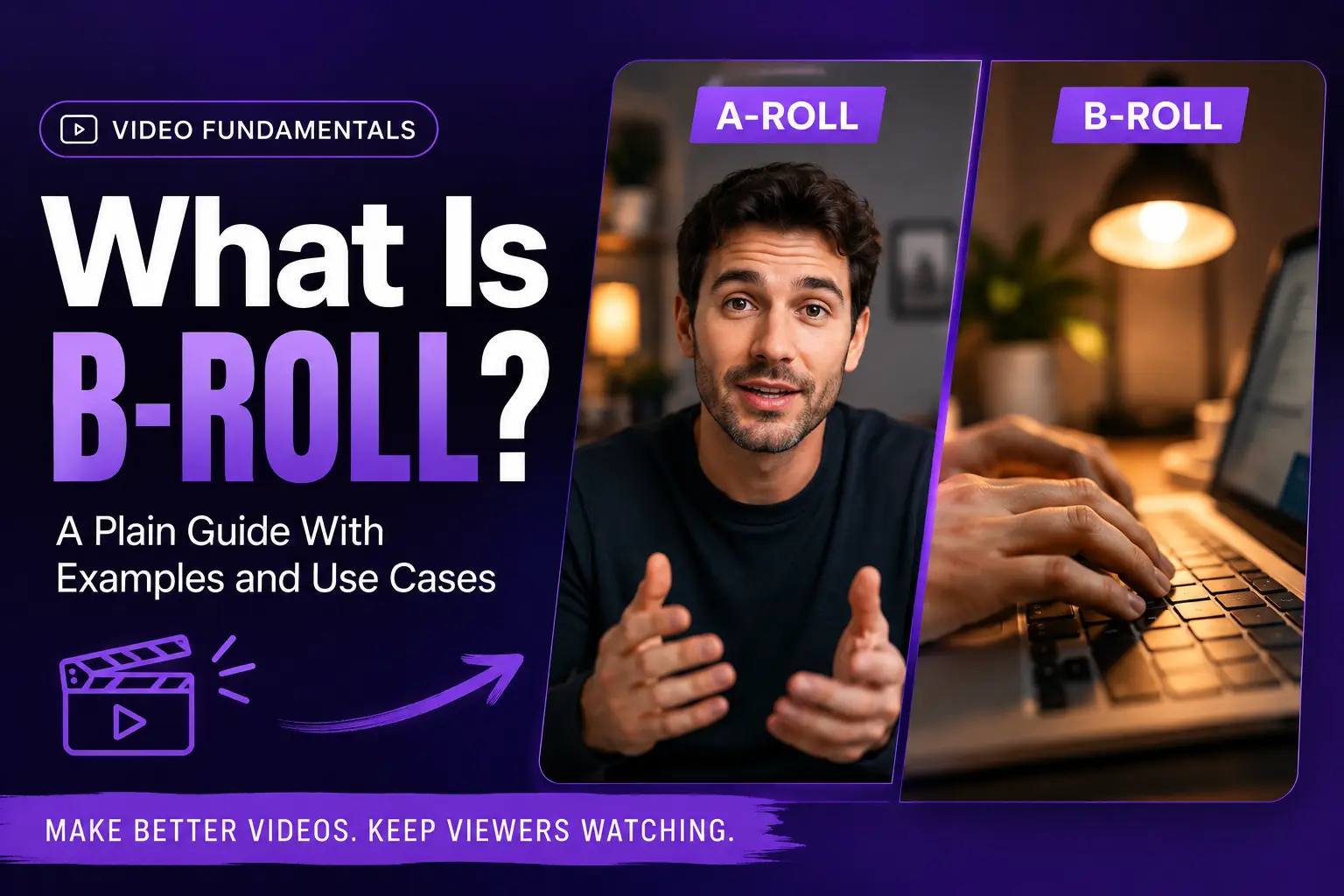
You’ve watched a hundred videos with b-roll and probably never noticed it. That’s the point. When it works, b-roll disappears into the story. When it’s missing, a video feels like a slog even if the script is good. If you’re making marketing videos, YouTube content, or explainers, b-roll is the difference between something that watches like a chore and something people actually finish. Pictory’s AI Studio can generate the exact shot you need in a minute, no shoot day required. Here’s the plain guide.
TL;DR
B-roll is the supporting footage layered over your main video, called A-roll, to illustrate what the narrator is saying, cover cuts, or add visual variety. Common b-roll includes product close-ups, location shots, stock clips, and AI-generated visuals. Strong b-roll turns a talking-head video into something people watch to the end. This guide covers what b-roll is, five types you’ll use most, where to source it, and how AI now handles it in seconds.
What b-roll actually is
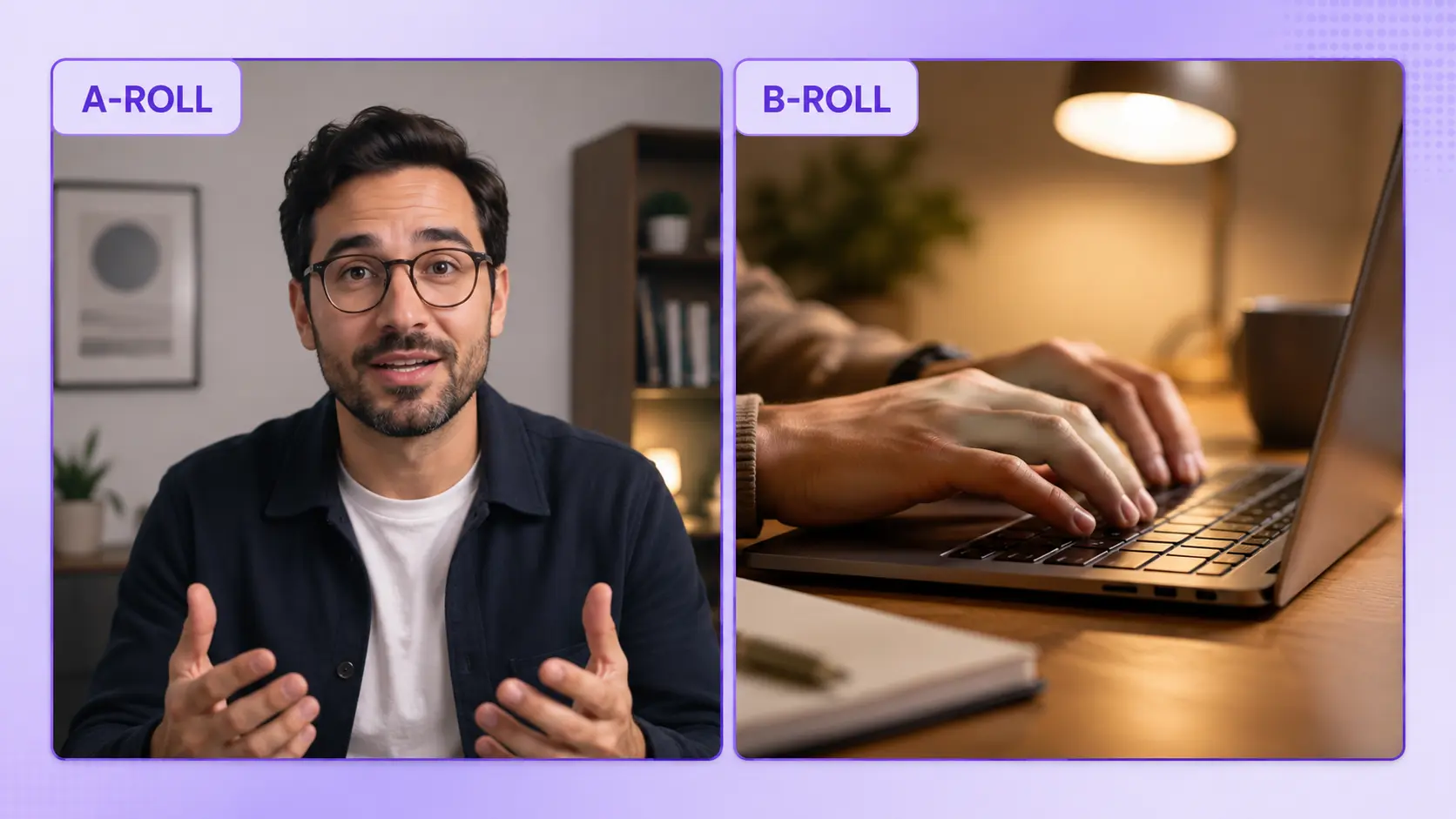
B-roll is supplementary footage layered over your primary video, called A-roll, to illustrate the narration, cover cuts, or add visual interest. A-roll is the anchor: the interview, the presenter, the talking head. B-roll is everything you cut to while the anchor keeps talking. Product close-ups, location shots, stock clips, generated visuals, and archival footage all count as b-roll.
The names come from film production. A-roll and B-roll referred to two separate strips of film that a technician cut and spliced together. The tools changed. The idea didn’t.
Why b-roll matters in 2026
B-roll earns its place through retention. Cutting to a supporting visual every few seconds keeps viewers watching, especially on social platforms where the algorithm rewards completion. On short-form video, videos under 90 seconds hit around 50 percent viewer retention, and short-form video pulls 2.5 times more engagement than long-form content. Every second you can hold attention is one closer to that completion mark.
Consumers prefer video over every other content format for learning about products. 78 percent of consumers pick short video over reading, and 96 percent have watched an explainer video to learn about a product or service.
There’s also a practical reason. B-roll gives you cover. When you cut two takes together, the jump between them is jarring without something to hide behind. Drop a b-roll shot over the seam, and the cut becomes invisible.
Five types of b-roll every video needs
Most b-roll falls into one of five categories. If your project is running short, one from each usually gets you over the line.
- Establishing shots. Wide views that set the scene. A cityscape at the top of a documentary. An office exterior before an interview.
- Close-ups and detail. A hand pouring coffee. A finger tapping a phone. Product textures. These land the specifics your voiceover only implies.
- Cutaways. Anything you cut to that breaks up the anchor. An audience listening. A whiteboard sketch. The interviewer nodding.
- Action and process. Someone using your product. A process unfolding step by step. Motion carries more attention than static shots.
- Stock or archival. Footage you didn’t shoot but can license or generate. Historical clips, industry imagery, or AI-generated scenes that would be impossible to capture live.
Where to get b-roll footage
Four routes cover almost every project. Which one you pick depends on your budget, your timeline, and whether you own the rights to what appears on screen.
- Shoot it yourself. Highest quality and full rights, but slowest. Worth it for hero shots and product footage no stock library will have.
- Licensed stock libraries. Pictory pulls from Getty Images and Storyblocks inside the Visuals tab. Fast, professional, and covered for commercial use. Best for generic scenes that would waste a shoot day.
- AI-generated visuals. Pictory’s AI Studio runs Pixverse, Veo, and Nano Banana models. Describe the shot, generate it in under a minute, drop it into your scene. Best for hyper-specific visuals no library will have.
- Screen recordings. For SaaS, apps, and any product that lives on a screen. Free, on-brand, and specific to what you’re demonstrating.
Free sources like Pexels and Pixabay work for quick projects, though quality varies and rights aren’t always clean for commercial use. Read the license terms before you ship a client project on free footage.
How to use AI to generate b-roll on demand
The biggest shift in b-roll over the past two years is that you can now generate exactly the shot you need in a minute or two. No shoot, no library search, no rights headache. If your voiceover mentions “a designer sketching a wireframe in a bright studio,” you can create that shot rather than settle for a stock approximation.
Inside Pictory, this lives in AI Studio under the Visuals tab. Toggle to Videos or Images depending on what you need, describe the scene, pick a model, and generate. Pixverse handles fast short-form clips at 1.6 credits per second. Veo 3.1 delivers cinematic quality at 20 credits per second. Nano Banana produces stills strong enough to pause on when you need a hero image rather than motion.
Placement rules that make b-roll feel intentional
Great b-roll placement follows a handful of rules that separate editors who know what they’re doing from ones who just cut on the beat. Five worth learning:
- Cut on action. If someone reaches for a laptop, cut to the laptop mid-reach. Motion into motion hides the edit.
- Match the narration. If the voiceover says “our team,” show your team, not a stock crowd. Mismatch pulls viewers out of the story.
- Hold shots for two to five seconds. Too short and the shot registers as a flicker. Too long and it drags. Two to five is the sweet spot for most b-roll.
- Keep continuity. Time of day, lighting, and location should stay consistent within a section. Sunset stock in a morning interview reads as sloppy.
- Stay on-brand. Colors, tone, and style should feel like the same video, not a folder of unrelated clips. Applying a brand kit in Pictory keeps this consistent.
Common b-roll mistakes to avoid
Most b-roll problems come from a handful of habits worth breaking early.
- Irrelevant stock. Dropping in “office people high-fiving” because you had nothing better breaks trust. If the shot doesn’t earn its place, cut to the anchor instead.
- Over-cutting. New shot every second reads as manic and hides the message. Restraint reads as confidence.
- Mismatched aspect ratios. A 16:9 clip dropped into a 9:16 project without reframing looks amateur. Pictory reframes automatically when you switch aspect ratios in the project.
- Forgotten audio ducking. B-roll with its own audio at full volume competes with the narration. Duck it, mute it, or mix it low.
- Licensing shortcuts. Screenshotting YouTube videos or pulling from Google Images will get you a takedown or worse. Use a licensed library or generate it yourself.
Add b-roll without a shoot day
Search Getty and Storyblocks, or generate the exact shot you need in AI Studio.
Verdict: who needs b-roll most, and who can skip it
B-roll matters most for marketers, explainer video makers, YouTube creators, and anyone whose video needs to hold a viewer for more than 30 seconds. If your job is to make more video with limited time, this is where AI tools and stock libraries earn their keep. You used to spend 20 minutes searching stock libraries for the right cutaway. Now you can generate the exact shot in two minutes, and the workflow is fast enough to change how you edit.
You can skip heavy b-roll for a few use cases. Raw testimonial cuts often work better without overlays. Minimalist talking-head styles, especially podcast video, sometimes benefit from staying on the presenter. Short educational clips under 15 seconds usually don’t have room to cut away. If the anchor shot is strong and the script is tight, extra footage can dilute rather than help.
For everything else, treat b-roll as part of the plan, not an afterthought. Write your script, mark the moments that need cover, then source or generate the visuals before you sit down to edit.
Generate your first custom b-roll clip
Open AI Studio and describe the shot you couldn’t find in stock.
FAQ: What Is B-Roll
What’s the difference between A-roll and B-roll?
A-roll is your primary footage, usually a presenter, interviewee, or narrator delivering the core message. B-roll is the supporting footage layered over that primary track to illustrate points, cover cuts, or add visual variety. A-roll drives the story. B-roll makes it watchable.
How much B-roll do I need for a 2-minute video?
For a 2-minute marketing or explainer video, plan for 8 to 20 b-roll shots. That covers around 30 to 60 percent of the runtime with supporting footage, which is enough to hold attention without hiding the anchor. Shorter clips need proportionally less. A 30-second social opener often runs on just three or four b-roll shots.
Can I use YouTube videos as B-roll?
No, not without permission. YouTube videos are copyrighted, and using clips without a license risks takedowns, demonetization, and legal action. If a specific clip is critical, contact the creator for permission. For general shots, use a licensed stock library like Getty or Storyblocks, or generate the visual you need in Pictory’s AI Studio.
What’s the best free source for B-roll footage?
Pexels, Pixabay, and Videvo offer free stock clips with commercial-use licenses, though quality and specificity vary. For most marketing work, the trade-off is that free libraries carry the same clips everyone else uses, so your video looks familiar. A licensed library or AI-generated b-roll gives you shots your competitors can’t match.
Can AI generate custom B-roll for my video?
Yes. Pictory’s AI Studio runs Pixverse, Veo, and Nano Banana models that generate custom video and image b-roll from a text prompt in under a minute. You describe the shot, pick a model, and drop the result straight into your scene. This works well for hyper-specific visuals no stock library would have.
Related reading
Assemble b-roll, captions, and voiceover in one workspace.
Generate custom video from prompts, scripts, or images.
Turn a still image into short cinematic motion.
![[Article] Promo Video: How to Make One That Converts](https://pictory.ai/wp-content/uploads/2026/09/blog-video-promo-300x169.webp)