Choosing between Pictory and VEED is not just about features. It is about how you want to create videos.
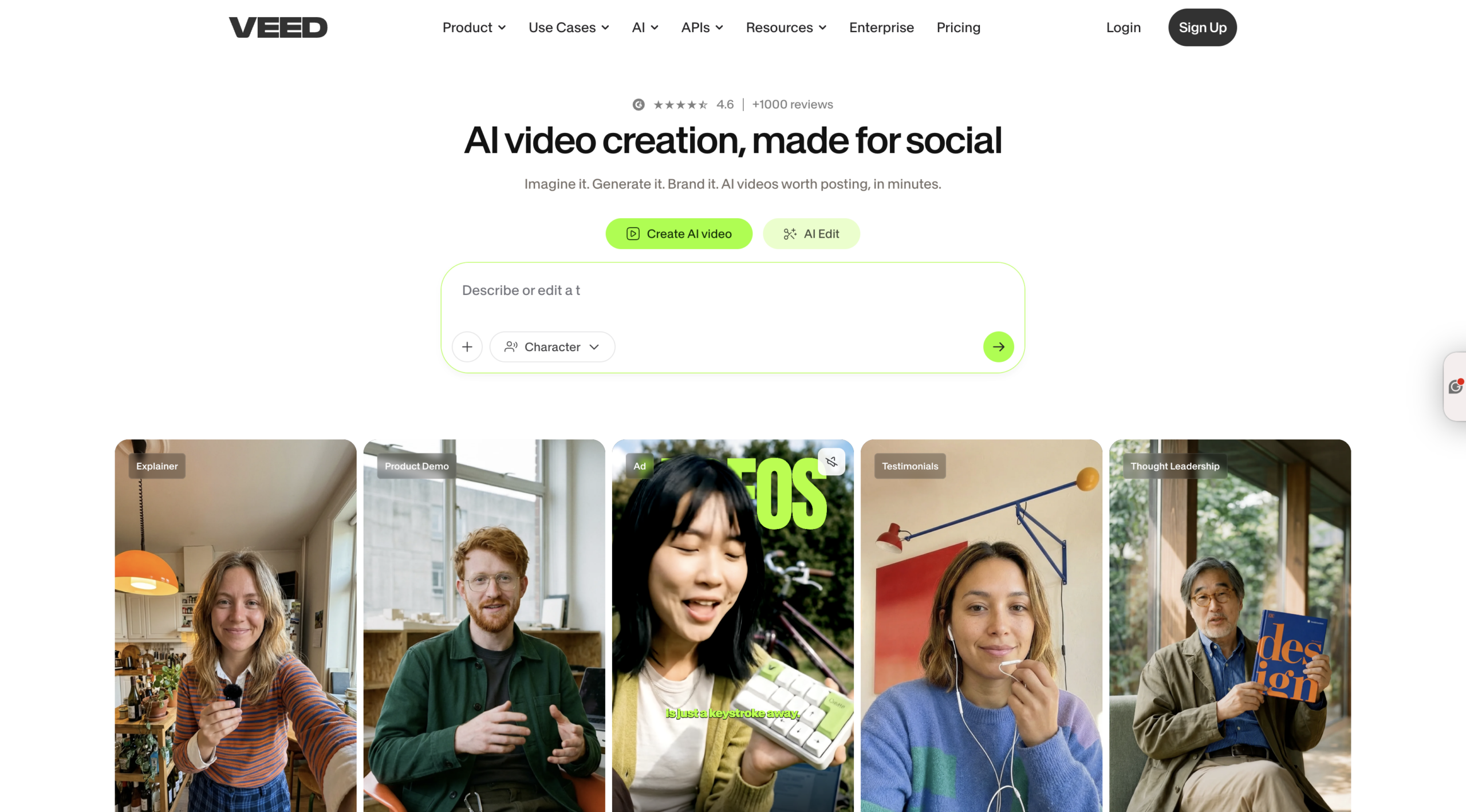
Pictory is built as a complete AI video generator that automates everything from script to final video. VEED is a manual video editor with AI tools added into a traditional timeline workflow.
If your goal is to scale content, create videos faster, and use the latest AI models like PixVerse and Veo, Pictory is built for that from the ground up.
What Is Text to Video AI and Why It Matters for Content Creation
Text to video AI allows you to turn scripts, blog posts, URLs, or ideas into fully produced videos with:
-
- AI-generated visuals
-
- Voiceovers
-
- Captions
-
- Scene structure
With tools like text to video generator, marketers can transform written content into videos in minutes instead of hours.
This is critical for:
-
- SEO content repurposing
-
- Social media growth
-
- YouTube automation
-
- Training and educational content
Pictory vs VEED: Core Difference in Workflow
Pictory (AI Automation Platform)
-
- Paste script, URL, or upload media
-
- AI generates scenes, visuals, and voiceover
-
- Enhance with AI Studio
-
- Add AI avatars
-
- Export
VEED (Manual Video Editor)
-
- Upload clips or generate assets
-
- Edit on a timeline
-
- Trim, layer, and arrange manually
-
- Add effects and captions
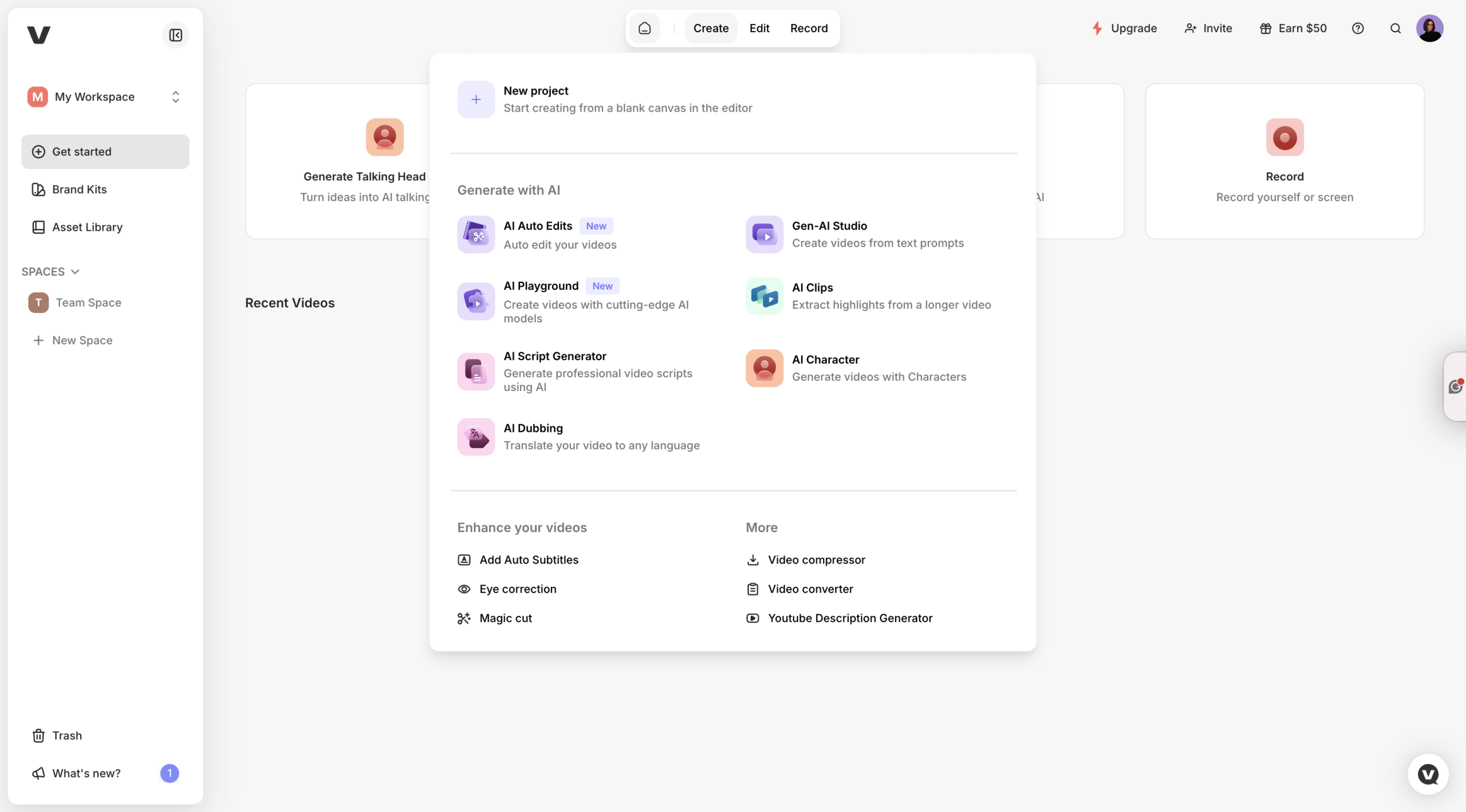
Pictory removes the need for editing. VEED still depends on it.
How to Create AI Videos with Pictory
Step 1: Choose Your Video Creation Workflow
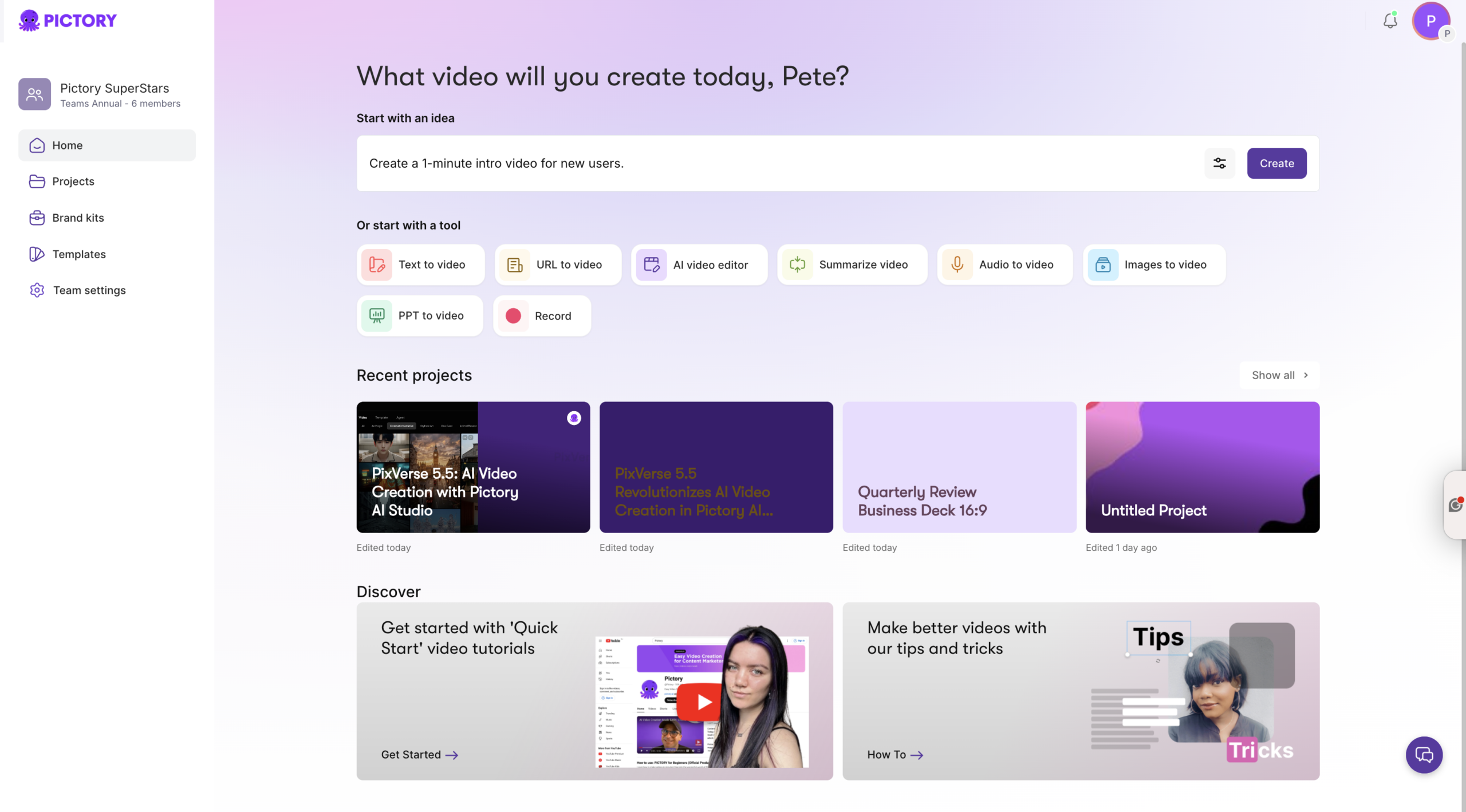
Pictory supports multiple AI video creation tools depending on your input:
-
- Convert scripts using script to video
-
- Turn articles into videos with URL to video
-
- Create visuals using image to video
-
- Convert narration using audio to video
-
- Transform slides using PPT to video
-
- Record and edit with AI screen recorder
All workflows feed into the same AI-powered editor.
Step 2: Generate Script and Scenes Automatically
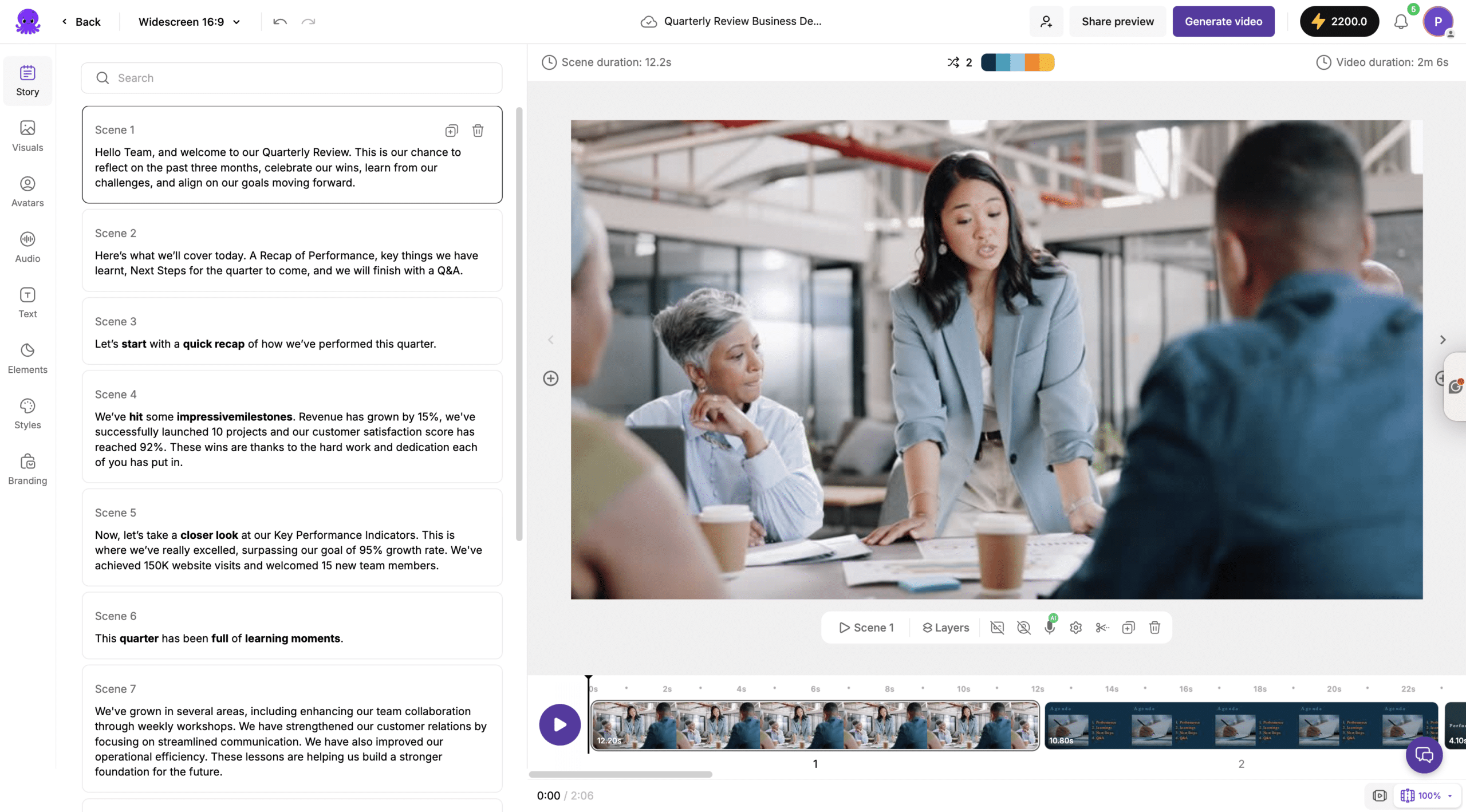
Once your content is added:
-
- AI splits text into scenes
-
- Matches visuals automatically
-
- Generates captions and voiceovers
This removes hours of manual editing work.
Step 3: Create Cinematic Visuals with AI Studio
Using AI Studio, you can generate visuals from prompts and create cinematic scenes.
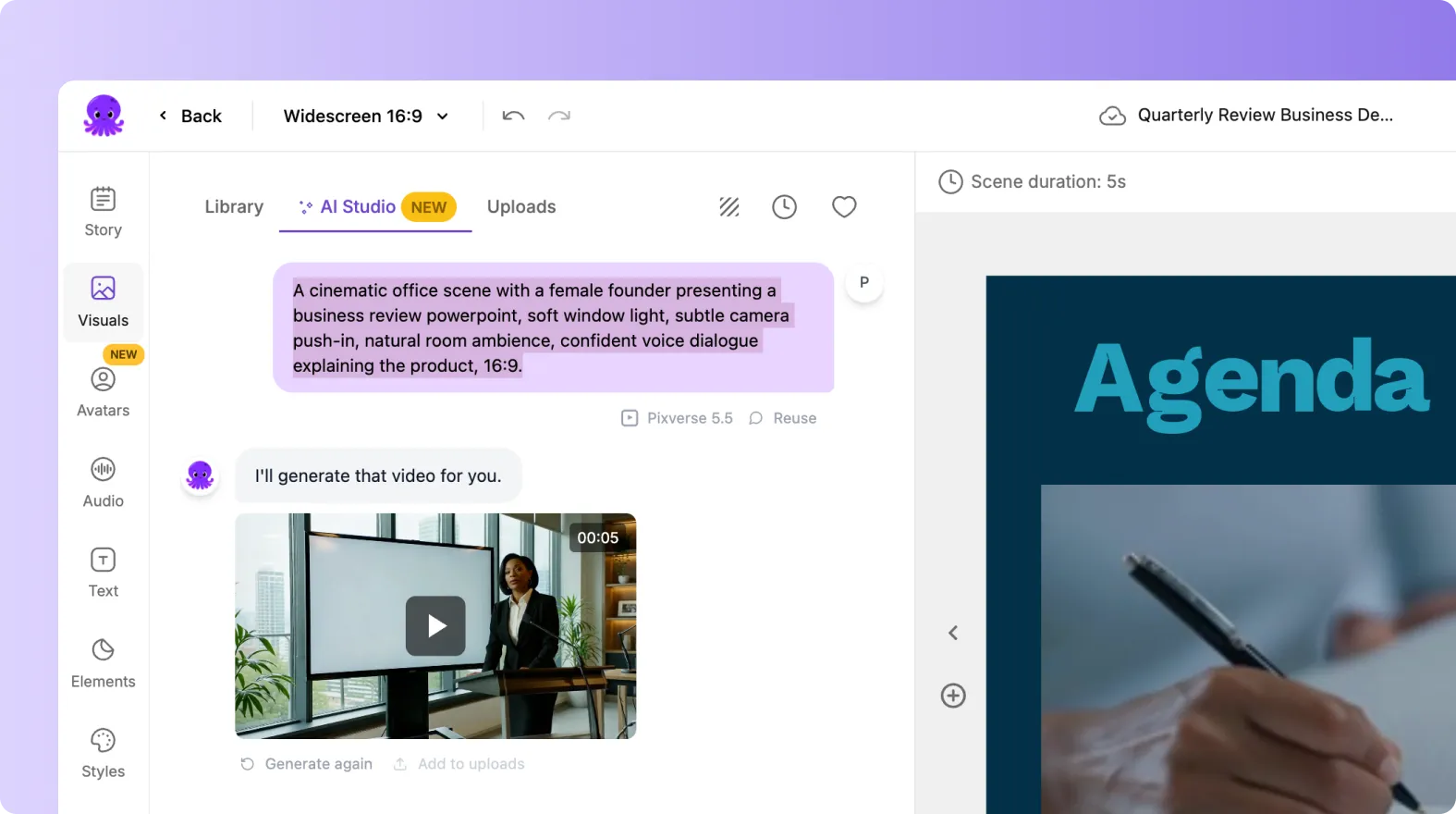
You can:
-
- Generate images from text prompts
-
- Generate videos from prompts
-
- Animate images into motion
-
- Extend and refine scenes
AI Studio includes advanced models like PixVerse, Veo, Flux, Seedream, and Nano Banana, allowing you to create original visuals instead of relying on stock footage.
Create Videos with AI Avatars
Pictory includes built-in AI avatars that act as presenters inside your video.
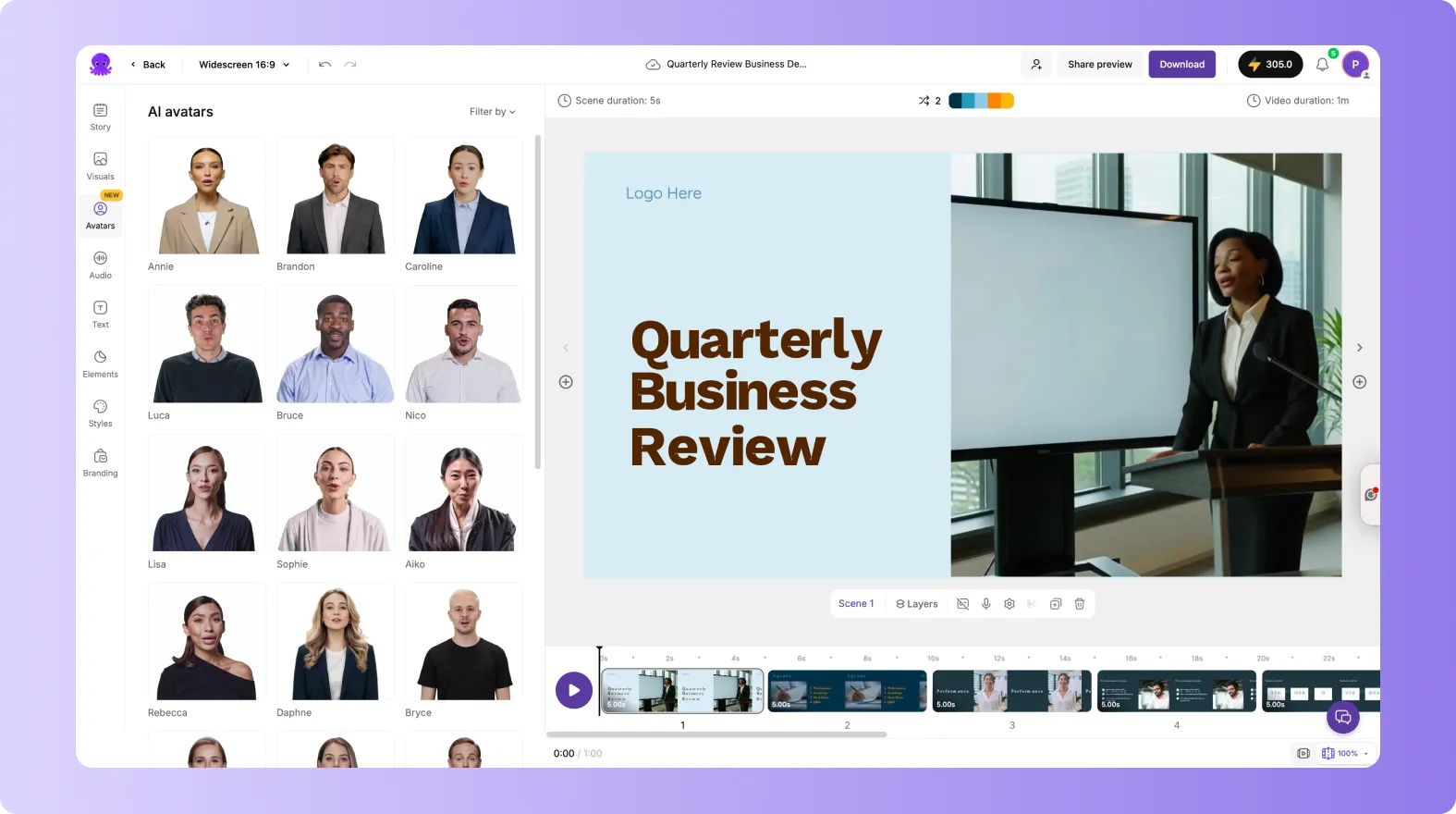
With AI avatars you can:
-
- Add a human-like presenter
-
- Automatically narrate your script
-
- Sync voice and visuals
-
- Customize appearance and voice
-
- Show or hide avatars per scene
This makes it easy to create professional videos without recording yourself.
Create Interactive Videos with Pictory Central
Pictory also includes Pictory Central for interactive video experiences.
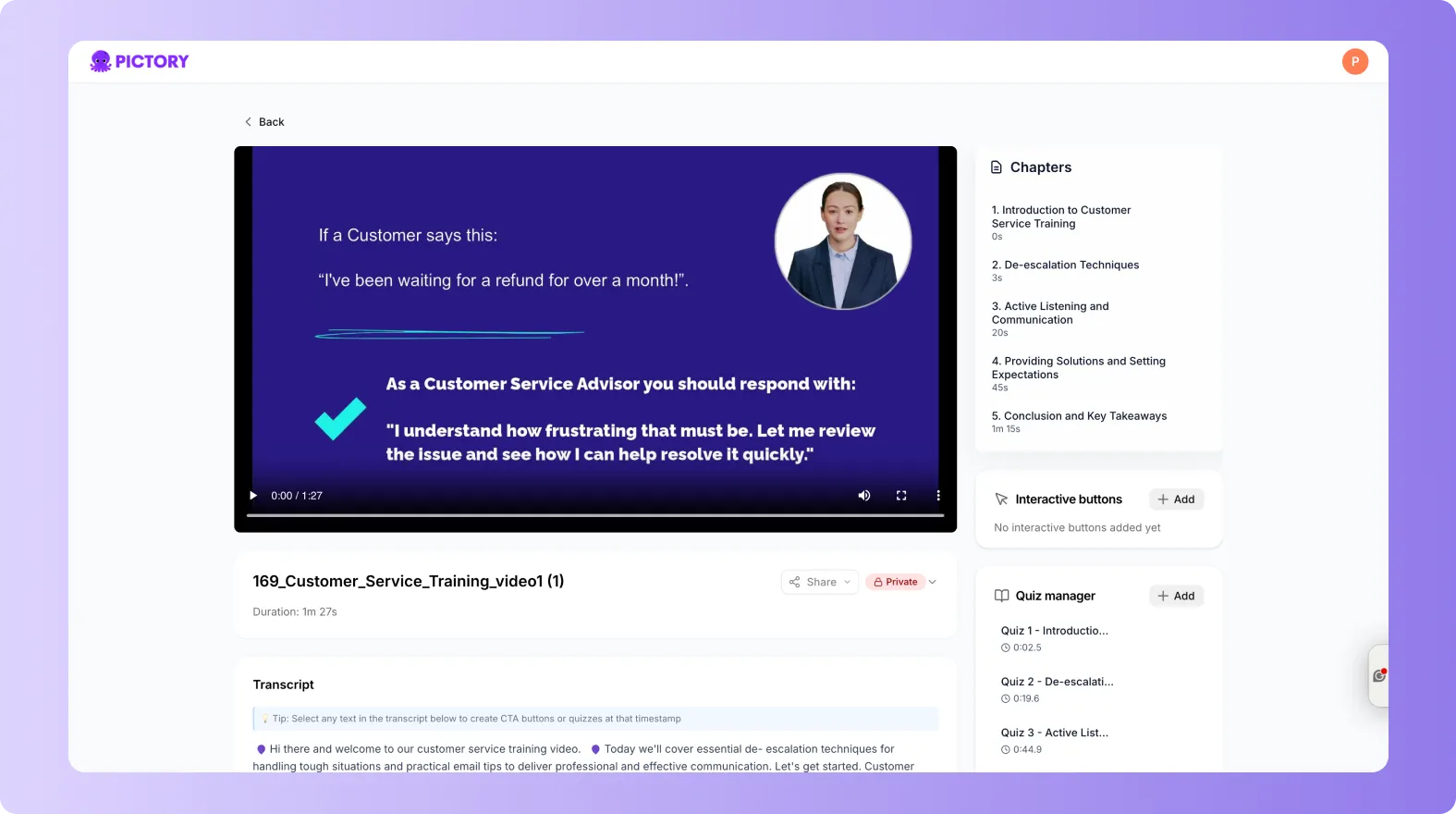
You can create:
-
- Interactive videos
-
- Learning modules
-
- Clickable content journeys
-
- Guided video experiences
This is a major advantage over VEED, which only supports standard video editing.
Editing Experience: Scene-Based vs Timeline
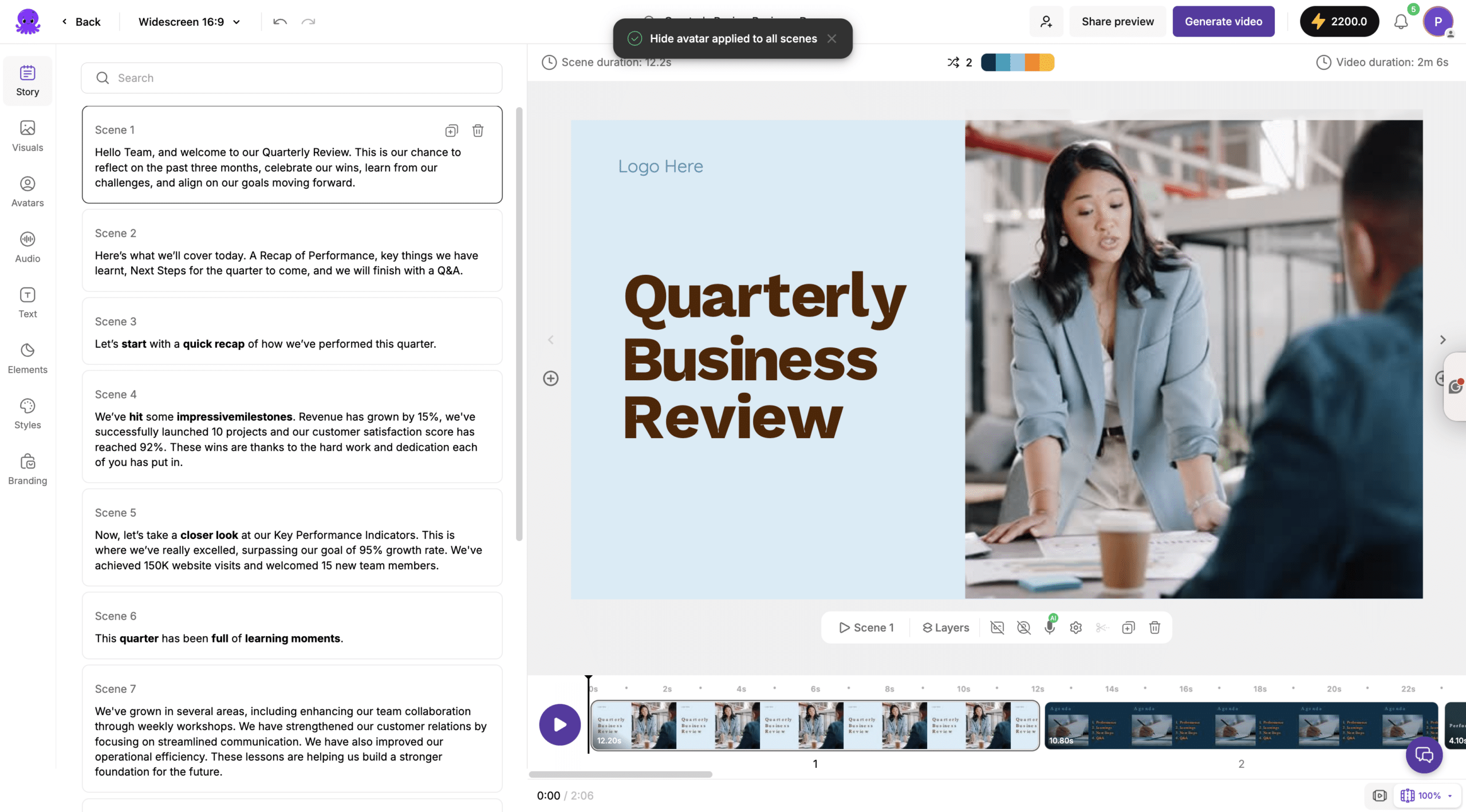
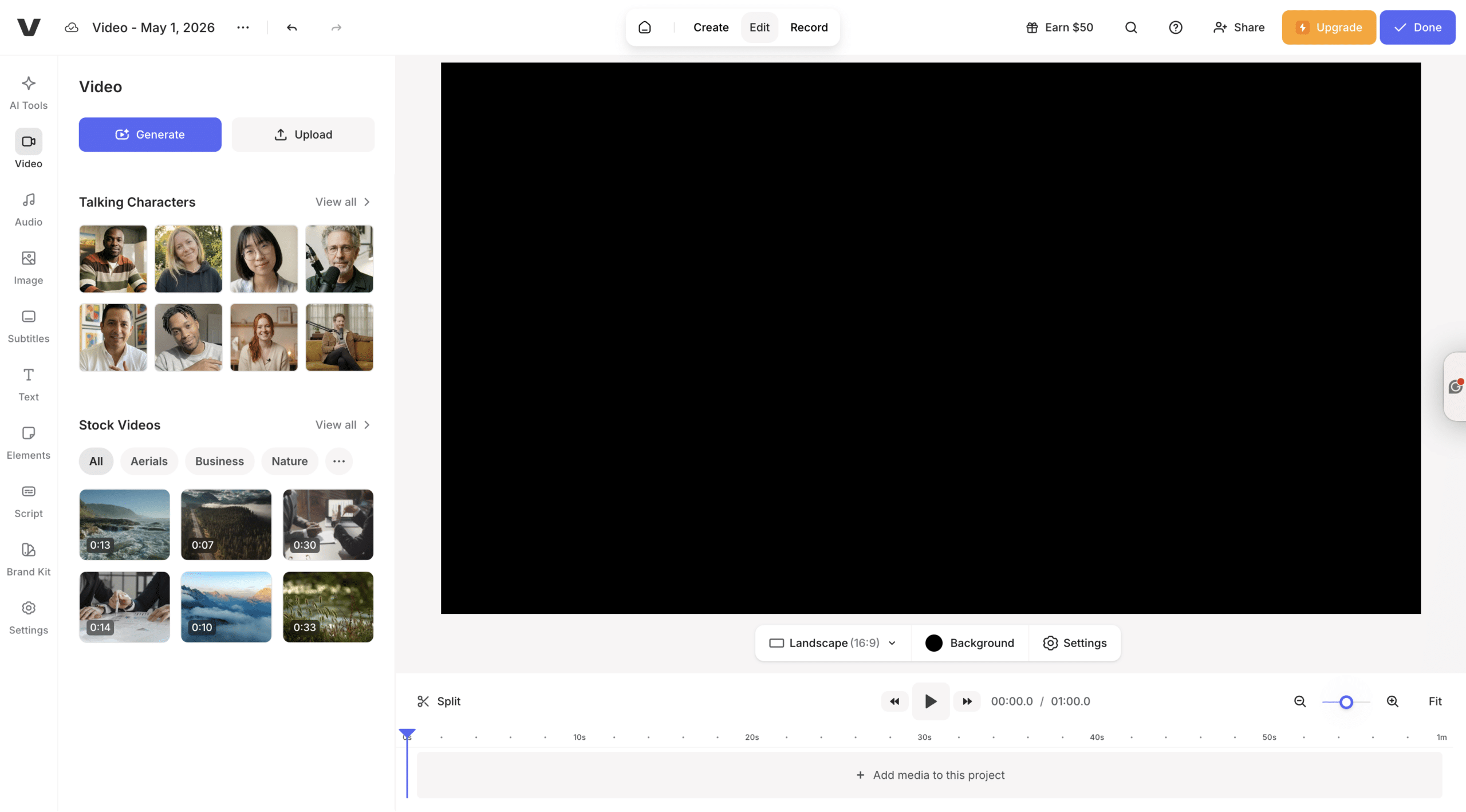
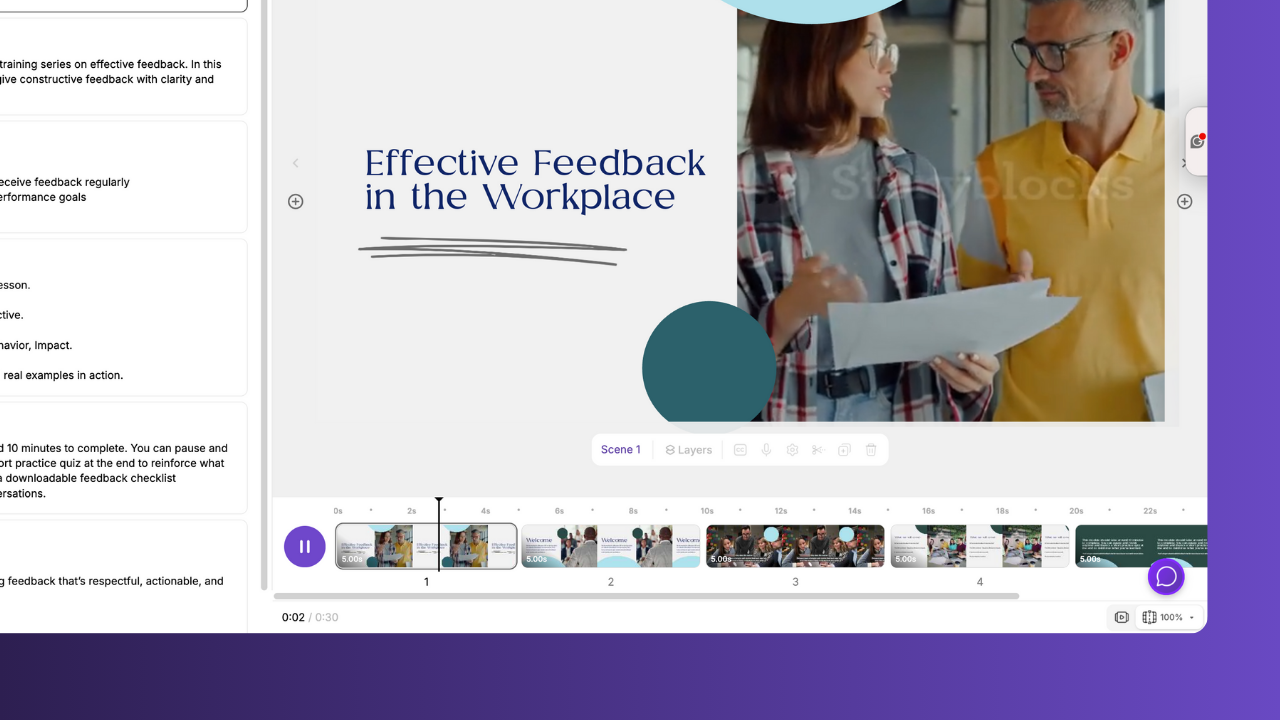
Pictory Editor
-
- Scene-based editing
-
- Script-driven workflow
-
- Tabs for Story, Visuals, Audio, Text, Branding
-
- AI syncs everything automatically
VEED Editor
-
- Timeline-based editing
-
- Manual clip arrangement
-
- Layer-based control
-
- Requires editing experience
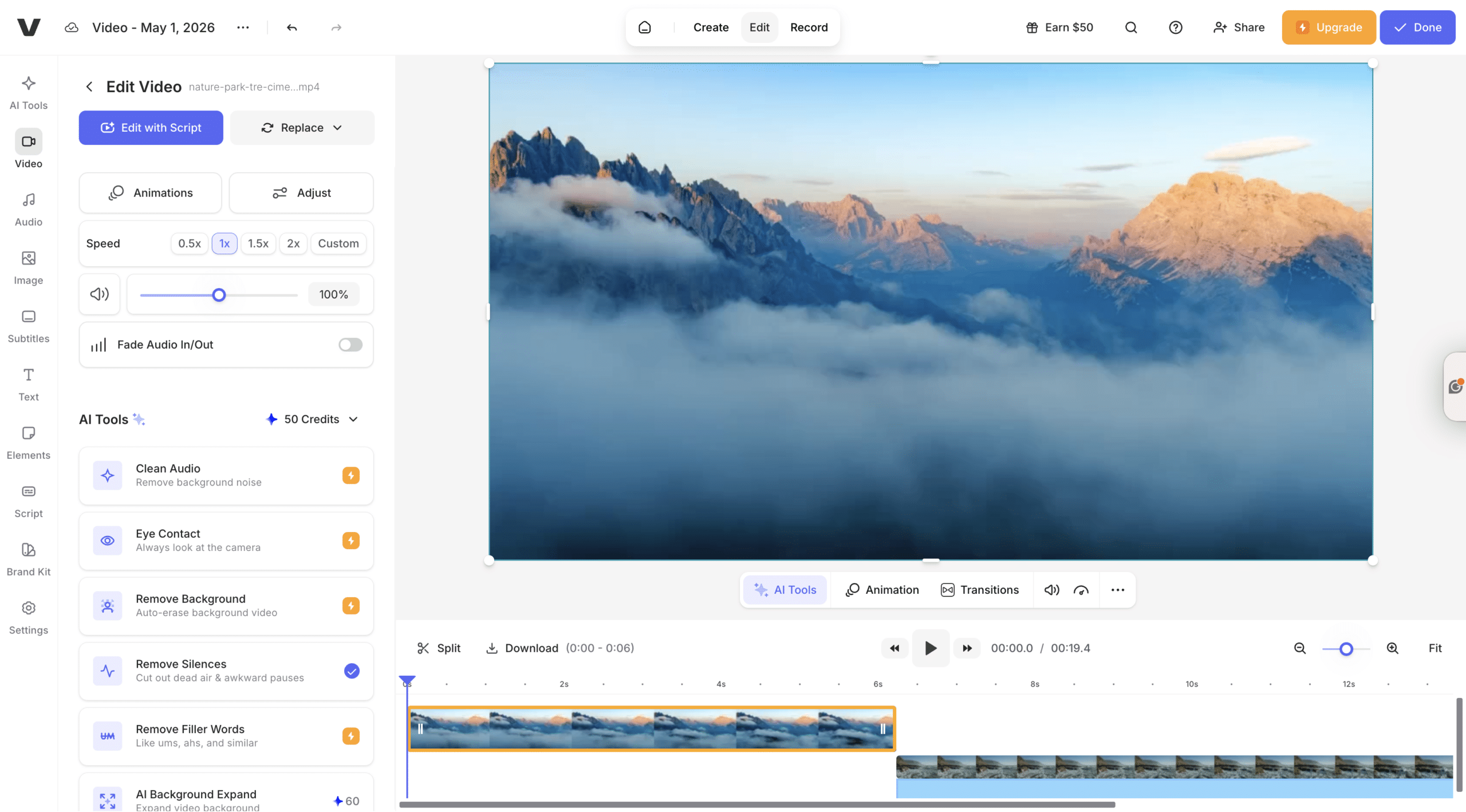
Pictory is faster and easier to use.
AI Video Capabilities Comparison
| Feature | Pictory | VEED |
|---|---|---|
| Text to Video | Fully automated | Manual setup |
| AI Avatars | Yes | Limited |
| Prompt to Video | Yes (AI Studio) | Partial |
| AI Models | PixVerse, Veo, Flux, Seedream | Limited |
| Scene Automation | Yes | No |
| Interactive Video | Yes (Pictory Central) | No |
| Editing Style | Scene-based | Timeline |
Final Verdict: Pictory vs VEED
Pictory is the better choice for most users.
It combines:
-
- AI automation
-
- Generative video models
-
- Avatar presenters
-
- Multiple input workflows
-
- Interactive video creation
VEED is powerful, but slower and more complex.
If your goal is to scale video creation and reduce production time, Pictory is the clear winner.
Frequently Asked Questions
Can I create videos from prompts in Pictory?
Yes. Using AI Studio, you can generate images and videos from text prompts and add them directly into your scenes.
Does Pictory support AI avatars?
Yes. You can use AI avatars to present and narrate your videos automatically.
What is the fastest way to create a video?
Using text to video or URL to video is the fastest way to generate a full video.
Can I turn images into videos?
Yes. Use image to video to animate visuals with AI.
Do I need editing skills to use Pictory?
No. Pictory automates scene creation, visuals, voiceovers, and captions, so you can create videos without editing experience.