You’ve probably used generative AI to write a script or make a clip. Agentic AI is a different kind of help. It takes a goal and runs the steps. This post compares the two for video work, so you know which to reach for and when. Our agentic example throughout is Pictory 3, which works as an AI video agent.
TL;DR
Generative AI creates content, such as a script, an image, or a clip, from a prompt. Agentic AI works toward a goal by planning and carrying out several steps. For video creators, generative tools help with single assets, and agentic tools help with the whole production. Most workflows use both, with a human approving the result.
What’s the difference between generative AI and agentic AI?
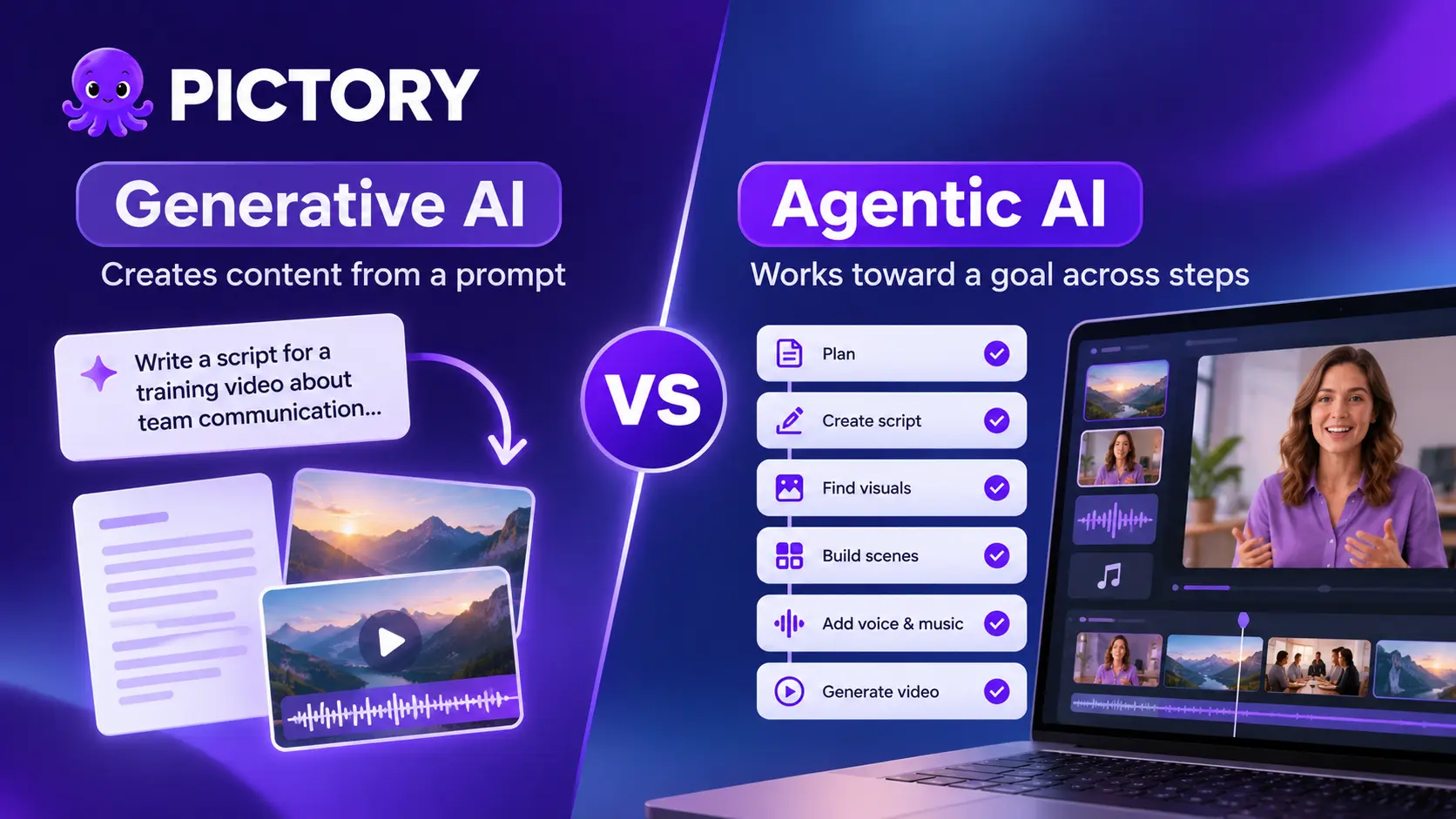
Generative AI creates new content from a prompt. Agentic AI works toward a goal by planning, making decisions, and carrying out several steps. The first answers a request. The second takes on a job, and people stay involved for approvals and judgment calls.
IBM puts it this way: generative AI creates new content such as text, images, video, audio, and software code, while agentic AI focuses on achieving goals. For a plain-English definition of an agent in video, read What is an AI video agent?.
| Generative AI | Agentic AI | |
|---|---|---|
| You give it | A prompt | A goal, plus any source content |
| It produces | One asset: a script, an image, or a clip | A finished draft built from several steps |
| Who drives the steps | You, prompt by prompt | The agent proposes; you approve and redirect |
| In video, it helps with | Writing a line, making a visual, generating a voice | Planning the story, writing the script, picking visuals and voice, building a preview |
| Your effort | Repeated prompting and assembly | Briefing and reviewing |
What does generative AI do for video creators?
Generative AI makes individual pieces: a script draft, an image, a clip, a voiceover. It’s strong when you know the asset you need. You still choose the next step, put the pieces together, and judge whether they fit.
That’s useful and often enough. If you need one image or one rewritten line, a prompt is the shortest route. The work that remains is the assembly: matching narration to visuals, keeping a brand consistent, and fitting everything to a length. In Pictory, AI Studio generates single images and clips inside the editor.
What does agentic AI do for video creators?
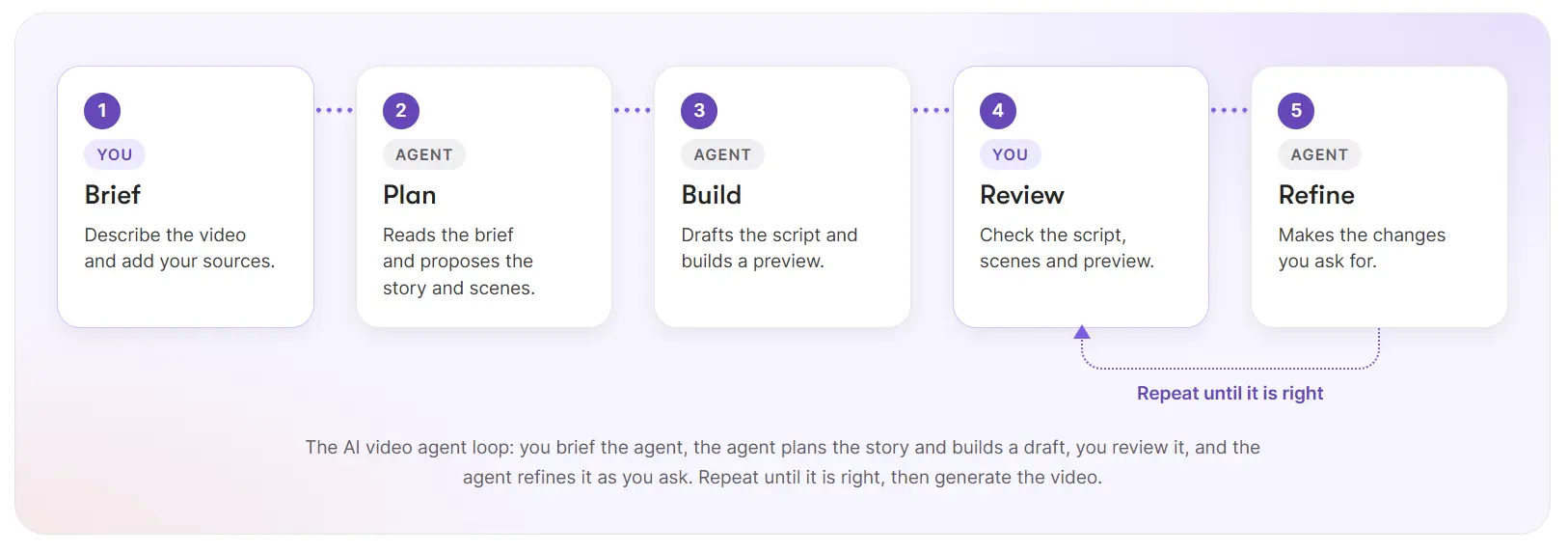
Agentic AI takes the brief and runs the production steps. In Pictory 3, the AI video agent guides setup, prepares a script and scenes, and creates a preview. You review the story, ask for changes, and generate the final video when you’re ready.
The setup covers five choices: the voiceover, the visual sources, the aspect ratio, the layout preset, and the brand kit. You can start from an idea, a script, a web page, documents, a PowerPoint deck, or an audio recording. The agentic AI video workflow page shows each step.
Generative AI or agentic AI: which should you use for video?
Use generative AI when you need a single asset and you know what it should be. Use agentic AI when you need a finished video from content you already have and want to review a draft instead of building one. Many teams use both: an agent for the first draft, then generation tools for individual visuals. For real examples from marketing teams, see agentic AI in marketing.
Either way, you stay responsible for accuracy. Compare facts, names, dates, and numbers with your source before you share anything.
See the difference on your own content
Bring a document, a web page, or an idea and review the story before it renders.
Is agentic AI right for your video work?
Agentic AI suits you if you turn existing content into video and the slow part is getting from a source to a first draft. It saves the assembly work and gives you a structure to react to.
It’s a weaker fit if you already know every frame you want, or if your work is mostly single assets. A prompt-based generator may be the better tool there. An agent also works from your brief, so a vague brief gives a vague draft.
Our recommendation: try both on the same task. Make the asset with a prompt, then brief an agent for the whole video, and compare the time you spent reviewing against the time you spent assembling. The Academy guide How to create a video with Pictory 3 walks through the agent route, and What’s new in Pictory 3 gives the overview.
Brief it. Review it. Generate it.
Try an AI video agent on your next video.
FAQ: Generative AI vs Agentic AI
What is the main difference between generative AI and agentic AI?
Generative AI creates new content, such as text, images, or clips, from a prompt. Agentic AI works toward a goal by planning and carrying out several steps, with people involved for approvals. For video, that means one asset from a prompt versus a finished draft from a brief.
Is agentic AI better than generative AI for video?
Neither is better in general. Generative AI is quicker for a single asset when you know what you want. Agentic AI is more useful when you want a finished video from existing content and prefer to review a draft rather than build one scene at a time.
Does agentic AI use generative AI?
Often, yes. An agent can use generated content, like scripts and visuals, as part of a larger job. The difference is that the agent plans and sequences the steps toward a goal, while a generative tool on its own responds to one prompt at a time.
Do I still control the video when I use an AI video agent?
Yes. In Pictory 3, you answer the setup questions, review the script and scenes before the preview, ask for focused changes, and edit in the editor. The downloadable file is only created when you select Generate video, so you decide when it’s finished.
What can I start an AI video agent from?
In Pictory 3, you can start from an idea, an approved script, a web page URL, documents, a PowerPoint deck, or an audio recording. Documents and URLs share a limit of five sources per creation request, and you tell the agent what to use.
Keep exploring
The hub: everything in Pictory 3 and where to start.
The definition, and how an agent compares with a generator and an editor.
The seven steps from brief to download.
Academy guide, screen by screen.