


TL;DR
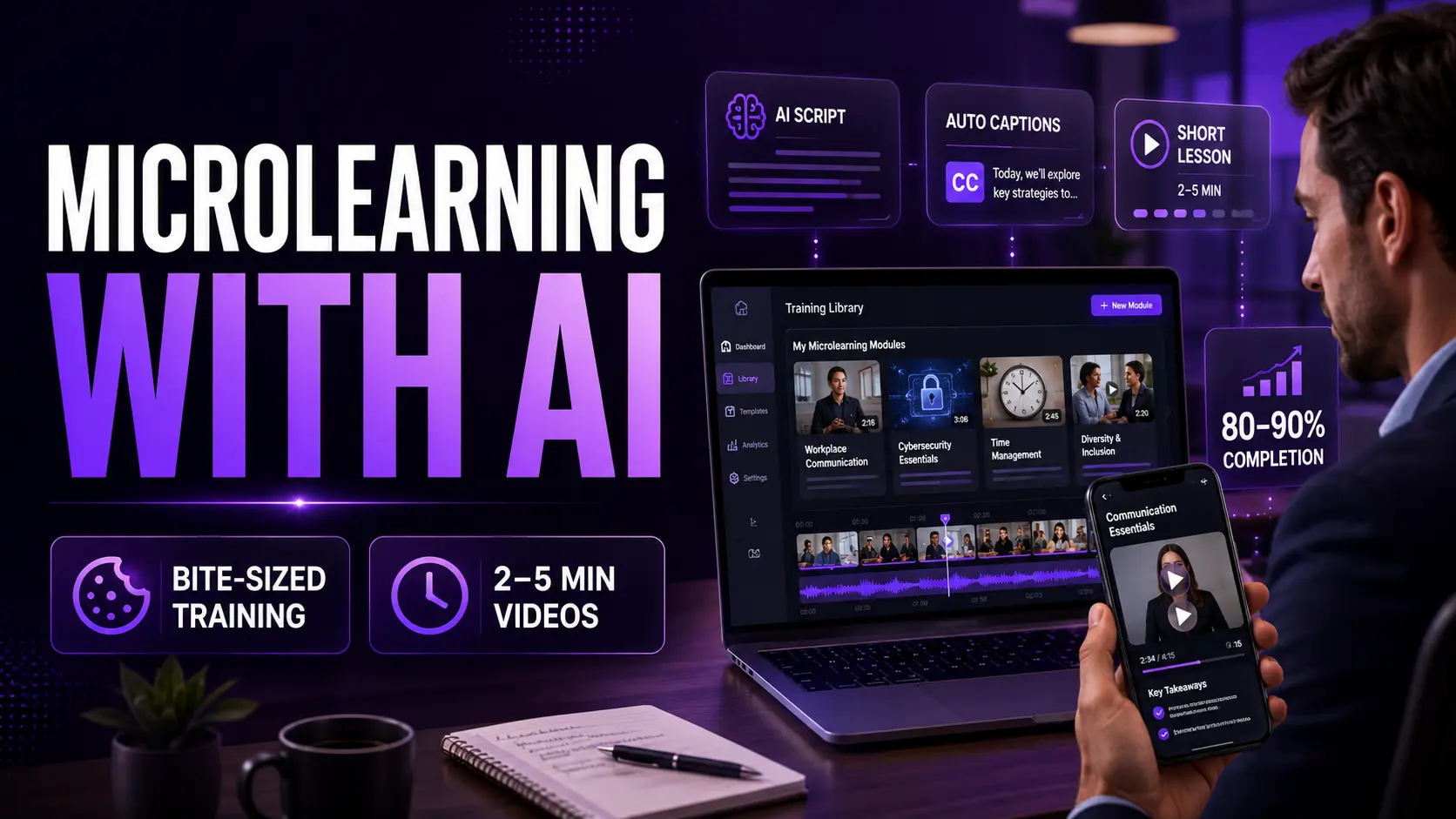
Microlearning videos are two to five minute training clips covering one topic at a time. They complete at 80-90% vs 30% for long-form eLearning, and they’re 300% faster to develop than traditional courses. AI tools like Pictory let L&D teams produce a full microlearning library from existing documents and scripts — without a camera or editor.
Your employees aren’t ignoring your training. They’re just not finishing it. The average long-form eLearning course sees a 30% completion rate. The average microlearning module hits 80 to 90%. The content isn’t the problem. The format is. Pictory handles the production so you can focus on the content
Microlearning is a direct response to how people actually learn at work. Short, focused, replayable content that fits into the gaps in a working day. Here’s what microlearning videos are, why they outperform traditional formats, and how to produce them in minutes.

What is microlearning and why does it outperform traditional training?
Microlearning is a training approach that delivers content in short, focused bursts, typically two to ten minutes per module. Each clip targets one specific learning objective — one skill, one process, one policy point. That constraint is the feature, not the limitation.
72% of organisations have embedded microlearning in their corporate training mix, up from 54% in 2023. Learners retain 25–60% more information through microlearning than traditional methods. — Disprz, 2026
The reason it works is cognitive. People forget approximately 90% of new information within a week when it’s delivered in long blocks — what psychologists call the forgetting curve. Short, spaced modules fight that curve by presenting information in the same format the brain encodes it: in small, distinct chunks with clear boundaries between topics.
The data on microlearning video performance
80–90%
completion rate for microlearning modules vs 30% for long-form eLearning — Vouch, 2026
300%
faster to develop than traditional eLearning courses — Vouch, 2026
85%
of organisations now incorporate video into their microlearning lessons — Vouch, 2026
31%
higher ROI on training investment for organisations using microlearning — Disprz, citing LinkedIn Learning, 2025
What types of content work best in a microlearning format?
Not every training topic suits microlearning — but most do. These are the content types that convert best to short video modules.

Compliance and policy briefings
89% of employees find microlearning more engaging for compliance topics than traditional delivery. One policy per clip, every time.

Software walkthroughs and how-tos
How to submit expenses, how to use the CRM, how to complete a form. Short and specific, replayable on demand. Cuts helpdesk queries significantly.

Skill-specific training modules
Sales technique, communication skills, customer handling scenarios. One skill, one clip. Build a searchable library your team can pull from at the moment they need it.

Onboarding module series
Replace a three-hour orientation session with a library of short clips covering culture, tools, policies, and role expectations. New hires watch what they need, when they need it. Links naturally to your employee onboarding video strategy.
How to create microlearning videos with AI: a step-by-step guide
This workflow applies whether you’re starting from a policy document, a training brief, or a slide deck. For a full walkthrough of the script-to-video process, see the Pictory Academy guide to creating training videos.
Define one learning objective per video
Before you write anything, state in one sentence what the learner will be able to do after watching. If you can’t say it in one sentence, split the topic into two videos.
Write a focused script under 400 words
For a three-minute module, 350 to 400 words is your target. Write plainly. No jargon. Use the same language your team uses in conversation, not in formal documentation. Pictory’s AI Script Generator can produce a first draft from a topic or brief in seconds.
Paste into Pictory’s Script to Video
Pictory breaks your script into scenes and matches each one to relevant footage from its licensed library. The whole first cut is ready in under two minutes.
Add voiceover, captions, and branding
Select an AI voice, apply your brand kit, and generate captions automatically. For modules that benefit from a human face, add an AI avatar presenter.
Publish to your LMS and track completion
Export and upload to your LMS, SharePoint, or any video hosting platform. With Pictory’s Zapier integration, you can automate the publishing step entirely.
How to structure a microlearning video for maximum retention
Effective microlearning clips follow a reliable three-part structure, regardless of topic.
Hook (first 20 seconds)
State the problem or the situation the learner will face. Give them a reason to keep watching. “By the end of this clip, you’ll know exactly how to handle a data subject access request.”
Core content (two to three minutes)
One concept, explained clearly, with one example. No tangents. No “while we’re on the subject.” Stay in your lane.
Action step (final 20 seconds)
Tell the learner exactly what to do next. “Log into the system and complete your declaration before Friday.” Specificity beats vagueness every time.
Build your microlearning video library with Pictory
Turn scripts and documents into bite-sized training videos in minutes. No camera, no editor, no production budget.
The bottom line on microlearning video with AI
Short works. People finish microlearning content, retain it better, and find it more useful. The only barrier was production time. AI removes that.
If your team is still sitting through hour-long training sessions and 80-page compliance docs, there’s a better way. A two-minute video built from what you already have, ready in 30 minutes. Start with your most painful training gap and go from there.
FAQ: Microlearning Videos
What is a microlearning video?
A microlearning video is a short training clip, typically two to five minutes long, that covers one specific learning objective. It’s designed to be watched on demand, replayed easily, and consumed during natural breaks in a working day — on a phone, laptop, or tablet.
How long should a microlearning video be?
Most microlearning videos should be two to five minutes long. Some formats, like quick reference clips or process reminders, can be as short as 60 to 90 seconds. The key is that each video covers exactly one topic. If you need more time, you’ve got more than one topic — split it.
What’s the difference between microlearning and eLearning?
eLearning typically refers to longer, structured courses — often 30 to 60 minutes — with linear progression, assessments, and completion tracking. Microlearning is shorter, modular, and searchable. Learners pull the clip they need at the moment they need it, rather than working through a fixed curriculum. Both have a place; microlearning works better for skill reinforcement and compliance refreshers.
Can I use Pictory to create microlearning videos?
Yes. Pictory’s Script to Video tool converts a 350 to 400-word script into a finished three-minute microlearning clip in under 20 minutes. You can add AI voiceovers, avatar presenters, captions, and your organisation’s branding automatically. No camera or editing experience required.
What are the best topics for microlearning videos?
Compliance policies, software walkthroughs, sales techniques, onboarding steps, safety procedures, and communication skills all convert well to microlearning format. Any topic where the learner needs to do something specific after watching is a strong candidate. Abstract or highly contextual topics that require sustained discussion are better suited to workshops or longer formats.

![[Article] How AI Is Changing eLearning Video Production for L&D Teams in 2026](https://pictory.ai/wp-content/uploads/2026/06/eLearning-Video-Production-300x200.webp)



