TL;DR
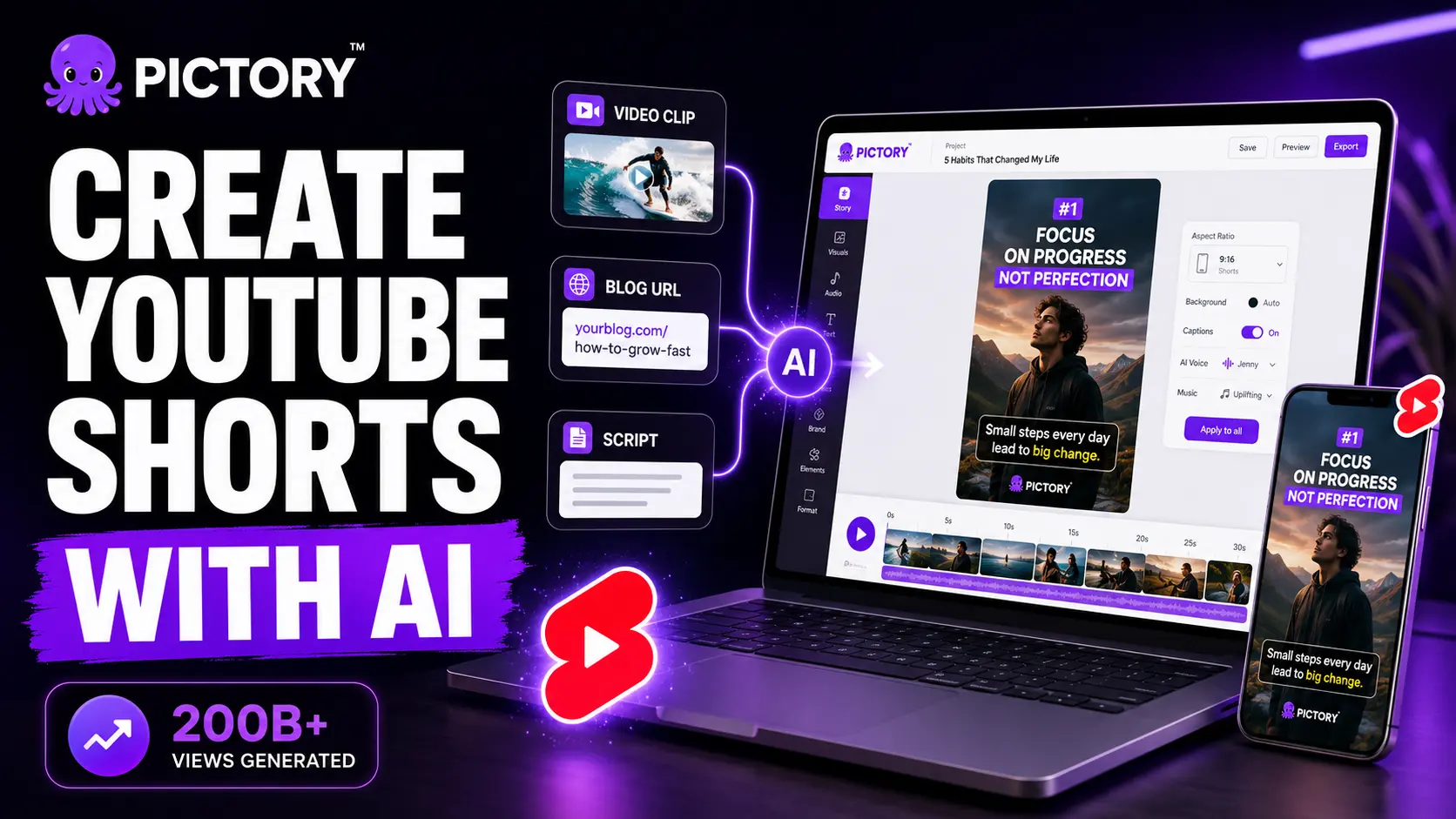
YouTube Shorts is at 200 billion daily views and has the highest engagement rate of any short-form platform — 5.91%, ahead of TikTok and Reels. But most creators don’t post consistently because clipping and formatting content by hand takes too long. Pictory’s Video Clip Generator handles the production work for you: paste in a video, script, or blog URL, and you’re looking at a branded, captioned 9:16 Short in under 45 minutes. No camera. No editor.
You probably already have the content. A webinar recording, a podcast episode, a long YouTube video, a blog post you spent hours writing. The problem isn’t ideas, it’s that clipping any of that into a captioned, vertical Short, and doing it every week, takes more time than most solo creators actually have.
That’s the gap Pictory AI video tools fill. Below is the full workflow: why Shorts deserves a consistent spot in your content calendar, which Pictory tool fits your starting point, and the exact steps from input to exported clip.
Why YouTube Shorts is worth showing up for consistently
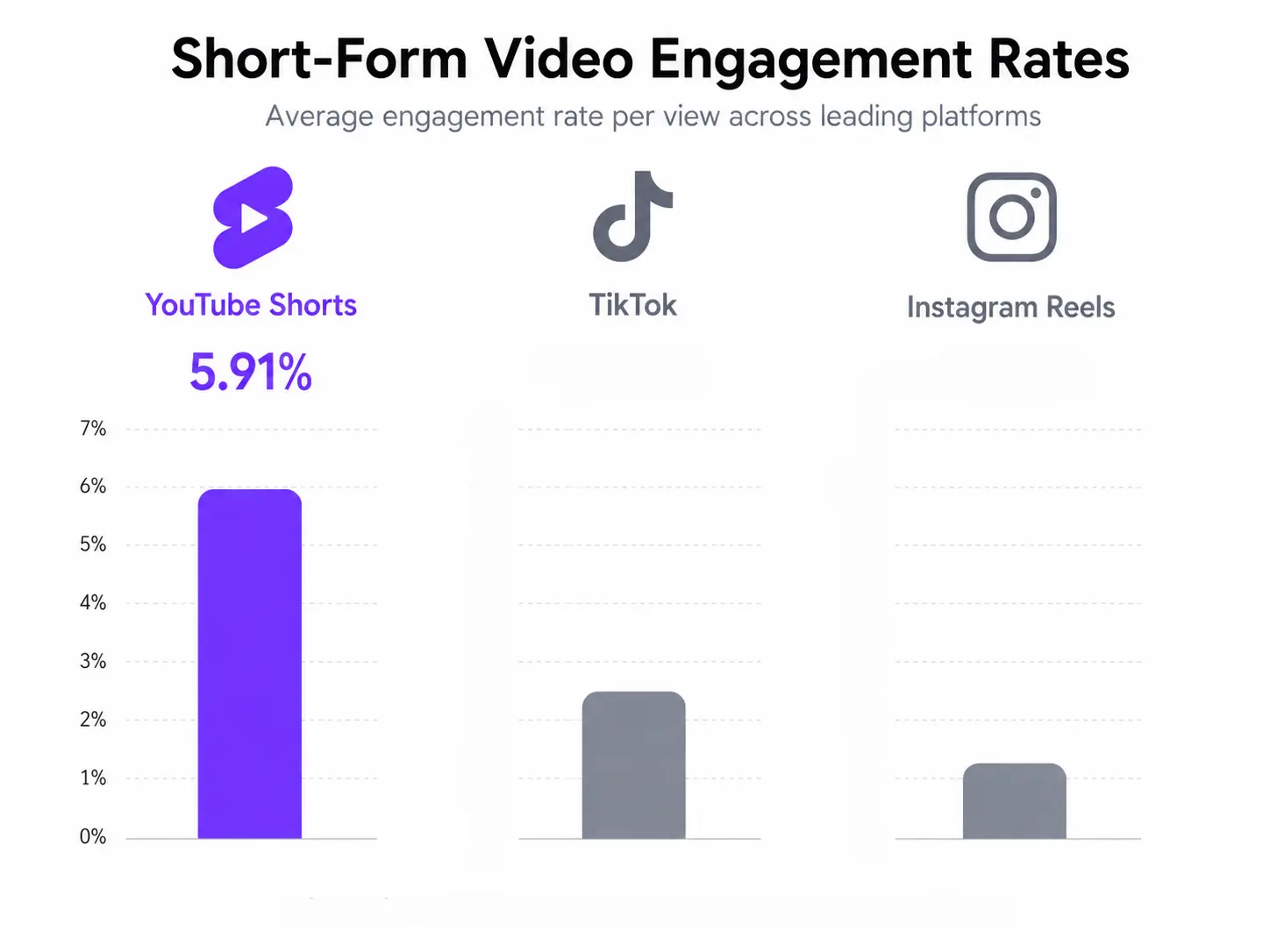
YouTube Shorts crossed 200 billion daily views in 2025, up from 70 billion the year before. It also has a 5.91% average engagement rate — the highest of any short-form platform, ahead of TikTok at 5.75% and Instagram Reels at 5.53%. That’s a platform worth showing up on.
YouTube CEO Neal Mohan confirmed Shorts is now the platform’s primary discovery engine — most views come from outside a creator’s existing subscriber base, making it the fastest way to reach people who’ve never heard of your brand.
The creators gaining traction post consistently — 7 Shorts per month on average. Try doing that by hand and something else gets dropped. That’s where automation earns its keep.
What AI actually does in the Shorts creation workflow
AI video tools don’t just trim clips — a good one removes the production work entirely. No timeline, no manual formatting, no hunting for footage. Here’s what Pictory handles once you hand it your content:
Highlight detection
The AI reads your transcript or video and identifies the highest-value moments — the points most likely to hold a viewer’s attention in a Shorts feed. No manual scrubbing through footage required.
Stock footage matching
Every scene gets paired with relevant visuals from a library of 10 million+ royalty-free clips from Getty Images and Storyblocks. All commercially licensed, no extra fees.
Caption syncing
Captions are generated and timed to the audio automatically. Worth knowing: most Shorts are watched without sound, so if the text isn’t there, your message isn’t either. Font, colour, and position are all adjustable to match your brand.
Brand kit application
Your logo, brand colours, and fonts are applied to every clip automatically — no manual formatting per video.
Aspect ratio reformatting
The clip is automatically sized to 9:16 vertical for Shorts, Reels, and TikTok — or 16:9 for YouTube and LinkedIn — with no manual cropping.
Which Pictory tool should you use?
Which tool you use depends on what you’re starting with. There are four options:
You have a recording — a webinar, podcast, Zoom call, or long YouTube video. Pictory extracts the best moments and packages them as Shorts.
You have a written script or talking points. Paste them in and Pictory builds a scene-by-scene video with matched visuals and AI voiceover.
You have a blog post. Paste the URL and Pictory pulls the key points, matches them with footage, and builds a short video — no copy-paste needed.
You have a podcast or audio recording. Pictory transcribes it, finds the standout moments, and adds visuals and captions to turn audio into a watchable Short.
If repurposing video for social is already part of your workflow, the Video Clip Generator is probably the one you’ll live in. Upload once, get multiple clips. That’s the whole pitch.
Step-by-step: creating a YouTube Short with Pictory
From input to exported clip, expect 20 to 45 minutes depending on how much you review and swap. Here’s what each step looks like:
Choose your starting point
Open Pictory and select the tool that matches your content type. Use the Video Clip Generator for recordings, URL to Video for blog posts, Script to Video for written scripts, or Audio to Video for podcast files.
Give Pictory your content
Paste your URL, upload your file, or enter your script. Pictory processes the input and generates a full video draft — scenes matched to relevant stock footage, an AI voiceover applied, and captions synced to the audio. You don’t touch a timeline.
Review scenes and apply your brand
Go scene by scene and swap out any footage that doesn’t land. Adjust caption style if needed. Your brand kit — logo, colours, fonts — is added automatically. This is what stops it looking like a template.
Export for where it’s going
Shorts, Reels, TikTok: 9:16 vertical MP4, captions burned in. YouTube long-form and LinkedIn: 16:9. LMS platforms: grab the separate SRT file for closed captions.
Tips for making your Shorts perform once they’re live
Getting the clip made is the easy part now. Getting it watched is where most people underinvest. A few things actually make a difference:
Hook within 2 seconds
The Shorts feed moves fast. If the first frame doesn’t give someone a reason to stay, they’re already gone. Lead with your strongest point — save the intro for people who already know you.
Aim for 50 to 60 seconds
50 to 60 second Shorts earn the most views, with 33% higher engagement than clips under 40 seconds. Don’t cut just to cut. If the content holds attention, let it breathe.
Keep captions on
Most Shorts are watched without sound. Captions aren’t a nice-to-have — without them, a big chunk of your audience gets nothing. Pictory burns them in automatically.
Post Tuesday to Wednesday, 6 to 10 pm
Peak engagement on Shorts tends to land on Tuesdays around 4 pm and early evening slots Monday through Wednesday. Not worth obsessing over once you have momentum, but worth getting right early on.
Start creating Shorts from your existing content
No camera. No editor. Paste your content and get a branded YouTube Short in minutes.
Is creating YouTube Shorts with AI worth it?
Shorts crossed 200 billion daily views last year and has the highest engagement rate of any short-form platform. The creators building audiences there are posting around seven times a month. That is a volume problem. Doing it by hand, on top of everything else, is exactly why most people drop the habit inside a month.
If you already have long-form content — recordings, podcasts, blog posts, slide decks — most of the work is already done. You are not creating from scratch. You are converting what exists into the format that gets the most reach. One 60-minute webinar can give you a week of Shorts. The Video Clip Generator finds the moments, Pictory formats the clip, and you spend your time reviewing rather than editing.
The Pictory Academy guide to creating YouTube Shorts walks through every step in the app with screenshots. If you want to start now, the free trial covers the full workflow with no credit card required.
Turn your content into YouTube Shorts today
One upload. Multiple Shorts. No camera, no editor, no production queue.
FAQ: How to Create YouTube Shorts with AI
Can I create YouTube Shorts from a blog post using AI?
Yes. Pictory’s URL to Video tool lets you paste any blog post URL and converts the key points into a branded, captioned video automatically. The AI extracts the main ideas, matches them with stock footage, adds a voiceover, and formats the output for whatever platform you’re targeting. You can also convert a blog directly to video using Pictory’s dedicated blog-to-video workflow.
How long does it take to create a Short with Pictory?
Most people land somewhere between 20 and 45 minutes from input to export. The AI does the processing in a few minutes — the rest of your time goes into reviewing scenes and swapping anything that doesn’t fit. Batching five to eight Shorts from one long video usually runs 60 to 90 minutes total, which is still a pretty good trade.
Do I need video editing experience to use Pictory?
No editing experience needed. Pictory handles scene matching, voiceover, caption syncing, and formatting. Your job is editorial: decide what stays, what goes, which footage fits. There’s no timeline, no keyframing, no render queue. It’s closer to editing a Google Doc than using Premiere.
What format does Pictory export for YouTube Shorts?
Pictory exports 1080p MP4 files. For YouTube Shorts, Instagram Reels, and TikTok, select 9:16 vertical orientation with captions burned in. For YouTube long-form and LinkedIn, use 16:9. You can also export a separate SRT caption file for LMS platforms and YouTube’s closed caption system.
How much does Pictory cost?
Pictory’s Starter plan is $25/month (or $19/month on annual billing) and includes 30 videos per month with auto-captions and brand kit. The Professional plan is $49/month ($39/month annual) and adds 60 videos per month, a larger stock footage library, and advanced AI voiceovers. A free trial is available to test the full workflow before committing.
![[Article] - AI UGC: User-Generated-Style Ads Without Creators](https://pictory.ai/wp-content/uploads/2026/08/blog-ai-ugc-300x169.webp)