Pictory and Colossyan both use AI to speed up video creation, but they’re built for different jobs. Pictory turns scripts, blog posts and long-form recordings into polished marketing and social media videos fast. Colossyan is an avatar-led platform purpose-built for corporate training, onboarding and L&D. If you’re a marketer or content team, Pictory is your fit. If you run a training program that needs realistic AI presenters and SCORM export, Colossyan is worth a look. Read on for the full breakdown.
You’ve got a blog post sitting in a doc, a webinar recording on your desktop and a social calendar that needs filling. You need video. Fast. And you definitely don’t have a production team.
That’s the exact problem that Pictory and Colossyan both claim to solve, and they’re two of the most searched AI video tools in 2025. But pick the wrong one and you’ll spend money on features you’ll never use, or find yourself missing the ones you actually need.
This comparison breaks down exactly how Pictory vs. Colossyan stack up — from core features and pricing to the use cases where each genuinely shines.
What Are Pictory and Colossyan?
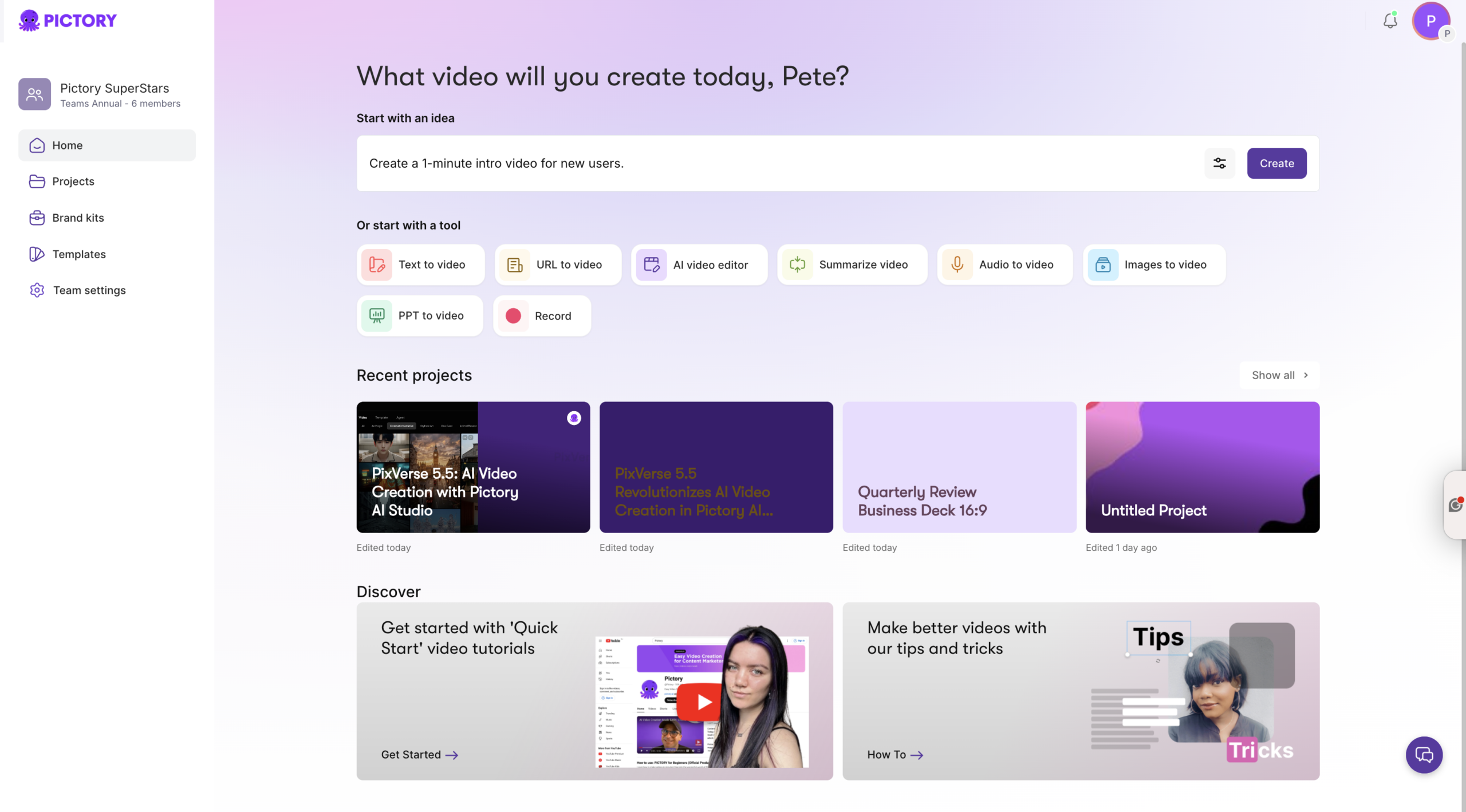
Pictory is an AI-powered video creation platform built for marketers, content teams and social media managers. You bring the content — a script, a blog URL, a podcast recording, a webinar — and Pictory turns it into a polished, branded video. Its eight creation workflows cover everything from text to video and blog to video to audio-to-video and screen recording, all from a single editor.
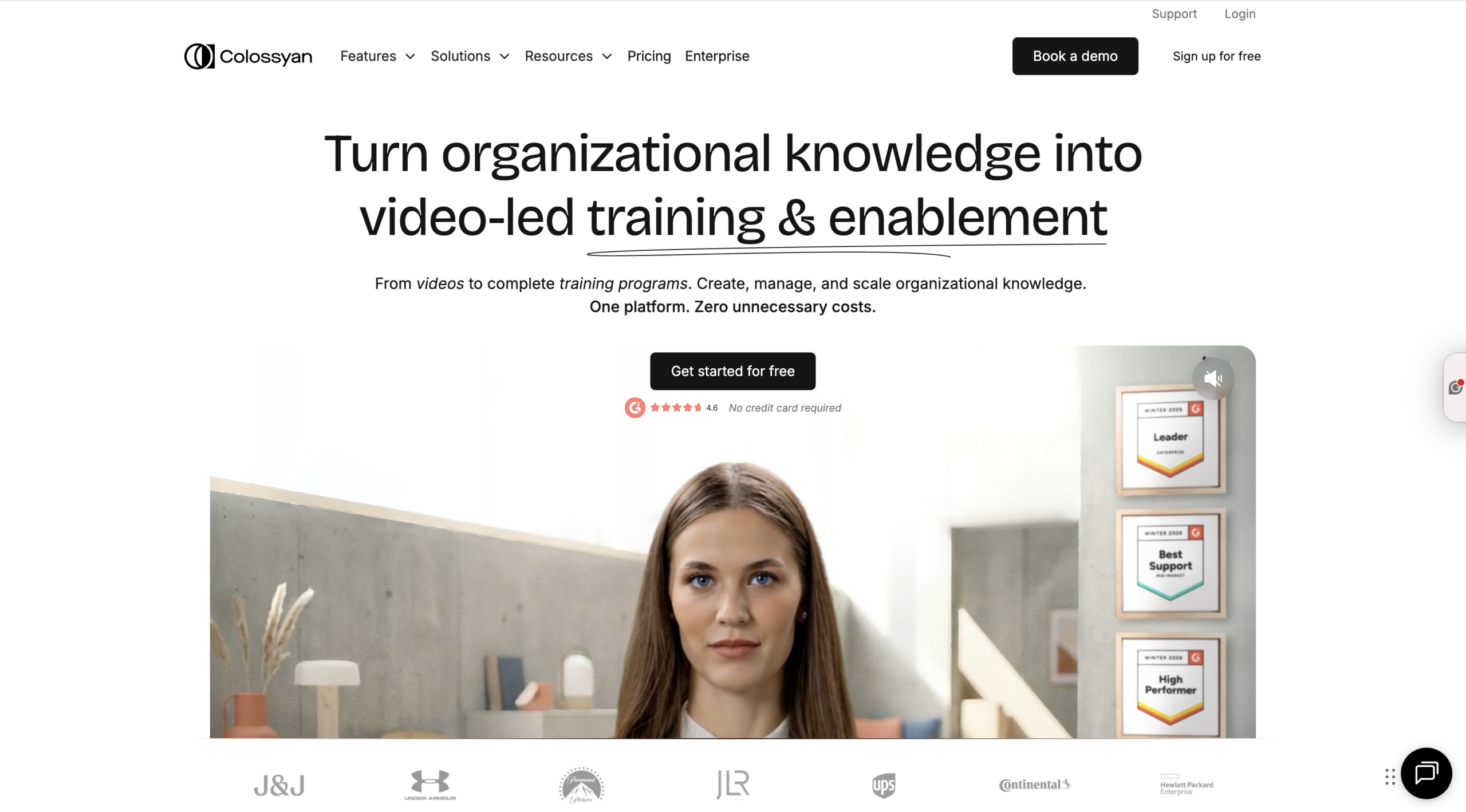
Colossyan is an avatar-first video platform designed primarily for workplace learning. You input a script or upload a document, pick a presenter from its AI avatar library, and the platform generates a talking-head video with synchronized speech. Its focus is on training, onboarding and enablement content — with features like SCORM export, branching scenarios and LMS integration built in.
Both are browser-based, require no video editing skills, and promise to cut production time dramatically. The difference is what they’re optimized for.
How Does Each Platform Create Videos?
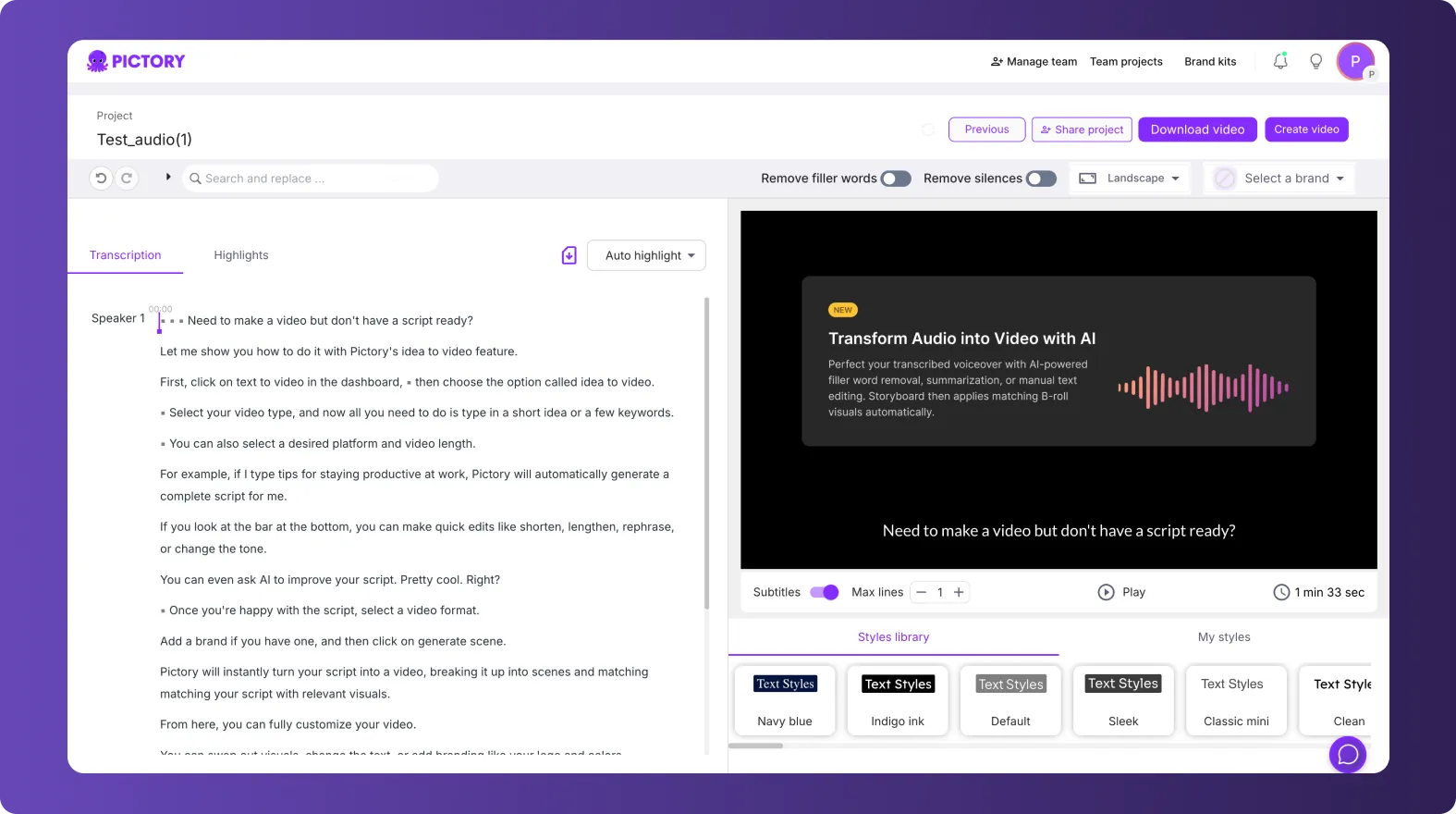
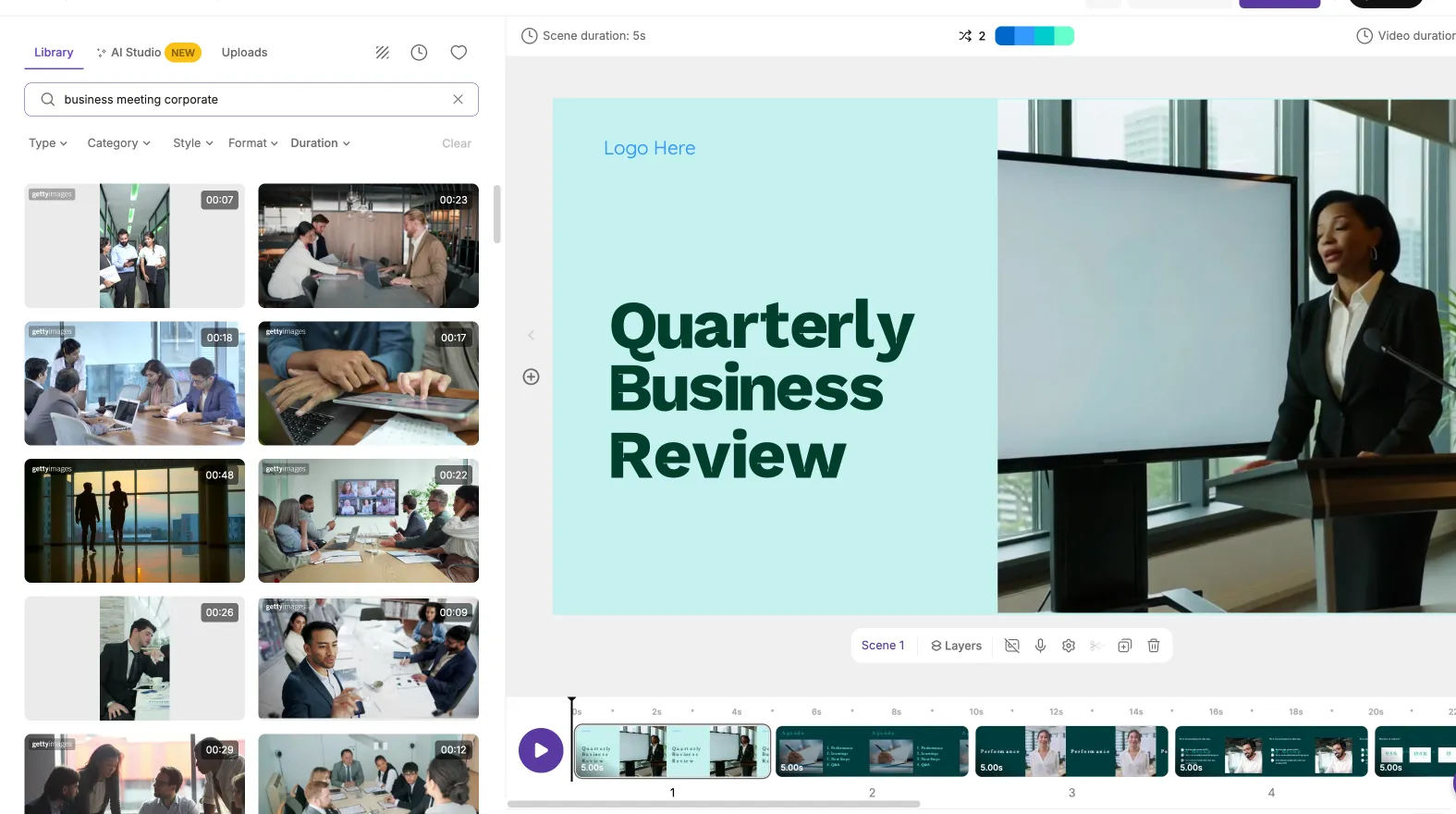
Pictory’s approach: You start with content you already have. Paste a blog post URL, upload a long-form recording or write a script, and Pictory’s AI breaks it into scenes, matches stock visuals from its library of over three million clips, adds captions automatically and applies your brand kit. You can tweak each scene in the editor, adjust the AI voiceover, drop in your own media and download a finished video in minutes.
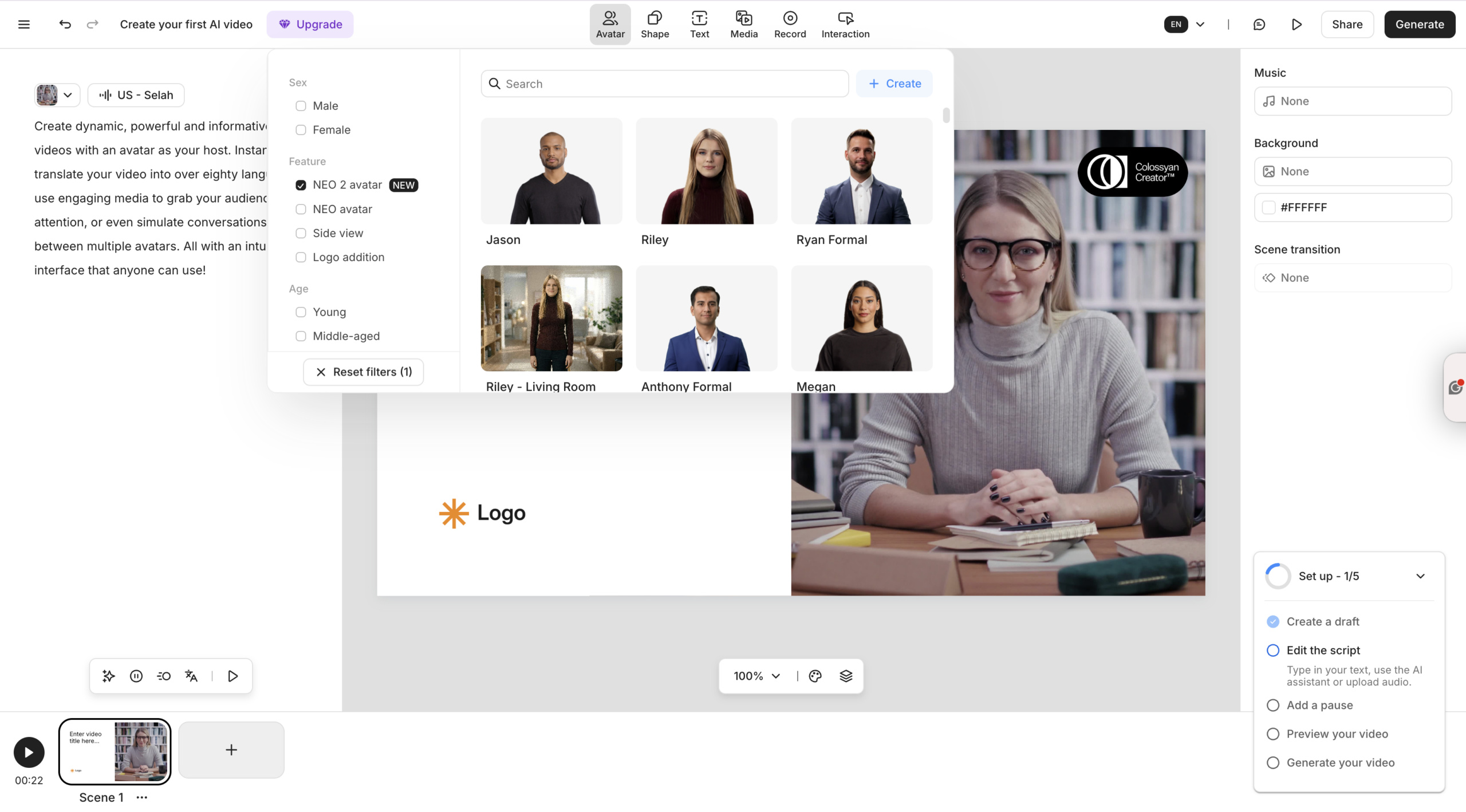
Colossyan’s approach: You write a script or import a document, then build a video scene-by-scene — similar to working in a slide deck. You select an AI avatar as your presenter, choose a background and layout, then generate. The platform renders the avatar speaking your script with synchronized lip movement and natural gestures. You can have multiple avatars in a single scene for conversational-style videos, and the auto-translate feature converts your video into 70-plus languages without re-recording.
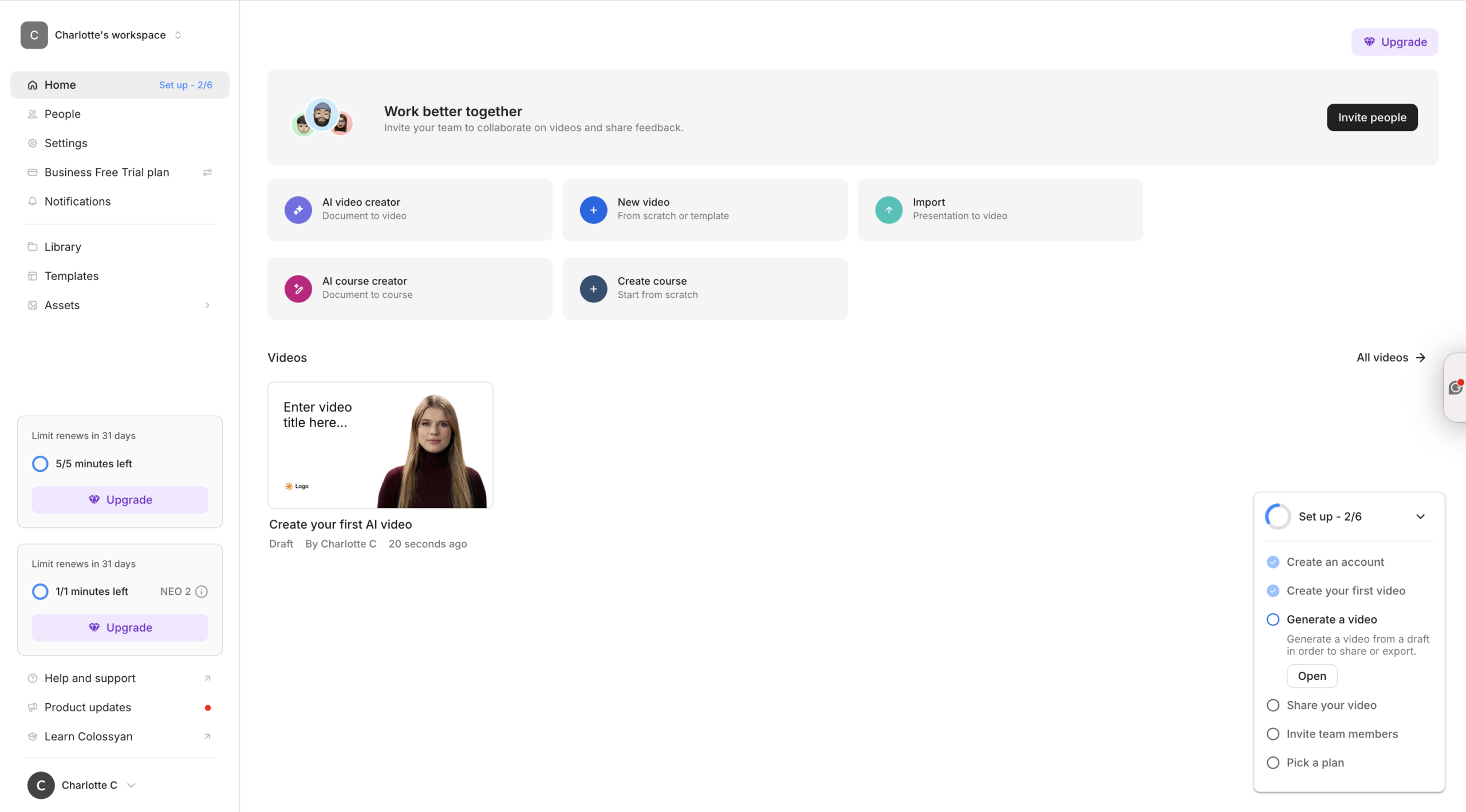
The workflows feel different. Pictory is built around repurposing and editing, with stock footage at its core. Colossyan is built around avatar-led presentation, with scripted delivery at its core.
How Do Their Feature Sets Compare?
Here’s where the platforms diverge most clearly.
Pictory’s standout features:
Pictory’s AI Video Editor is built for speed. Upload a video up to 5 GB or 180 minutes long, and AI transcribes it, identifies highlights and lets you edit by editing the text. Delete a word from the transcript and the corresponding footage disappears. Toggle “remove filler words” and every “um” vanishes. It’s one of the fastest ways to cut a raw recording into a clean, shareable clip.
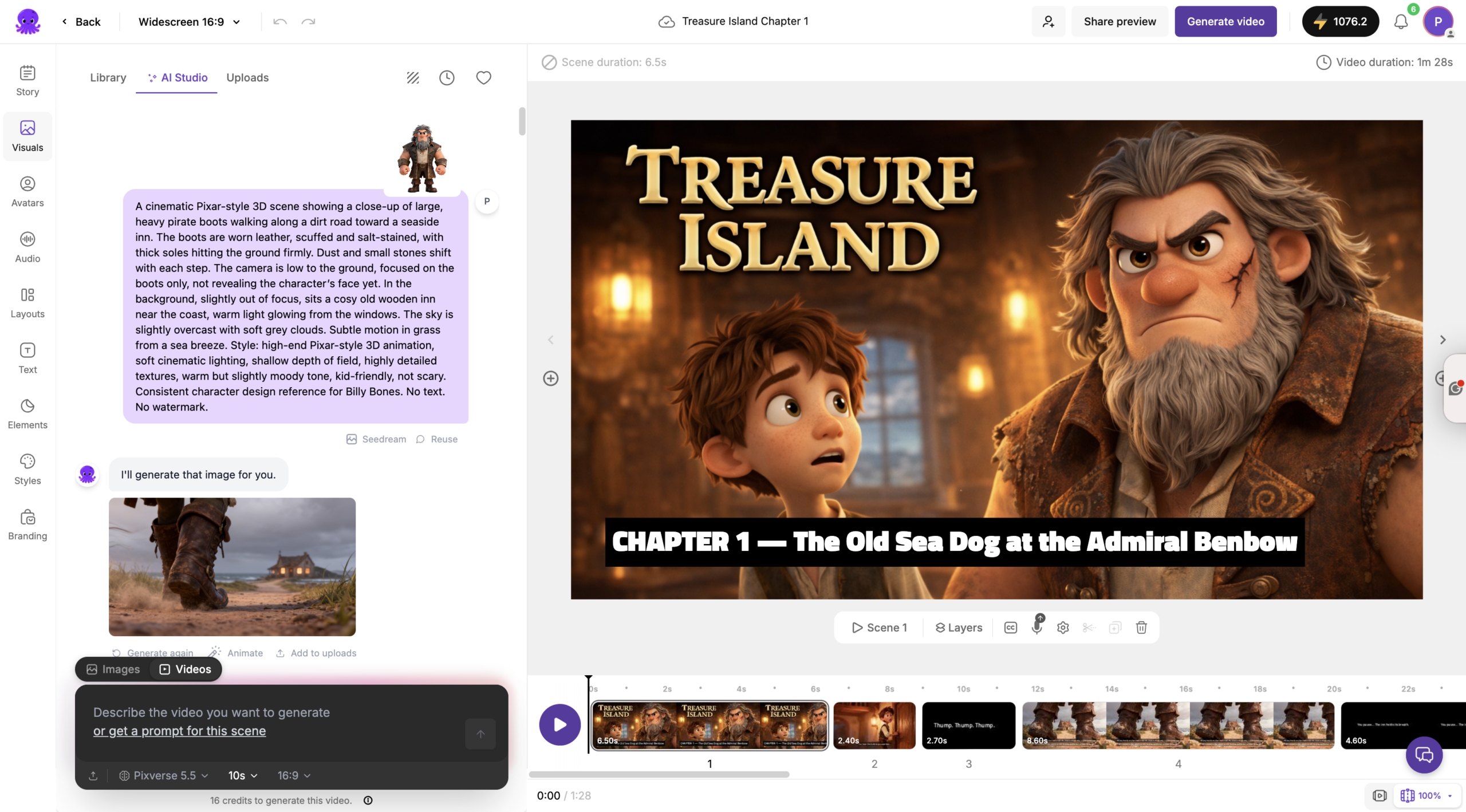
The platform also lets you generate AI images on the fly using text prompts through AI Studio, so you’re never stuck with a stock clip that doesn’t fit. Brand kits apply your logo, colors and fonts across every scene automatically. And AI avatars are available on higher plans if you want a presenter-led format.
Colossyan’s standout features:
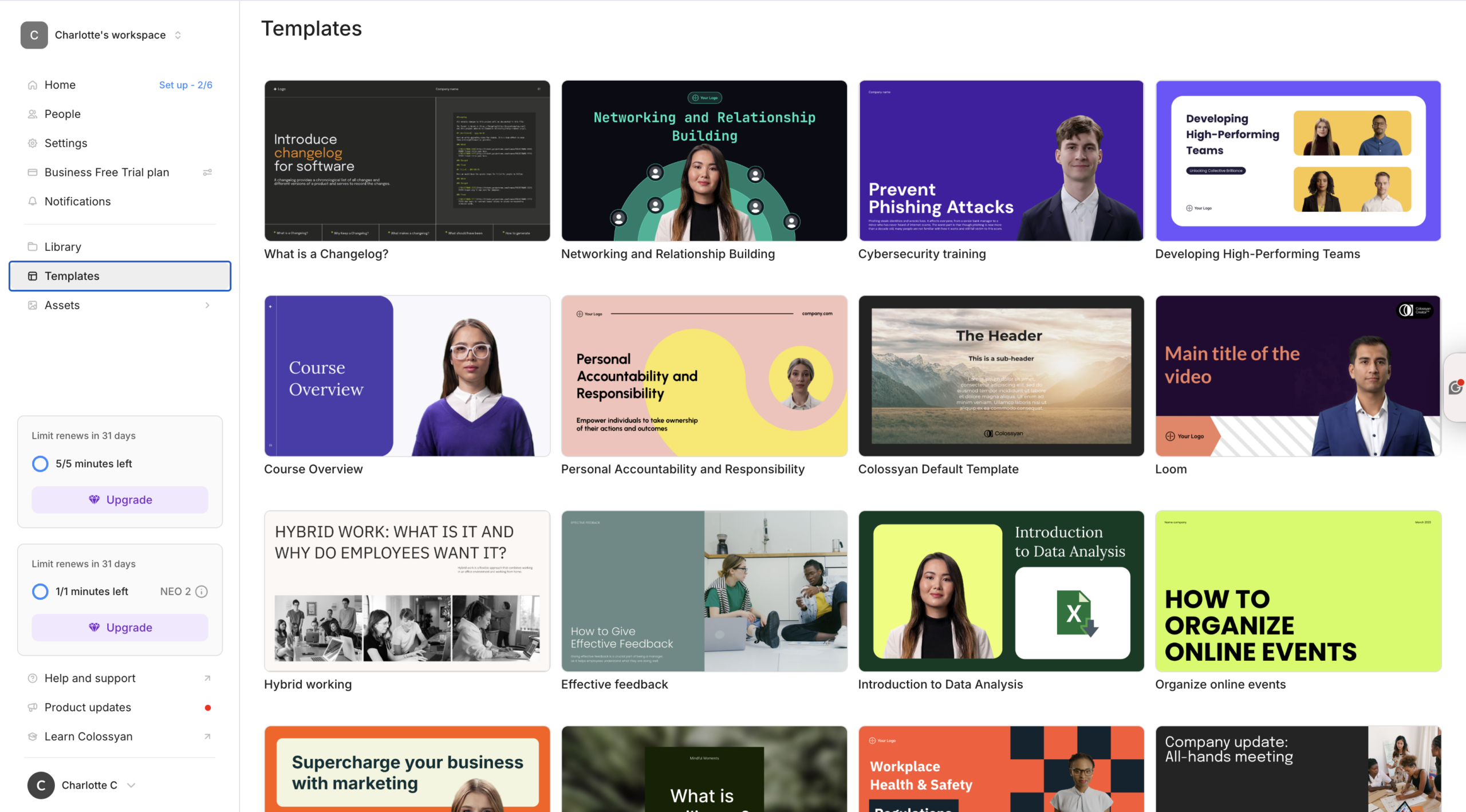
Colossyan’s avatar library runs to 200-plus presenters. You can also create a custom avatar from a 20-second phone recording. Its NEO 2 video model is its latest-generation avatar engine, designed for more natural facial expressions and consistent performance. For teams producing multilingual content, its auto-translate function maintains lip-sync accuracy across all supported languages.
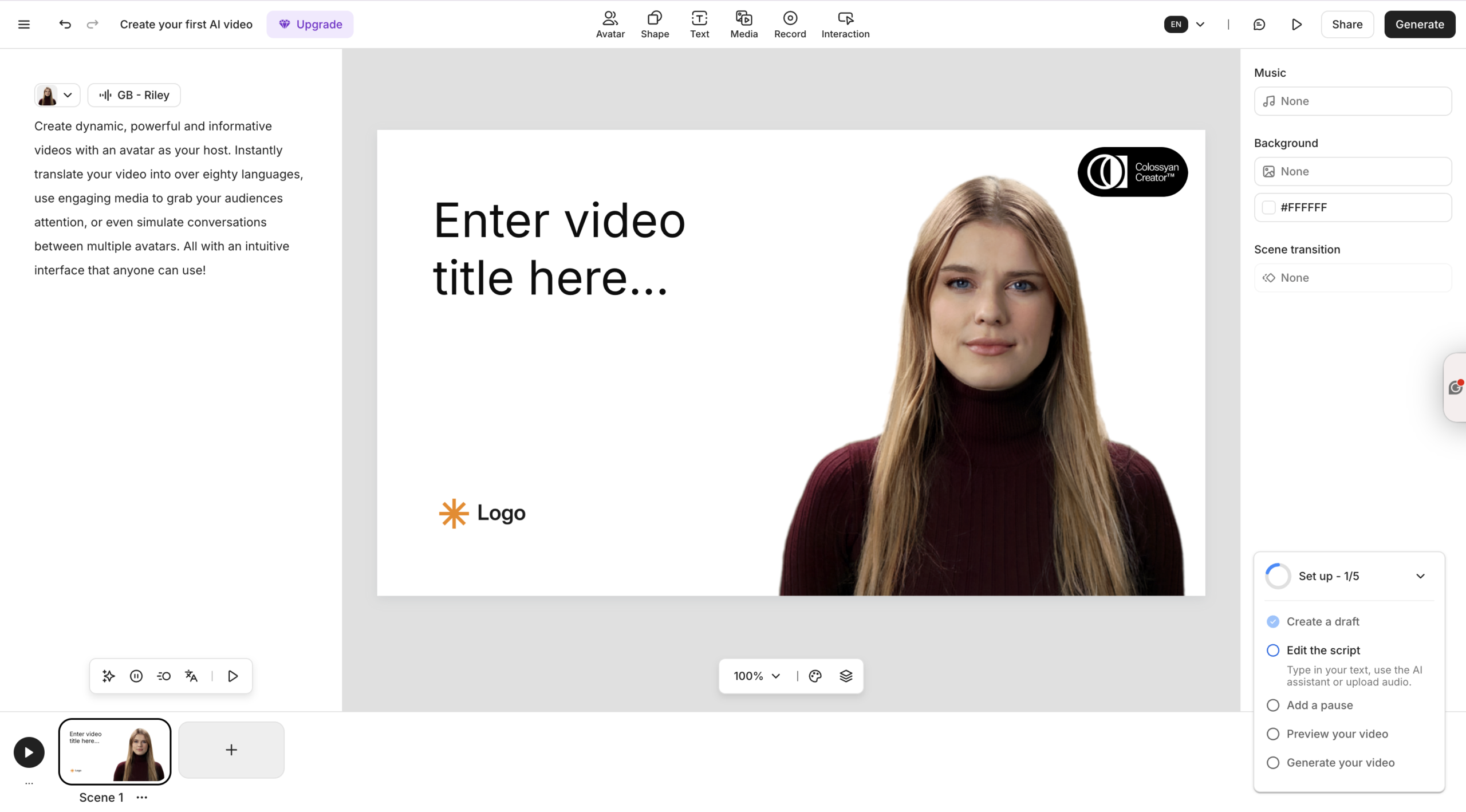
The learning-specific features are where Colossyan has no real equivalent in Pictory: branching scenarios, multiple-choice quizzes, SCORM export for LMS delivery and native integrations with platforms like Docebo and ClickLearn. If you’re building a course, not just a video, that matters.
Where Pictory has an edge: text-based video editing, content repurposing from existing assets, stock media variety, URL-to-video, audio-to-video and PPT-to-video workflows.
Where Colossyan has an edge: avatar realism, multilingual production at scale, interactive eLearning features and enterprise LMS integration.
What Does Each Platform Cost?
Pricing is one of the clearest ways to read which audience each tool is aimed at.
Pictory pricing (annual billing):
-
- Starter — $25/month. 200 video minutes, five million Getty Images and Storyblocks assets, one brand kit, 60 minutes of ElevenLabs AI voices in 29 languages.
-
- Professional — $35/month. 600 video minutes, 18 million Getty and Storyblocks assets, up to five brand kits, 120 minutes of ElevenLabs voices in 29 languages, priority support.
-
- Team — $119/month for three-plus users. 1,800 shared video minutes, up to 10 brand kits, 240 minutes of ElevenLabs voices, team workspace and professional onboarding.
-
- Enterprise — custom pricing, 10-plus users. Includes Pictory Central with SCORM export, quizzes, clickable CTAs, SSO, dedicated success manager and done-for-you video creation.
Colossyan pricing (annual billing):
-
- Starter — from $19/month. Up to 10 minutes of generated video per month, access to stock AI avatars.
-
- Business — from $70/month for unlimited minutes on NEO 1 model, 45 instant avatars, up to three editors.
-
- Enterprise — custom pricing, including 4K output, SCORM export, SSO, dedicated customer success and private server options.
The entry-level pricing looks similar, but the value is structured differently. Pictory’s Professional plan at $35/month gives you substantial video output, ElevenLabs voices and access to 18 million Getty and Storyblocks assets. Colossyan’s Business plan at $70/month is where you get unlimited video generation, which only makes sense at scale if avatar-led video is your primary output format.
Who Is Each Tool Actually For?
Pictory is for you if:
You create content regularly and need to repurpose it into video without a production team. You manage a brand’s social channels and need a consistent stream of short-form video. You run webinars or podcasts and want to cut them into highlights without spending hours editing. You need to add captions, swap stock footage and apply brand colors across a batch of videos quickly.
Pictory’s speed is its core value. Turn a blog post into a video in minutes. Edit a 90-minute webinar down to three clips in an afternoon. That’s the workflow it’s built for — and it does it without a steep learning curve.
Colossyan is for you if:
You run an L&D team, manage onboarding content or produce compliance training at scale. You need realistic AI presenters to deliver structured courses rather than background-footage-style marketing videos. You produce content in multiple languages and need lip-sync accuracy across all of them. You integrate video into an LMS and need SCORM-compatible output.
Colossyan’s avatar quality and learning-specific features give it a clear home in enterprise training environments. Marketers can use it too, but they’ll be paying for eLearning infrastructure they may not need.
How Does the Editor Experience Compare?
Both platforms are web-based with no software to install. But the editing experience feels different.
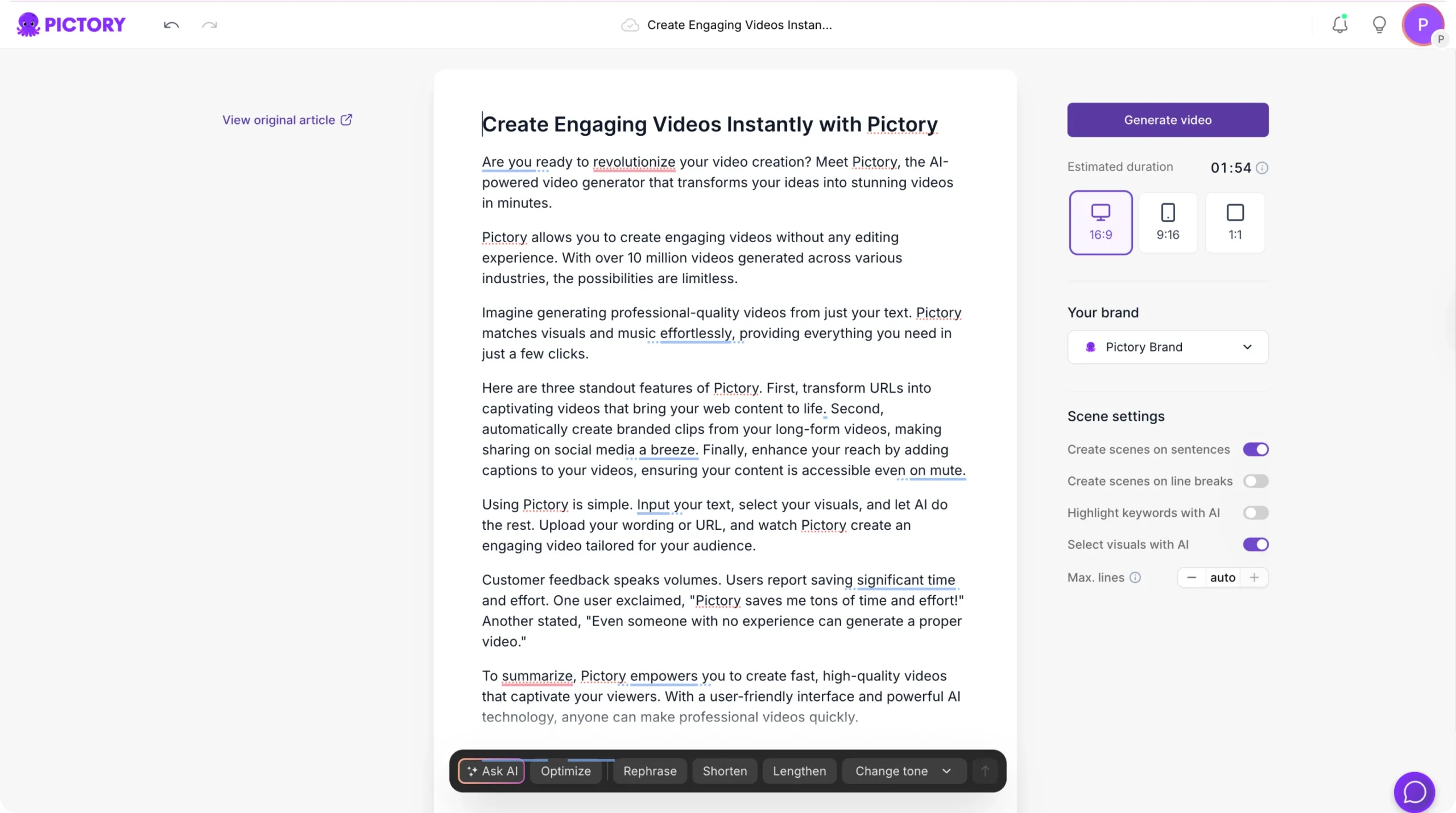
Pictory’s editor is a storyboard-and-preview layout. Your scenes run down the left panel, your video preview sits on the right, and a timeline with thumbnails spans the bottom. You can edit text per scene, drag in stock clips, adjust the AI voiceover timing, and use the text animation panel to add entry and exit effects. The Styles tab lets you apply consistent typography and color themes across the whole video in one click. Ask AI can rephrase, shorten or change the tone of any section of your script inside the editor.
Colossyan’s editor feels more like building a presentation. Scenes work like slides, and the focus is on which avatar is presenting each section, what they’re saying and what background is behind them. It’s intuitive for users who think in a presentation format, but it has less of the quick-edit and repurposing toolset that Pictory offers.
Independent reviewers have noted that Colossyan’s rendering can be slower than some competitor platforms, and that lip-sync accuracy isn’t visible until the video is fully rendered. Pictory renders more quickly for most use cases, and the editing-by-text approach means you see changes immediately in the transcript view.
Pictory vs. Colossyan: A Quick-Reference Summary
| Feature | Pictory | Colossyan |
|---|---|---|
| Primary use case | Marketing, content repurposing, social video | Corporate training, onboarding, L&D |
| Content input | Script, URL, audio, video, images, PPT | Script, document, presentation |
| AI avatars | Available on higher plans | Core feature, 200+ avatars |
| Stock media library | 3M+ clips and images | Limited stock assets |
| Text-based editing | Yes, full transcript editing | No |
| Multilingual voiceover | 29 languages (all paid plans) | 70+ languages with lip-sync |
| SCORM export | Yes (Enterprise, via Pictory Central) | Yes (Enterprise) |
| Branching scenarios | No | Yes |
| Brand kits | Yes (1 to unlimited, by plan) | Yes |
| Entry-level price | $25/month (annual) | ~$19/month (annual) |
| Free trial | Yes, 3 projects | Yes, 14 days |
The Verdict
Both tools are genuinely good at what they’re designed for. The decision comes down to your content workflow, not which platform has the longer feature list.
If your job is to create marketing videos, social clips or branded content from your existing library — Pictory is built for you. It’s fast, flexible and built around the reality that most marketers don’t have a video team. They just have content that needs to become video.
If you run an L&D function, produce onboarding and compliance training at scale, and need realistic AI presenters delivering content in multiple languages inside an LMS — Colossyan is the specialist tool. Its avatar technology and learning-specific features are purpose-built for that workflow.
Not sure which fits your setup? Start a free trial with Pictory and create your first three videos — you’ll have a clear answer within an hour.
Frequently Asked Questions
Is Pictory or Colossyan better for marketing teams?
Pictory is the stronger choice for marketing teams. It’s designed to repurpose existing content — blog posts, webinars, scripts — into branded social and marketing videos at speed. Colossyan can produce marketing explainers, but its pricing and feature set are structured for L&D and training use cases.
Can Pictory create avatar-led videos like Colossyan?
Yes. Pictory includes AI avatar creation on Professional and Teams plans. Colossyan’s avatar library is larger and its NEO 2 model is more advanced, so if avatar realism is your core requirement, Colossyan has the edge. For most marketing videos, Pictory’s avatars are more than sufficient.
Which platform supports more languages?
Colossyan supports 70-plus languages with auto-translate and lip-sync accuracy across all of them. Pictory supports up to 29 languages on higher plans. For global training rollouts, Colossyan leads. For marketing video in English and key markets, Pictory covers most needs.
Do either platform offer a permanent free plan?
Neither has a permanent free tier. Pictory gives you three free video projects with no credit card required. Colossyan offers a 14-day free trial. Both give enough time to test the real workflow before committing to a paid plan.
Which is better for small content teams producing social video regularly?
Pictory’s Team plan at $119/month for three-plus users is strong value for content teams producing social and marketing videos at scale. You get 1,800 shared video minutes, up to 10 brand kits and collaboration features. Colossyan’s Business plan at $70/month suits a solo user producing high volumes of avatar-led training video. Pick based on your output format, not just the price per seat.