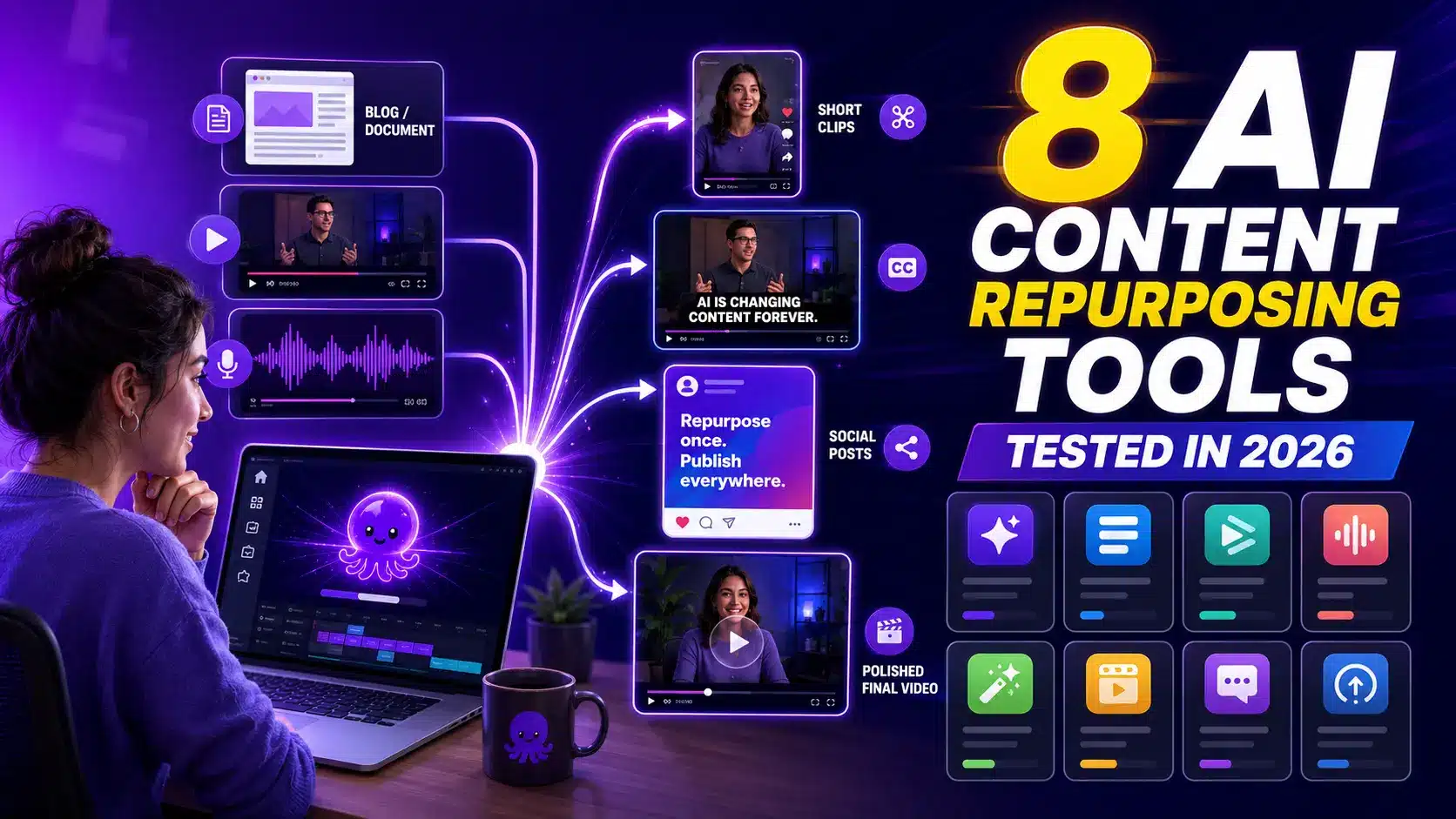
I ran the same three assets, a 40-minute webinar, a 1,200-word blog post, and a 30-minute podcast, through eight ai content repurposing tools this year. I wanted real answers, not marketing pages. Some tools turned my long video into sharp clips fast. Only one, Pictory, turned my blog and script into a finished video with voiceover and captions. Here’s what happened with each one.
TL;DR
I ran the same webinar, blog post, and podcast episode through 8 ai content repurposing tools. Opus Clip and Vizard win for cutting long video into shorts. Descript edits transcripts, Castmagic turns podcasts into text, and Repurpose.io handles distribution. Pictory was the only tool that turned my blog and script into a finished video with voiceover and captions. Pick based on what you’re starting with.

What are AI content repurposing tools?
AI content repurposing tools take one piece of content, a blog post, webinar, podcast, or script, and turn it into new formats: short clips, captions, social posts, or full videos. They save you from rebuilding the same message from scratch for every channel.
Most tools fall into one of four groups: clip generators that cut long video into shorts, transcript editors that let you trim recordings by editing text, distribution tools that push finished clips to multiple networks, and script-to-video tools that turn written or recorded source material into a new video. That last group is where AI content repurposing gets interesting for marketers who start with a document instead of a camera.
Video keeps earning its place in the plan too. About 91% of businesses now use video as a marketing tool, and 82% say it delivers a solid return. Repurposing is how small teams keep up with that demand without filming something new every week.
How I tested these tools
I fed each tool the same source material: a 40-minute webinar recording, one 1,200-word blog post, and one 30-minute podcast episode. Then I measured output quality, time from upload to finished asset, and how much manual editing was left before I’d publish it.
For clip tools, I checked how well they picked the right moments and whether the captions landed correctly on the first try. For transcript editors, I checked how natural the cuts sounded. For the script-to-video tool, I checked whether the voiceover, pacing, and captions were close enough to publish without a full re-edit. I also noted what each tool needed on a paid plan to get a usable result, not just a preview.
The 8 best AI content repurposing tools in 2026
Here’s what each tool actually did with my webinar, blog post, and podcast episode.
1. Pictory
When I dropped my blog post’s URL into Pictory, it pulled the text, matched stock and AI-generated visuals to each point, added a URL to video draft, then generated a full voiceover and synced captions in one pass. I did the same with the raw webinar script and got a second finished video without recording anything new. Best for: turning blogs, URLs, scripts, documents, and recordings into a finished video with voiceover and captions. Price: free plan, then paid tiers that scale with export minutes.
2. Opus Clip
I uploaded the full 40-minute webinar and Opus Clip scanned it and cut out ten short clips with captions and a vertical layout already applied. It found the strongest sound bites faster than I would have scrubbing the recording myself. Best for: high-volume short-form clipping from a video you’ve already recorded. Price: free plan, paid tiers for more monthly clip minutes.
3. Descript
I trimmed a rough section of the podcast by deleting a paragraph of text, and the audio cut matched instantly. Descript is built for transcript-based editing of podcasts and recordings, so it fit the podcast asset better than the blog or webinar. Best for: editing spoken recordings by editing the transcript. Price: free plan, paid tiers for longer projects and more voice tools.
4. Repurpose.io
Once I had finished clips from another tool, Repurpose.io scheduled and pushed them out. It’s a distribution layer that posts to 10 or more networks rather than a creation tool, so it works best paired with a clipper or a video generator. Best for: scheduling and posting finished content across channels. Price: paid tiers based on connected accounts, no free plan.
5. Vizard
Vizard handled the same webinar recording well and scores strongly for high-volume short-form clipping in independent comparisons, matching what I saw when I batched several clips at once. Best for: teams that need many clips from one long recording, fast. Price: free plan, paid tiers for volume and length.
6. Castmagic
I ran the podcast episode through Castmagic and got show notes, a summary, and social captions pulled straight from the transcript. It’s best for podcast-to-text work, not video. Best for: turning a podcast recording into written assets. Price: free trial, paid tiers by episode volume.
7. Munch
Munch is another clipper in the same lane as Opus Clip and Vizard. It pulled a similar set of moments from my webinar recording, with slightly more manual reordering needed before the clips felt ready. Best for: teams already comparing clip tools who want a third option. Price: free plan, paid tiers for volume, see Munch’s own pricing page for current tiers.
8. Canva
Canva isn’t built around repurposing, but its templates let me reshape a finished clip into a square post or a short for YouTube quickly once the video already existed. Best for: resizing and restyling content you’ve already made elsewhere. Price: free plan, paid tiers for premium templates, see Canva’s pricing page.
| Tool | Best for | Starting price / free option |
|---|---|---|
| Pictory | Blogs, URLs, scripts, and recordings to finished video | Free plan, paid tiers |
| Opus Clip | Long video to short clips | Free plan, paid tiers |
| Descript | Transcript-based editing | Free plan, paid tiers |
| Repurpose.io | Distribution to multiple networks | Paid tiers only |
| Vizard | High-volume short-form clipping | Free plan, paid tiers |
| Castmagic | Podcast to text | Free trial, paid tiers |
| Munch | Long video to short clips | Free plan, paid tiers |
| Canva | Resizing content into new formats | Free plan, paid tiers |
Which content repurposing tool should you pick?
Pick based on what you’re starting with, not the tool’s name. Long video that needs shorts: Opus Clip or Vizard. Blogs, URLs, scripts, or documents that need to become video: Pictory. Podcast audio that needs clean text: Castmagic. Finished clips that need to reach several networks: Repurpose.io.
How much do AI content repurposing tools cost?
Most content repurposing software follows the same pattern: a free plan with export limits or watermarks, then paid tiers that scale with volume, minutes, or connected accounts. Pictory offers a free plan and paid tiers built around export minutes, which kept costs predictable across all three of my test assets. Clip tools like Opus Clip and Vizard price by monthly clip volume, so costs rise fast if you’re processing hours of footage every week. Repurpose.io skips the free plan entirely since it’s a distribution layer, not a content generator, a pattern common across repurposing software built for scheduling and posting.
If you’re comparing repurpose content with AI options on price alone, look at what counts against your limit: export minutes, clip count, or connected social accounts. That’s the number that actually grows with your workload.
What makes a repurposing workflow actually stick?
A repurposing workflow sticks when it fits into your existing content calendar without adding a new manual step every week. Pick one tool per input type, set a fixed weekly slot to run source material through it, and publish straight from the output instead of re-editing each piece.
Short-form content also earns its spot in the plan on its own merits. Short-form video gets roughly 2.5 times more engagement than long-form video, so a workflow that turns one long asset into several short ones pays off more than one that produces a single long video each time. The teams that stick with repurposing are the ones who treat it as a weekly habit, not a one-off project.
My pick for turning long content into video
Of everything I tested, Pictory was the only tool that started from a written or spoken source, not an already-filmed video, and finished with something publishable. The AI video editor matched visuals to my blog post’s structure, wrote a voiceover in a natural pace, and synced captions using the caption generator without me touching a timeline.
Turn a blog URL into a finished video draft.
Cut a long recording into shareable clips.
Add synced captions to any video, automatically.
Fine-tune pacing, visuals, and voiceover after generation.

Turn your next blog post into a video today
Paste a URL or script in and get a video with voiceover and captions back.
Verdict
Pictory is the right pick for a marketer running content solo, or an educator building training video at scale, who starts with a document, a script, or a recording more often than a finished video. It fits weekly content calendars where the source material is written or spoken, and it’s fast, scalable, and affordable enough to run every time you publish a blog post or record a webinar.
Pictory isn’t the right choice if your only need is cutting an already-filmed long video into shorts at high volume. Opus Clip and Vizard are built specifically for that job and do it well. Descript still wins if your day-to-day work is trimming podcast audio by editing a transcript, and Repurpose.io is the better pick once your bottleneck is posting finished clips across many networks, not creating them.
For most content teams, the honest answer is a small stack: one script-to-video tool for written and recorded source material, plus a clipper if you also film long-form video. Start with Pictory for the blog, URL, and script side of your workflow.
Run your next blog post through Pictory
See what a finished video with voiceover and captions looks like before your next publish date.
FAQ: AI Content Repurposing Tools
What is the best AI content repurposing tool for blogs and scripts?
Pictory is built for this. It turns a blog URL, script, or document into a finished video with matched visuals, a generated voiceover, and synced captions. Most other tools in this category start from an already-filmed video instead of written or spoken source material.
Can AI content repurposing tools handle podcasts?
Yes. Castmagic turns podcast audio into show notes, summaries, and captions. Descript lets you trim the audio itself by editing the transcript. Neither one builds a new video from the episode, so pair them with a video generator if that’s your goal.
Do I need more than one repurposing tool?
Most teams do, since each tool covers a different input. Use a script-to-video tool for blogs and documents, a clip generator for long video you’ve already filmed, and a distribution tool if you post across several networks on a schedule.
How much does content repurposing software cost?
Most tools offer a free plan with limited exports, then paid tiers priced by export minutes, clip volume, or connected accounts. Pictory’s free plan and paid tiers scale with export minutes, which keeps costs predictable for a weekly content calendar.
Is Pictory good for repurposing content with AI, or just for creating new videos?
Both. Pictory’s core strength is repurposing: it takes blogs, URLs, scripts, documents, and recordings you already have and turns them into a new finished video, rather than requiring you to film something from scratch.
Related Reading
A closer look at the repurposing category and where it’s headed.
Turn long recordings into shareable clips.
Build shorts straight from a script or clip.