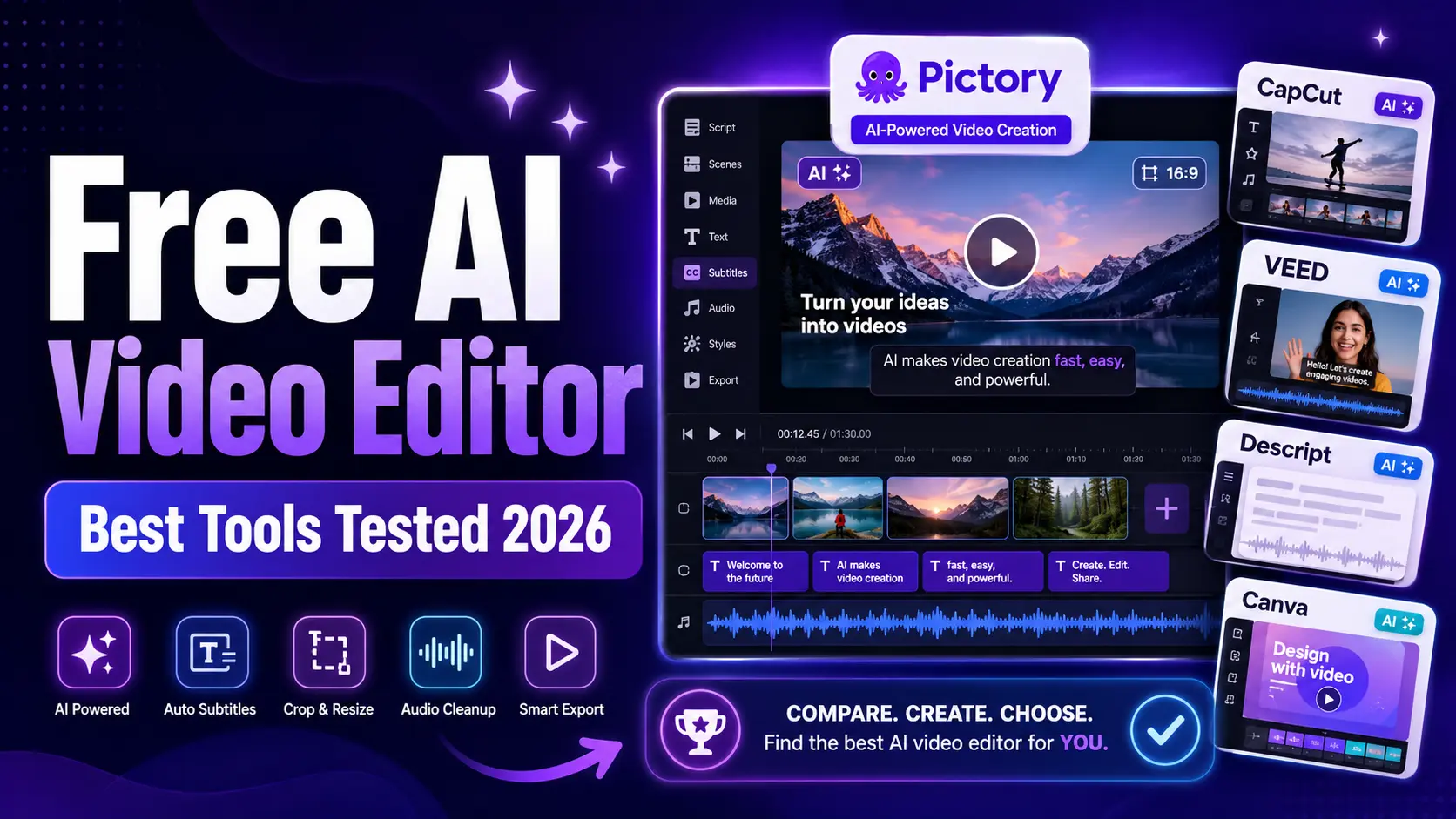
The best free AI video editor depends on the job. Pictory is the strongest fit when you want to repurpose existing scripts, blogs, webinars, or recordings into finished videos with voiceover and captions already built in, and it’s just as capable at turning training scripts and presentations into course-ready video for learning and development teams. CapCut, VEED, Descript, Kapwing, Clipchamp, Adobe Express, and Canva each win different editing, social, and team workflows instead. This guide breaks down what each tool does best, so you can match the right one to how your team actually creates video.
Quick Answer
If you need a free AI video editor for repurposing blogs, scripts, webinars, and long recordings, or for turning training scripts and slide decks into course-ready video for L&D, start with Pictory. If you need a no-cost social editor, try CapCut or Clipchamp. If you need browser editing and collaboration, look at VEED or Kapwing. If you want transcript-based editing, Descript is the clearest specialist.
Best Free AI Video Editors Compared
| Tool | Best for | Free-plan note | AI strengths |
|---|---|---|---|
| Pictory | Repurposing existing content and building L&D training video. | Best treated as a free-trial workflow, not a forever-free editor. | Script, article, audio, image, presentation, and long-video repurposing, plus training modules with brand kits for consistency across a course. |
| CapCut | Social video and mobile-first editing. | Many AI tools are free, with some restrictions and paid upgrades. | Auto captions, script-to-video, background removal, and text-to-speech. |
| VEED | Browser editing and quick AI assets. | Upgrade is needed for watermark-free higher-resolution exports. | Subtitles, AI generation, avatars, translation, and cleanup tools. |
| Descript | Transcript-based editing for podcasts, tutorials, and explainers. | Free plan is available with no credit card required. | Text editing, clips, filler-word removal, captions, Studio Sound, and translation. |
| Kapwing | Collaborative online editing and repurposing. | Free tier is useful for trials and light edits, with upgrade limits to check. | Repurpose Studio, subtitles, smart cuts, clean audio, and text-to-video. |
| Clipchamp | Microsoft users and straightforward browser editing. | Free exports and built-in editor workflows are available. | AI subtitles in many languages, stock assets, and editor templates. |
| Adobe Express | Short branded clips and social content. | Free online editor with no credit card required. | Templates, trim, crop, resize, merge, text, audio, and design assets. |
| Canva | Template-led videos, design teams, and short AI clips. | Core editor is free, while advanced AI video generation is limited by plan. | Text-to-video clips, avatars, templates, animations, and brand design tools. |
Free plans change often. Before publishing a final “tested” claim, capture current screenshots for export limits, watermarks, AI credit caps, and commercial-use notes.
How We Evaluated the Tools
A good free AI video editor should help you finish a useful video, not just generate a novelty clip. For this shortlist, the most important jobs were content input, editing control, captions, repurposing, export quality, and practical free-plan limits.
Use this checklist when you test each editor in your own workflow:
- Can it turn text, a link, a script, or a long recording into an editable video?
- Can it add captions, cut filler, resize clips, and improve audio?
- Can you keep the video on-brand with logos, colors, fonts, and layouts?
- Can it export a useful file without a deal-breaking watermark or resolution cap?
- Can your team repeat the same workflow next week without rebuilding from scratch?
That last question is where Pictory stands out. For teams with articles, webinars, scripts, product pages, and presentations, repurposing is often more valuable than blank-page generation, and the same logic holds for L&D teams turning training scripts and slide decks into a course library.
1. Pictory: Best Free-Trial AI Video Editor for Repurposing and Training Content
Pictory is the strongest fit if your goal is to turn existing content into more video output. The platform supports workflows built around text, URLs, audio, images, presentations, and long-form videos, which makes it useful for marketers, educators, sales teams, and creators with a library of source material.
Instead of starting with a blank canvas, you can begin with content your team already trusts: a blog post, webinar, product page, training script, or podcast. That is why Pictory works well for content repurposing, sales enablement, training, and social clips. The Academy guide to editing video with the AI video editor covers the full workflow.
L&D and training teams get a second, equally strong use case out of the same editor. A training script, an existing slide deck, or a recorded walkthrough turns into a narrated video module without a camera crew, and a brand kit keeps fonts, colors, and logos consistent across every module in a course. Because updates happen by editing a script and re-exporting instead of re-shooting, keeping a training library current when a policy or process changes is fast rather than a full re-production. This makes Pictory a practical fit for onboarding, compliance refreshers, and internal training libraries that need to stay accurate without a dedicated video team.
Best for: teams that want to repurpose approved assets into publishable videos, and L&D teams building or maintaining a training video library. Start with Pictory’s AI video editor, video clip generator, and blog-to-video guide.
2. CapCut: Best Free AI Video Editor for Social Clips
CapCut is a strong choice for short social videos, especially if you want a fast path from idea to clip. Its official AI video editor page highlights script-to-video, auto subtitles, AI background removal, smart text-to-speech, stabilization, filler-word removal, and auto captions.
The biggest appeal is that CapCut feels built around creator workflows: vertical video, templates, captions, effects, and platform-native habits. The tradeoff is that teams need to check which AI tools sit inside the free tier at the time they publish or hand off the workflow.
Best for: social creators and teams that need short clips, captions, and mobile-friendly editing.
3. VEED: Best Browser AI Video Editor for Quick Production
VEED is a browser-based editor with a broad AI feature set. Its product page points to AI video generation, subtitles, avatars, translation, eye contact, voice cloning, background noise removal, and background removal.
It is a good fit when you want one online workspace for creating, editing, captioning, and sharing. The main free-plan caution is export quality and watermarking. VEED says an upgrade is needed for watermark-free 1080p to 4K exports, so publishing teams should check the output requirement before choosing it as the default editor.
Best for: browser-based production, captions, quick AI assets, and lightweight team review.
4. Descript: Best Free AI Video Editor for Transcript Editing
Descript is built around text-based editing. That makes it especially strong for podcasts, interviews, explainers, tutorials, and videos where the spoken content is the core asset.
Descript highlights transcript editing, clips, Studio Sound, filler-word removal, captions, translation, and its AI assistant. It also offers a free plan with no credit card required. For teams that edit words before frames, Descript is one of the clearest choices.
Best for: transcript-first editing and spoken-content workflows.
5. Kapwing: Best Free AI Video Editor for Collaborative Repurposing
Kapwing combines online editing, subtitles, speaker focus, audio editing, text-to-speech, and a Repurpose Studio. Its AI tools include text-to-video generation, script generation, dubbing, clean audio, smart cuts, and repurposing workflows.
It is strongest when a team needs a shared online workspace. If your workflow involves marketers, social managers, and reviewers working on the same clips, Kapwing is worth testing next to Pictory and VEED.
Best for: collaborative online edits, subtitles, and repurposed social assets.
6. Microsoft Clipchamp: Best Free AI Video Editor for Microsoft Workflows
Clipchamp is a practical choice for teams already working inside Microsoft tools. Its official site highlights AI subtitle generation in more than 80 languages, free high-quality exports, and royalty-free stock assets.
Clipchamp is not the deepest AI repurposing tool in this list, but it is a dependable option when the goal is to trim, caption, assemble, and export straightforward videos with a low learning curve.
Best for: Microsoft users who need clean browser editing and captions.
7. Adobe Express: Best Free AI Video Editor for Branded Social Content
Adobe Express is a good fit when your video project needs design polish as much as editing. Its video editor page lists free templates, audio assets, trim, resize, crop, merge, transitions, filters, sound, text overlays, and watermark-free exports.
It is especially useful for short branded clips, campaign assets, and social-first videos that need to sit alongside other Adobe Express graphics.
Best for: branded social clips and design-led video assets.
8. Canva: Best Free AI Video Editor for Templates and Design Teams
Canva is strongest when video is part of a broader design workflow. Its AI video generator page highlights text-to-video clips, synchronized audio, avatars, animations, templates, and design controls. Canva also has a free core editor, while its advanced AI video generation is limited by plan.
For teams already using Canva for social graphics, presentations, and campaign assets, it can be a good place to create light video content without switching tools.
Best for: template-led video creation and design teams that already work in Canva.
See what Pictory does with your own content
Upload a script, article, or recording and get a finished video back in minutes.
Which Free AI Video Editor Should You Choose?
Choose based on source material. If you already have articles, scripts, webinars, presentations, or recordings, Pictory should be high on the shortlist because it is built around repurposing and training video production. If you are making social clips from scratch, CapCut is a strong no-cost option. If you edit from a transcript, Descript is the specialist.
For teams, the bigger question is repeatability. A free editor is only useful if it lets your team create the same kind of video again next week. Look for templates, brand controls, captions, export quality, and a workflow your team can hand off.
If your goal is to turn more of your existing content into videos, start by editing and repurposing what you already have, then use this comparison to decide which companion tools you need for social finishing, transcript edits, or design-led assets.
Turn more of your existing content into video
Start with a script, article, recording, or presentation, then use Pictory to create a video your team can publish and reuse.
FAQ: Free AI Video Editor
What is the best free AI video editor in 2026?
The best choice depends on the job. Pictory is best for repurposing existing content into videos, CapCut is strong for social clips, Descript is best for transcript editing, and VEED or Kapwing are strong browser-based options.
Can I make AI videos for free?
Yes, several editors offer free tiers or free trials. Pictory’s AI video maker starts on a free trial, while CapCut, Descript, Clipchamp, and Adobe Express run ongoing free plans. The limits vary by tool and may include AI credit caps, watermarks, export resolution limits, storage limits, or paid-only features.
Which free AI video editor is best for captions?
CapCut, VEED, Descript, Kapwing, and Clipchamp all have caption or subtitle workflows. The best option depends on your export needs, language needs, and whether you prefer timeline editing or transcript editing.
Which AI video editor is best for repurposing content?
Pictory is the strongest fit for repurposing because it is built around turning existing scripts, articles, web pages, recordings, images, and presentations into video assets.
Is there a free AI video editor for training and L&D content?
Yes. Pictory turns a training script, slide deck, or recorded walkthrough into a narrated video module with a free trial, no camera crew required. Brand kits keep fonts, colors, and logos consistent across an entire course, and updates happen by editing the script and re-exporting rather than reshooting, which matters most for compliance content that changes often.
Sources
External source pages were accessed on July 13, 2026. Free-plan details should be checked again during final editorial testing.
Related Posts