TL;DR
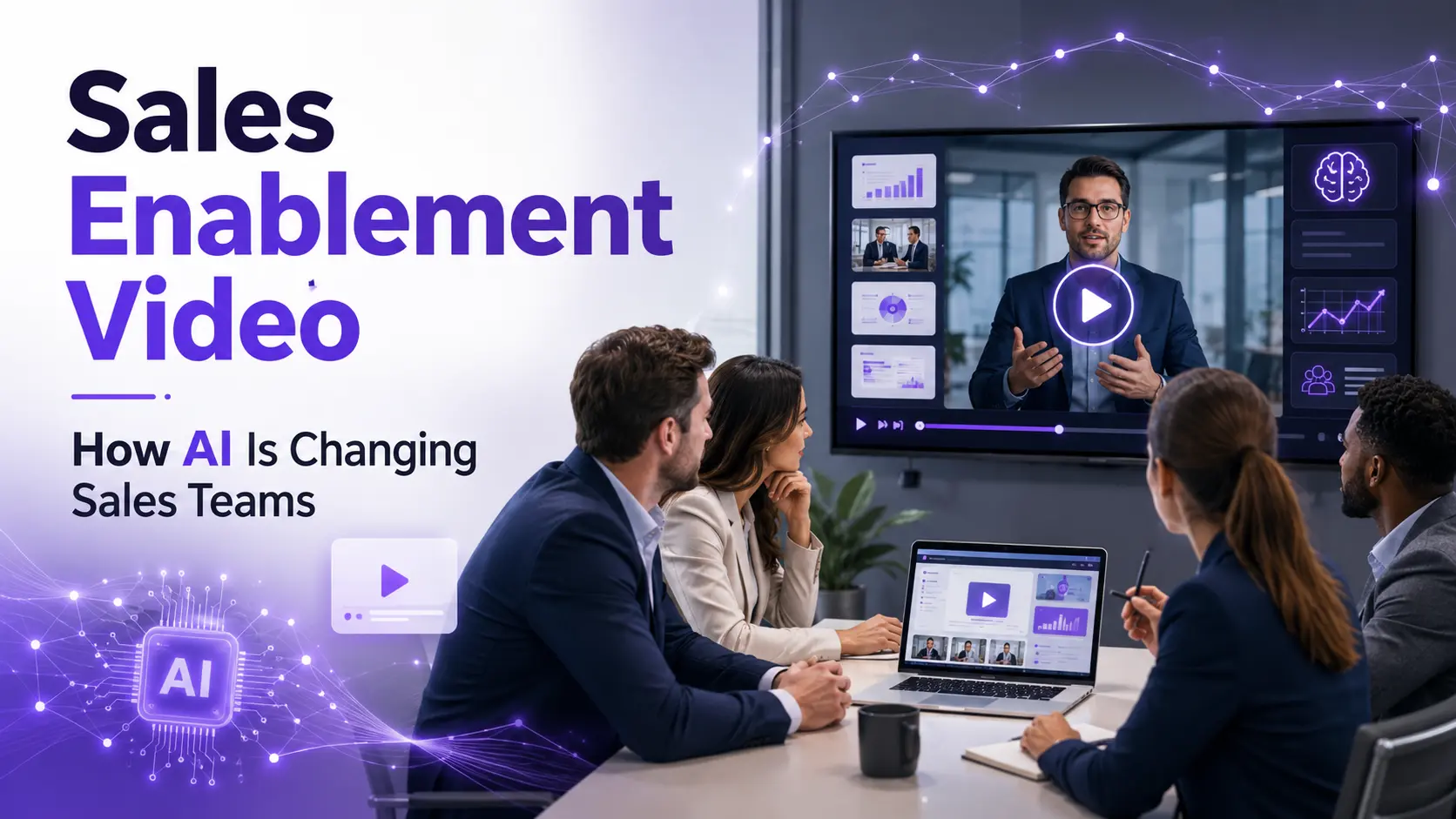
Sales enablement video has become the fastest way for enterprise teams to align reps, reduce ramp time, and keep messaging consistent across regions. AI has made it possible to produce professional sales enablement videos in a fraction of the time, no production team required. This post covers what sales enablement video is, the types that move deals forward, how AI changes the creation workflow, and how to build a scalable video library using Pictory.
Your sales team is bigger than it has ever been. Your product is changing faster than ever. And the gap between what enablement can produce and what reps actually need is wider than it looks on the calendar. Pictory gives enterprise teams the AI workflows to produce sales enablement video at scale, without a production team or a week-long turnaround. This guide covers exactly what that looks like in practice.

What Is Sales Enablement Video?
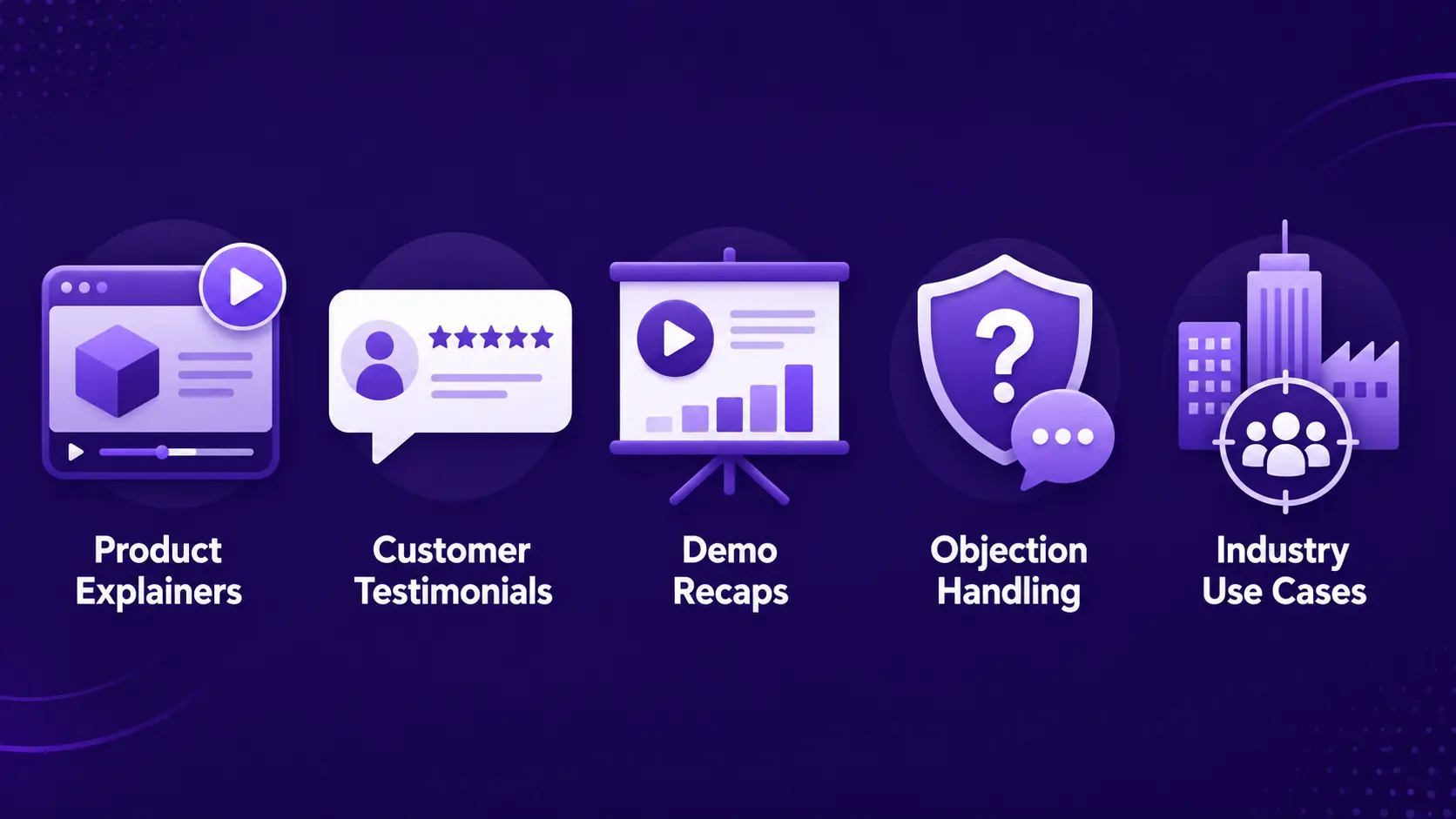
Sales enablement video is any video content that helps sales reps communicate more clearly, stay on message, and move buyers through the pipeline. The term covers a wide category: product explainers, competitive battlecards in video form, rep training modules, onboarding clips, objection-handling walkthroughs, and personalized outreach videos.
The defining trait is purpose. These aren’t brand videos made for awareness. They’re made for the moment when a rep needs to show value, answer a question, or bring a stakeholder up to speed without booking another meeting.
72% of B2B buyers say video content from vendors influences their vendor shortlist decisions. Zebracat B2B Video Statistics
That’s not a soft preference. It’s where selection decisions begin. When your reps can’t get a buyer a relevant, clear video fast, someone else fills that gap.
Why Are Sales Teams Turning to Video Now?
Sales teams are leaning into video because the alternatives have stopped working. Work emails are opened by fewer than 40% of recipients. Slide decks get forwarded and misrepresented. Meetings get pushed. Video travels independently: a rep sends a two-minute walkthrough, and it gets shared across the buying committee without a single calendar invite.
People retain 95% of a message when they see it in video, compared to 10% when they read text. Biteable
According to Allego’s 2025 Revenue Enablement Report, 100% of sales enablement leaders say AI is now in use across their organizations, up from 62% the previous year. AI adoption in enablement has moved from competitive advantage to baseline expectation.
And B2B video content shortens the sales cycle by an average of 23%, according to Zebracat’s B2B Video Marketing Statistics. For enterprise deals with long cycles and many stakeholders, that’s measurable revenue impact.
What Types of Sales Enablement Video Actually Move Deals?
Not all video content serves the same moment in the pipeline. The most effective sales enablement programs match video type to deal stage.
Product explainer videos
Short, benefit-led videos that show what the product does and why it matters, without requiring a live demo. Reps send these before a discovery call to set context and qualify interest faster.
Customer testimonial videos
Real customer stories that a buying committee can watch on their own time. More credible than a case study PDF and easier to share internally to economic buyers who weren’t on the original demo call.
Objection-handling clips
Short, focused videos that address the most common objections, price, implementation time, security. Instead of a rep reciting the same points on every call, the video does the work and lands consistently every time.
Sales rep training and onboarding videos
Microlearning modules that cover product knowledge, competitive positioning, pricing changes, and process updates. Reps access them on demand rather than waiting for the next live training session.
Industry-specific use-case videos
Videos tailored by vertical, manufacturing, financial services, healthcare, that speak the buyer’s language from the first frame. Reps sound fluent in the account’s world without reinventing the story for each prospect.
How AI Is Changing the Sales Enablement Video Workflow
The traditional production model (script, record, edit, review, distribute) took days or weeks per asset. For enterprise teams expected to update messaging every quarter, that cycle created a constant lag between what reps knew and what they needed. AI changes that at every stage.
Here’s what the new workflow looks like for teams using Pictory for Enterprise.
Start from what you already have
A playbook document, a product page URL, a sales deck, a recorded demo call: any of these becomes the input. You bring the content that already exists and AI structures it into scenes.
AI builds the storyboard automatically
The platform segments your content into scenes, matches relevant stock visuals from a library of over 10 million assets, and generates a voiceover from the script. This step alone removes hours of manual editing work.
Apply your brand kit once
Brand Kits in Pictory lock in your logo, fonts, and color palette across every asset your team produces. Every rep in every region produces on-brand video without needing a designer to check their work.
Review and share for approval
Use the Share preview function to send a review link to product marketing, legal, or sales leadership, without exporting the video first. Stakeholders review it in the browser and feedback goes back into the editor.
Update by editing text, not re-recording
When pricing changes or a competitor makes a move, you update the script text and the video regenerates. No studio booking, no re-record, no week-long turnaround. The asset is current by the end of the day.
Customer Story
From one hour per video to minutes
Larry Dorion, a sales enablement expert, was building a multi-module video training program using traditional tools. A single five-minute video took over an hour to produce, manually syncing screenshots, timing narration, and exporting from multiple platforms. After switching to Pictory, AI automatically matched visuals to his narration scripts, removed the need for manual sourcing, and cut production time to minutes per module. He completed the entire training series in a fraction of the time and used a Pictory-created video to land a new client interview.
Which Pictory Workflow Fits Each Sales Enablement Use Case?
Enterprise sales enablement teams use different content inputs depending on the type of asset they’re building. Pictory has a workflow for each one. Choosing the right starting point cuts production time substantially. For a full how-to on each workflow, the Pictory Enterprise Academy sales enablement guide walks through every step.
Best for approved scripts, messaging frameworks, and competitive positioning. Turn a playbook document into a ready-to-distribute video.
Best for turning product pages, solution briefs, and blog posts into shareable video assets. Paste the URL and AI extracts the key content.
Best for sales kickoff decks, QBR presentations, and training slide decks. Upload the file and speaker notes become the narration.
Best for repurposing podcast episodes, webinar recordings, and internal audio briefings into visual sales assets.
How Do Enterprise Teams Scale Sales Enablement Video Without Expanding Headcount?
The scaling challenge shows up in a specific way. A static enablement team gets asked to produce more content, faster, for a growing seller base. The math never works with traditional production. AI is the only way to change it.
AppDirect, a global B2B commerce platform that enables businesses to procure and sell technology services from providers like Google, Amazon, and Microsoft, ran into exactly this problem. Their external sales advisors weren’t obligated to take training, which meant content quality had to be high enough that reps chose to watch. But their old process relied on studio shoots, slide decks with voiceovers, and a production timeline that couldn’t keep up with a fast-moving tech services landscape.
After switching to Pictory, AppDirect scaled their video training output three times over and improved course engagement ten times. The content that was previously locked behind slow production cycles became something their partner network actively sought out.
“82% of our 10,000+ partners keep coming back to our training videos even though they aren’t mandatory courses. That’s how we know the content’s working.” Source: Curtis Whitfill, VP of Continuing Education, Pictory Enterprise
Voluntary return rates like that don’t come from slide decks. They come from content that is short, relevant, and produced consistently enough that reps expect something useful every week.
David Landsberger, Director of Partner Enablement, described it this way: “It increased subscriber growth by 78% and cut my video creation time from a couple of hours to a few minutes. It’s been a godsend.” Faster production means a content rhythm that actually reaches the people it’s built for.
Sales enablement automation saves reps 12 to 15 hours per week, increasing customer-facing time by 35%. Revenue Velocity Lab
Three capabilities make this scale possible without growing the team:
Centralized brand control. Brand Kits in Pictory mean distributed teams across regions, products, and seller roles all produce video that looks consistent. You maintain quality without running review cycles on every asset.
Modular content that stays current. Because videos are generated from text, a messaging change means editing a script, not re-shooting a video. Product updates, pricing changes, and competitive shifts get reflected in the asset library the same day they’re approved.
AI avatars for consistent on-camera presence. AI avatars allow enablement teams to present content in a consistent, professional way without filming. When a product feature changes, the narration updates, no camera time required.
What Should a Sales Enablement Video Library Include?
Most enterprise enablement teams that struggle with video share the same problem: a few assets that someone made 18 months ago and nothing else that reps trust enough to actually send. A useful library is built around the deal cycle, not around what was easy to produce.
Here’s the minimum set that gives reps something to reach for at every stage:
Company and product overview (60 to 90 seconds)
Sets context before discovery. Reps send it 24 hours ahead of the first call so the buyer arrives informed and the conversation skips the basics.
Use-case walkthrough by vertical
A tailored video that shows how the product works for the buyer’s industry. Helps stakeholders who weren’t on the demo call get up to speed without scheduling another meeting.
Objection and pricing explainer (under 2 minutes)
Directly addresses the most common late-stage objections. Reps send these when a deal stalls rather than scheduling a follow-up call that may not happen for two weeks.
Product update and competitive positioning clips (2 to 4 minutes)
Keeps reps current without pulling them into a live training. A short clip on a new feature or a competitor move lands more reliably than an email and gets retained far longer than a PDF.
Start building your sales enablement video library today
Turn scripts, decks, and recordings into professional sales videos in minutes, no editing skills required.
Is AI Sales Enablement Video Right for Your Team?
AI-powered sales enablement video works best for enterprise teams that are already producing, or trying to produce, high volumes of content with limited production resources. If your enablement team serves dozens or hundreds of reps across multiple regions and you’re struggling to keep video assets current, this is the model that solves it. Pictory’s workflow is built for that scenario: turn existing content into professional video fast, apply consistent branding automatically, and update assets without re-recording.
Other AI video platforms in this space, Vyond, Colossyan, and similar tools, focus on animated character-based video or avatar-led training modules. That format works well for scripted learning content and eLearning modules. Pictory works from what enterprise teams already have, scripts, decks, recordings, URLs, and produces realistic, brand-consistent video at the pace sales teams need. One platform covers Text to Video, URL to Video, PPT to Video, Audio to Video, and the AI Video Editor, so your enablement stack doesn’t need four separate tools for four different asset types.
For most enterprise sales enablement teams, the bottleneck is bandwidth, not creative vision. You know what content you need. You have the assets to build from. Pictory is the fastest way to turn those assets into video your reps will actually use. Try it free and have your first sales enablement video ready before the end of the day.
Ready to scale your sales enablement video?
No production team. No re-recording. No week-long turnaround.
FAQ: Sales Enablement Video
What is sales enablement video?
Sales enablement video is any video content that helps sales reps communicate more effectively with prospects and buyers. It includes product explainers, training modules, objection-handling clips, customer testimonials, and competitive battlecards in video format. The goal is to give reps content they can use at every stage of the deal cycle, without requiring a live meeting.
How does AI change how sales teams create video?
AI removes the production bottleneck. Instead of scripting, filming, editing, and reviewing over days or weeks, sales teams can turn an existing playbook, product page, or slide deck into a finished video in minutes. AI handles scene structure, visual matching, voiceover generation, and captioning automatically. Updates to messaging or pricing can be made by editing text rather than re-recording.
How do I keep sales enablement videos on brand across a large team?
Brand Kits in Pictory apply your approved logo, fonts, and color palette automatically across every video your team produces. Once a kit is set up, reps and enablement managers in any region can create video without needing a designer’s sign-off on each asset. All output stays visually consistent with your corporate identity.
What types of content can I turn into sales enablement video with Pictory?
Pictory works with scripts and text, product page URLs, PowerPoint presentations, recorded webinars and demo calls, audio files, and images. Each has its own workflow inside the platform. Text to Video and URL to Video work well for messaging and positioning content. PPT to Video handles sales decks and training slide decks. The AI Video Editor processes existing recordings and removes filler words and silences automatically.
How does video affect the B2B sales cycle?
B2B video content shortens the average sales cycle by 23%, according to Zebracat’s B2B Video Marketing Statistics. Buyers who watch video are more likely to share content internally, make faster decisions, and arrive at meetings better informed. Sales teams that use video consistently report shorter deal timelines, fewer repeat explanations, and higher close rates on complex deals with multiple stakeholders.
![[Article] How AI Is Changing eLearning Video Production for L&D Teams in 2026](https://pictory.ai/wp-content/uploads/2026/06/eLearning-Video-Production-300x200.webp)