Lumen5 invented the “paste a blog post, get a video” workflow back in 2017, and it still does that one job reliably. Pictory started with the same idea and kept building: today it handles the same blog-to-video job at a lower starting price, and adds AI voiceover, avatar clones, voice cloning, interactive video hosting, and a full developer API that Lumen5 doesn’t offer at any tier. This comparison breaks down exactly where each tool wins and where it falls short, so you can make the call without guessing.
TL;DR
Pictory and Lumen5 both turn blog posts and text into video, but that’s where the overlap ends. Pictory does it at a lower starting price and adds AI voiceover, avatar clones, voice cloning, interactive video hosting, and a full developer API. Lumen5 pioneered the category in 2017 but hasn’t kept pace: voiceover minutes don’t roll over, there’s no native AI avatar or voice clone feature, and the Starter plan costs more than Pictory’s Professional plan. For most content teams in 2026, Pictory delivers more for less.
What Is Each Tool Built For?
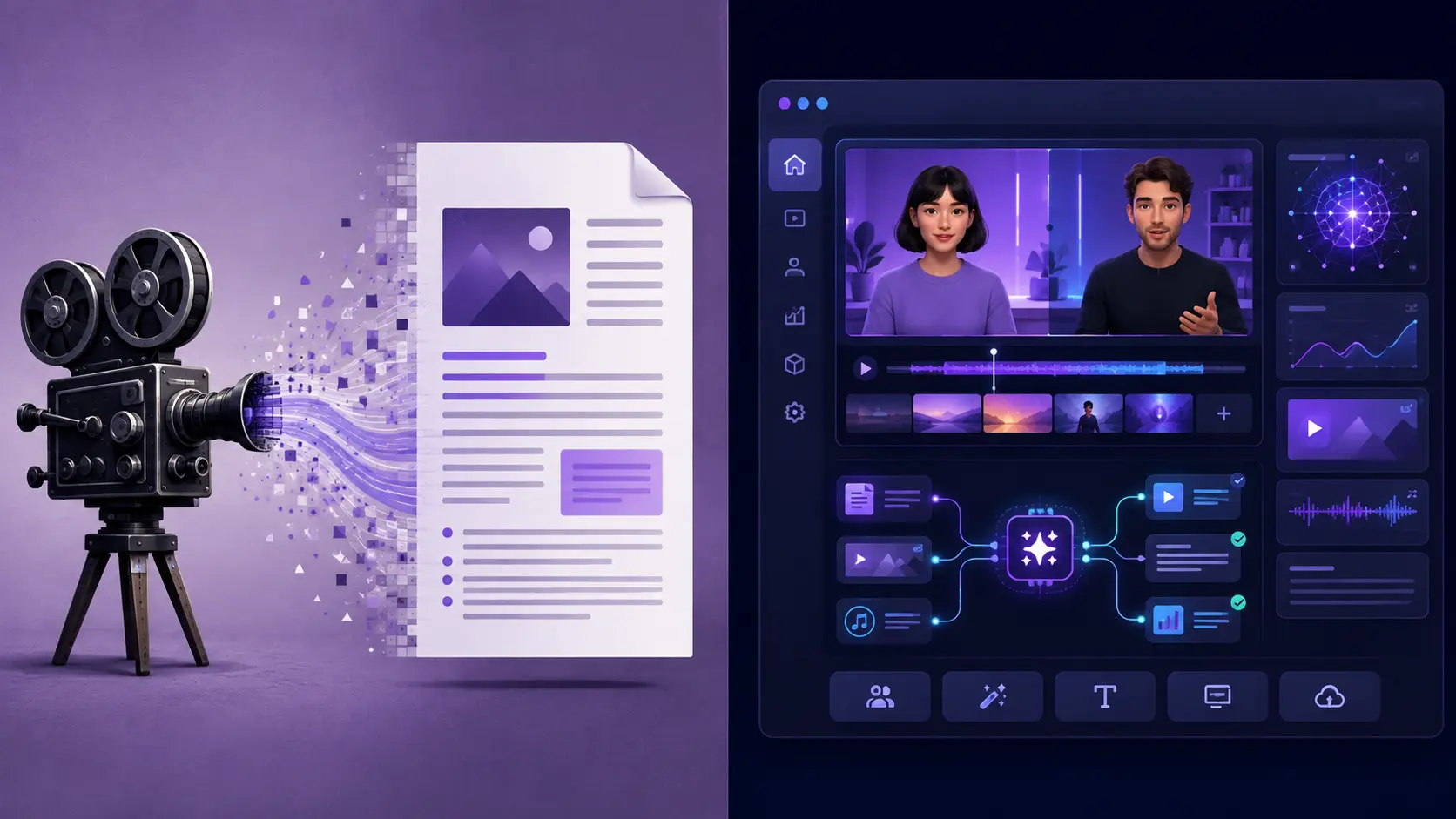
Lumen5 is a template-based blog-to-video platform. You bring text, and the AI matches it to stock footage, applies a layout, and produces a text-overlay social video. The editing experience is drag-and-drop, the interface is straightforward, and the output format is well suited to LinkedIn and Facebook feeds. It does one thing reliably and was the first tool to do it at scale.
Pictory started in the same place and expanded into a full content repurposing platform. You can still turn a blog URL into a video in minutes. But you can also transcribe and edit a long recording, convert a PowerPoint into a narrated video, generate AI images and footage, add an avatar presenter, clone your own voice, publish interactive video with quizzes and CTAs, and connect the whole thing to your CRM or LMS via API. The scope is significantly wider.
Pictory does Lumen5’s exact blog-to-video job at $19/month, versus Lumen5’s $59/month plan needed to unlock 1080p. | ngram.com, April 2026
That price and capability gap is the story of this comparison. If your only requirement is turning articles into short social clips, both tools work. But Pictory does it at a lower price, with more features, and with a roadmap that has consistently expanded while Lumen5’s has stayed relatively static.
Pictory vs Lumen5: Feature-by-Feature Comparison
| Feature | Pictory | Lumen5 | Winner |
|---|---|---|---|
| Blog/URL to video | Native, high fidelity to source content | Native, original feature; ~70% visual match accuracy | Pictory |
| Audio/video to video | Native transcription, editing, and storyboard | Not available | Pictory |
| PPT to video | Native (up to 90 slides) | Not available | Pictory |
| Screen recorder | Built-in (screen + camera) | Not available | Pictory |
| AI voiceover | ElevenLabs integration, 80+ voices, 29 languages (Pro) | Limited, minutes capped per plan; don’t roll over | Pictory |
| Auto captions | Auto-generated, 29+ languages, fully styleable | Yes, basic subtitle support | Pictory |
| Brand Kits | 1 (Starter) to 10 (Teams); logo, fonts, colors, presets | Yes, basic plan; multiple kits on Professional+ | Tie |
| Template library | ~100 curated layouts | Extensive social media templates | Lumen5 |
| AI image generation | AI Studio: Flux Schnell, Amazon Nova, ByteDance Seedream, Google Nano Banana | Not available | Pictory |
| AI video generation | AI Studio: Pixverse, Veo 3.1 Fast, Veo 3.1 (1080p) | Not available | Pictory |
| AI avatars | Stock avatar library, lip-sync, per-scene control | Basic talking head, no AI voiceover sync | Pictory |
| Avatar Clones (your likeness) | Yes, upload photo, video, and voice sample | Not available | Pictory |
| Voice cloning | Yes, personal voice clone used across all workflows | Not available | Pictory |
| Interactive video hosting | Pictory Central: quizzes, CTAs, chapters, SCORM (Teams/Enterprise) | Not available | Pictory |
| API access | Full developer API, Zapier, Make, MCP Server | No public API on standard plans | Pictory |
| Credit/minute rollover | AI Credits roll over and never expire | Voiceover minutes reset monthly; unused lost | Pictory |
| Starting price (annual) | $19/month (Starter) | $19/month (Basic, limited features) | Tie |
| 1080p video | Included from Starter plan | Starter plan ($59/month) or above | Pictory |
| Free tier | 14-day free trial, full features | Free plan, 5 videos/month, 2 min max, watermarked | Tie |
How Does the Editing Experience Compare?
Lumen5 uses a drag-and-drop canvas editor. You see your video scene by scene, and you can click into any element to swap the footage, change the text overlay, or adjust the timing. It’s deliberately minimal: there’s no timeline, no scene-level audio control, and limited control over text animation. That simplicity is intentional and genuinely works for teams who want to move fast and don’t need fine-grained control.
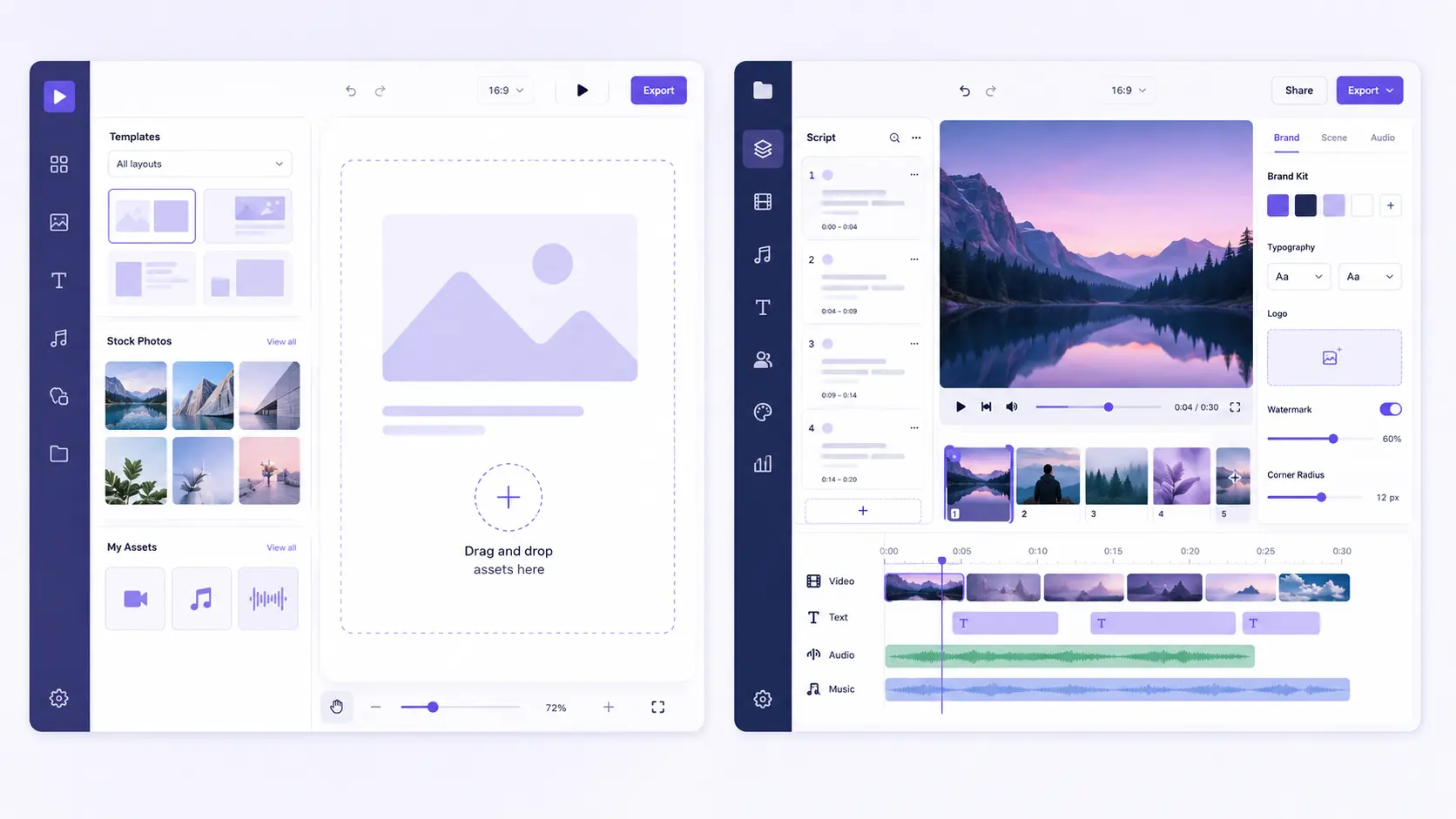
Pictory’s editor is also scene-based but considerably deeper. The left panel holds your script and each scene’s text. The right panel shows the live preview. A thumbnail timeline runs along the bottom for navigation. You can pull in visuals from Getty Images, Storyblocks, or Pictory’s AI Studio, apply text animations with entry and exit effects, manage per-scene voiceover timing, and apply brand kits in one action. The subtitles and captions Academy guide covers the full range of style and positioning options for auto-generated captions.
The practical difference: Lumen5 is faster for a quick social clip where the visual matching is good enough. Pictory is faster when you need the video to stay faithful to a specific piece of content and maintain consistent brand presentation across a library of videos.
Which Tool Handles Content Repurposing Better?
Both tools convert blog posts and URLs into video. Lumen5 was first and does it reliably. Pictory does it with higher fidelity to the source content and at a fraction of the cost once you need 1080p output.
The deeper gap is in what you can repurpose. Lumen5 works with text and URLs. That’s it. Pictory handles text, URLs, audio files, video recordings, PowerPoint decks, and images, all through dedicated native workflows. An Audio to Video workflow turns podcast episodes into captioned social clips. A PPT to Video workflow converts a slide deck into a narrated video with brand styling applied. The Auto Highlight feature scans a long recording and identifies the best moments automatically, so you don’t have to scrub through 45 minutes of footage to find three usable clips.
If your content library includes recordings, webinars, or presentations, Lumen5 can’t touch any of it. Pictory processes all of it.
How Does Pricing Compare Between Pictory and Lumen5?
This is where the comparison tilts most clearly. Both tools share a low starting price on annual billing, but the tiers diverge quickly once you need 1080p output or more than basic features.
PRICING COMPARISON (ANNUAL BILLING)
| Plan | Pictory | Lumen5 |
|---|---|---|
| Entry paid | $19/mo, 200 video mins, 1080p, 1 brand kit, ElevenLabs voiceover, Getty + Storyblocks | $19/mo (Basic), no watermark, limited voiceover, 720p only |
| Mid-tier | $35/mo (Professional), 600 video mins, 5 brand kits, 29 languages, 500 AI credits | $59/mo (Starter), 1080p, 50M+ stock assets, custom fonts/colors |
| Professional | $119/mo (Teams, 3+ users), 1,800 mins, shared brand kits, Pictory Central | $99/mo (Professional), custom watermark, multiple brand kits, 500M assets |
| Enterprise | Custom, SSO, dedicated CSM, done-for-you video, Pictory Central, full API | Custom, bespoke templates, design support, dedicated CSM |
The headline number: to get 1080p output from Lumen5, you need the Starter plan at $59 per month annually. Pictory’s Starter plan includes 1080p from $19 per month. That’s a $480 annual difference before you factor in any other feature comparison.
One important structural difference: Lumen5’s AI voiceover minutes reset every billing cycle. Unused minutes are gone. Pictory’s AI Credits roll over and never expire while your subscription is active, so production capacity builds rather than resets each month. | Pictory Help Center
Lumen5 also gates voiceover minutes tightly by tier: 20 minutes per month on Basic, 60 on Starter, 120 on Professional. A team producing more than a few videos a week hits those limits fast. Pictory’s credit system is more flexible: you choose which AI model to use per video and how many credits to spend, and anything unused carries forward.
What Generative AI Models Does Pictory Use?
Lumen5 has no generative AI capability. Its visual matching pulls from stock footage and images based on keywords in your script. The result is a stock-footage slideshow with text overlays. That works for many social formats but limits what you can do when your script describes something no stock clip covers.
Pictory’s AI Studio gives you direct access to a range of image and video generation models. You choose the model based on your speed and quality needs, and each uses AI Credits from your shared pool.
PICTORY AI STUDIO: CURRENT MODELS
| Model | Type | AI Credits |
|---|---|---|
| Flux Schnell | Image (1920×1080) | 0.6 per image |
| Amazon Titan G1 | Image | 0.7 per image |
| ByteDance Seedream | Image | 2 per image |
| Google Nano Banana | Image | 4 per image |
| Amazon Nova Canvas | Image | 4 per image |
| Pixverse | Video (720p) | 1.6 per second |
| Veo 3.1 Fast | Video (1080p) | 10 per second |
| Veo 3.1 | Video (1080p, full quality) | 20 per second |
Credit rates and model availability are sourced from the Pictory AI Credits Help Center article. Credits are shared across the workspace on Teams plans, roll over monthly, and never expire.
How Do Pictory and Lumen5 Handle Avatars and Voice Cloning?
Lumen5 has a basic talking-head avatar feature, but it doesn’t support AI voiceover sync, meaning the avatar moves without speaking unless you add your own audio separately. There’s no avatar cloning and no voice cloning capability on any Lumen5 plan.
Pictory’s Avatar Clone feature lets you build a personalized digital twin from your own photo, video footage, and voice sample. Once created, the clone narrates scripts across as many videos as you need without any further recording. Stock avatars cost 15 AI Credits per 30 seconds of video; custom avatar clones cost 35 credits per 30 seconds, as detailed in the Pictory AI Credits Help Center.
Pictory’s voice cloning also works independently of avatars. Clone your voice once and use it as the narration track across blog-to-video, audio-to-video, PPT-to-video, and script-to-video workflows. The cloned voice syncs automatically to scene timing. For course creators, training teams, and marketers who need consistent narration across a large content library, this removes the need for repeat recording sessions entirely.
AVATARS AND VOICE CLONING: QUICK COMPARISON
| Feature | Pictory | Lumen5 |
|---|---|---|
| Stock AI avatars | Full library, lip-sync, per-scene control | Basic talking head, no voiceover sync |
| Avatar Clone | Photo + video + voice sample | Not available |
| Voice cloning | Personal clone, works across all workflows | Not available |
| Lip-sync | Auto-generated on export | Manual/separate audio only |
| Best for | Training, L&D, course creators, consistent presenter at scale | Text-overlay social clips only |
Does Lumen5 Have Pictory Central or an API?
Neither feature exists in Lumen5. There’s no interactive video hosting, no SCORM export, no quiz or CTA layer, and no public developer API on standard plans. For teams that need to connect video creation to their CRM, LMS, or marketing automation stack, Lumen5 requires manual workflows at every step.
Pictory Central, included in Teams and Enterprise plans, turns any Pictory video into an interactive learning experience. AI generates chapter markers automatically. You add quiz questions at specific timestamps. Viewers click in-video CTAs at the exact moment they’re most likely to act. The whole thing exports as a SCORM package for direct upload into any LMS. The Pictory Central Academy guide walks through every step.
PICTORY CENTRAL: WHAT YOU GET
Auto chapters
AI detects topic changes and structures navigation automatically.
AI-generated quizzes
Knowledge checks created from video content, no manual question writing.
In-video CTAs
Clickable buttons and links at the exact moment viewers are ready to act.
SCORM export
Push interactive videos straight into any LMS, no extra infrastructure needed.
The Pictory API adds a separate capability Lumen5 doesn’t offer at all: programmatic video creation at scale. The API supports text to video, URL to video, PPT to video, video summarization, and caption generation as callable endpoints. It includes a Brand Kit API so every programmatically generated video inherits your logo, fonts, and colors. Zapier and Make integrations add no-code automation, and the Pictory MCP Server lets AI assistants orchestrate the full video production pipeline through natural language. The platform is SOC 2, GDPR, and ISO 27001 certified.
GDPR Compliant
ISO 27001 Certified
TRY PICTORY
Turn your content into video in minutes
Paste a blog post, upload a recording, or start from a script. Pictory handles the rest, with avatars, voice cloning, AI-generated visuals, and full brand control included.
Our Verdict
Lumen5 works for what it was built to do: turn a blog post into a text-overlay social video, quickly and without fuss. If that single workflow is all you need, and you’re happy with the basic animation style and the template-led aesthetic, it still functions. The free plan gives you five videos a month to test whether it fits.
The honest problem in 2026 is value. To get 1080p output from Lumen5, you spend $59 per month. Pictory charges $19 per month for the same resolution and adds ElevenLabs voiceover, AI image and video generation, an Avatar Clone feature, voice cloning, a screen recorder, PPT to Video, Audio to Video, and automatic highlight extraction. Lumen5 offers none of those features at any price tier. Voiceover minutes reset monthly with no rollover. There’s no API, no interactive video hosting, and no SCORM export. At the Professional plan, Lumen5 costs $99 per month for what is still, essentially, a blog-to-video tool.
For content marketers repurposing a mix of text, audio, and presentation content, Pictory is the clear choice at every price point. For training teams and L&D departments who need interactive video, quizzes, and LMS integration, Pictory Central gives you a capability Lumen5 simply doesn’t have. For developers and enterprise teams who need to automate video production at scale, the Pictory API with MCP Server support puts it in a different category entirely.
Put your workflow through Pictory
Start the 14-day free trial and see how your most common content type converts.
FAQ: Pictory vs Lumen5
Is Pictory better than Lumen5 for blog-to-video?
Yes, in most cases. Both tools convert blog posts and URLs into video, but Pictory does it with higher content fidelity, includes 1080p from its lowest paid tier, and costs significantly less than the Lumen5 plan that unlocks the same resolution. Pictory also includes AI voiceover with the ElevenLabs integration on all paid plans; Lumen5 caps voiceover minutes and doesn’t roll them over.
Does Lumen5 have AI voiceover?
Lumen5 offers limited AI voiceover on paid plans, but with monthly minute caps: 20 minutes on Basic, 60 on Starter, 120 on Professional. Unused minutes reset each billing cycle with no rollover. Pictory’s ElevenLabs voiceover is included on all paid plans, and AI Credits don’t expire while your subscription is active.
Can Lumen5 repurpose podcast recordings or webinars into video?
No. Lumen5 only works with text and URLs. Pictory’s Audio to Video and AI Video Editor workflows handle podcast episodes, webinar recordings, and long-form video files natively. Upload the file, and Pictory transcribes it, builds a storyboard, and matches visuals automatically.
Which tool is better for training and L&D teams?
Pictory. Lumen5 has no interactive video, no SCORM export, and no quiz features. Pictory Central, included in the Teams and Enterprise plans, adds AI-generated quizzes, in-video CTAs, automatic chapter markers, and SCORM export for direct LMS integration. The PPT to Video workflow also converts slide decks into narrated training videos automatically.
Does Lumen5 have a developer API?
No, Lumen5 doesn’t offer a public API on standard plans. Pictory has a full developer API supporting text to video, URL to video, PPT to video, video summarization, and captions, plus a Brand Kit API, Zapier and Make integrations, and an MCP Server for AI agent orchestration. The platform is SOC 2, GDPR, and ISO 27001 certified.
Related Posts