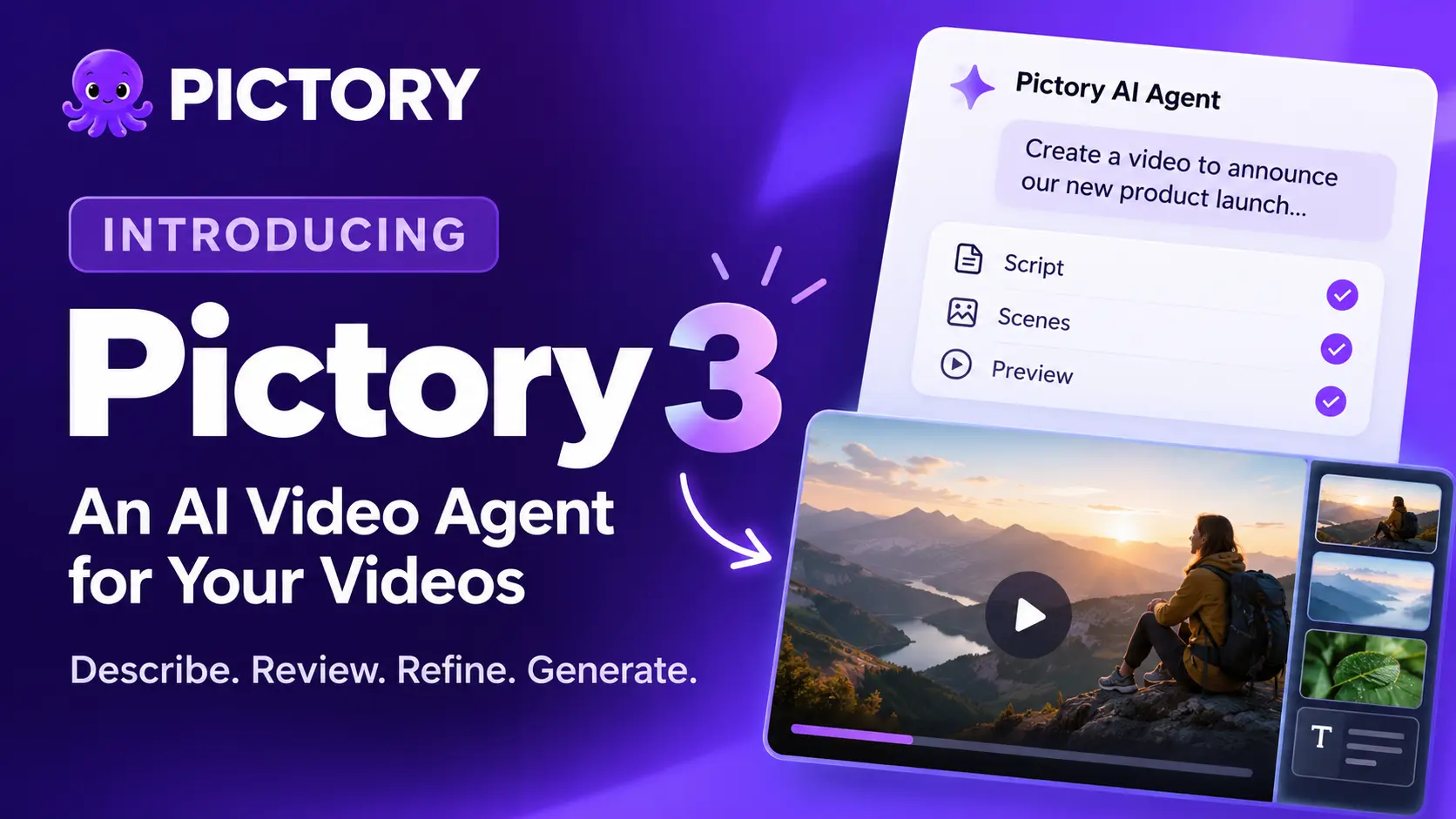
Today we’re introducing Pictory 3. It changes how a video starts: you tell the agent what you need, and it prepares the first version for you to review. Instead of starting from a blank timeline, you start from a brief, a document, or a web page you already have. This post covers what’s new, how it works, and where to begin.
TL;DR
Pictory 3 adds an AI video agent. You describe the video you want, add sources if you have them, and answer five setup questions. The agent prepares a script, scenes, and a preview. You review the story, refine it by chat or in the editor, and generate the final video. Here’s what’s new and how to start.
What is Pictory 3?
Pictory 3 is an AI video agent experience. You describe the topic, audience, purpose, and length, and add any source files or URLs. The agent guides setup, prepares the script and scenes, and creates a preview that you refine and generate.
An AI video agent
The agent prepares the story for you to review, instead of leaving you with a blank timeline.
More ways to start
Start from an idea, an approved script, a web page, documents, a PowerPoint deck, or an audio recording.
Changes by conversation
Ask for a focused change and say what to keep, or open the editor for precise control.
How does Pictory 3 work?
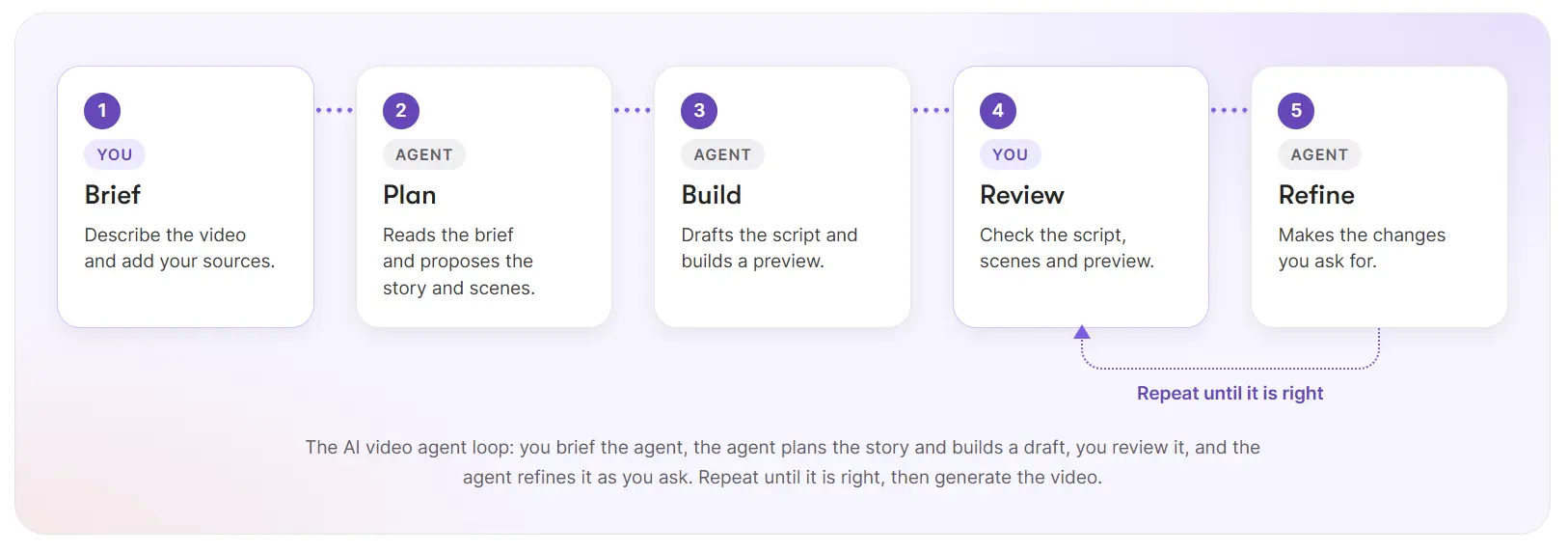
You describe the video, answer five setup questions, review the script and scenes, and generate a preview. Then you refine it by chat or in the editor, and select Generate video to create the file you download.
The five setup questions cover the voiceover, the visual sources, the aspect ratio, the layout preset, and the brand kit. Choose Decide for me where it’s offered. The agentic AI video workflow page shows every step with a worked example.
What can you start a video from?
Anything you already have. Describe an idea or paste a script, add a web page or documents, upload a PowerPoint deck, or upload an audio recording. Documents and URLs share a limit of five sources per creation request. Each source has a step-by-step Academy guide: turn a web page into a video, turn a document into a video, turn a PowerPoint into a video, and turn an audio recording into a video.
Who gets Pictory 3?
New Pictory users start in Pictory 3 as it rolls out.
What stays the same if you used Pictory 2?
Your existing projects stay in Projects. Opening Pictory 3 doesn’t automatically convert an older video, so open each project and use the editing experience that project offers. In the editor, you still work in panels for Story, Visuals, Avatars, Audio, Text, Elements, Styles, and Branding. You can also create personal avatars and voice clones and translate a project there. The agent doesn’t create or translate them.
Where should you start?
Start with the Academy guide How to create a video with Pictory 3 and run it on one real document or idea. If you’d rather read first, What’s new in Pictory 3 is the overview, and What is an AI video agent? explains the idea in plain English. To see how an agent differs from prompt-based generators, read generative AI vs agentic AI for video creators.
Try Pictory 3 on your next video
Describe it, review the story, and generate when you’re ready.
Is Pictory 3 right for you?
Pictory 3 suits you if you make videos from content you already have and want a structured first draft to review. Training, onboarding, and help content are natural starting points.
It’s a weaker fit if you want to place every element yourself from the first minute. You’ll also check the agent’s work: facts, names, and numbers come from your source, and you confirm them before you generate.
Our recommendation: pick one real source, write a short brief, and run the seven steps once.
Brief it. Review it. Generate it.
Meet the AI video agent.
FAQ: Pictory 3
What is Pictory 3?
Pictory 3 is Pictory’s AI video agent experience. You describe the video you want, add sources, and answer setup questions. The agent prepares a script, scenes, and a preview, and you refine the result by chat or in the editor before you generate the final video.
What’s new in Pictory 3?
The main change is an AI video agent that guides you through setup, prepares the script and scenes, and creates a preview. You can start from an idea, an approved script, a web page, documents, a PowerPoint deck, or an audio recording, then change the result by chat.
Do my older projects open in Pictory 3?
Your existing projects stay available in Projects. Opening Pictory 3 doesn’t automatically convert an older video, so open each project from Projects and use the editing experience that project offers. Duplicate a project first if you want to try a large change.
Where do I start?
Start with the Academy guide How to create a video with Pictory 3. Write a short brief, answer the five setup questions, review the script and scenes, then generate a preview. To read first, see the Pictory 3 hub and the page explaining what an AI video agent is.
Do I still control the video?
Yes. You review the script and scenes before the preview, ask the agent for focused changes, and edit in the editor. The downloadable file is only created when you select Generate video, so you decide when the video is finished.
Keep exploring
The hub: everything in Pictory 3 and where to start.
A plain-English definition.
The seven steps with a worked example.
Academy guide, screen by screen.