
Image model in AI Studio
Nano Banana AI Image Generator in Pictory
Generate and edit detailed images with the Nano Banana AI image generator in AI Studio, then add them to any scene.
- Reference images keep things the same
- Best for detailed images
- Add the image to any scene
- Free trial, online in your browser
300 credits with your free trial. No credit card required.
4.6/5Trusted by over 20,000 teams and institutions worldwide.






What is Nano Banana in Pictory?
Nano Banana is a image model from Google that you use inside Pictory’s AI Studio. Open AI Studio from any scene, describe the image and pick Nano Banana, and the result goes straight into your video. It suits detailed images.
Detail without the top price. Nano Banana handles fine detail for everyday scenes, and Nano Banana Pro is there for the hero shots.
For every way to make a picture for your video, see the AI image generator. To give the picture motion afterwards, use image to video AI.
Nano BananaScene 3
Added to sceneImage ready
Facts
Nano Banana at a glance
The facts about Nano Banana in Pictory, from the Pictory 3 plans. Credits come from your plan, and the free trial and every plan can use every model.
| Nano Banana | |
|---|---|
| Type | Image model |
| Made by | |
| Credits | 8 credits per image |
| Reference images | Yes: keep a person, product, setting or style the same |
| Best for | Detailed images |
| What the free trial makes | About 37 images |
How it works
How to generate with Nano Banana in Pictory
To generate an image with Nano Banana, open AI Studio from any scene in Pictory. Describe the image or get a prompt for the scene, pick Nano Banana and a style, then generate. Add the image you like to the scene, or edit it with a prompt first.
Open AI Studio
Open any scene, click Visuals, then AI Studio.
Describe the image
Type what you want, or get a prompt for the scene.
Pick Nano Banana and a style
Choose the model, a style and a shape.
Add it to your scene
Add the image to the scene or as a layer.



Use it for
What Nano Banana is good for
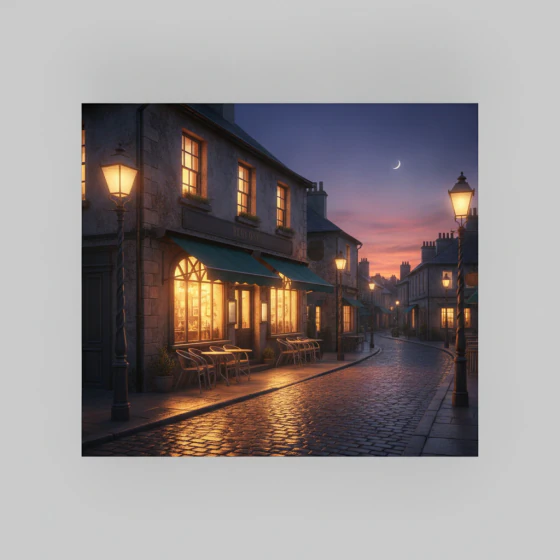
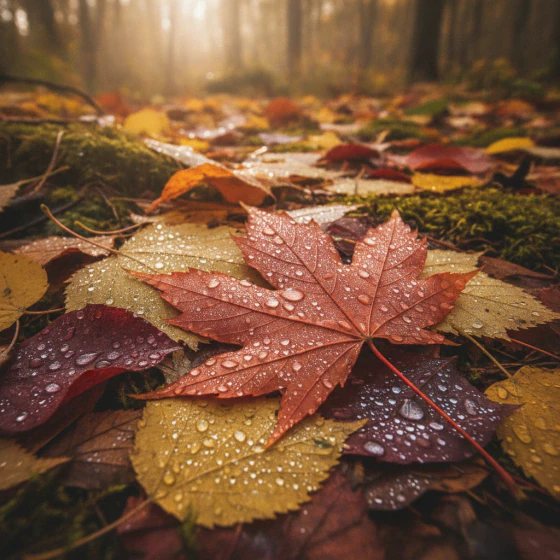
Nano Banana suits detailed images for everyday scenes: a product on a table, a workspace, a street at dusk. It takes reference images to keep a product or setting the same, and you can edit any result with a prompt before it goes into your video.
 Workspace
- Product
- Street scene
- Detail


Compare
Nano Banana or Nano Banana Pro?
How Nano Banana compares with the other image models in Pictory. Each name opens that model’s page.
| Nano Banana | Nano Banana Pro | Nano Banana Lite | Seedream | |
|---|---|---|---|---|
| Credits | 8 credits per image | 14 credits per image | 4 credits per image | 2 credits per image |
| Reference images | Yes | Yes | Yes | Yes |
| Best for | Detailed images | Polished, high-detail hero images | Quick, low-cost image generation and edits | Images with text and numbers |
Free trial
What can you make with the free trial?
The free trial gives you 300 credits for 14 days, with no credit card required, and it works on every model. With Nano Banana, 300 credits make about 37 images. Every paid plan comes with its own credits.
Why Pictory
Loved by creators, trusted by enterprise teams
From solo creators to global L&D teams. Read the case studies
4.6 / 5
Average rating on G2, plus Capterra’s Best Ease of Use award for 2025.
20,000+
companies and institutions creating video with Pictory.
SOC 2
and GDPR compliant, ready for enterprise security reviews

 GDPR
GDPR






Case studies
Teams that scaled video with Pictory

“Pictory is the easiest, most efficient way to get from an idea in text to multimedia imagery on the screen. It’s the critical component to get us out of death by PowerPoint.”
Read the Whirlybird Labs case study“Pictory helps us consistently deliver the high-quality videos we’re known for, content we’re proud of and our clients are proud to use. They always get a five-star response.”
Read the VRC case study“82% of our 10,000+ partners keep coming back to our training videos even though they aren’t mandatory courses. That’s how we know the content’s working.”
Read the AppDirect case study“It increased subscriber growth by 78% and cut my video creation time from a couple of hours to a few minutes. It’s been a godsend.”
Read the NetRock case study“Through Pictory videos, leads up by 500%, video production costs are down 90%.”
Read the Online Super Tutors case study“We only launched our new app a few months ago and already have over 500 subscribers. People come back regularly to watch more videos made with Pictory.”
Read the Game of Yield case study




8 credits per image. The credits come from your plan; the free trial includes 300.
Yes. The free trial gives you 300 credits for 14 days, with no credit card required, and it works on every model.
Pick Nano Banana for detailed images. Pick Nano Banana Pro for polished, high-detail hero images. You can use both in one video, one scene at a time.
Yes. Add a reference image to keep a person, product, setting or style the same across the images you make.
Yes. Open Edit with AI on the image to change it with a prompt, or Animate image to turn it into a short clip. You can also generate up to four variants and keep the best one.
Pick one of six styles before you generate: Photorealistic, Artistic, Cartoon, Minimalist, Vintage or Futuristic. Generate the same prompt in another style to compare them side by side, then keep the one that suits the scene.
Open AI Studio from any scene, describe the image, pick Nano Banana and generate. Then add the result to your scene.
Not Just Nano Banana
Explore the other AI models and features in Pictory