
4.6/5rated on G2
Turn dense training documents into engaging videos in minutes
Trainers and IDs don’t need specialized video editing skills to build good videos in 2026. Pictory AI can repurpose your existing training content into training videos that keep learners engaged and learnings retained.
Trusted by over 20,000 teams and institutions worldwide.





What is training video software?
Training video software turns slides, documents and recordings into narrated training videos that you edit as text and update without re-recording. Pictory does this for L&D teams: it builds the scenes, adds a voiceover and captions, and keeps your brand on every video.
Pictory helps L&D teams turn existing decks, docs, and recordings into training videos, and keep them up to date without re-recording. Teams ship more training and respond to learner needs more effectively.
 Training video
Certified for enterprise-grade security and global compliance
ISO 27001 and SOC 2 certified, with Single Sign-On through your identity provider.
For L&D teams
Your instructional expertise drives outcomes
Don’t let video production slow you down.

Sales and partner enablement
Build and refresh product and launch training quickly.
Operations and compliance
Update policy and procedure training without re-recording.
Skills training
Turn procedures and slide decks into step-by-step videos.



Why Pictory
Loved by creators, trusted by enterprise teams
From solo creators to global marketing teams.
4.6 / 5
Average rating on G2, plus Capterra’s Best Ease of Use award for 2025.
20,000+
companies and institutions creating video with Pictory.
ISO 27001
and SOC 2 certified, GDPR compliant, ready for enterprise security reviews

 GDPR


Proof
Training teams using Pictory ship more
Create videos for training, marketing, and more. Pictory makes it easy to produce high quality video at scale. Here are the benefits customers value most.
80%
voluntary training completion rate
AppDirect
$1500
monthly savings in video creation costs
Online Super Tutors
7x
faster video creation time
Golden Business Group LLC
Your design process
Pictory works with your instructional design process, not against it
We know how much effort you put into designing intentional learning experiences, collaborating with managers, SMEs, and learners. Pictory handles four parts of the work. For individual designers, see AI video for instructional designers.
Part 01
AI scripts from existing input files
Pictory turns messy inputs into a structured storyboard you can edit as easily as text. Paste a web page link and Pictory builds a draft from it. Start with what you already have:
- PowerPoint files: Pictory analyzes the text and visual content to form the basis of your storyboard.
- Rough outlines or partial scripts: take your initial concepts and use them as the foundation. Pictory will structure and visualize even fragmented text ideas.
- Docs, web page links or existing videos: add a document or a web page link, or upload an existing video. Pictory analyzes the content, extracting key points and context, to produce a structured, editable storyboard.
Part 02
Relevant visuals without the hunt
Pictory combines elements from three sources to create an editable presentation style video interface your team already understands:
- Existing slides, images and brand assets from your source material, including logos, high-quality images, diagrams, and product photos.
- Relevant stock footage and video clips: AI selects and integrates contextually appropriate stock video and images from our extensive library for visual appeal and depth.
- Custom AI visuals and avatars: professional, customizable avatars and prompt based AI-generated visuals to serve as on-screen presenters with natural-sounding voices.



Part 03
Professional voiceovers, no studio required
Choose from 170+ AI voices in 29+ languages.
- Background narration: generate clear, consistently paced voiceovers for dynamic learning.
- Lifelike AI avatars: avatars present your lesson in a personal, approachable way.
- No microphones required: skip the expensive equipment and the studio time.
- Zero retakes: automatic audio generation saves hours.


Part 04
Collaboration that matches real L&D work
Pictory streamlines complex collaborative workflows for efficient course creation.
- Share near-final previews instantly for SME feedback: share a preview link with SMEs and stakeholders at any stage, so they can review flow, visuals and accuracy without needing the final render.
- Edit without re-recording: revise content based on the feedback and generate updated flows, voiceovers and visuals.
- Generate the final video once it is approved: produce the finished video file after the feedback has been worked in.
 Preview link
Examples
Corporate training videos by type
Video based training, built from the material you already have.
Corporate and employee training
Turn a handbook or slide deck into employee training videos with a voiceover and captions. See the training videos guide.
Training video makerOnboarding
Turn the welcome deck and policy documents into a first-week video, and update it by editing the text.
Employee onboarding video makerCompliance and policy training
Edit the scenes that changed and generate again, so compliance training videos stay current.
Doc to videoSafety and skills training
Turn a procedure deck into step-by-step safety training videos, narrated from your speaker notes.
PPT to videoSales and partner enablement
Build and refresh product and launch training fast, and update it when the message changes.
Software and product training
Record a process with the screen recorder, edit it in the AI video editor and share short microlearning videos.
Updates, languages and LMS
Update, translate and publish your training videos
Update training videos without re-recording
Edit the text of the scene that changed and generate the video again. The voice and captions follow. It keeps AI training for employees current when a product, policy or region changes.
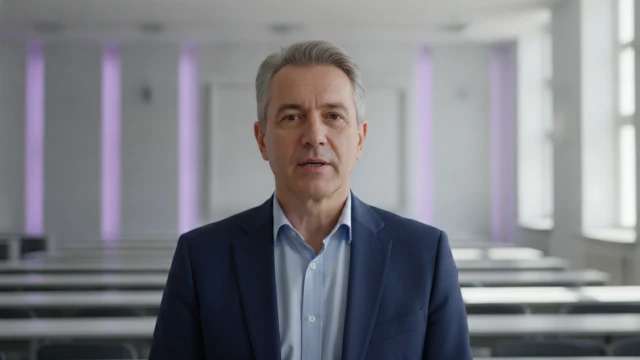
Training videos in more than one language
Pictory has 170+ AI voices in 29+ languages. Translate a project from English into other languages and add captions to every version.
Interactive training videos, SCORM and your LMS
Pictory is a video platform, not an LMS. Use an MP4 or a shareable link wherever your LMS accepts video, and Pictory Central (Enterprise plan) for hosting, quizzes and SCORM export.
 Español
 English
Brand and team control for L&D
A brand kit holds your logo, colors, fonts, text styles, music, voices and avatars, and Pictory can generate one from your website address. On the Teams plan, for three or more users, brand kits and projects are shared across the team.
- Brand kits made from a website address
- Shared brand kits and projects on the Teams plan
- The same look on every module
 N
Interactive tour
Tour the PowerPoint-to-Video workflow yourself
Go from raw slides to a training video in minutes. PPT to Video takes PPT and PPTX files up to 90 slides or 50 MB, can use your speaker notes as the narration, and turns slide text into editable scenes.
Case studies
Teams that scaled video with Pictory

“Pictory is the easiest, most efficient way to get from an idea in text to multimedia imagery on the screen. It’s the critical component to get us out of death by PowerPoint.”
Read the Whirlybird Labs case study“Pictory helps us consistently deliver the high-quality videos we’re known for, content we’re proud of and our clients are proud to use. They always get a five-star response.”
Read the VRC case study“82% of our 10,000+ partners keep coming back to our training videos even though they aren’t mandatory courses. That’s how we know the content’s working.”
Read the AppDirect case study“It increased subscriber growth by 78% and cut my video creation time from a couple of hours to a few minutes. It’s been a godsend.”
Read the NetRock case study“Through Pictory videos, leads up by 500%, video production costs are down 90%.”
Read the Online Super Tutors case study“We only launched our new app a few months ago and already have over 500 subscribers. People come back regularly to watch more videos made with Pictory.”
Read the Game of Yield case study


AI video creation helps L&D teams save time, reduce costs, and deliver more engaging content. Instead of spending weeks working with video editors or outsourcing production, you can turn presentations, scripts, and recorded lectures into training videos within hours. AI also keeps style and branding consistent across all training materials.
You can upload a PowerPoint (PPT or PPTX, up to 90 slides or 50 MB), a PDF or document (up to 50 MB), a script or text, audio files and recordings. You can also paste a web page link, or a YouTube or Instagram video link, into URL to Video. Pictory turns them into structured, editable video lessons with voiceovers, visuals and captions.
Yes. Every video can reflect your organization’s brand identity. You can add logos, choose brand colors, select preferred fonts and apply brand kits that keep a consistent look and feel across all training content.
Yes. SMEs often do not have the time or skills to create videos. They can upload their raw materials like slide decks, lecture notes or recordings, and Pictory builds a video you can review and edit. This reduces the effort SMEs need to invest while still capturing their expertise.
Video combines visuals, narration and captions, which makes lessons easier to follow. Shorter, more dynamic videos suit bite-sized microlearning for employees who would rather not read long documents.
Yes. Download an MP4 or copy a shareable link and use it wherever your LMS accepts video. For SCORM export, hosting, chapters and quizzes, use Pictory Central, which is available on the Enterprise plan.
Yes, through Pictory Central, which is part of the Enterprise plan. It also hosts your video, adds automatic chapters and AI-generated quiz questions you review and edit, and publishes by link or embed. Book a demo to see it.
Yes. Edit the text of the scene that changed and generate the video again. The voice and the captions follow the text, and you can duplicate the project before a big change. This keeps AI training for employees up to date when a product, policy or region changes.
Yes. Pictory has 170+ AI voices in 29+ languages, and you can translate a project from English into other languages. Captions can be added to every version. See the video translator.
Yes. You can share a preview link with SMEs and stakeholders before you download the final video, so they can review the flow, visuals and wording. Edit the text, generate again, and download when the feedback is worked in.
Pictory makes and hosts the training videos, and your LMS tracks courses and learners. Pictory Central adds SCORM export, so a video can go into your LMS as a course item.
Yes. The Pictory API builds videos from your own systems and templates, and Pictory MCP makes them in Claude, ChatGPT, Perplexity, Cursor or VS Code with your Pictory sign-in.
Yes. Pictory supports SSO with SAML or OIDC and providers such as Okta, Microsoft Entra ID and Google, on the Enterprise and Teams plans. Our team sets it up for you.